VISUALISE species AS x, bill_len AS y FROM ggsql:penguins
  DRAW boxplot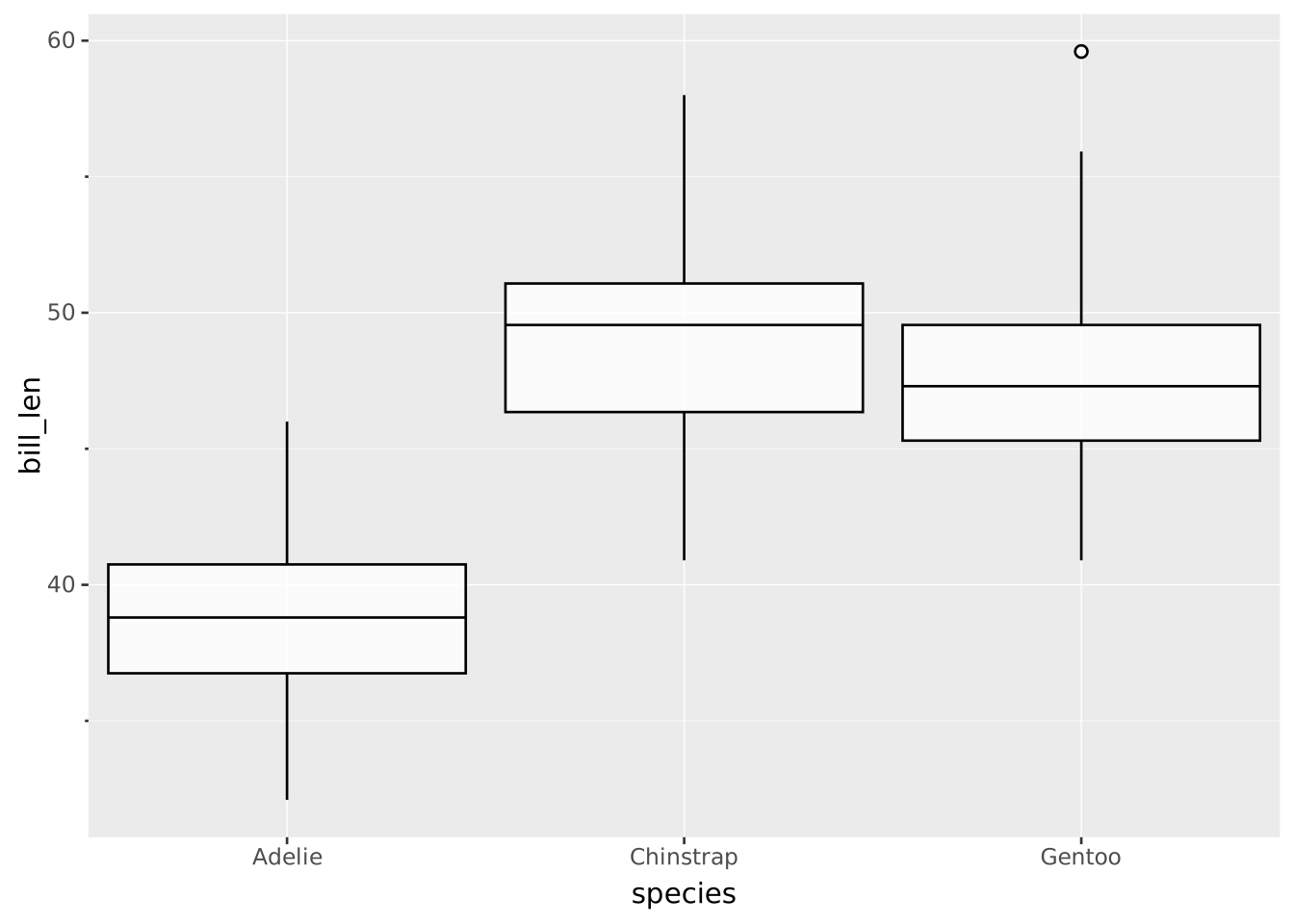
Boxplots are a popular way to display a summary of a distribution of single continuous variables. It is good to keep in mind boxplots hide the actual distribution of the data behind a summary, for example when the data is bi- or multi-modal. For every group, a boxplot displays the following 6 things:
VISUALISE species AS x, bill_len AS y FROM ggsql:penguins
DRAW boxplot
VISUALISE ... FROM ggsql:penguins loads the built-in penguins dataset.species AS x sets a categorical variable to separate different groups.bill_len AS y sets the numeric variable to summarise.DRAW boxplot gives instructions to draw the boxplot layer.You can refine groups beyond the axis categorical variable, and the boxplots will be displayed in a dodged way.
VISUALISE species AS x, bill_len AS y, island AS fill FROM ggsql:penguins
  DRAW boxplot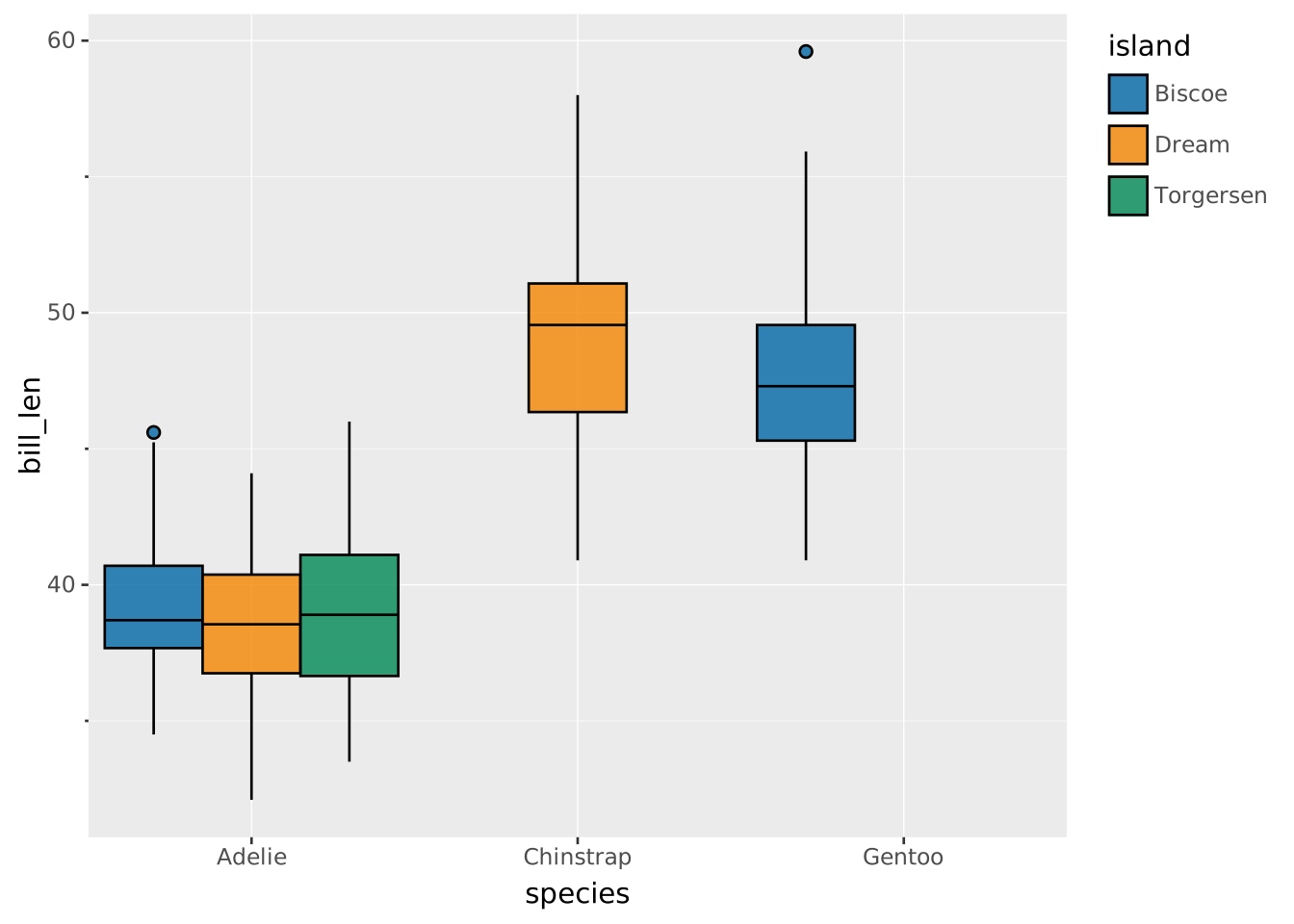
However, dodging might be unproductive or counterintuitive in some cases. For example if we double-encode groups, like species as both x and fill in the plot below, dodging looks bad.
VISUALISE species AS x, bill_len AS y, species AS fill FROM ggsql:penguins
  DRAW boxplot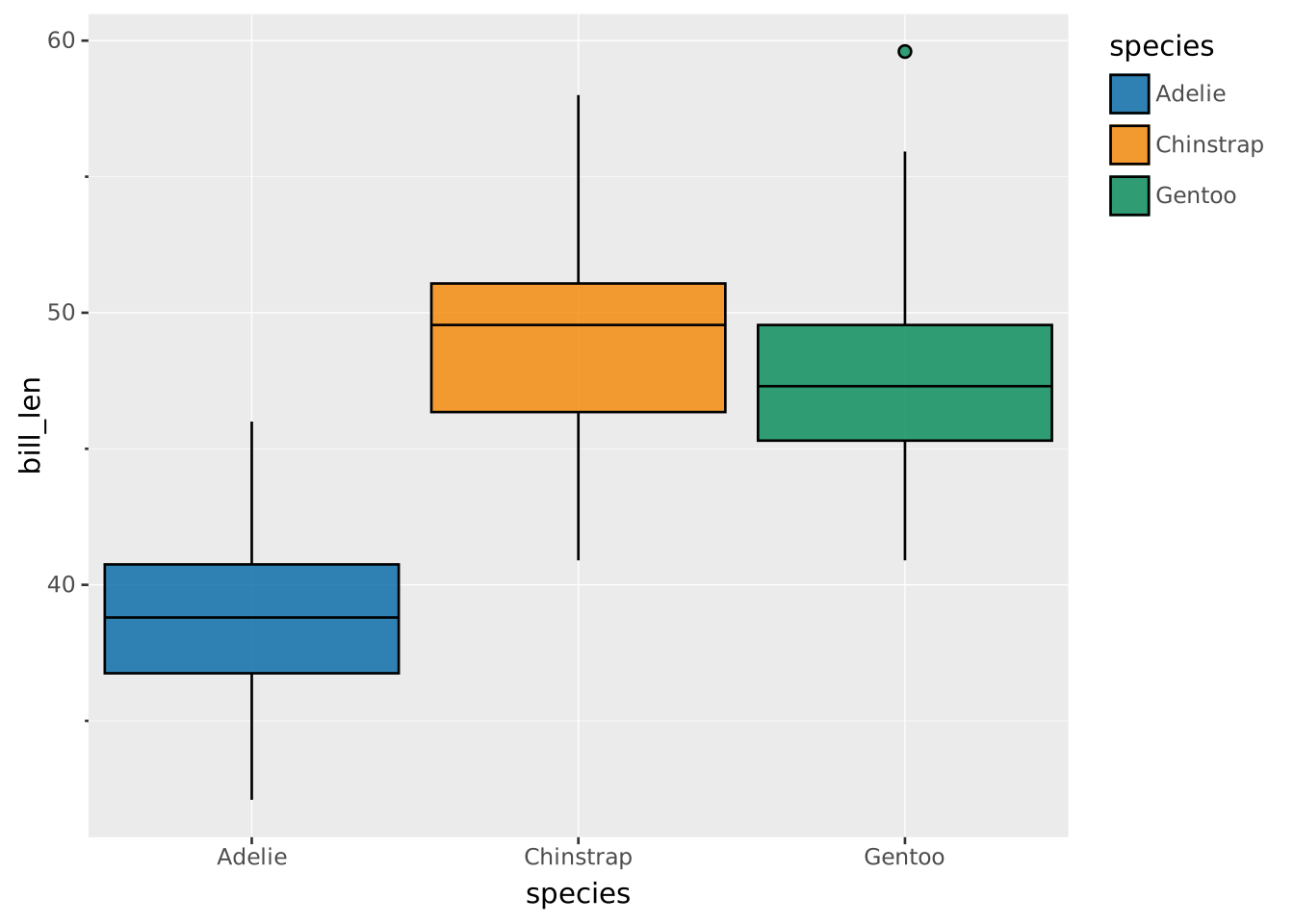
We can disable the dodging by setting position => 'identity'.
VISUALISE species AS x, bill_len AS y, species AS fill FROM ggsql:penguins
  DRAW boxplot SETTING position => 'identity'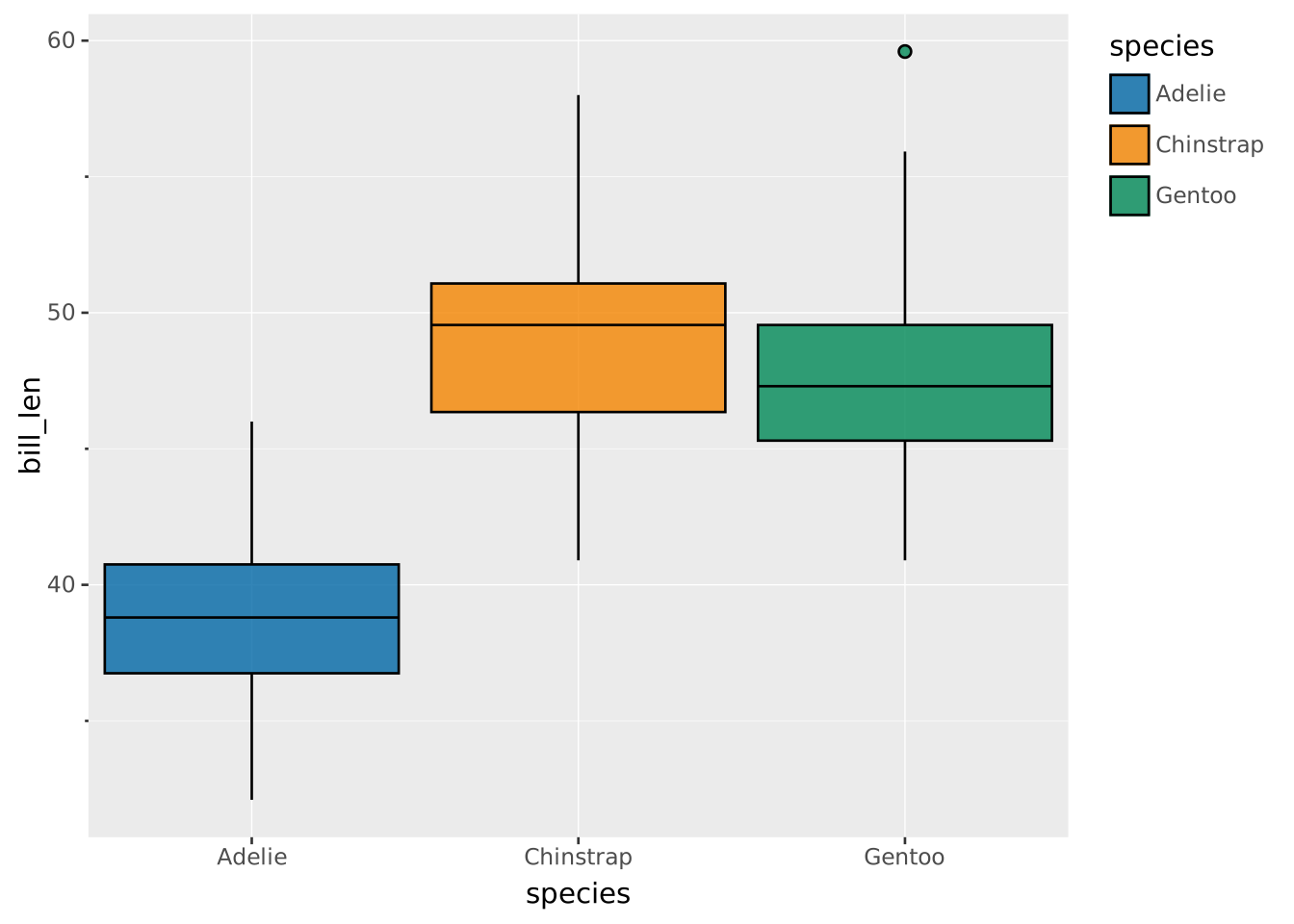
To draw the boxplots horizontally, simply swap the x and y mapping. The orientation is detected automatically based on which variable is continuous and which is discrete.
VISUALISE bill_len AS x, species AS y, island AS fill FROM ggsql:penguins
  DRAW boxplot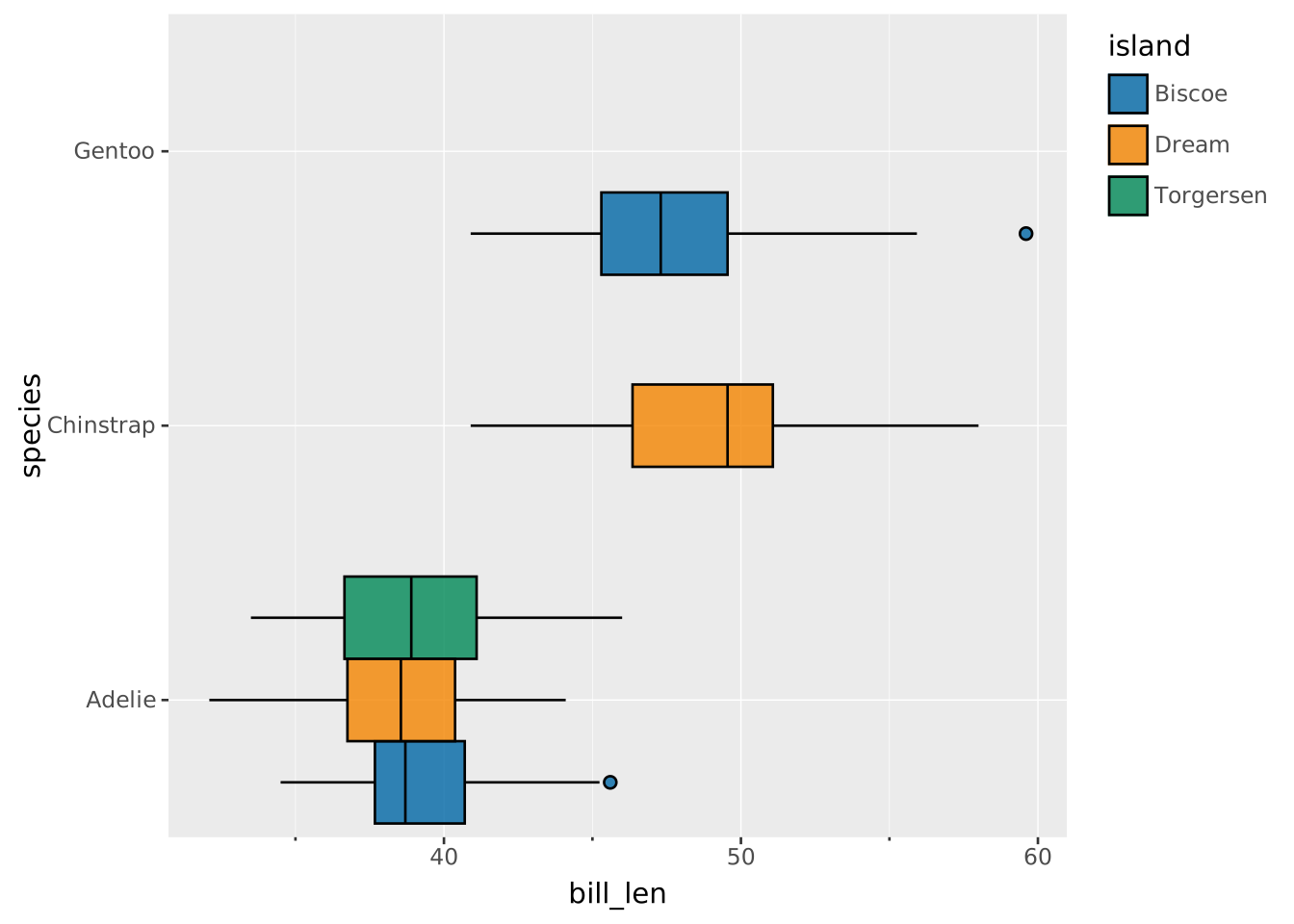
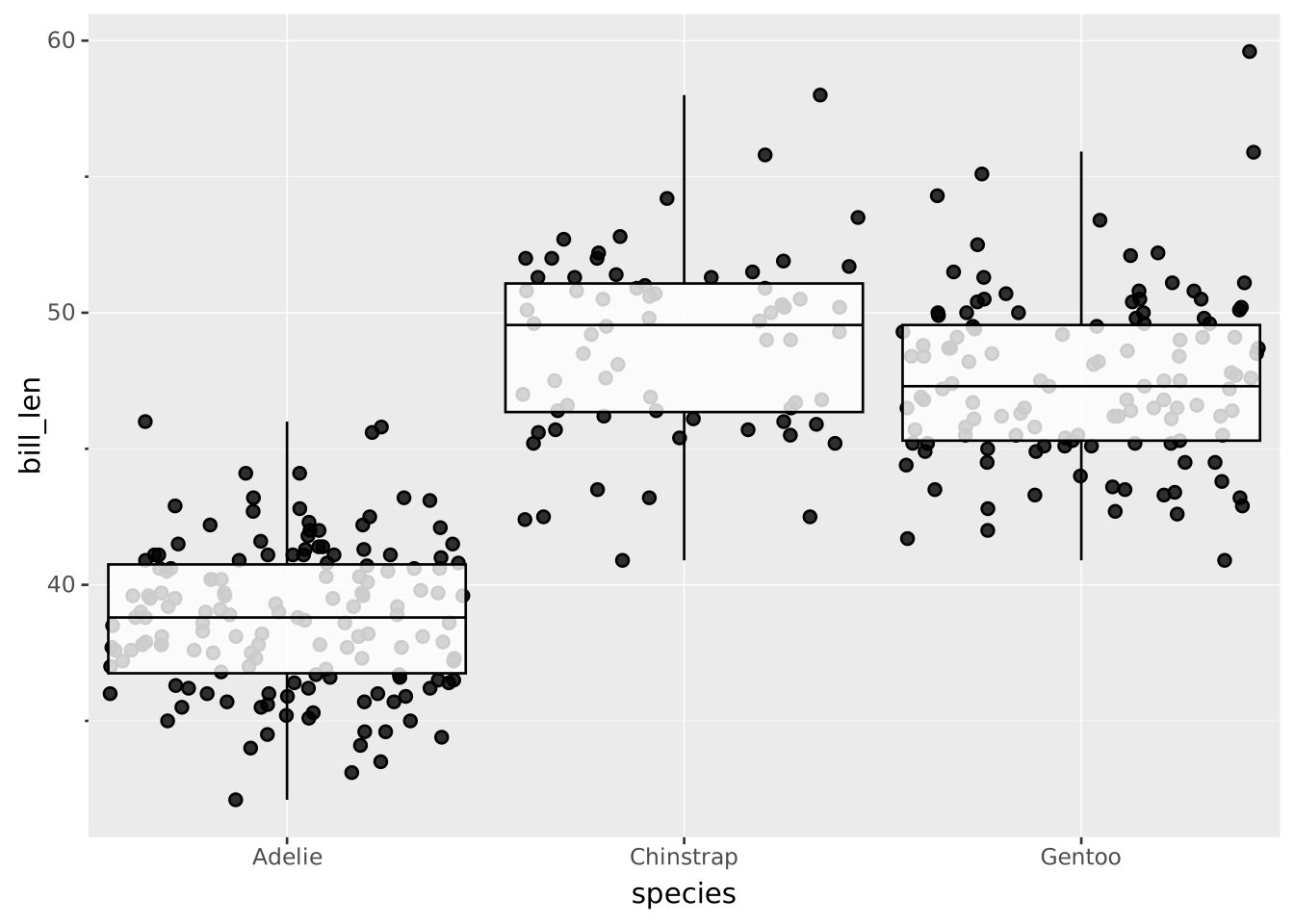
Because a boxplot is a summary, it may be a good idea to supplement them with individual datapoints so that you can’t be accused of ‘hiding’ the distribution. The datapoints can be jittered by setting position => 'jitter'. When you do this, make sure to turn outliers => false to not draw the outlier points twice across the two layers.
VISUALISE species AS x, bill_len AS y FROM ggsql:penguins
  DRAW point SETTING position => 'jitter'
  DRAW boxplot SETTING outliers => false