SELECT bill_len, bill_dep, species FROM ggsql:penguins
VISUALISE bill_len AS x, bill_dep AS y
DRAW point
FACET species
LABEL
  title => 'Bill Dimensions by Species',
  x => 'Bill Length (mm)',
  y => 'Bill Depth (mm)'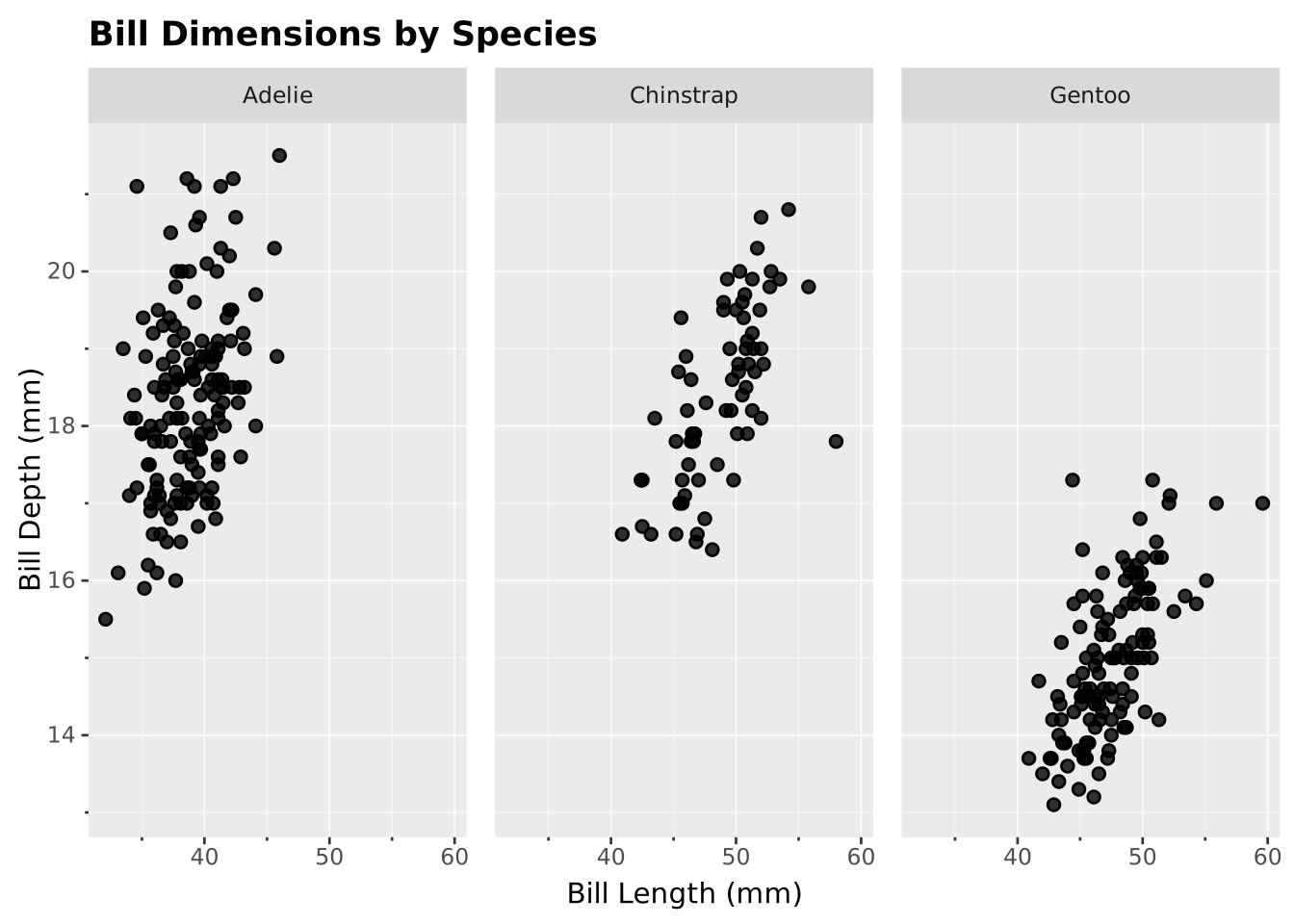
Faceted plots (small multiples) split data into separate panels by one or more categorical variables. This makes it easy to compare patterns across groups.
SELECT bill_len, bill_dep, species FROM ggsql:penguins
VISUALISE bill_len AS x, bill_dep AS y
DRAW point
FACET species
LABEL
title => 'Bill Dimensions by Species',
x => 'Bill Length (mm)',
y => 'Bill Depth (mm)'
FACET species creates a separate panel for each penguin speciesUse FACET rows BY cols to create a grid layout:
SELECT bill_len, bill_dep, species, island FROM ggsql:penguins
VISUALISE bill_len AS x, bill_dep AS y
DRAW point
FACET species BY island
LABEL
  title => 'Bill Dimensions by Species and Island',
  x => 'Bill Length (mm)',
  y => 'Bill Depth (mm)'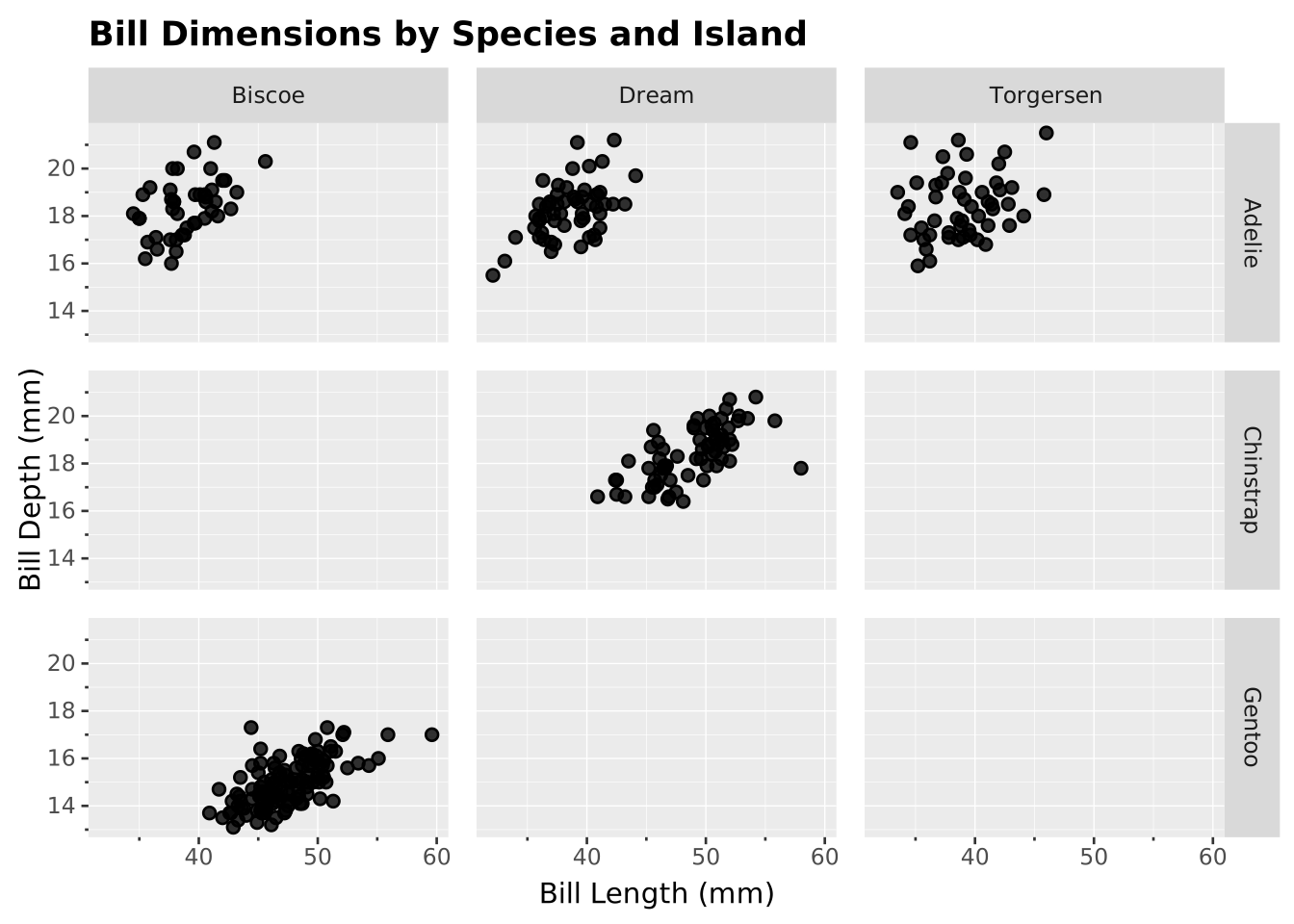
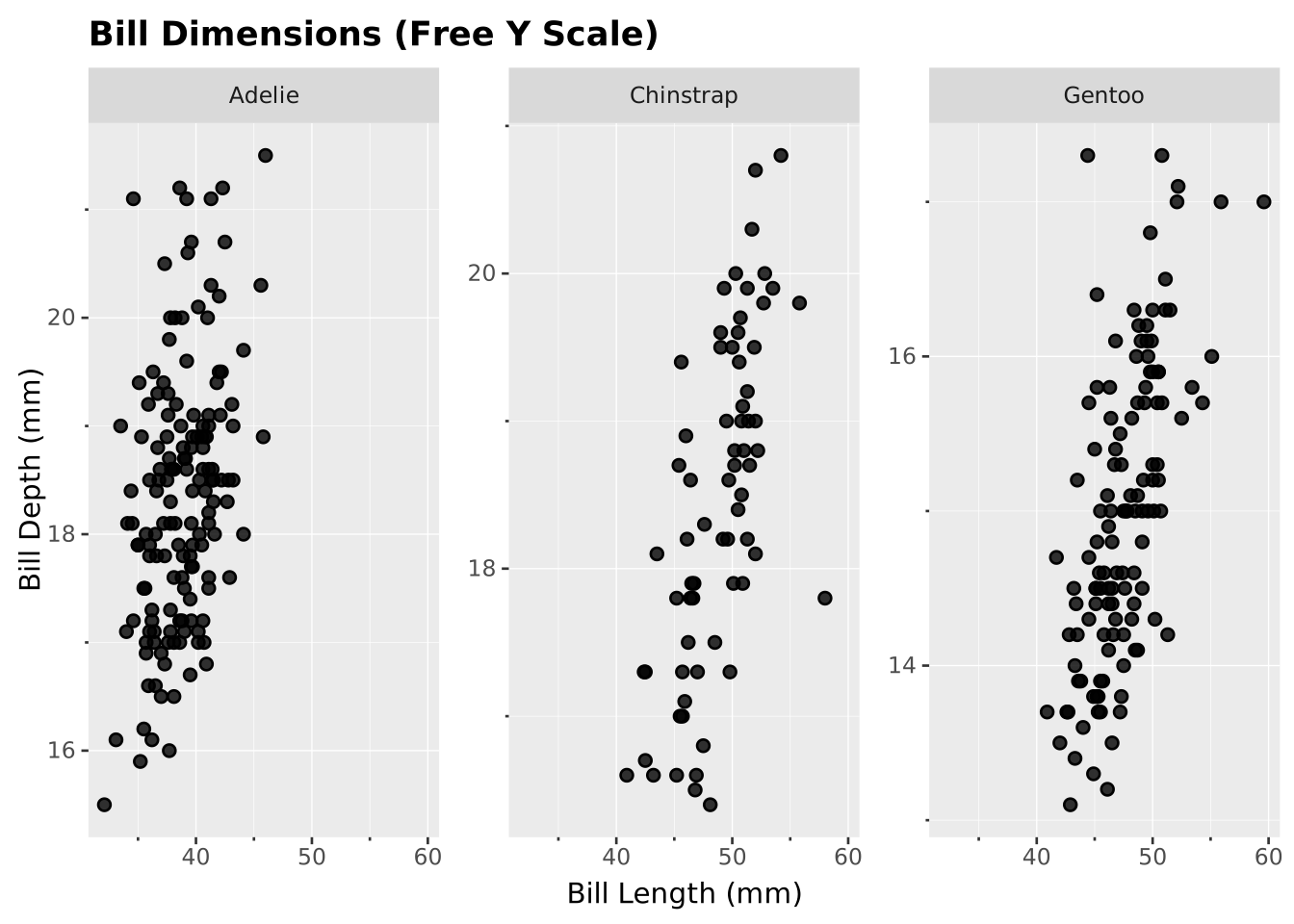
Allow each facet to have independent axis scales with SETTING free:
SELECT bill_len, bill_dep, species FROM ggsql:penguins
VISUALISE bill_len AS x, bill_dep AS y
DRAW point
FACET species SETTING free => 'y'
LABEL
  title => 'Bill Dimensions (Free Y Scale)',
  x => 'Bill Length (mm)',
  y => 'Bill Depth (mm)'