VISUALISE bill_len AS x, species AS colour FROM ggsql:penguins
  DRAW density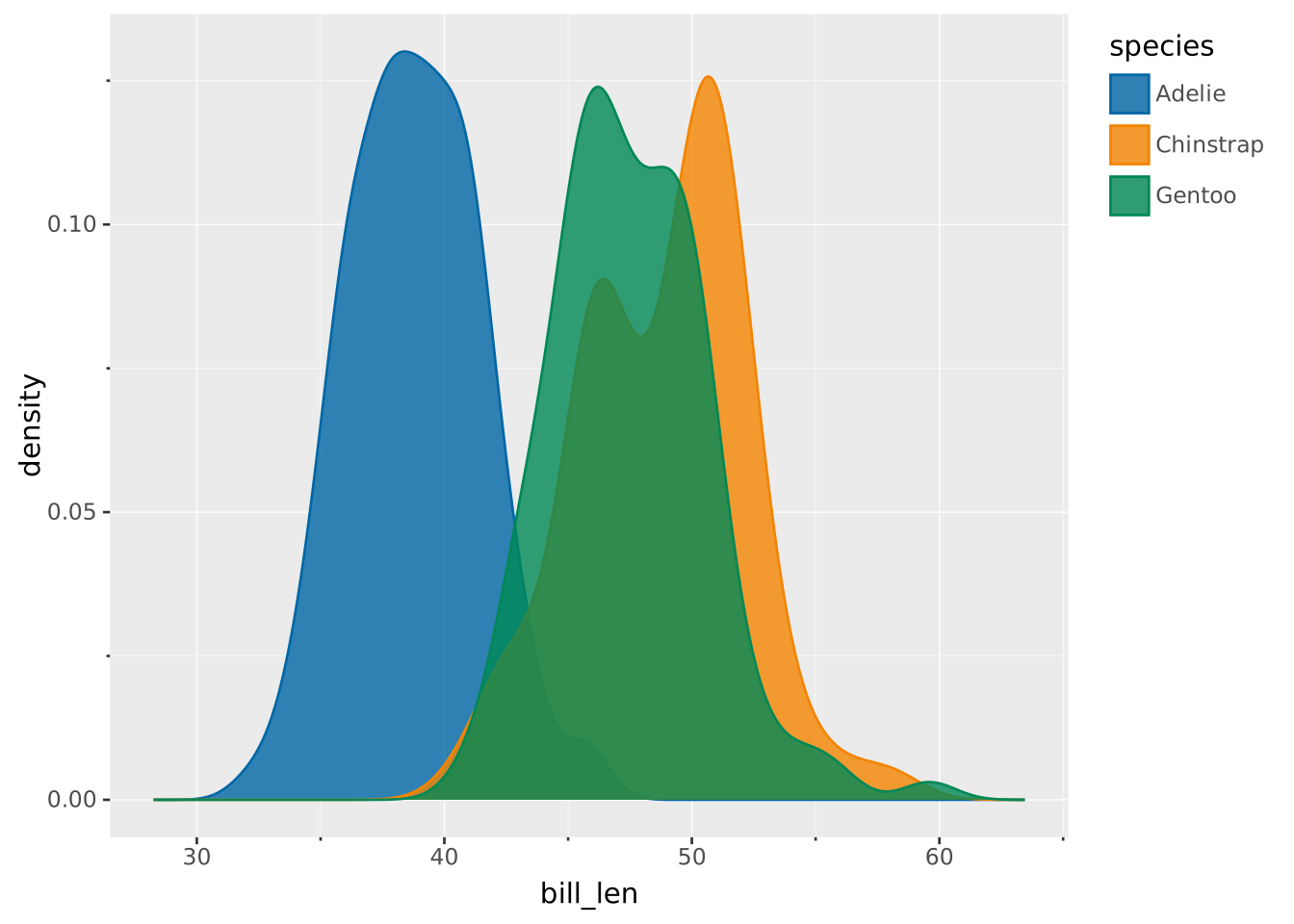
Like histograms, density plots show the distribution of a numeric variable. Instead of binning, density plots use kernel density estimation to estimate a smooth, continuous probability density. A kernel (like a Gaussian) is placed on each point and summed. The level of smoothing is controlled via the bandwidth which affects the width of the kernel.
The x-axis gives the value of the numerical variable, whereas the y-axis gives the estimated probability density.
VISUALISE bill_len AS x, species AS colour FROM ggsql:penguins
DRAW density
VISUALISE ... FROM ggsql:penguins loads the built-in penguins dataset.bill_len AS x sets the numeric variable to use for density estimation.species AS colour sets implicit groups indicated by colour.DRAW density gives instructions to draw the density layer.Using the density gives all groups equal area that integrates to 1. This masks differences between the sizes of groups. Instead of using density, one can use the intensity that also encompasses differences in group size.
VISUALISE bill_len AS x, species AS colour FROM ggsql:penguins
  DRAW density REMAPPING intensity AS y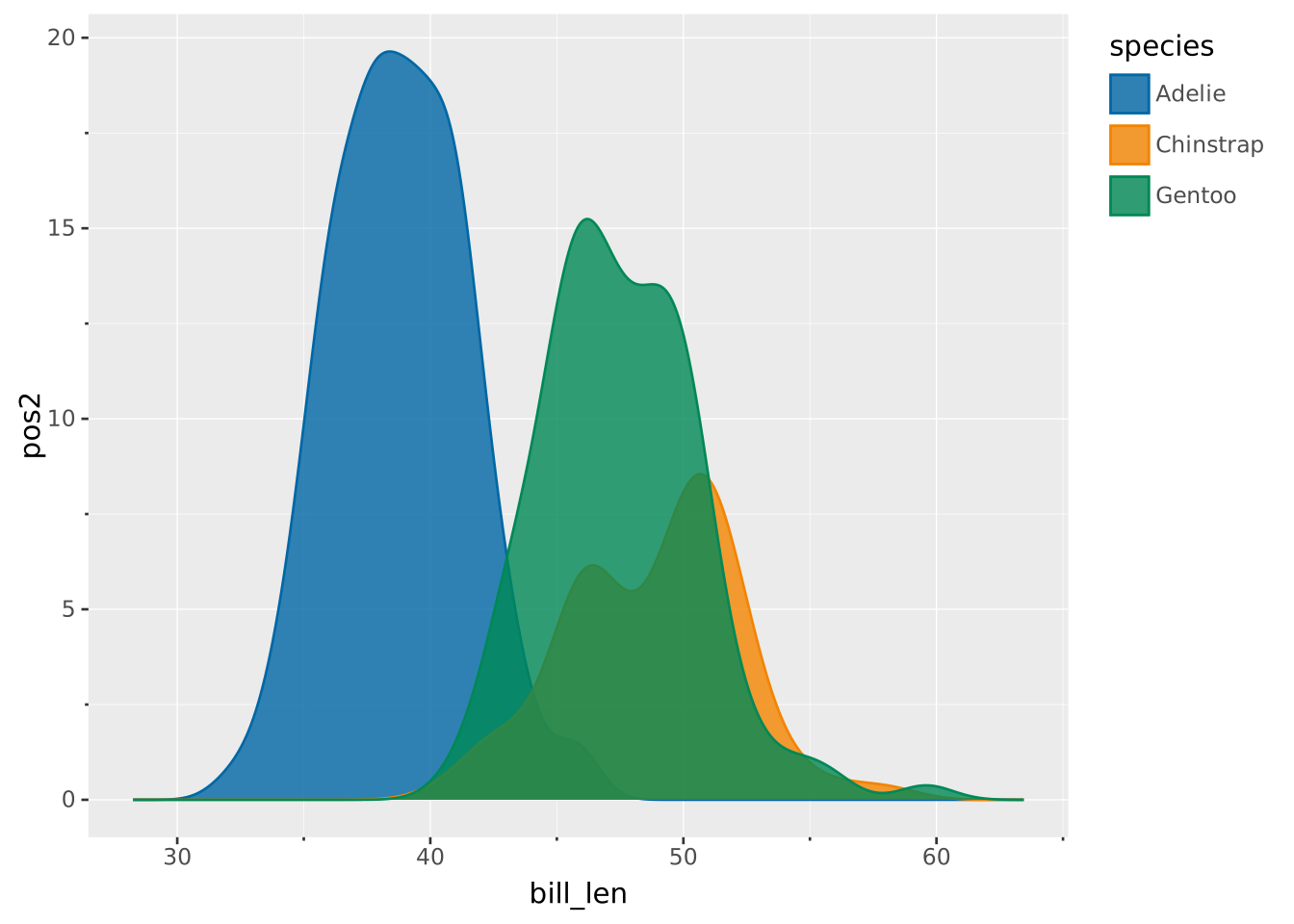
Instead of having independent groups, the density can also be stacked. Note that stacking alone does not account for relative contributions per group. For that reason, you may want to show the intensity instead.
VISUALISE bill_len AS x, species AS colour FROM ggsql:penguins
  DRAW density
    REMAPPING intensity AS y
    SETTING position => 'stack'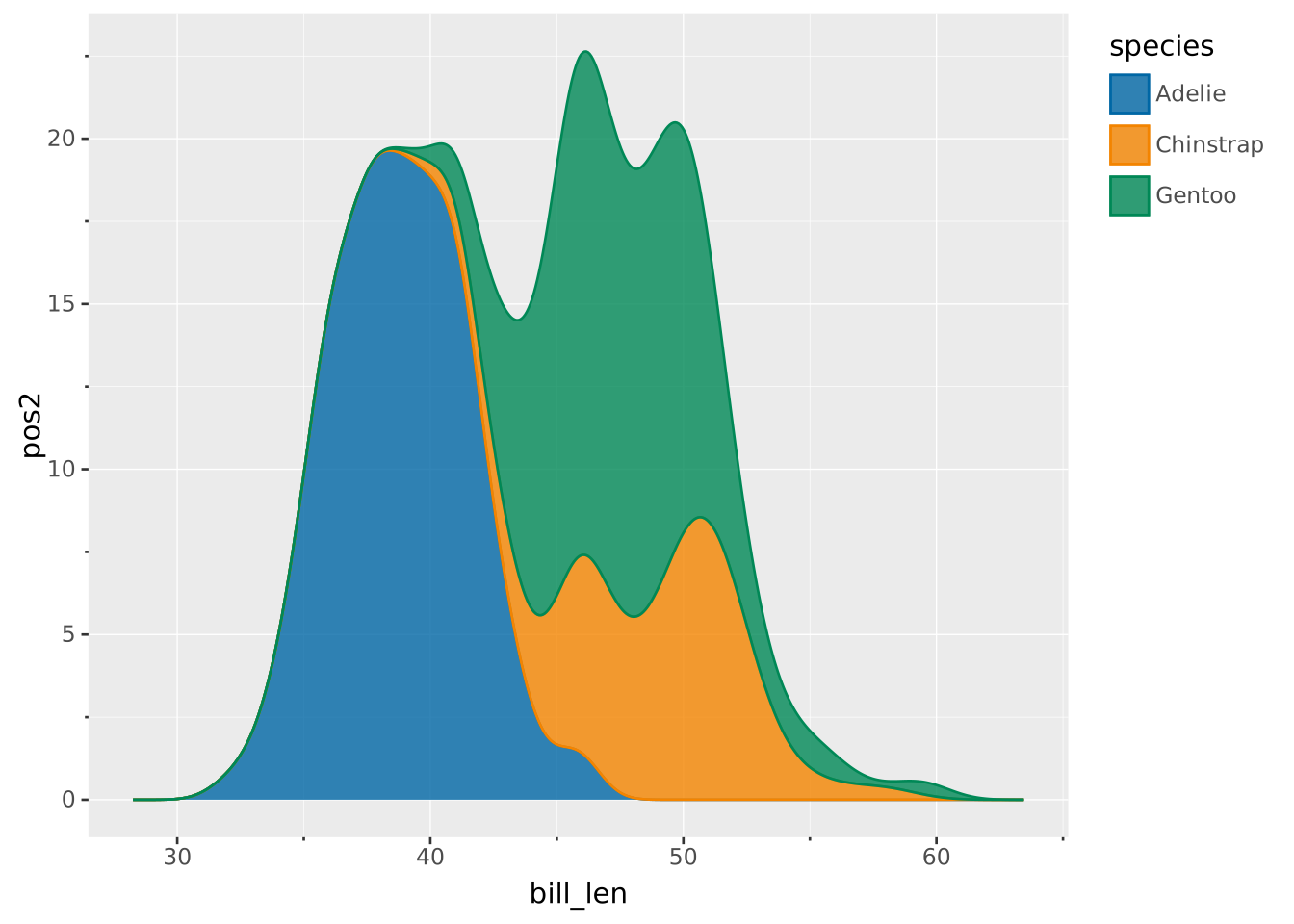
You can use the rule layer to display precomputed summaries, like the mean.
WITH mean_data AS (
  SELECT
    AVG(bill_len) AS bill_len,
    species
  FROM ggsql:penguins
  GROUP BY species
)
VISUALISE bill_len AS x, species AS colour FROM ggsql:penguins
  DRAW density SETTING opacity => 0.3
  DRAW rule MAPPING FROM mean_data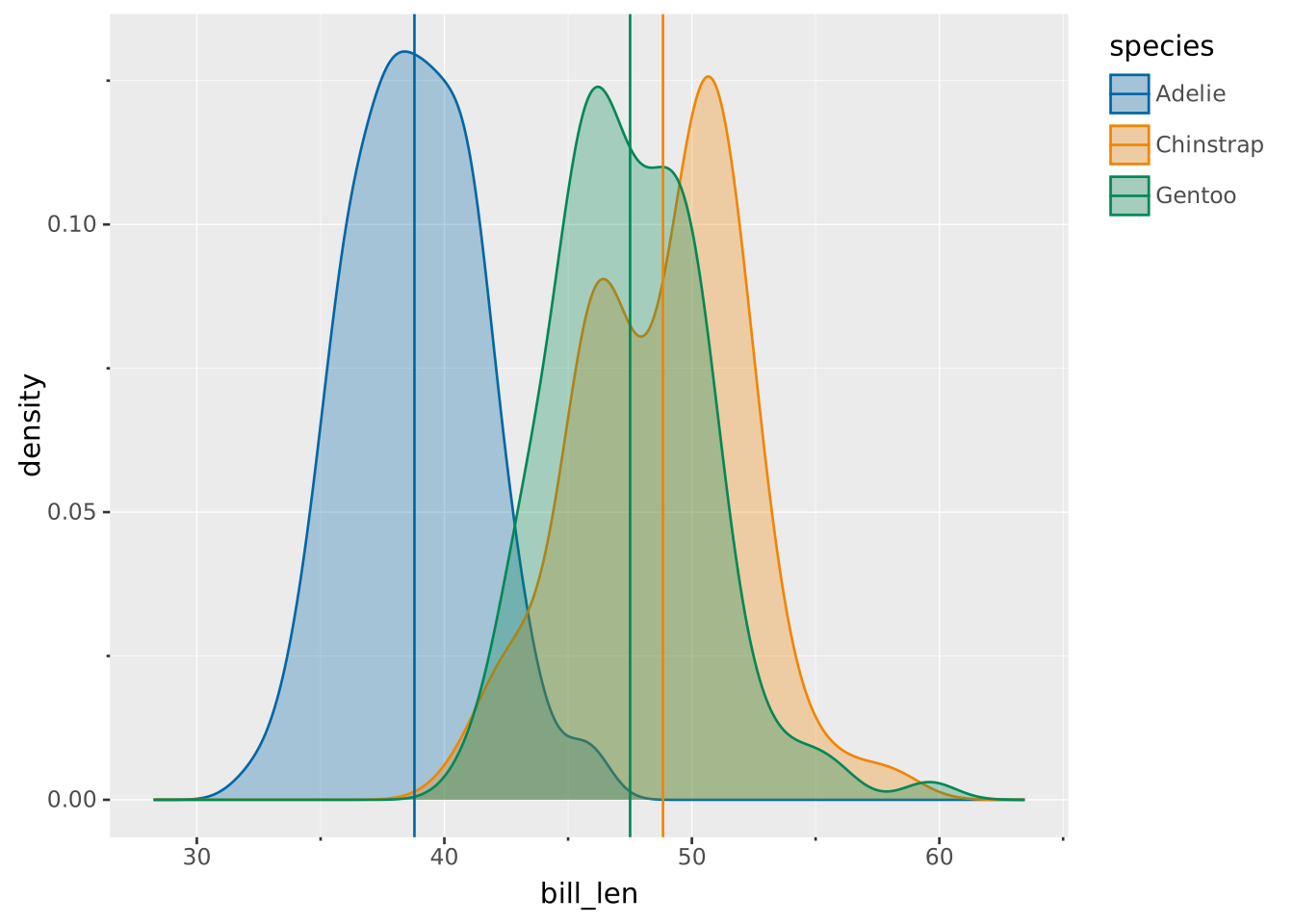
Another way of comparing groups is by using facets to separate the groups into different panels.
VISUALISE bill_len AS x, species AS colour FROM ggsql:penguins
  DRAW density
  FACET species SETTING ncol => 1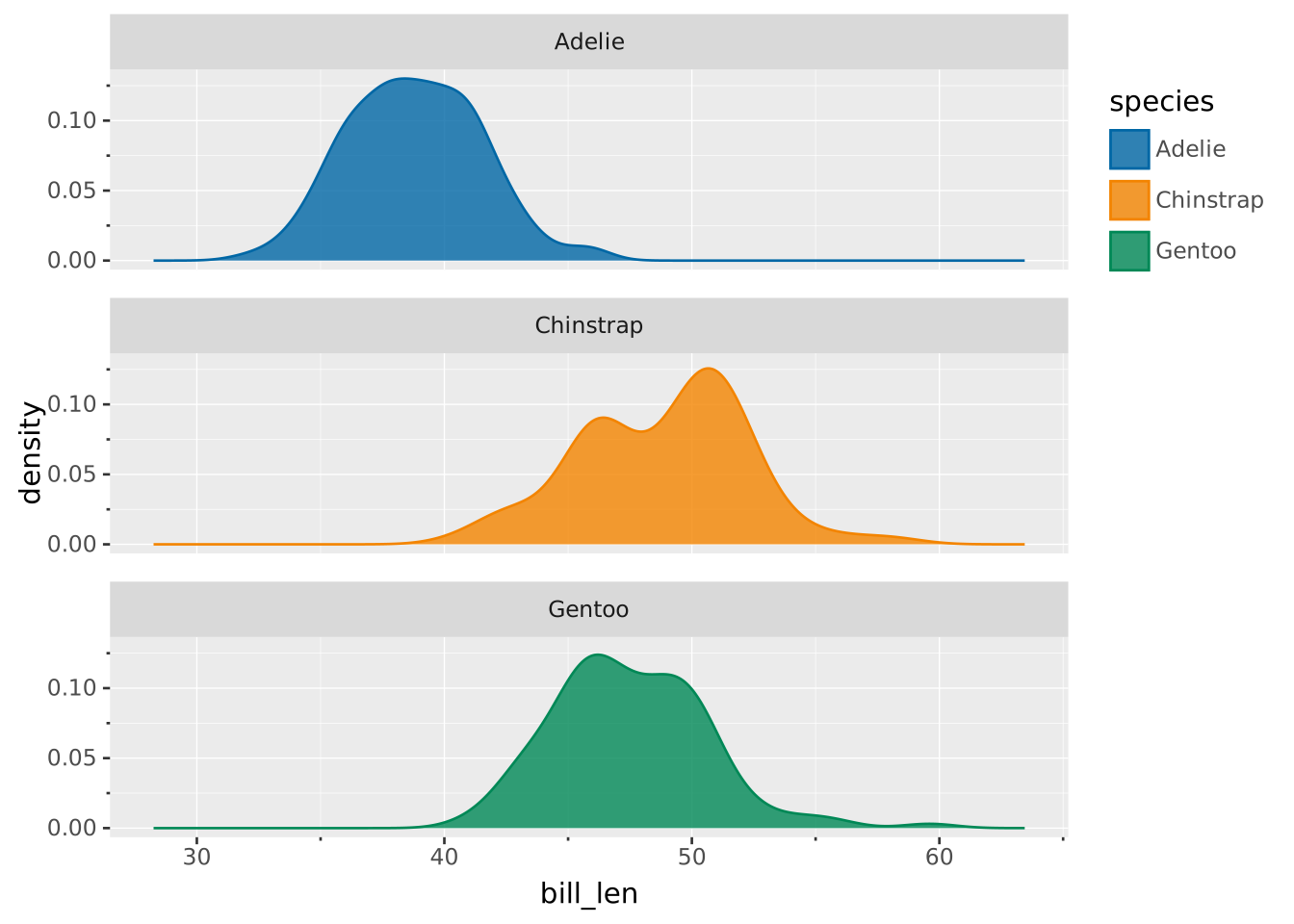
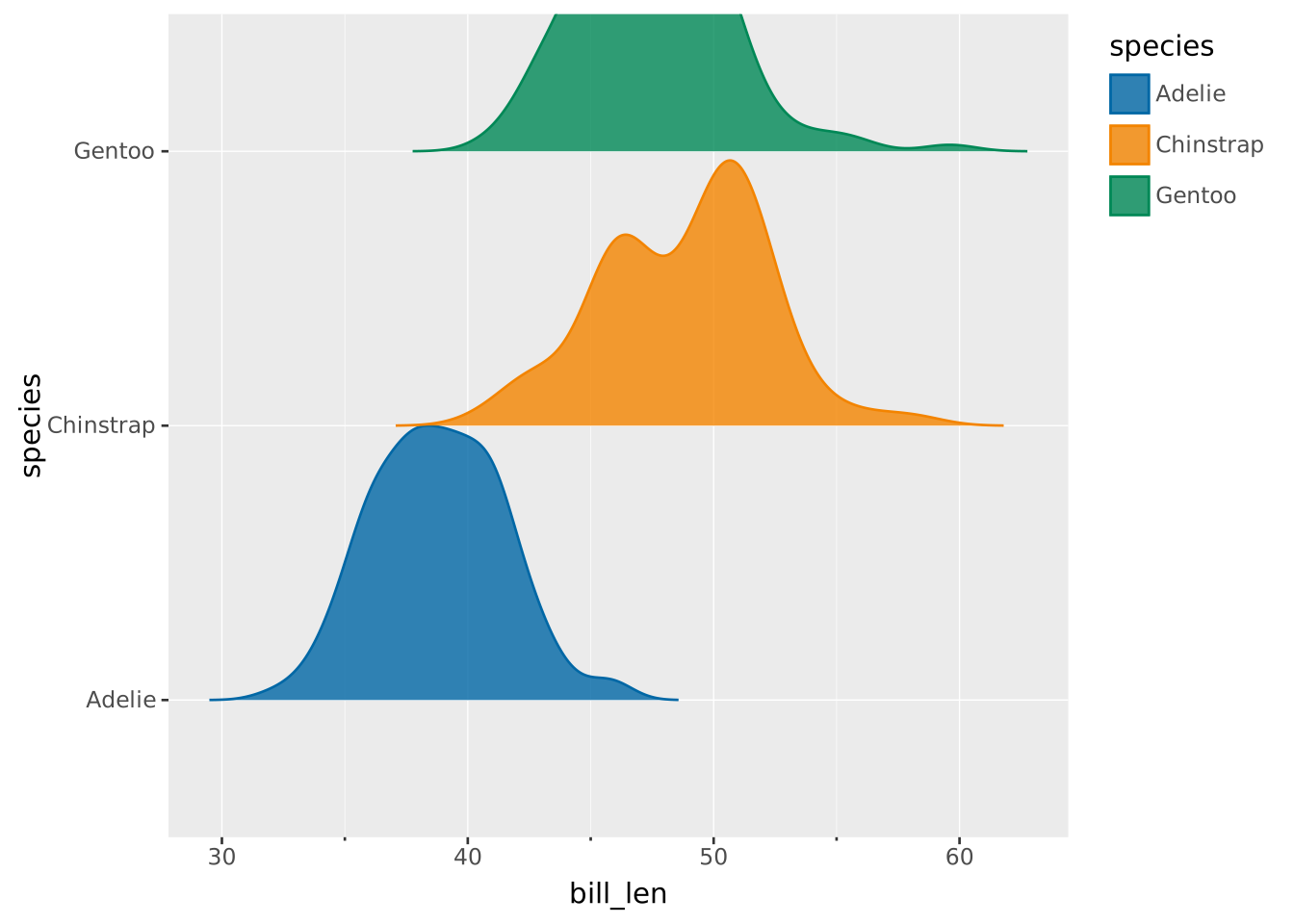
Conceptually, violin plots also display densities. The similarity becomes clearer if you make a ridgeline plot by displaying the violin density on a single side. The plot below is essentially showing the same thing as the plot above, but gathered in a single panel.
VISUALISE bill_len AS x, species AS y, species AS colour FROM ggsql:penguins
  DRAW violin SETTING side => 'top', width => 2