SELECT Date AS date, temp AS temperature
FROM ggsql:airquality
WHERE Month = 5

VISUALISE
DRAW line
  MAPPING date AS x, temperature AS y
PLACE rule
  SETTING y => 70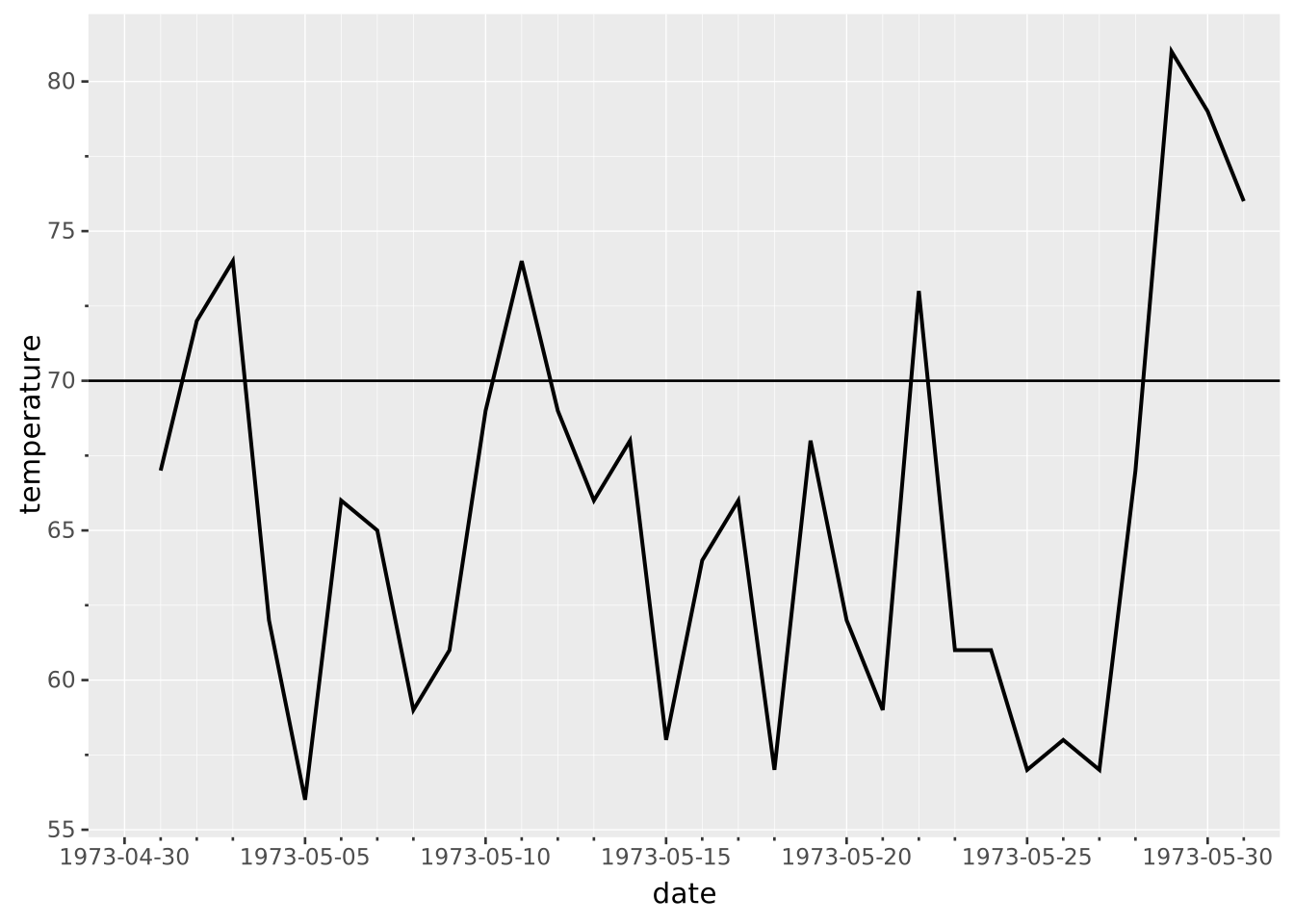
Layers are declared with the
DRAWclause. Read the documentation for this clause for a thorough description of how to use it.
The rule layer is used to draw reference lines perpendicular to an axis at specified values. This is useful for adding thresholds, means, medians, event markers, cutoff dates or other guides to the plot. The lines span the full width or height of the panels.
Additionally, the rule layer can draw diagonal reference lines by specifying a slope along with a position (x or y). The position acts as the intercept term in the linear equation. This is useful for adding regression lines, diagonal guides, or mathematical functions to plots.
The rule layer doesn’t have a natural extent along the secondary axis. The secondary scale range can thus not be deduced from rule layers. If the rule layer is the only layer in the visualisation, you must specify the position scale range manually.
The following aesthetics are recognised by the rule layer.
x or y): Position along the primary axis.slope The \(\beta\) in the equations described below. Defaults to 0.colour/stroke: The colour of the lineopacity: The opacity of the linelinewidth: The width of the linelinetype: The type of the line, i.e. the dashing patternposition: Position adjustment. One of 'identity' (default), 'stack', 'dodge', or 'jitter'aggregate Aggregation functions to apply per group:
null apply no group aggregation (default).DRAW documentation and more information in the Data transformation section below.This layer supports aggregation through the aggregate setting. Aggregation groups are defined by PARTITION BY and all discrete mappings. Within each group, every numeric mapping is replaced in place by its aggregated value. Use a default like 'mean' or target individual aesthetics with '<aes>:<func>'. See the DRAW documentation for the full setting shape.
For diagonal lines, the position aesthetic determines the intercept:
y = a, slope = β creates the line: \(y = a + \beta x\) (line passes through \((0, a)\))x = a, slope = β creates the line: \(x = a + \beta y\) (line passes through \((a, 0)\))Note that slope represents \(\Delta x/\Delta y\) (change in x per unit change in y) when using x mapping, not the traditional \(\Delta y/\Delta x\). The default slope is 0, creating horizontal lines when y is given and vertical lines when x is given.
The orientation is deduced directly from the mapping. See the ‘Data transformation’ section for details.
Add a horizontal threshold line to a time series plot:
SELECT Date AS date, temp AS temperature
FROM ggsql:airquality
WHERE Month = 5
VISUALISE
DRAW line
MAPPING date AS x, temperature AS y
PLACE rule
SETTING y => 70
Add a vertical line to mark a specific value:
VISUALISE FROM ggsql:penguins
DRAW point
  MAPPING bill_len AS x, bill_dep AS y
PLACE rule
  SETTING x => 45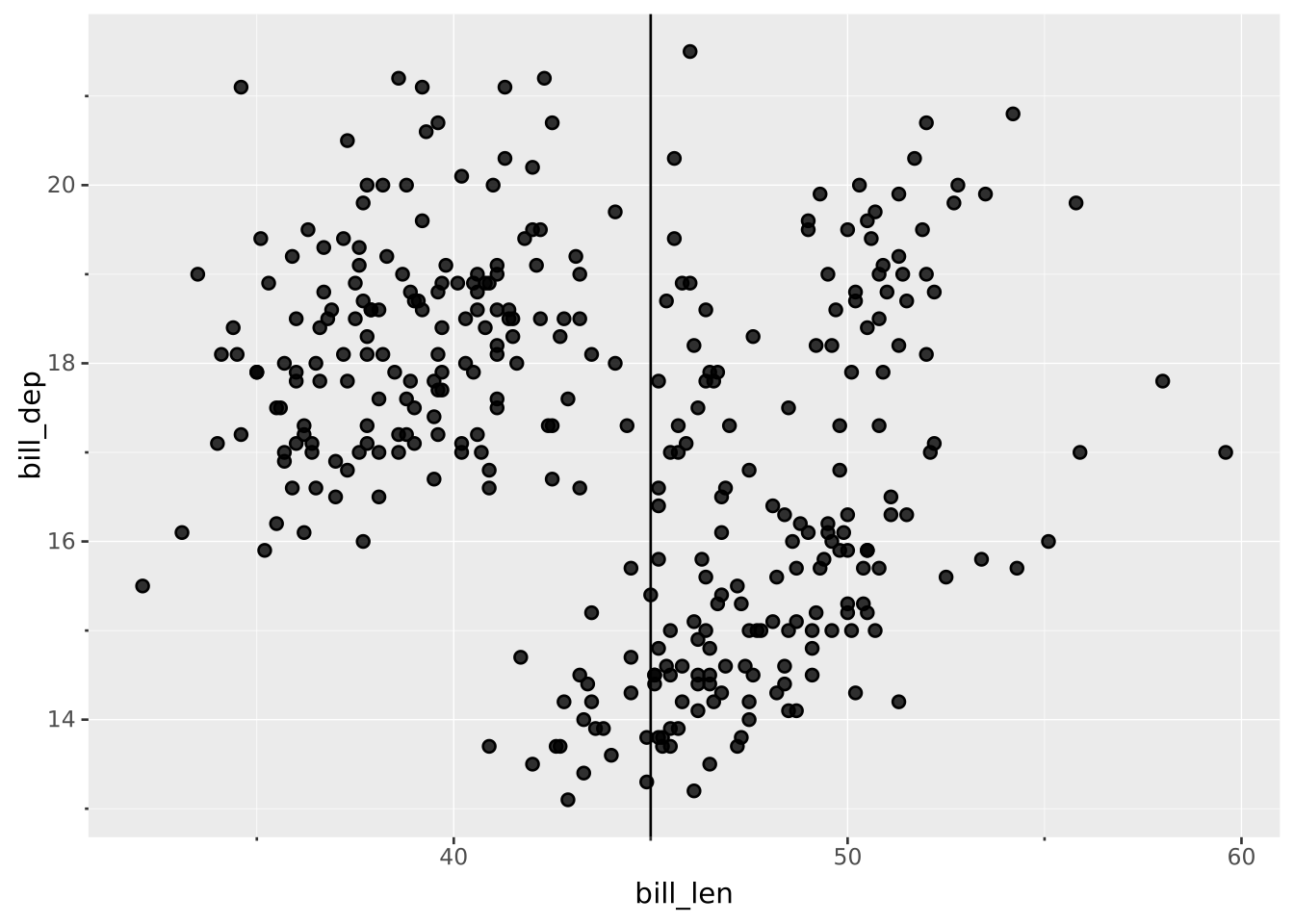
Add multiple threshold lines with different colors. Note that because we’re mapping data from data, we use the DRAW clause instead of the PLACE clause.
WITH thresholds(value, label) AS (VALUES
  (70, 'Target'),
  (80, 'Warning'),
  (90, 'Critical')
)
SELECT Date AS date, temp AS temperature
FROM ggsql:airquality
WHERE Month = 5

VISUALISE
DRAW line
  MAPPING date AS x, temperature AS y
DRAW rule
  MAPPING value AS y, label AS colour FROM thresholds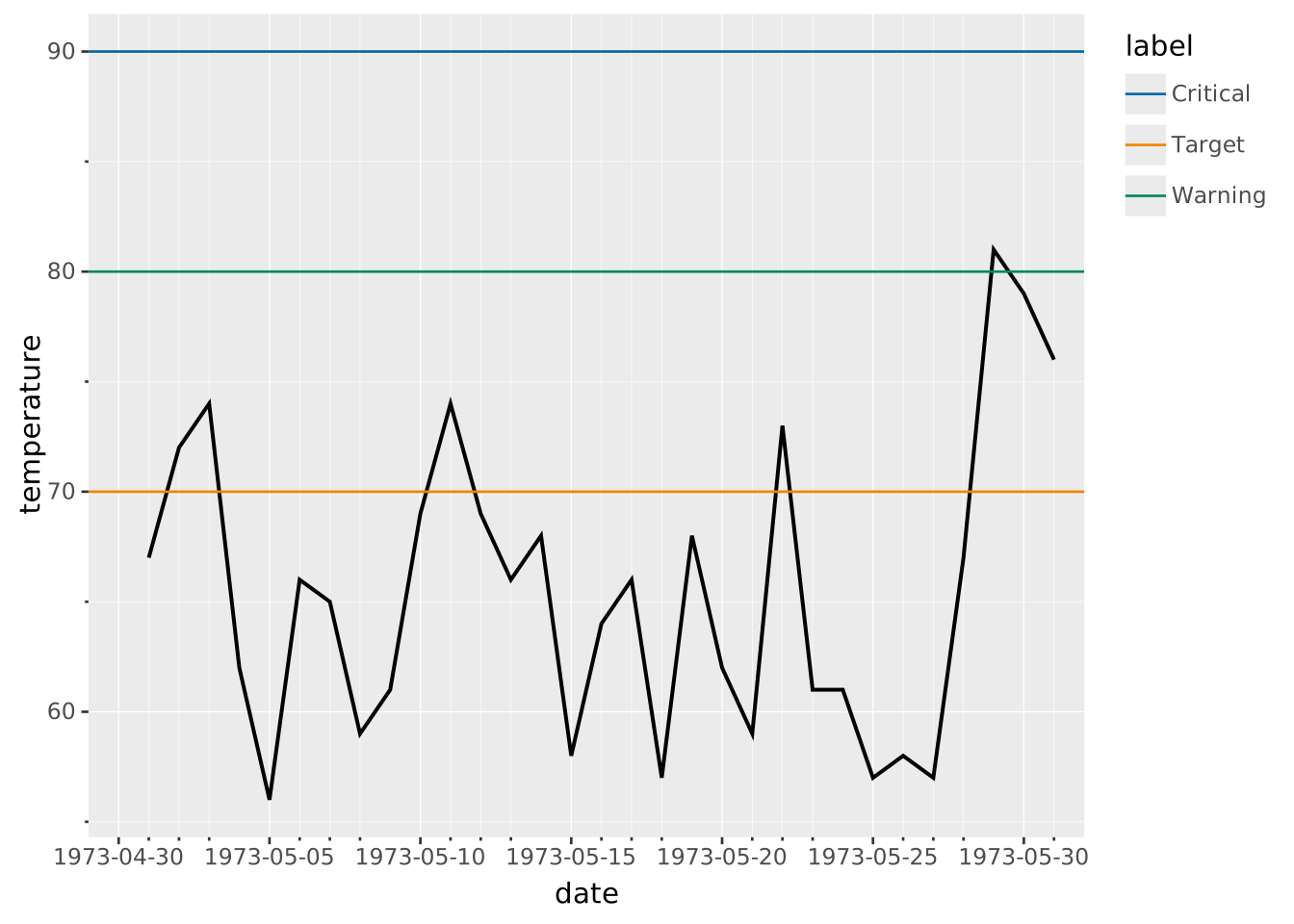
Add a diagonal reference line to a scatterplot by using slope
VISUALISE FROM ggsql:penguins
  DRAW point MAPPING bill_len AS x, bill_dep AS y
  PLACE rule SETTING slope => 0.4, y => -1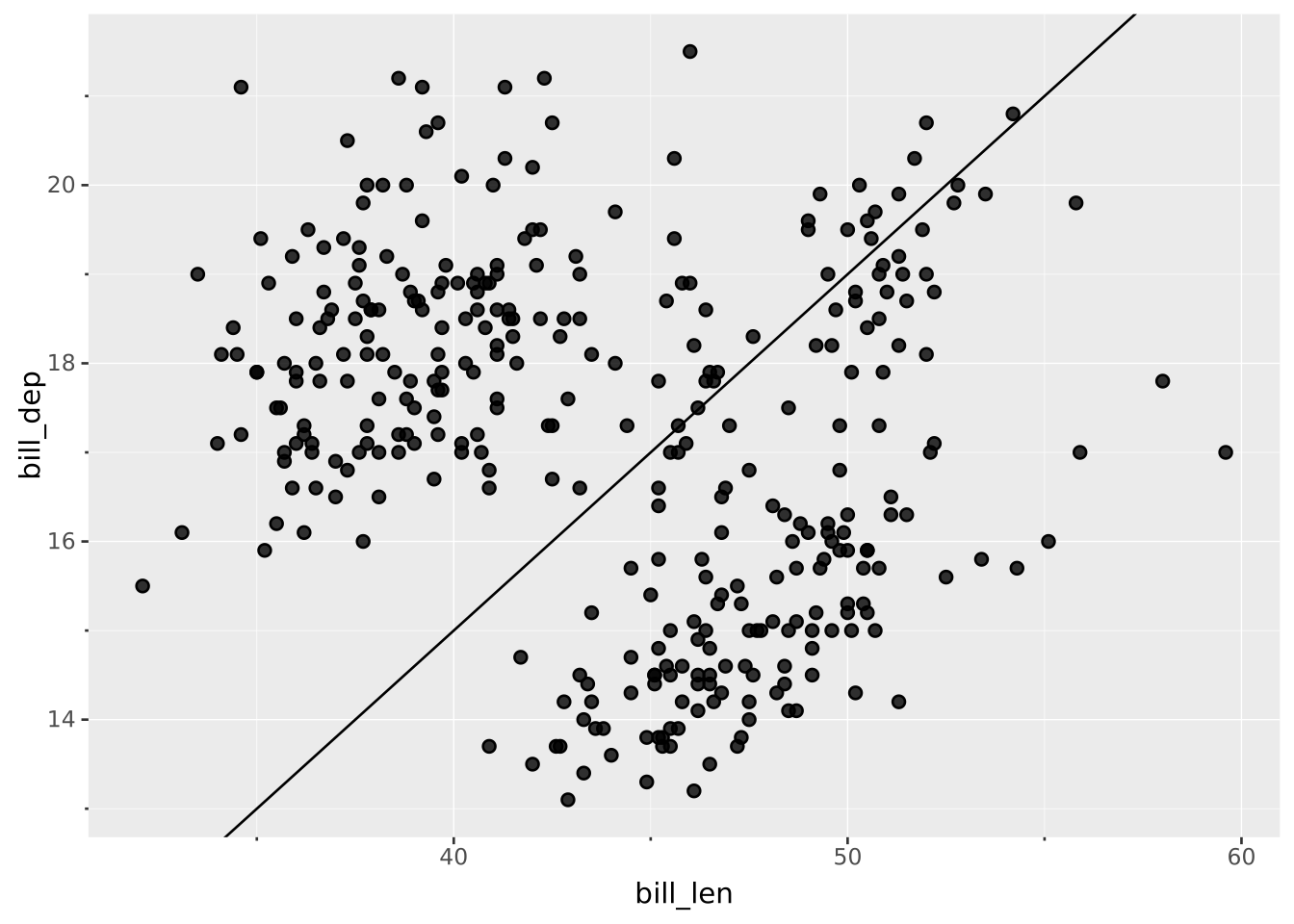
Add multiple reference lines with different colors from a separate dataset. Note we’re mapping from data here, so we use DRAW instead of PLACE.
WITH lines(slope, intercept, label) AS (VALUES
    (0.4, -1, 'Line A'),
    (0.2, 8, 'Line B'),
    (0.8, -19, 'Line C')
)
VISUALISE FROM ggsql:penguins
  DRAW point MAPPING bill_len AS x, bill_dep AS y
  DRAW rule
    MAPPING
      slope AS slope,
      intercept AS y,
      label AS colour
    FROM lines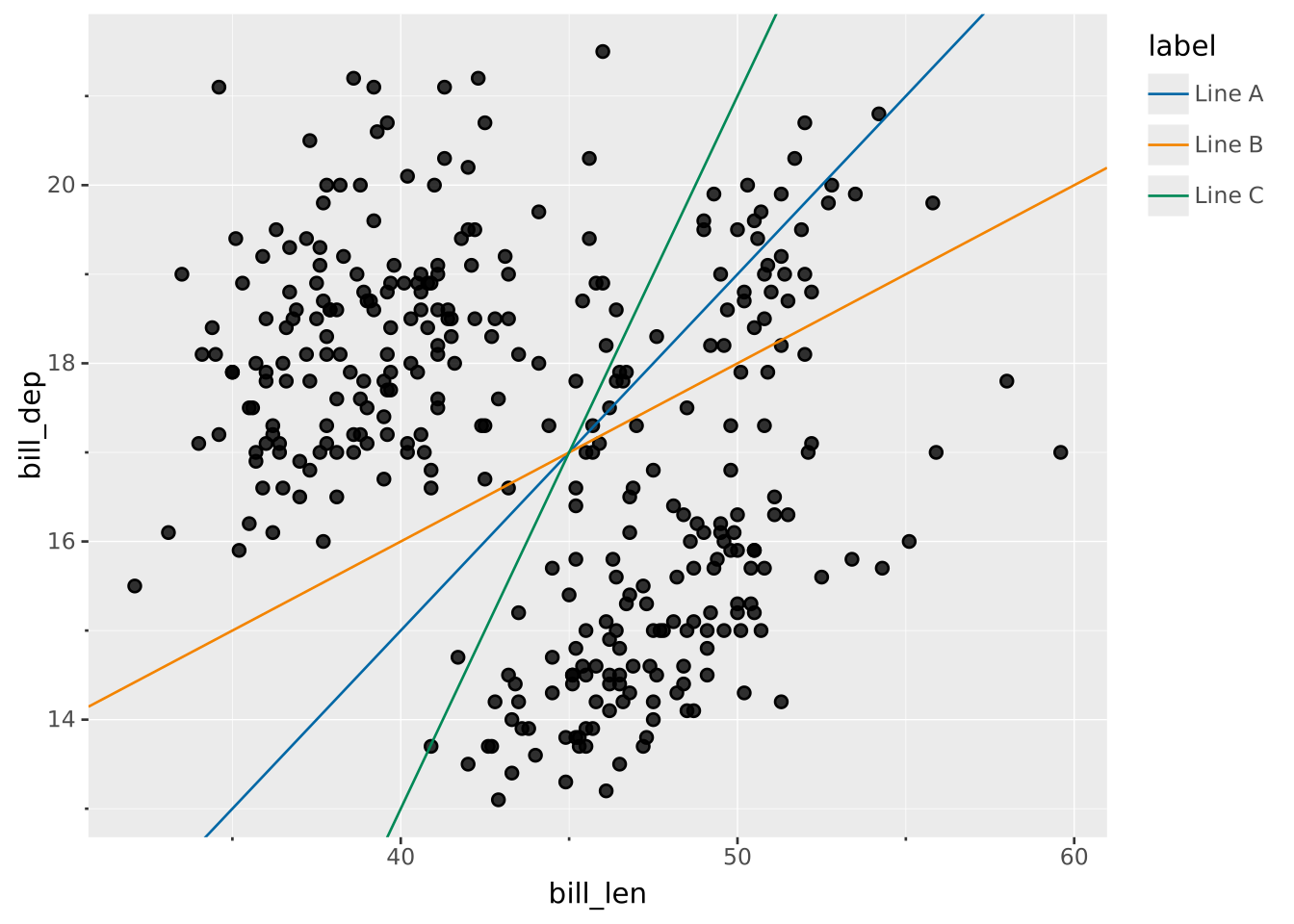
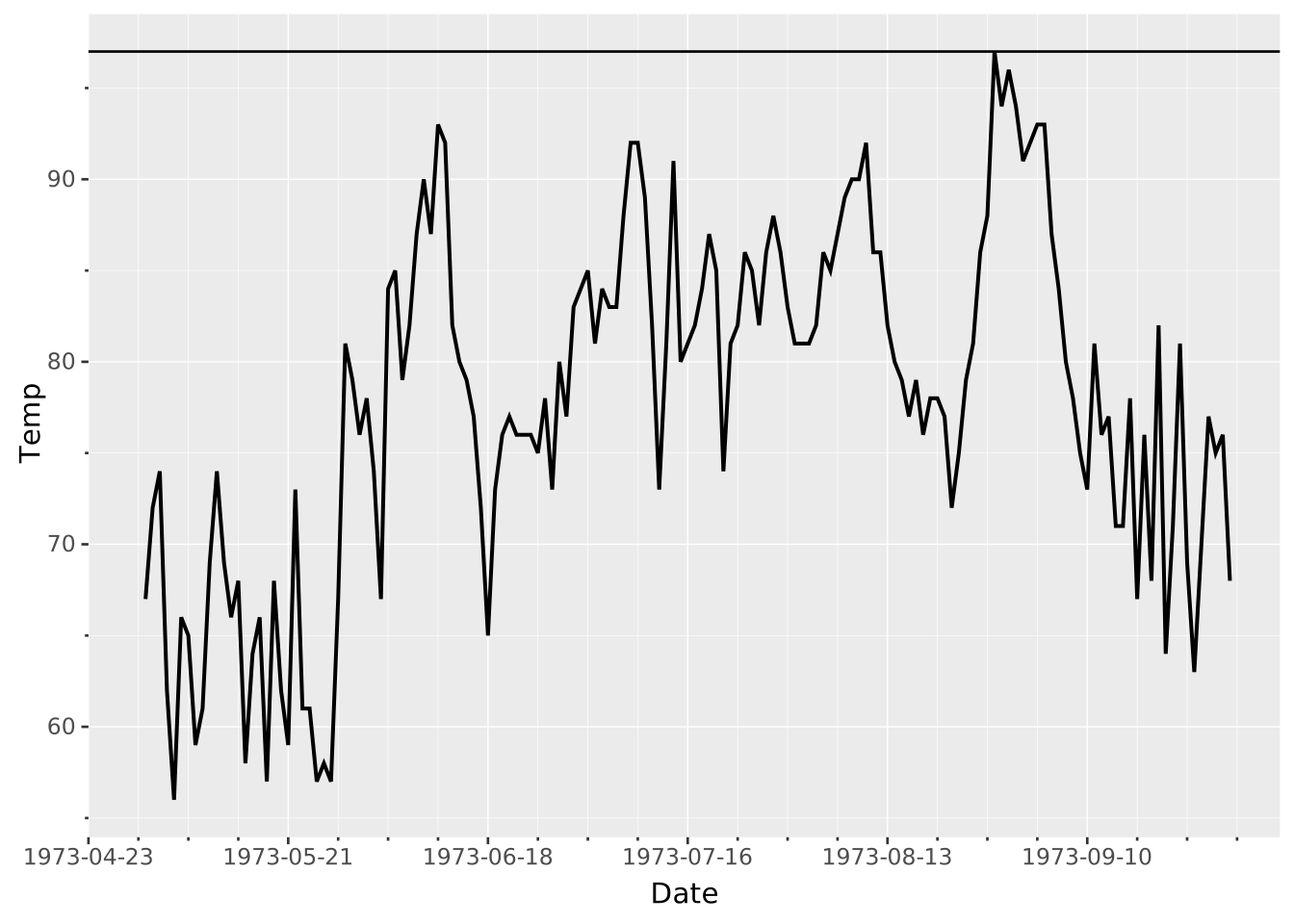
Show a max rule for a timeseries
VISUALISE Temp AS y FROM ggsql:airquality
DRAW line
  MAPPING Date AS x
DRAW rule
  SETTING aggregate => 'max'