Create example data
CREATE TABLE penguin_summary AS
WITH stats AS (
  SELECT species, AVG(bill_dep) AS mean
  FROM ggsql:penguins
  GROUP BY species
)
SELECT species, mean - 1.5 AS low, mean, mean + 1.5 AS high
FROM statsLayers are declared with the
DRAWclause. Read the documentation for this clause for a thorough description of how to use it.
The range layer displays an interval between two values along the secondary axis as a line segment, optionally with hinges at the endpoints. It is a general-purpose primitive for any kind of paired min/max data — confidence intervals, observed minima and maxima, candlestick highs and lows, percentile ranges, and so on.
The following aesthetics are recognised by the range layer.
ymin): Lower position along the secondary axis.ymax): Upper position along the secondary axis.x): Position along the primary axis. If omitted a single interval is drawn over the whole dataset and the (one-tick) categorical axis is hidden.stroke/colour: The colour of the lines in the range.opacity: The opacity of the colour.linewidth: The width of the lines in the range.linetype: The dash pattern of the lines in the range.hinge: The width of the hinges in points (must be >= 0). Defaults to 10. Can be set to null to not display hinges.aggregate Aggregation functions to apply per group:
null apply no group aggregation (default).DRAW documentation and more information in the Data transformation section below.This layer supports aggregation through the aggregate setting. Within each group, defined by PARTITION BY and all discrete mappings, every numeric mapping is replaced in place by its aggregated value, producing one range per group. Range is a range layer with two defaults: the first applies to the start point (xmin/ymin) and the second applies to the end point (xmax/ymax). Use a single default like 'mean' to apply the same function to all values, or target individual aesthetics with '<aes>:<func>'. See the DRAW documentation for the full setting shape.
The orientation of range layers is deduced directly from the mapping, because the interval is mapped to the secondary axis. To create a horizontal range layer, you map the independent variable to y instead of x and the interval to xmin and xmax (assuming a default Cartesian coordinate system).
CREATE TABLE penguin_summary AS
WITH stats AS (
SELECT species, AVG(bill_dep) AS mean
FROM ggsql:penguins
GROUP BY species
)
SELECT species, mean - 1.5 AS low, mean, mean + 1.5 AS high
FROM statsA classic interval-with-point display.
VISUALISE species AS x FROM penguin_summary
DRAW range
  MAPPING low AS ymax, high AS ymin
DRAW point
  MAPPING mean AS y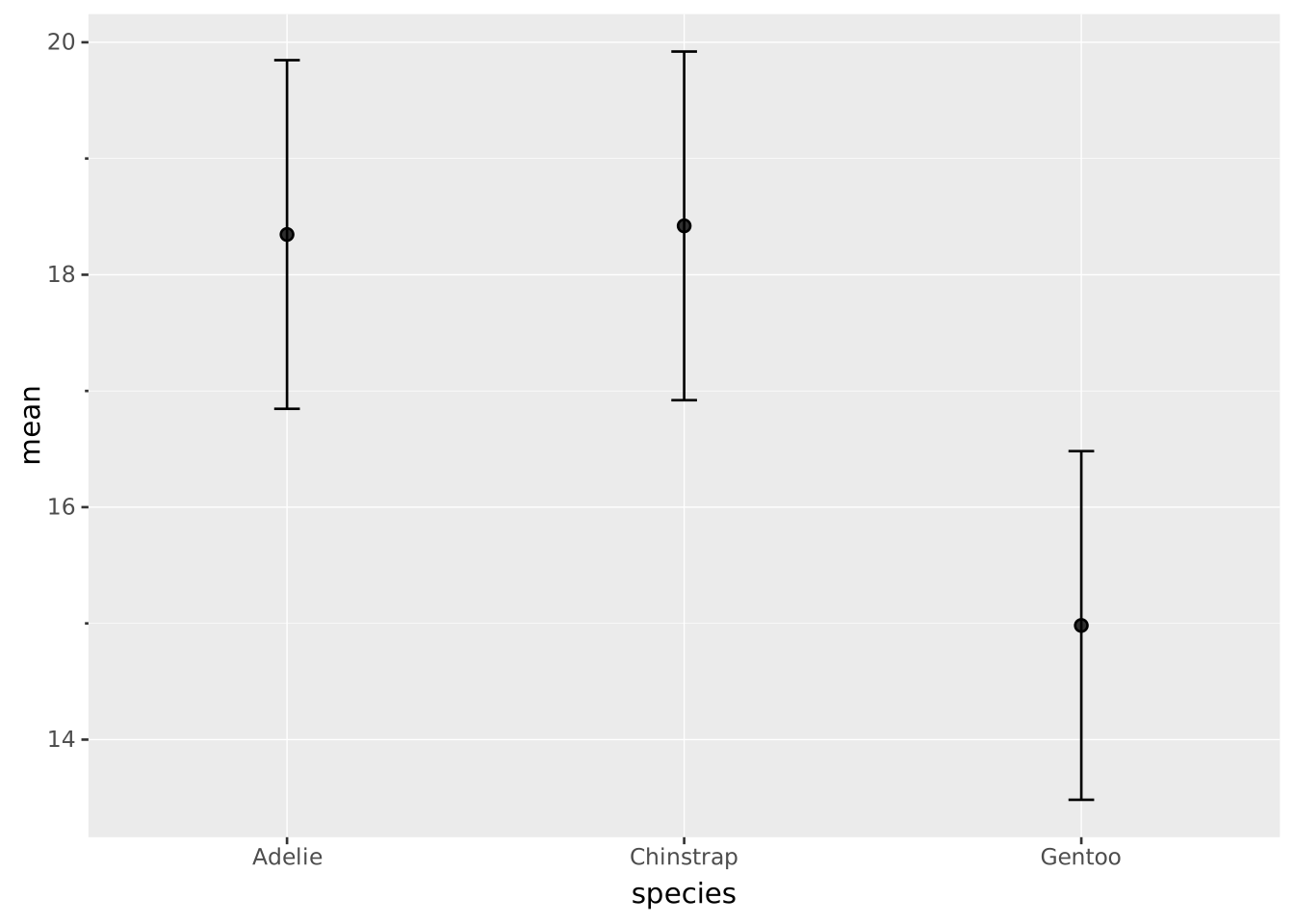
Dynamite plot using bars instead of points, with extra wide hinges.
VISUALISE species AS x FROM penguin_summary
DRAW range
  MAPPING low AS ymax, high AS ymin
  SETTING hinge => 40
DRAW bar
  MAPPING mean AS y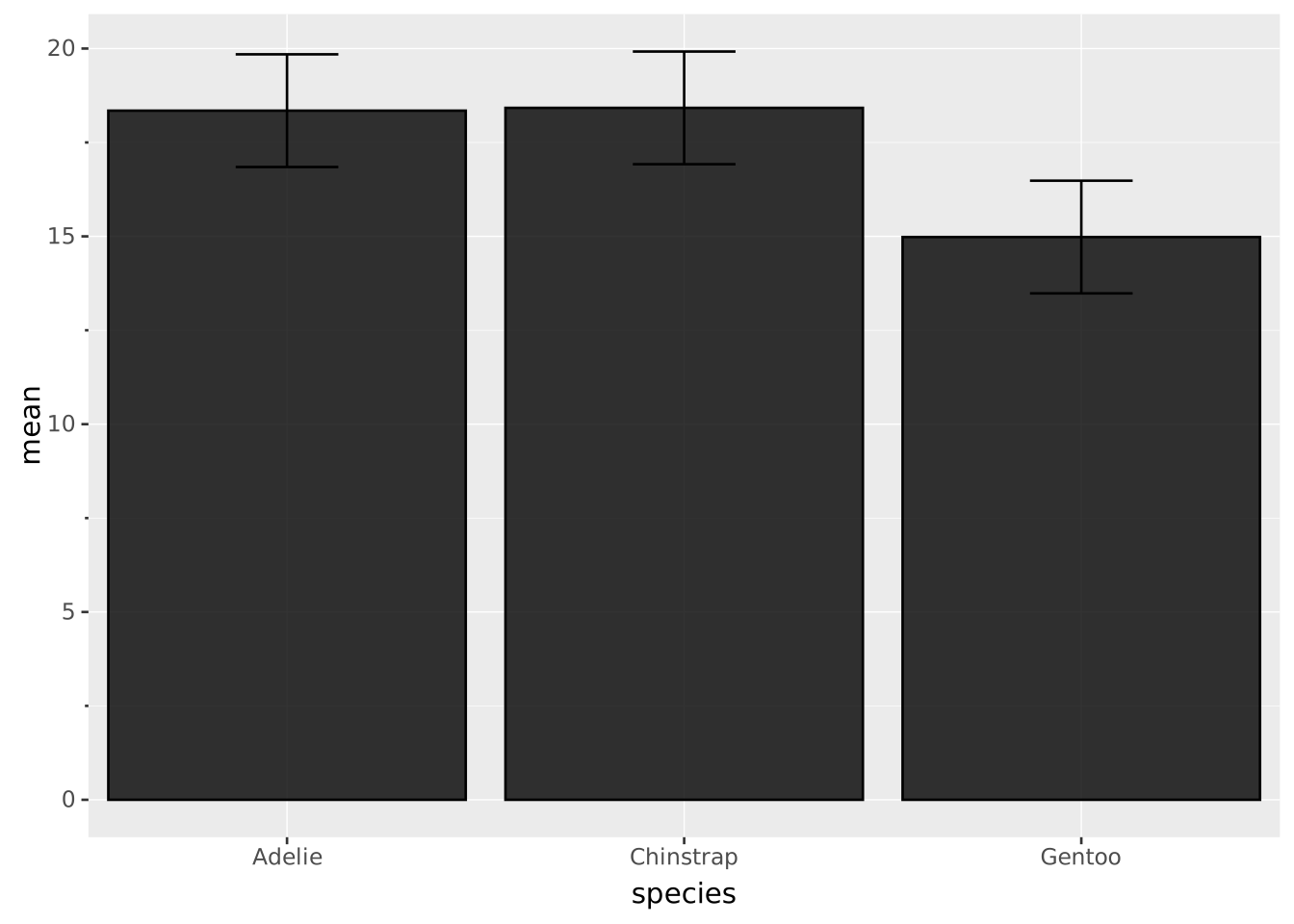
The hinges can be omitted by setting null as hinge, leaving just the line segment between the endpoints.
VISUALISE species AS x FROM penguin_summary
DRAW range
  MAPPING low AS ymax, high AS ymin
  SETTING hinge => null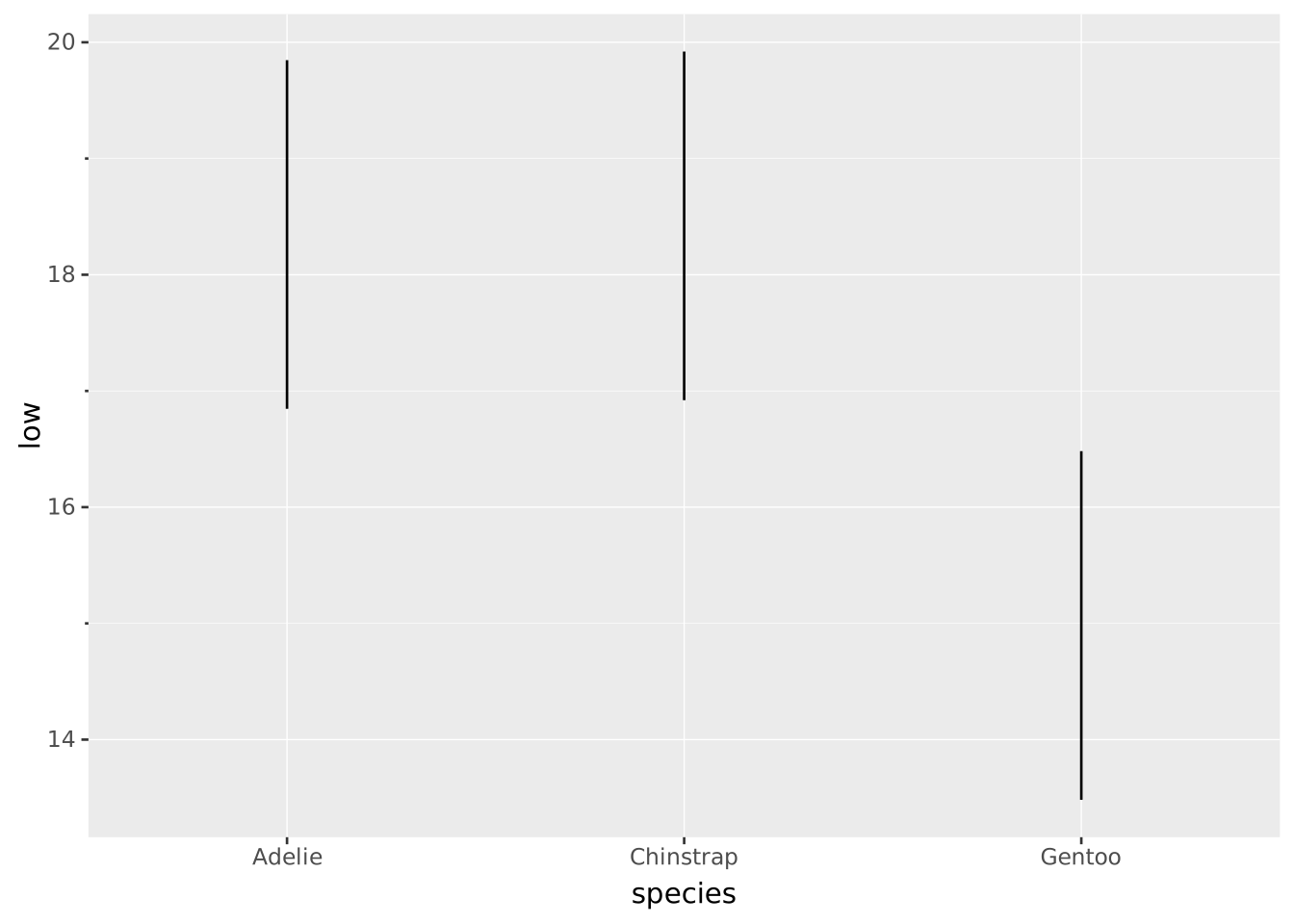
A horizontal range can be rendered by swapping the x and y directions.
VISUALISE species AS y FROM penguin_summary
DRAW range
  MAPPING low AS xmax, high AS xmin
DRAW point
  MAPPING mean AS x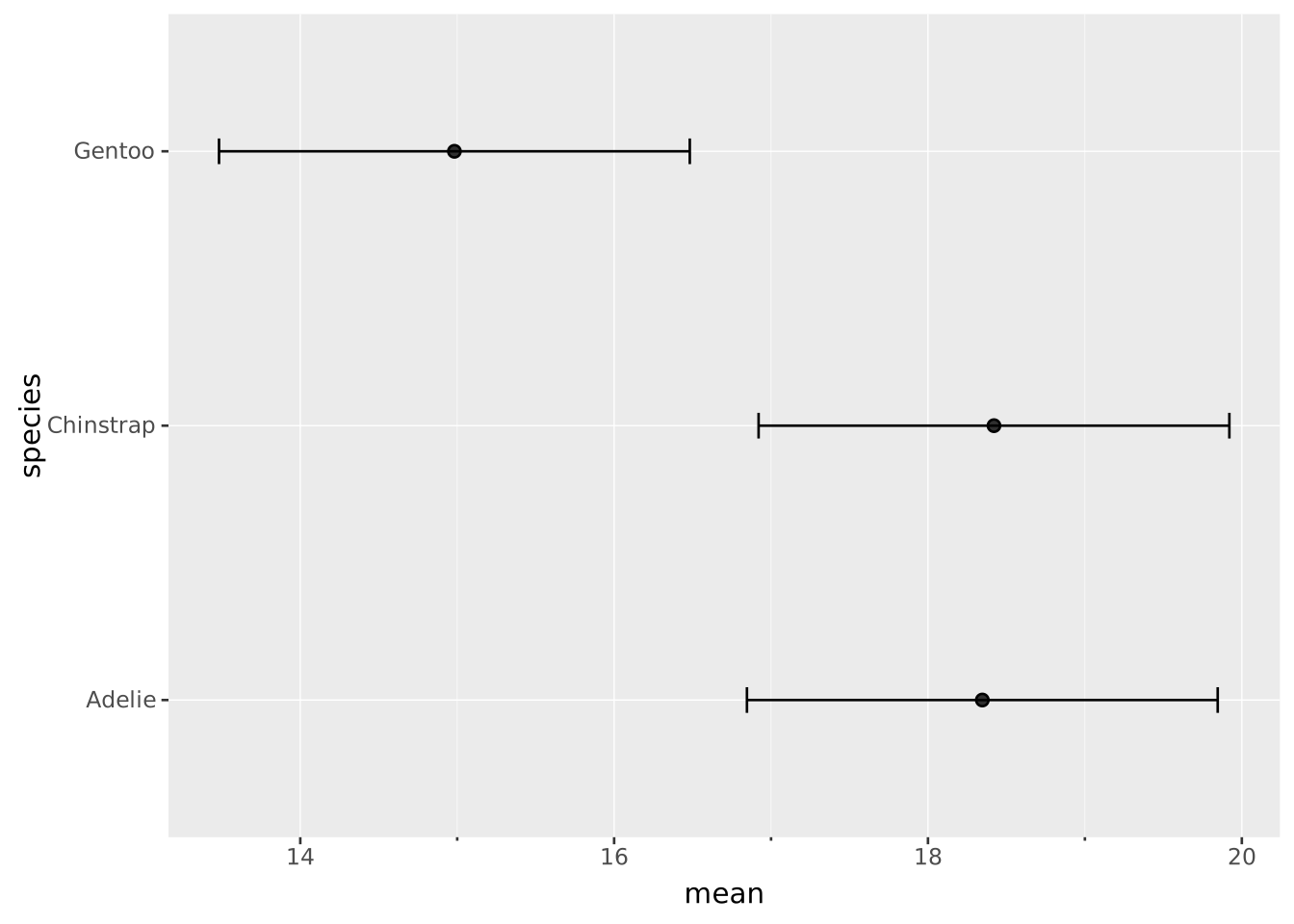
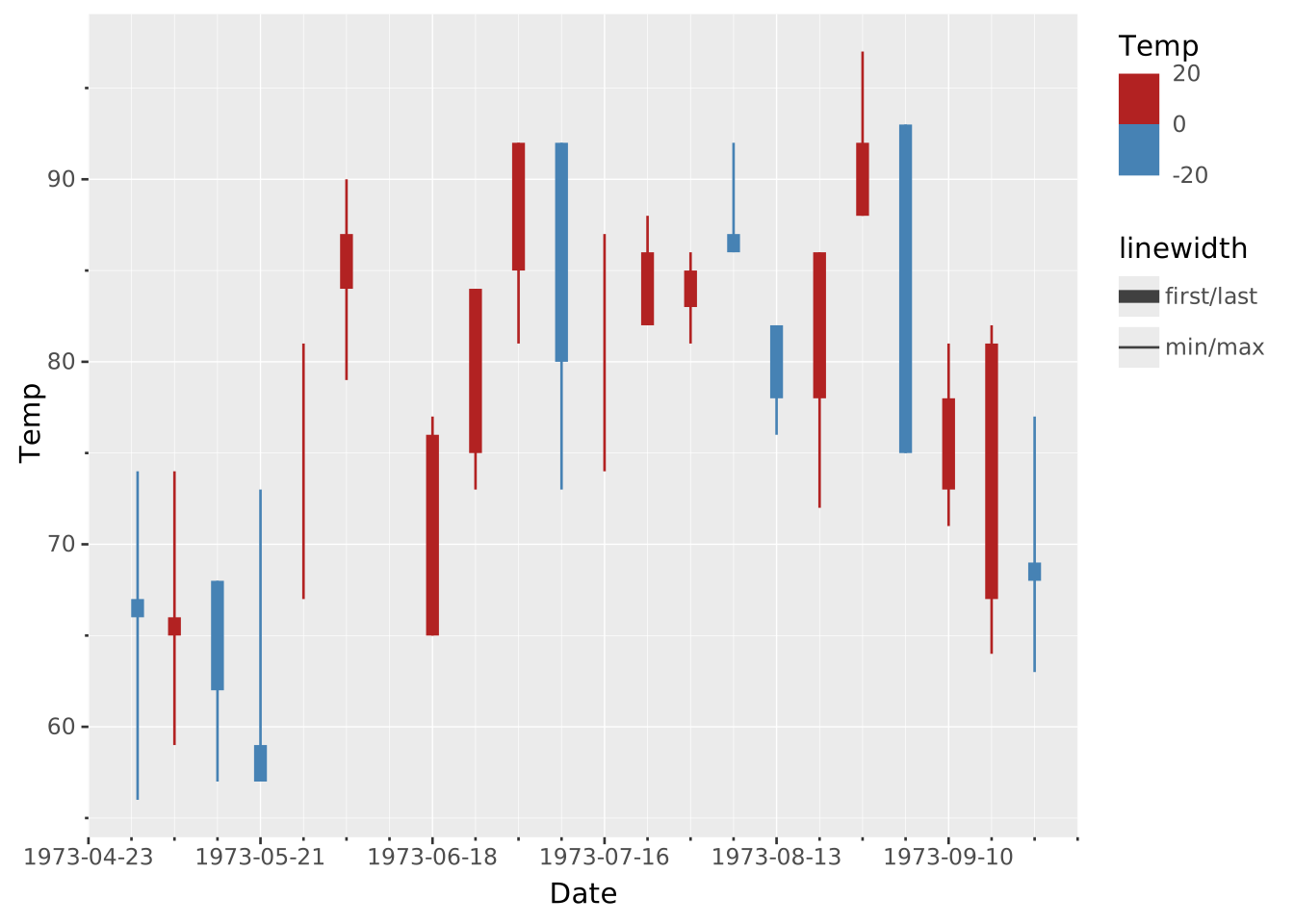
By overlaying a thick range over a thin one, you can build a candlestick chart. Both layers turn the hinges off so the marks read as clean vertical lines: the wick spans low-to-high and the body spans open-to-close.
SELECT
  FIRST(Date) AS date,
  FIRST(temp) AS open,
  LAST(temp) AS close,
  MAX(temp) AS high,
  MIN(temp) AS low,
  CASE
    WHEN FIRST(temp) > LAST(temp) THEN 'colder'
    ELSE 'warmer'
  END AS trend
FROM ggsql:airquality
GROUP BY Week

VISUALISE date AS x, trend AS colour
DRAW range
  MAPPING open AS ymin, close AS ymax
  SETTING linewidth => 5, hinge => null
DRAW range
  MAPPING low AS ymin, high AS ymax
  SETTING hinge => null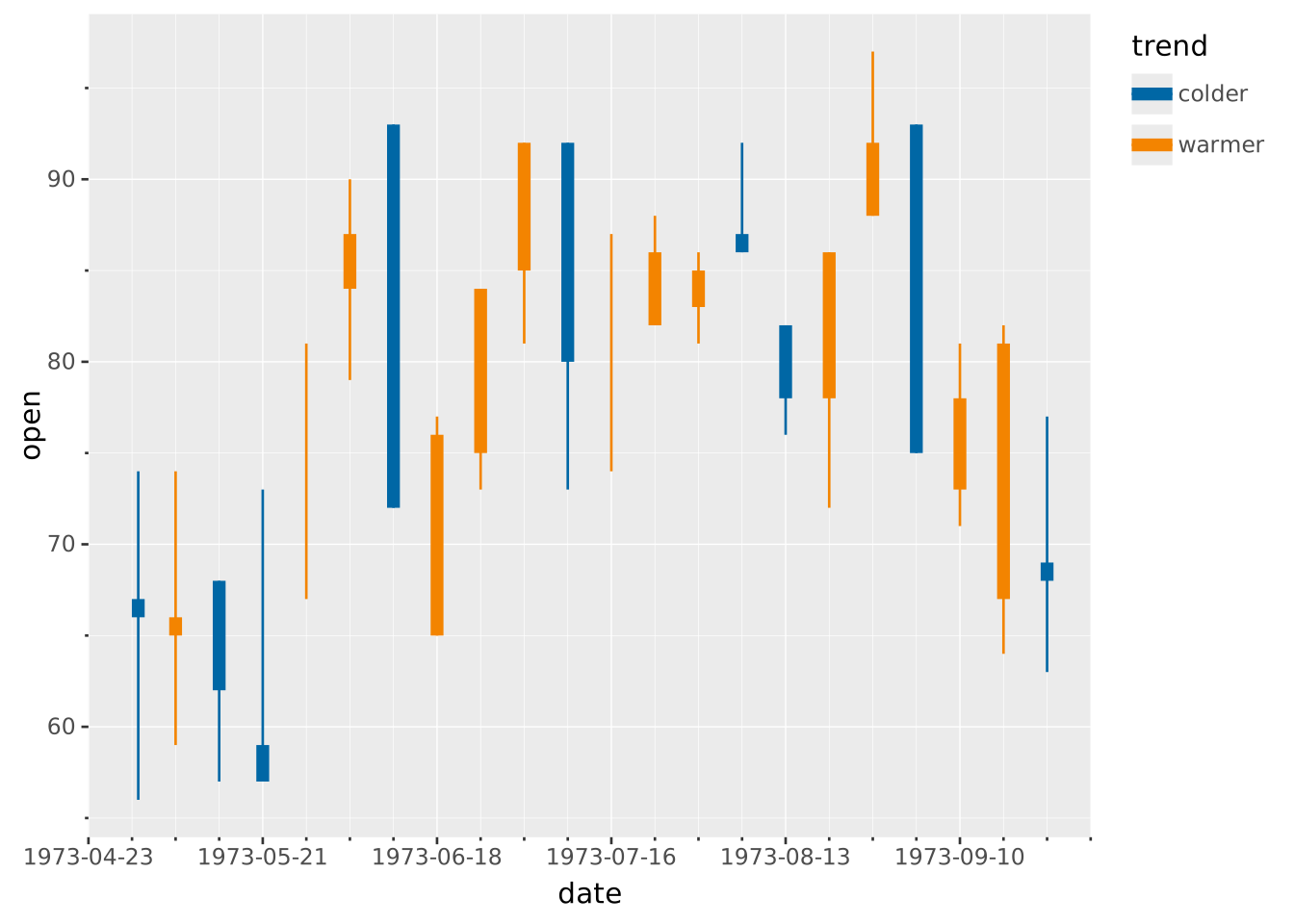
Rather than precomputing the values and plotting them, you can use the aggregate functionality to calculate the relevant statistics dynamically:
VISUALISE Date AS x, Temp AS ymin, Temp AS ymax, Temp AS color
  FROM ggsql:airquality
DRAW range
  REMAPPING aggregate AS linewidth
  SETTING
    aggregate => (
      'x:first',
      'ymin:first', 'ymin:min',
      'ymax:last', 'ymax:max',
      'color:diff'
    ),
    hinge => null
  PARTITION BY Week
SCALE linewidth TO (5, 1)
SCALE BINNED color TO ('steelblue', 'firebrick')
  SETTING breaks => (-20, 0, 20)