VISUALISE FROM ggsql:penguins
DRAW point
MAPPING bill_dep AS x, body_mass AS y, species AS shape
SETTING linewidth => 1, size => 5
SCALE shape TO open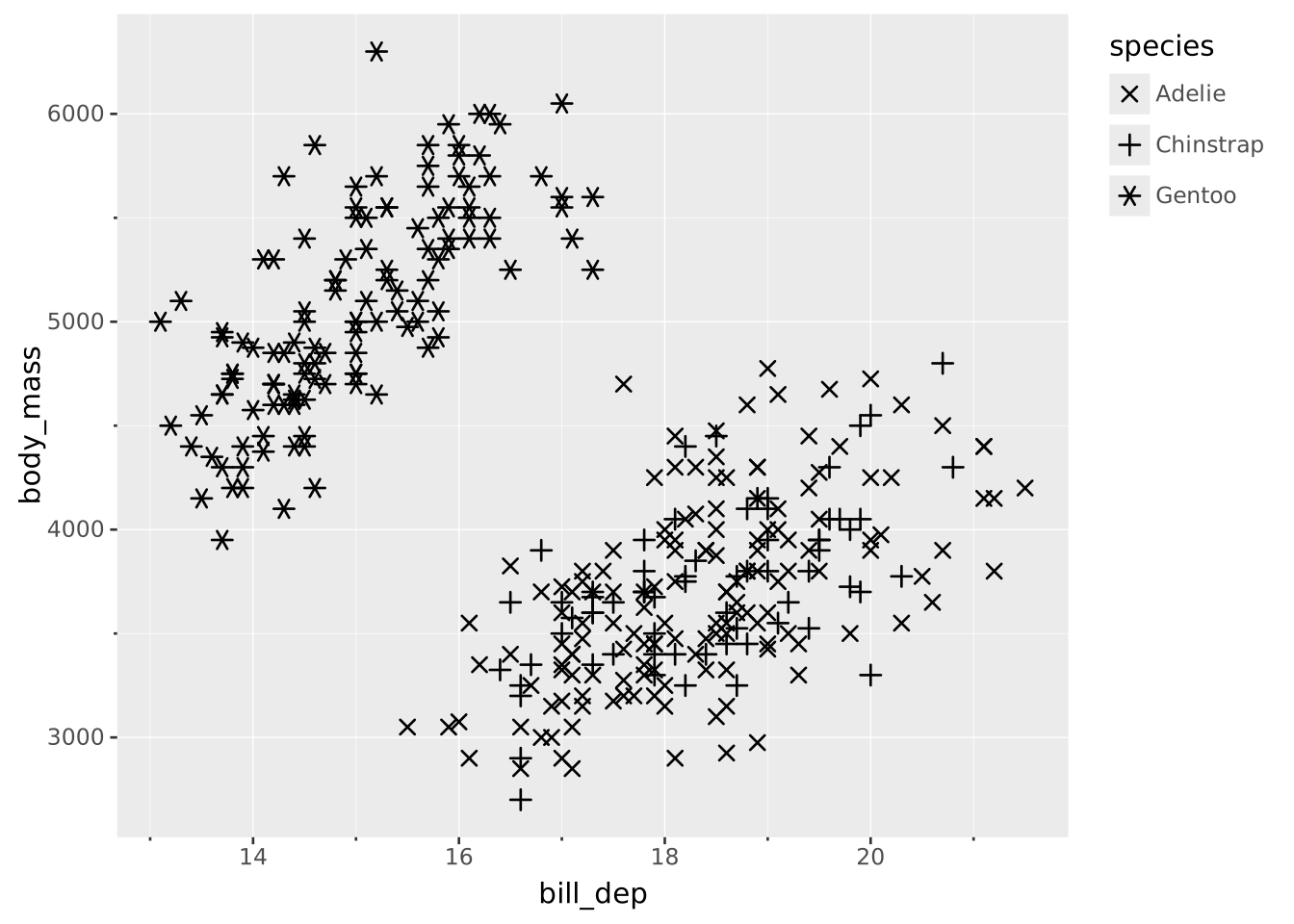
The shape aesthetic governs how points look. Shape can be used instead of color to differentiate between categories of points (or even better, in concert with color). Shape is only meaningful in relation to discrete data.
Shapes are given by name from the following list of 15 possible shapes
| Name | Shape | Description |
|---|---|---|
circle |
 |
Circular point (default) |
square |
 |
Square point |
diamond |
 |
Diamond/rhombus |
triangle-up |
 |
Upward-pointing triangle |
triangle-down |
 |
Downward-pointing triangle |
star |
 |
5-pointed star |
square-cross |
 |
Square with X cutout |
circle-plus |
 |
Circle with + cutout |
square-plus |
 |
Square with + cutout |
cross |
 |
X shape |
plus |
 |
+ shape |
asterisk |
 |
6-pointed asterisk |
bowtie |
 |
Bowtie/hourglass |
hline |
 |
Horizontal line |
vline |
 |
Vertical line |
You can use these names directly when setting the shape of a point:
DRAW point
SETTING shape => 'star'ggsql provides three built-in shape palettes, which is often all you need.
Palettes are used by giving them as names in the TO clause:
VISUALISE FROM ggsql:penguins
DRAW point
  MAPPING bill_dep AS x, body_mass AS y, species AS shape
  SETTING linewidth => 1, size => 5
SCALE shape TO open
Instead of using a named palette you can create one on the fly using an array of shape names:
VISUALISE FROM ggsql:penguins
DRAW point
  MAPPING bill_dep AS x, body_mass AS y, species AS shape
  SETTING linewidth => 1, size => 5
SCALE shape TO ('star', 'bowtie', 'square-plus')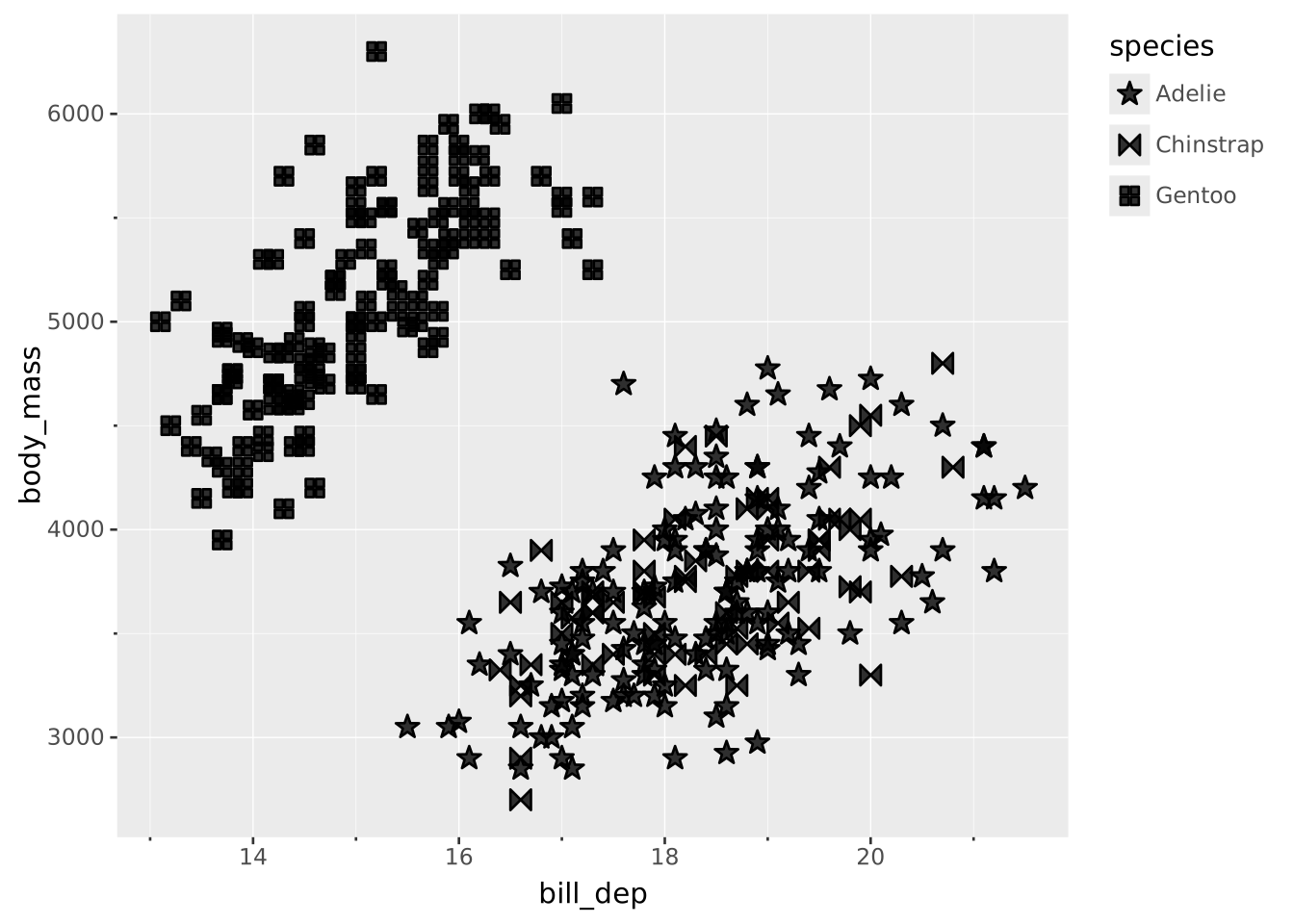
closed)The default palette contains the 9 closed shapes (first nine in the table above). This is the recommended palette for most use cases, as closed shapes are more visually prominent and easier to distinguish at small sizes.
While the closed shapes are most often used filled, you can also turn off fill and only draw the stroke for a lighter look.
open)The open palette contains the last 6 shapes in the table. None of these have a fill. You may use this palette when you want transparent shapes that don’t obscure data.
shapes)This palette combines the two palettes above to provide all the possible shapes. Since not all shapes have a fill you should not map fill to anything if using this palette, and you should also be aware that differentiating 15 different shapes in the same plot will require a lot of mental effort from the viewer.