Layers are declared with the DRAW clause. Read the documentation for this clause for a thorough description of how to use it.
The segment layer is used to create line segments between two endpoints. It differs from lines and paths in that it connects just two points rather than many. Data is expected to be in a different shape, with 4 coordinates for the start (e.g. x/y) and end (e.g. xend/yend) points on a single row.
Aesthetics
The following aesthetics are recognised by the segment layer.
Required
Primary axis (e.g. x): Start position along the primary axis.
Primary axis end (e.g. xend): End position along the primary axis.
Secondary axis (e.g. y): Start position along the secondary axis.
Secondary axis end (e.g. yend): end position along the secondary axis.
For axis-aligned intervals where one coordinate is shared between the start and end point, use the range layer instead — it expresses the same shape with fewer aesthetics.
Optional
colour/stroke: The colour of the line.
opacity: The opacity of the line.
linewidth: The width of the line.
linetype: The type of the line, i.e. the dashing pattern.
Settings
position: Position adjustment. One of 'identity' (default), 'stack', 'dodge', or 'jitter'
aggregate Aggregation functions to apply per group:
null apply no group aggregation (default).
A single string or an array of strings. See an overview of aggregation function in the DRAW documentation and more information in the Data transformation section below.
Data transformation
This layer supports aggregation through the aggregate setting. Within each group, defined by PARTITION BY and all discrete mappings, every numeric mapping is replaced in place by its aggregated value, producing one segment per group. Segment is a range layer with two defaults: the first applies to the start point (x/y) and the second applies to the end point (xend/yend). Use a single default like 'mean' to apply the same function to all four endpoints, or target individual aesthetics with '<aes>:<func>'. See the DRAW documentation for the full setting shape.
Orientation
The segment layer has no orientations. The axes are treated symmetrically.
Examples
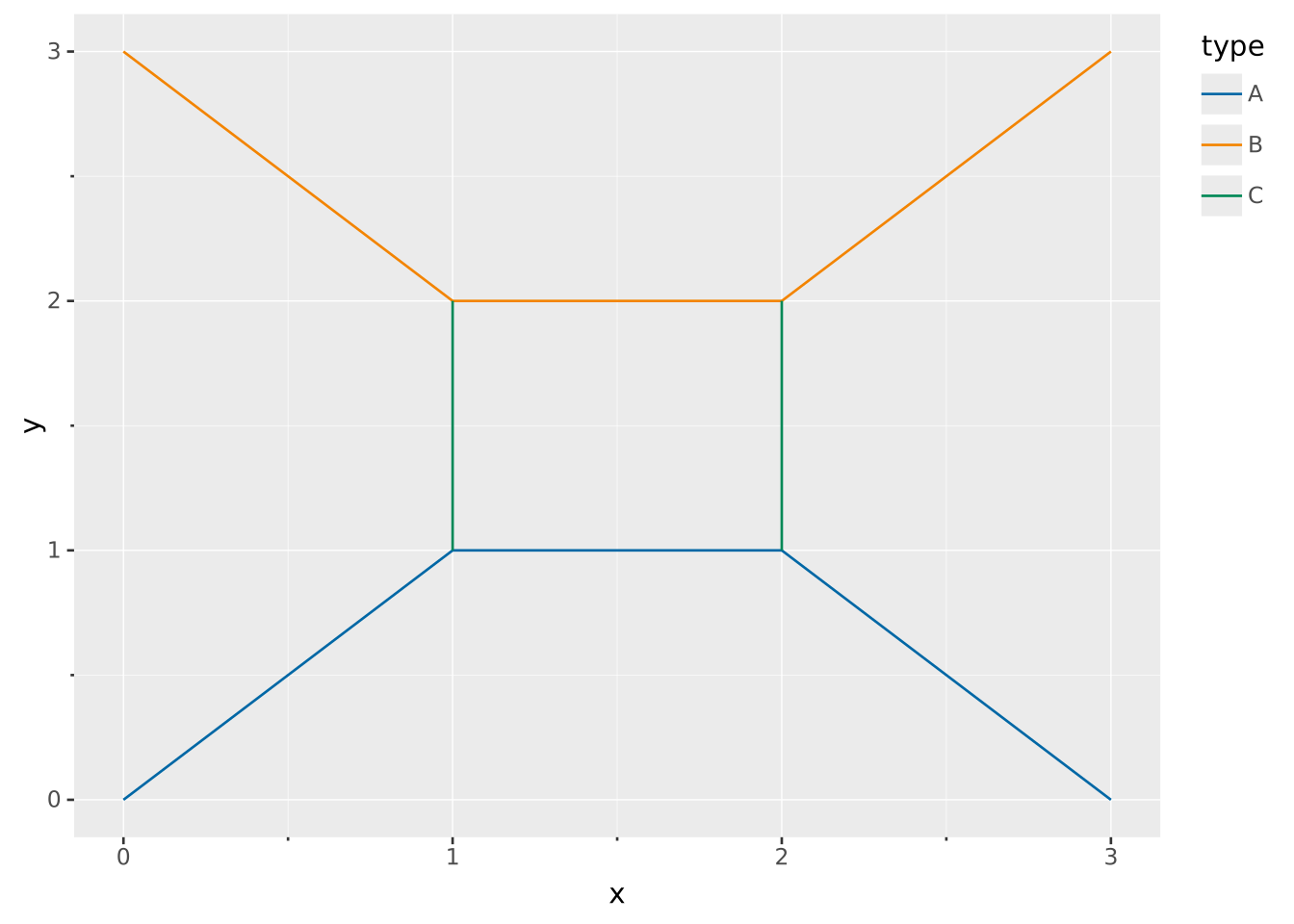
Segments are useful when you have known start and end points of the data. For example in a graph
WITH edges(x, y, xend, yend, type) AS (VALUES (0, 0, 1, 1, 'A'), (1, 1, 2, 1, 'A'), (2, 1, 3, 0, 'A'), (0, 3, 1, 2, 'B'), (1, 2, 2, 2, 'B'), (2, 2, 3, 3, 'B'), (1, 1, 1, 2, 'C'), (2, 2, 2, 1, 'C'))VISUALISEx, y, xend, yendFROM edgesDRAWsegmentMAPPING type AS stroke
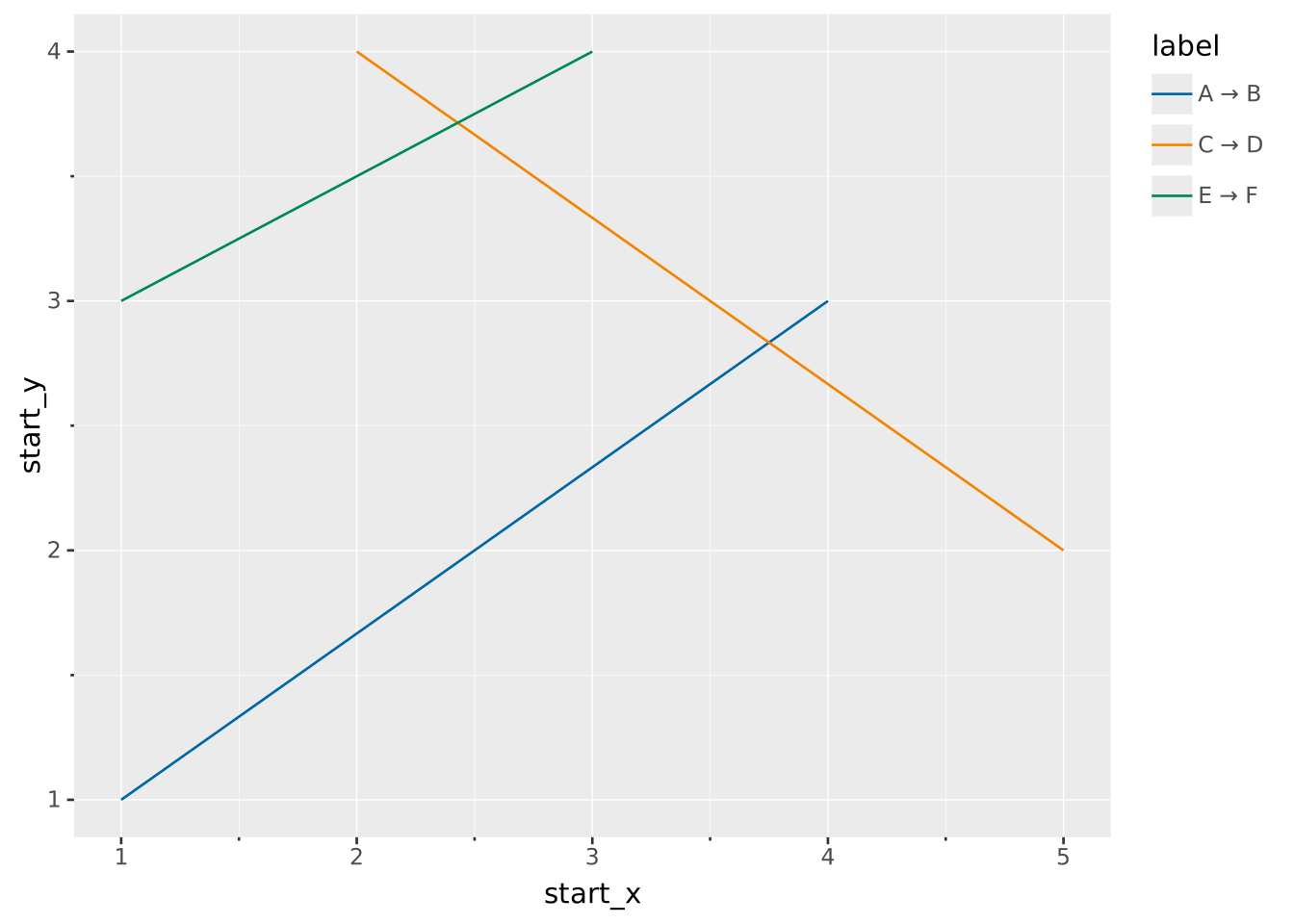
Segments can also draw arbitrary diagonal connections between points. For example, marking a delta between two measurements:
WITH deltas(start_x, start_y, end_x, end_y, label) AS (VALUES (1, 1, 4, 3, 'A → B'), (2, 4, 5, 2, 'C → D'), (1, 3, 3, 4, 'E → F'))VISUALISE start_x AS x, start_y AS y, end_x AS xend, end_y AS yend FROM deltasDRAWsegmentMAPPINGlabel AS stroke