VISUALISE FROM ggsql:airquality
DRAW ribbon
  MAPPING Date AS x, Wind AS ymin, Temp AS ymax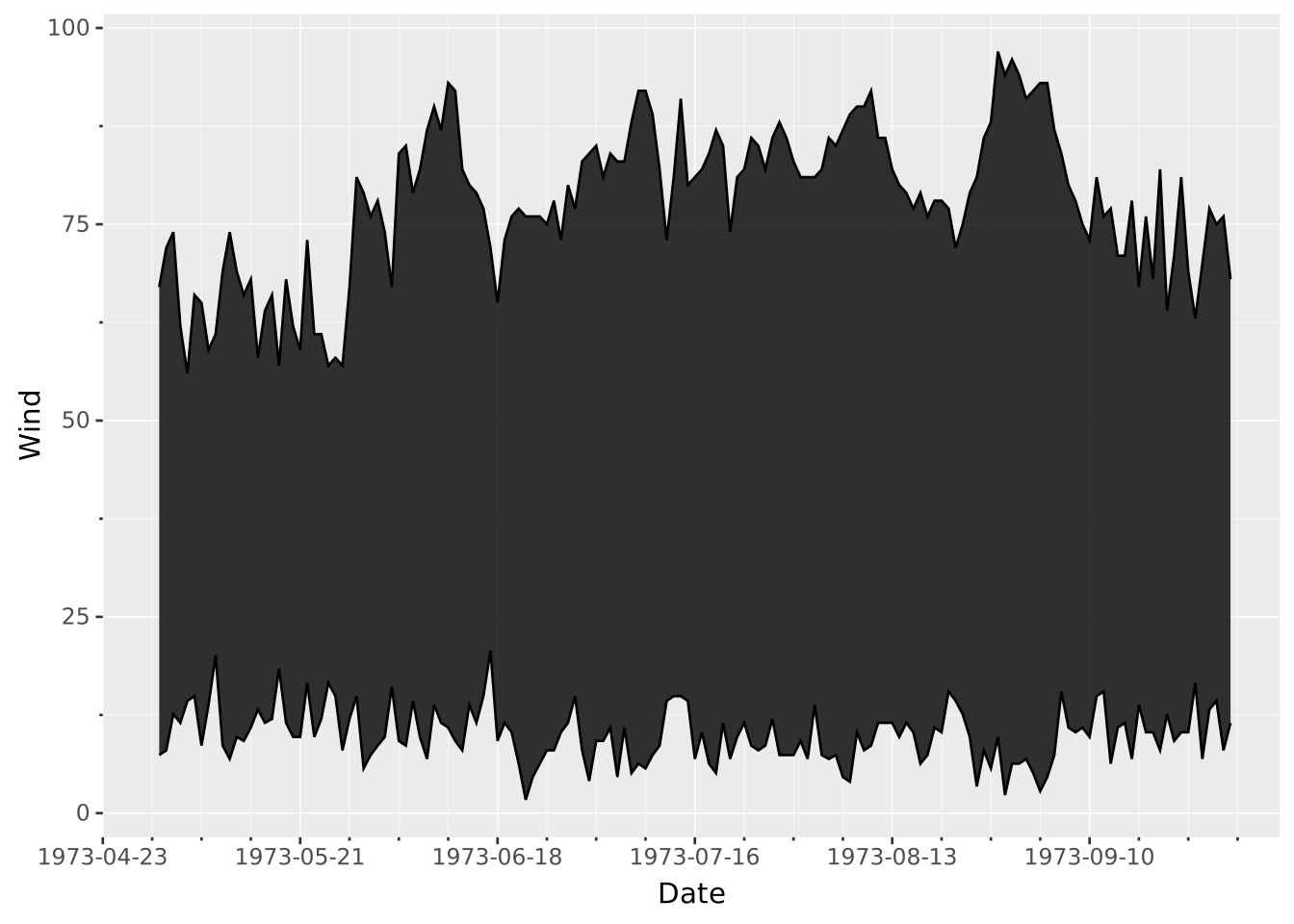
Layers are declared with the
DRAWclause. Read the documentation for this clause for a thorough description of how to use it.
The ribbon layer is used to display extrema over a sorted x-axis. It can be seen as an area chart that is unanchored from zero.
The following aesthetics are recognised by the ribbon layer.
x): Position along the primary axisymin): Lower position along the secondary axis.ymax): Upper position along the secondary axis.stroke: The colour of the contour lines.fill: The colour of the inner area.colour: Shorthand for setting stroke and fill simultaneously.opacity: The opacity of the colours.linewidth: The width of the contour lines.position: Position adjustment. One of 'identity' (default), 'stack', 'dodge', or 'jitter'aggregate Aggregation functions to apply per group:
null apply no group aggregation (default).DRAW documentation and more information in the Data transformation section below.This layer supports aggregation through the aggregate setting. Within each group, defined by PARTITION BY and all discrete mappings, every numeric mapping is replaced in place by its aggregated value, producing one ribbon per group. Ribon is a range layer with two defaults: the first applies to the start point (xmin/ymin) and the second applies to the end point (xmax/ymax). Use a single default like 'mean' to apply the same function to all values, or target individual aesthetics with '<aes>:<func>'. See the DRAW documentation for the full setting shape.
Ribbon layers are sorted and connected along their primary axis. The orientation is deduced directly from the mapping, because the interval is mapped to the secondary axis. To create a vertical ribbon layer you map the independent variable to y instead of x and the interval to xmin and xmax (assuming a default Cartesian coordinate system).
A ribbon plot with arbitrary values as minima/maxima
VISUALISE FROM ggsql:airquality
DRAW ribbon
MAPPING Date AS x, Wind AS ymin, Temp AS ymax
Ribbon plots are great for showing the range of some aggregation.
// Weekly aggregation of temperature
SELECT
  Week,
  MAX(Temp) AS MaxTemp,
  AVG(Temp) AS MeanTemp,
  MIN(Temp) AS MinTemp
FROM ggsql:airquality
GROUP BY Week

VISUALISE Week AS x
DRAW ribbon
  MAPPING MinTemp AS ymin, MaxTemp AS ymax
  SETTING opacity => 0.5
DRAW line
  MAPPING MeanTemp AS y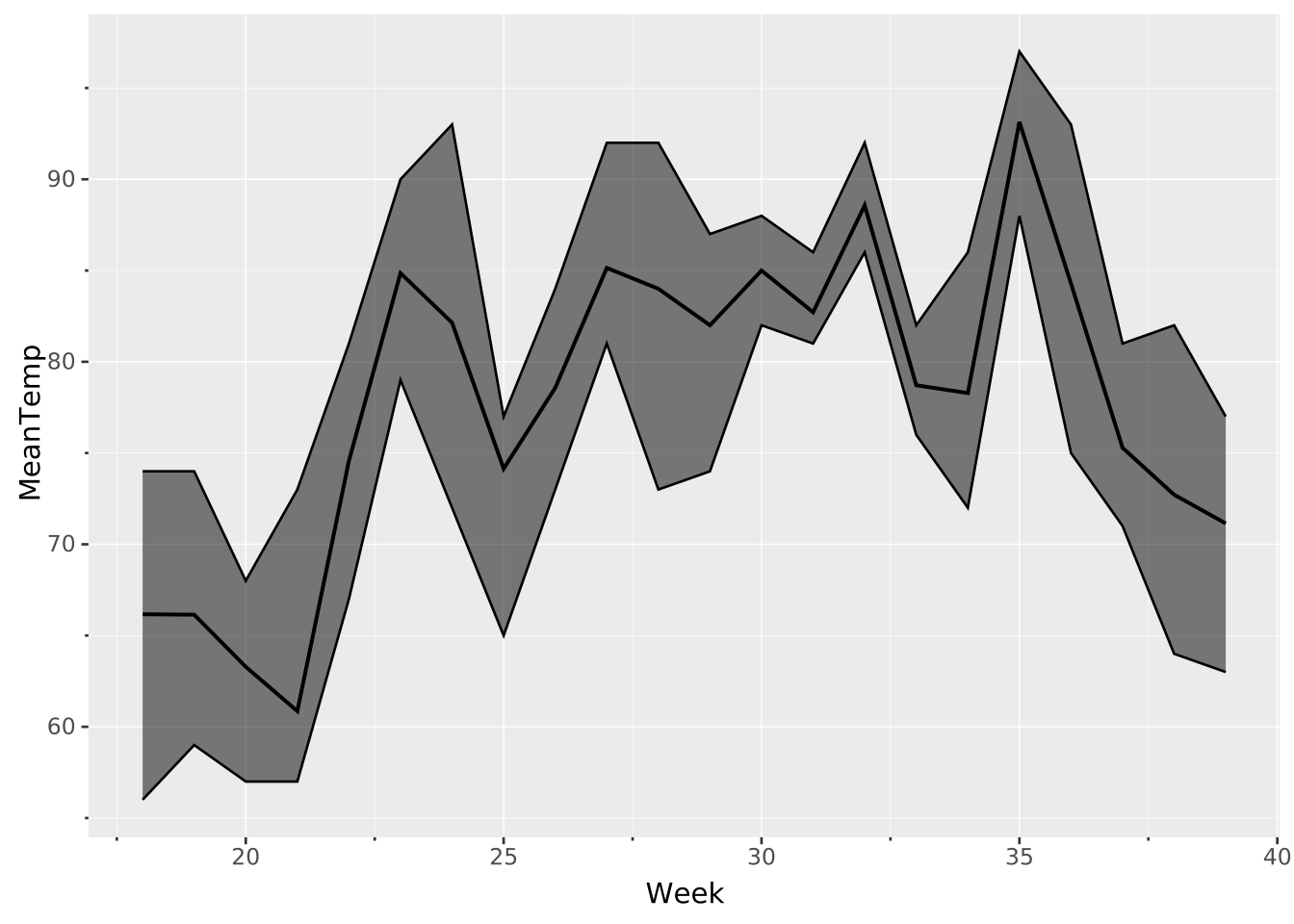
Use aggregation to calculate bounds on the fly. The two untargeted aggregation functions target the ymin and ymax aesthetics automatically.
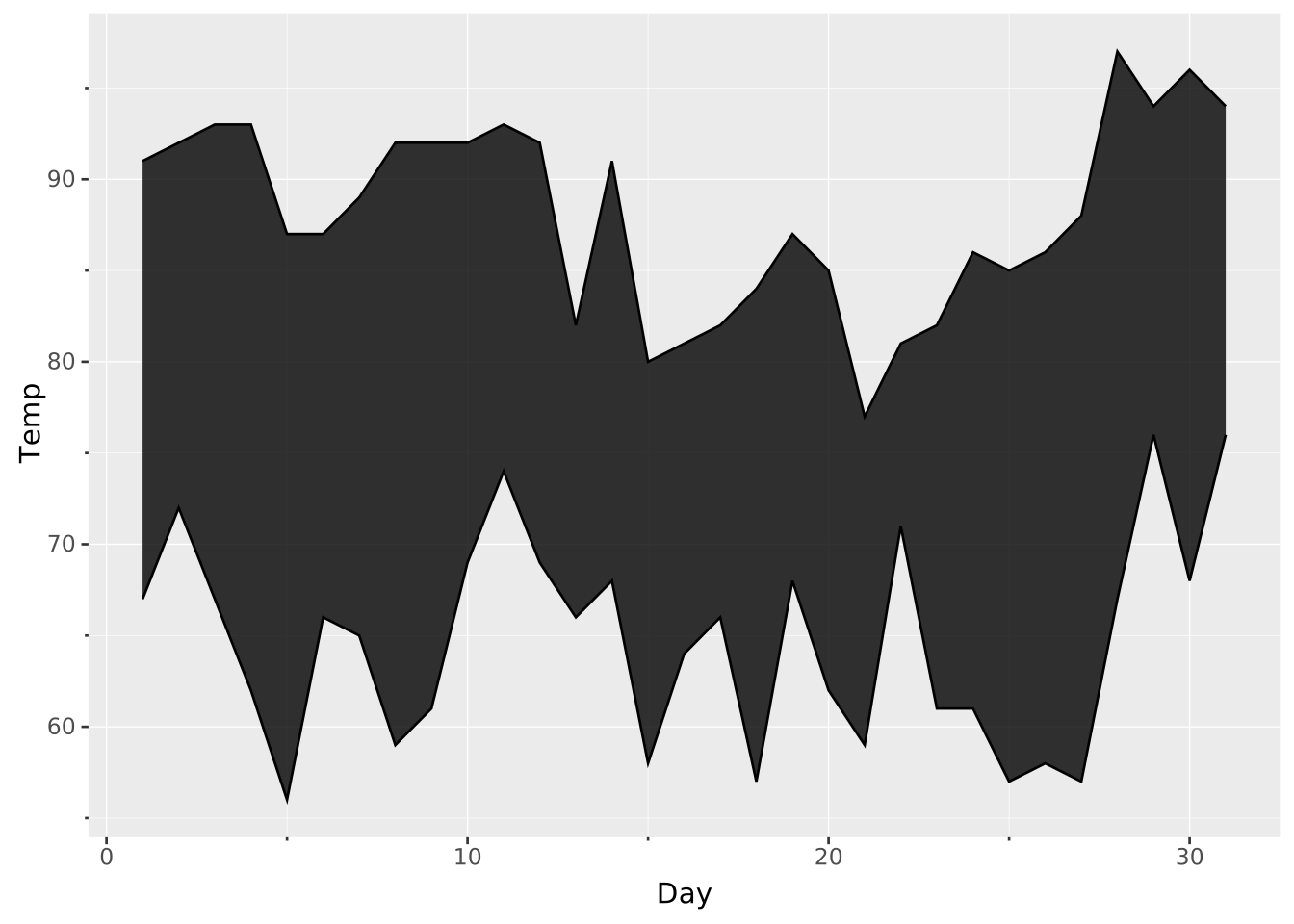
VISUALISE Day AS x, Temp AS ymin, Temp AS ymax FROM ggsql:airquality
DRAW ribbon
  SETTING aggregate => ('min', 'max')