VISUALISE FROM ggsql:penguins
DRAW bar
  MAPPING species AS x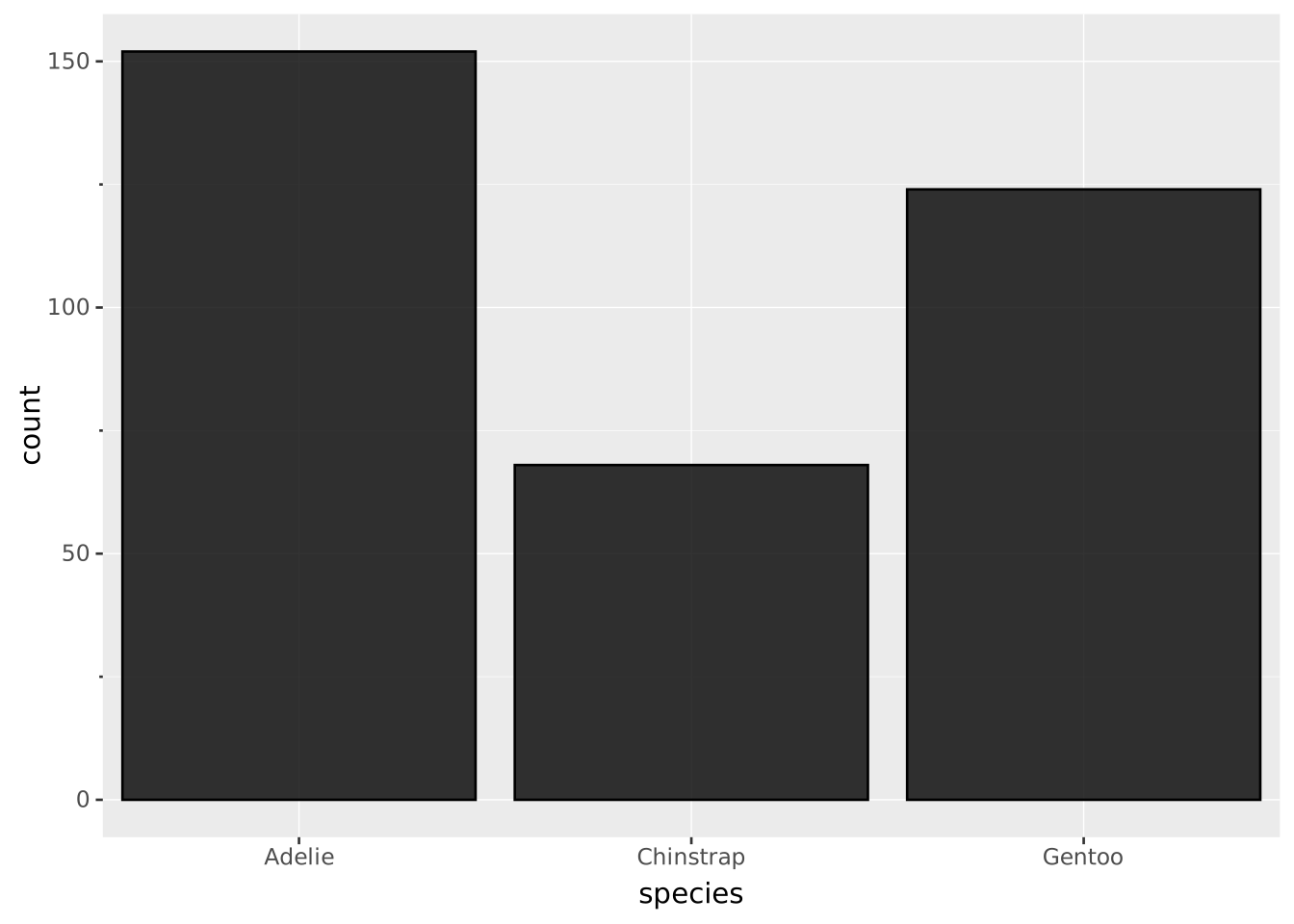
Layers are declared with the
DRAWclause. Read the documentation for this clause for a thorough description of how to use it.
The bar layer is used to create bar plots. You can either specify the height of the bars directly or let the layer calculate it either as the count of records within the same group or as a weighted sum of the records.
The following aesthetics are recognised by the bar layer.
The bar layer has no required aesthetics
x): The categories to create bars for. If missing all records will be shown in the same bary): The height of the bars. If missing, it will be calculated by the layercolour: The default colour of each barstroke: The colour of the stroke around each bar. Overrides colourfill: The fill colour of each bar. Overrides colouropacity: The opacity of the bar filllinewidth: The width of the strokelinetype: The type of stroke, i.e. the dashing patternposition: Position adjustment. One of 'identity', 'stack' (default), 'dodge', or 'jitter'width: The width of the bars as a proportion of the available width (0 to 1)aggregate Aggregation functions to apply per group:
null apply no group aggregation (default).DRAW documentation and more information in the Data transformation section below.If the secondary axis has not been mapped the layer will calculate counts for you and display these as the secondary axis.
This layer supports aggregation through the aggregate setting. Aggregation groups are defined by PARTITION BY and all discrete mappings. Within each group, every numeric mapping is replaced in place by its aggregated value. Use a default like 'mean' or target individual aesthetics with '<aes>:<func>'. See the DRAW documentation for the full setting shape.
weight: If mapped, the sum of the weights within each group is calculated instead of the count in each groupcount: The count or, if weight have been mapped, sum of weights in each group.proportion: The groupwise proportion, i.e. the count divided by the sum of count within each groupcount AS <secondary axis>: By default the barplot will show count as the height of the barsBar plots have categories along their primary axis. The orientation is deduced directly from the mapping. To create a horizontal bar plot you map the categories to y instead of x (assuming a default Cartesian coordinate system).
Show the number of each species in the data
VISUALISE FROM ggsql:penguins
DRAW bar
MAPPING species AS x
Use weight to instead show the collective mass of each species
VISUALISE FROM ggsql:penguins
DRAW bar
  MAPPING species AS x, body_mass AS weight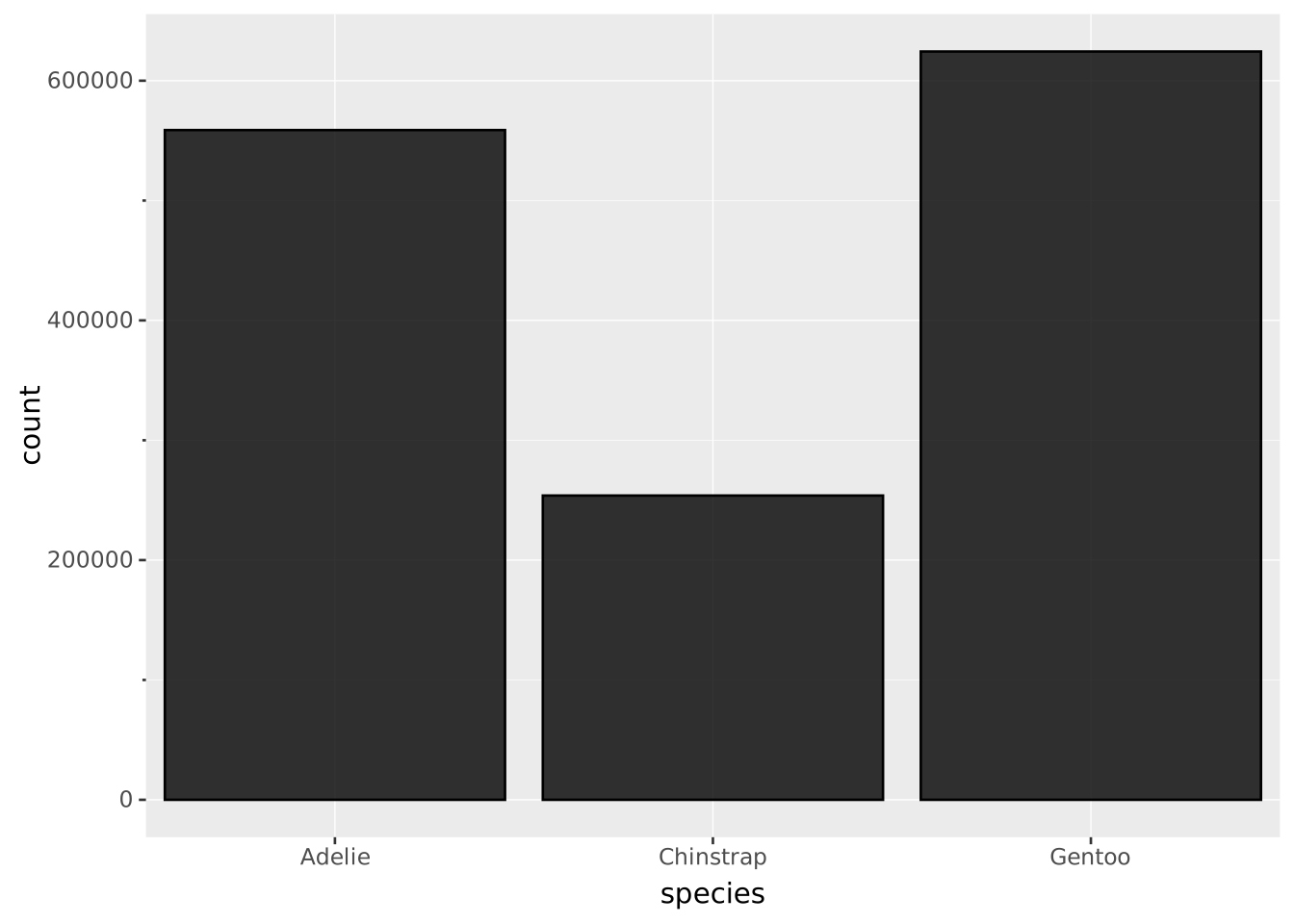
Map fill to a discrete value to create a stacked bar chart
VISUALISE FROM ggsql:penguins
DRAW bar
  MAPPING species AS x, island AS fill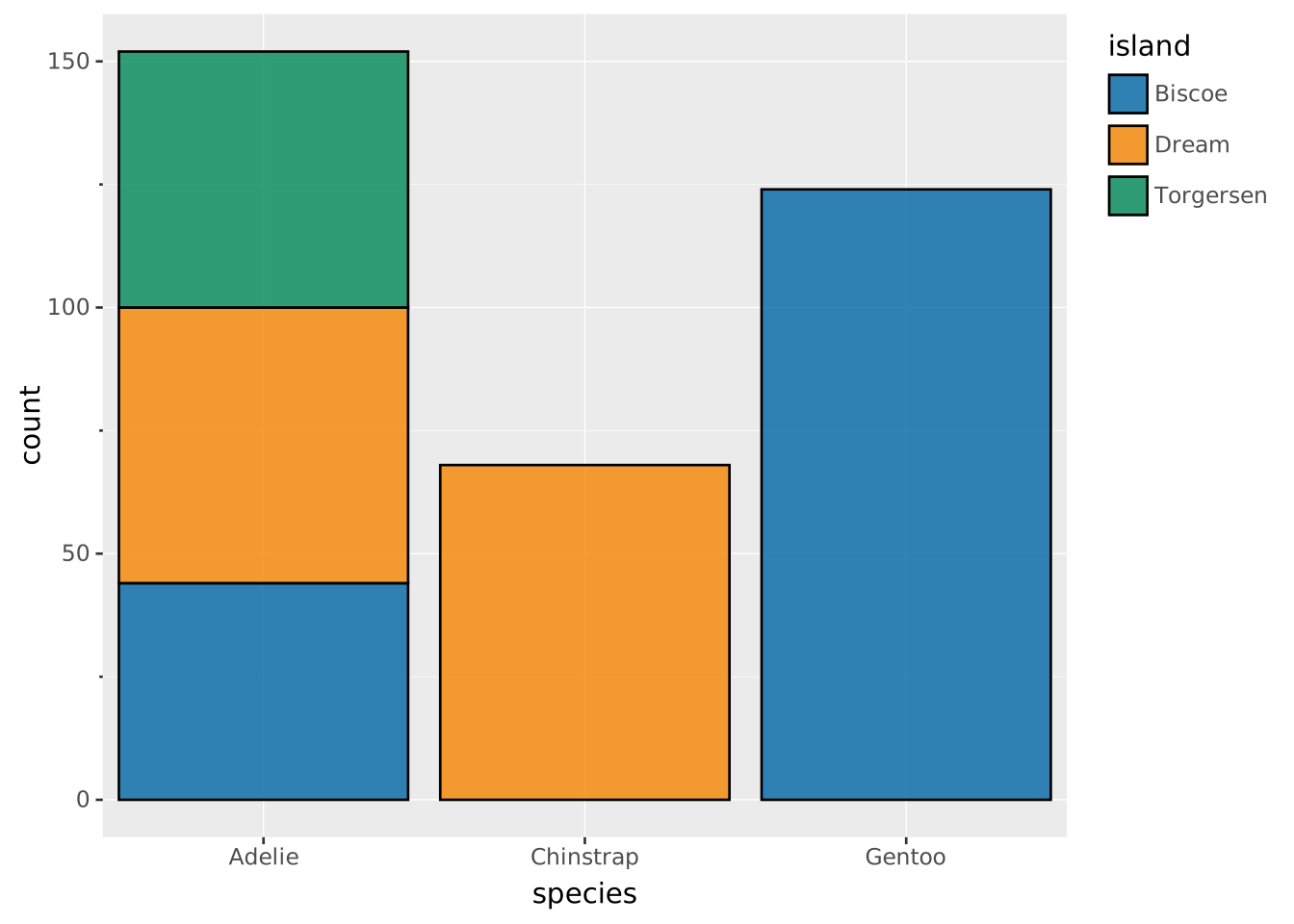
Or change the position setting to e.g. get a dodged bar chart
VISUALISE FROM ggsql:penguins
DRAW bar
  MAPPING species AS x, sex AS fill
  SETTING position => 'dodge'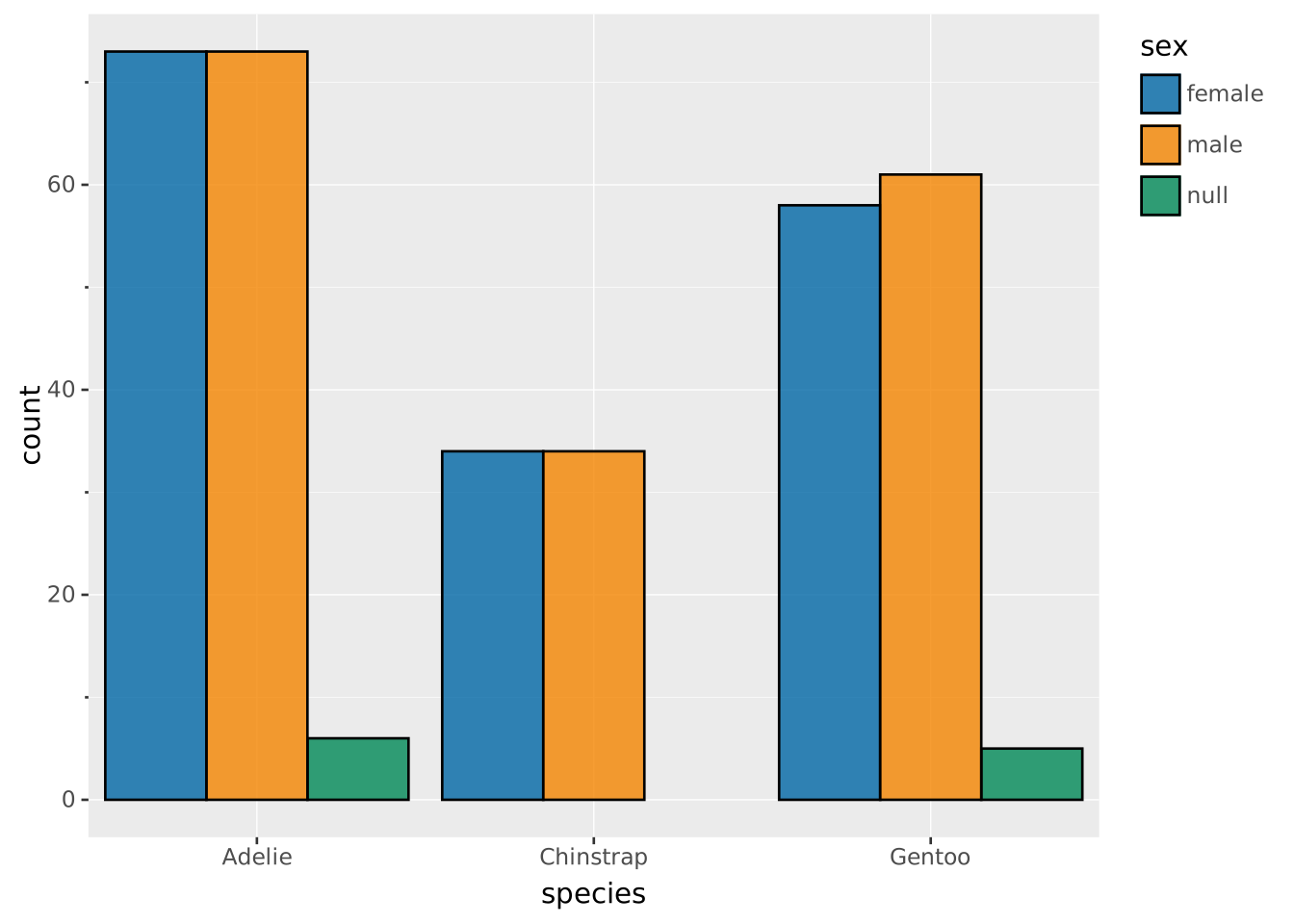
Map to y if the dataset already contains the value you want to show
SELECT species, MAX(body_mass) AS max_mass FROM ggsql:penguins
GROUP BY species
VISUALISE
DRAW bar
  MAPPING species AS x, max_mass AS y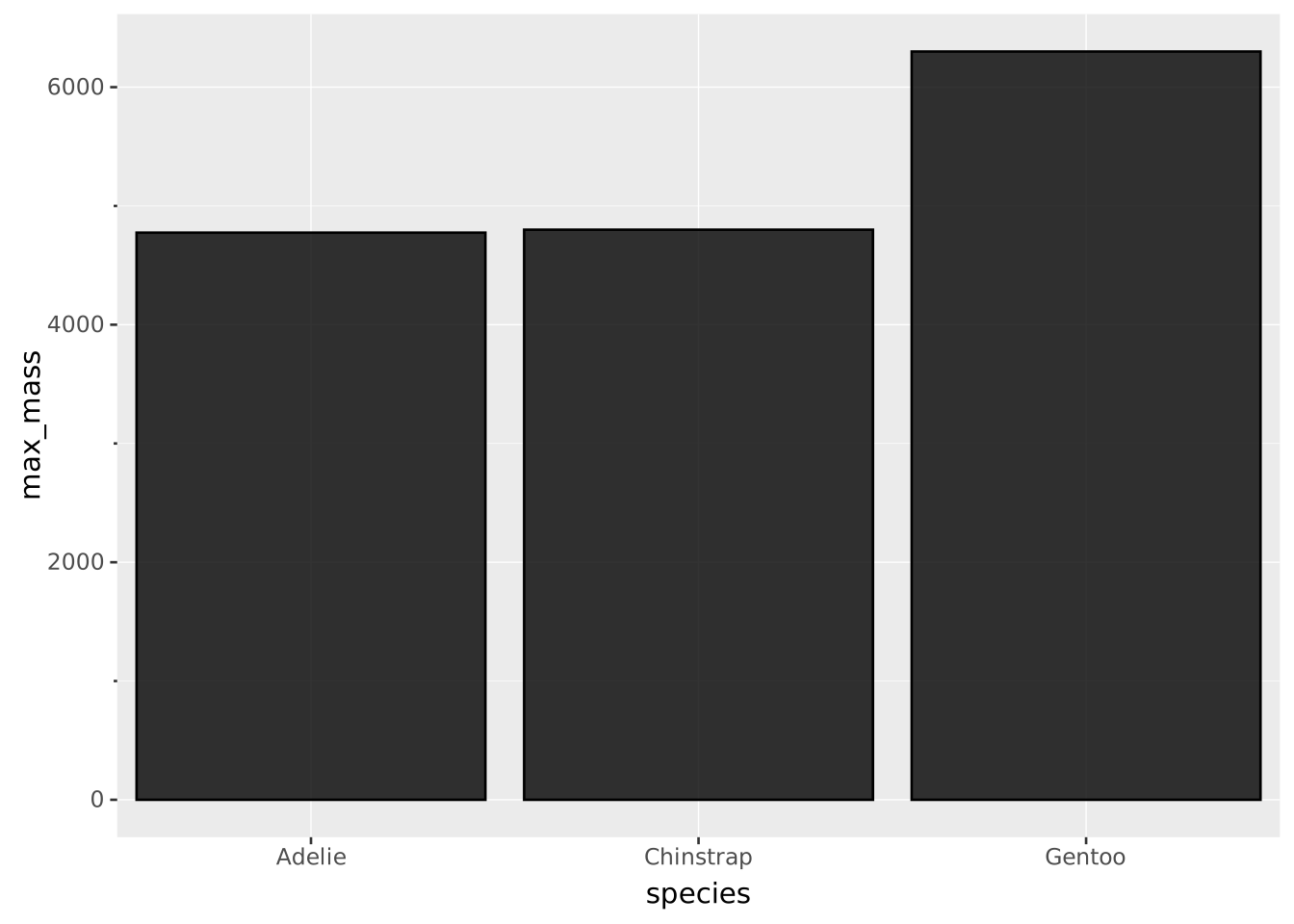
Use together with a binned scale as an alternative to the histogram layer
VISUALISE FROM ggsql:penguins
DRAW bar
  MAPPING body_mass AS x
SCALE BINNED x
  SETTING breaks => 10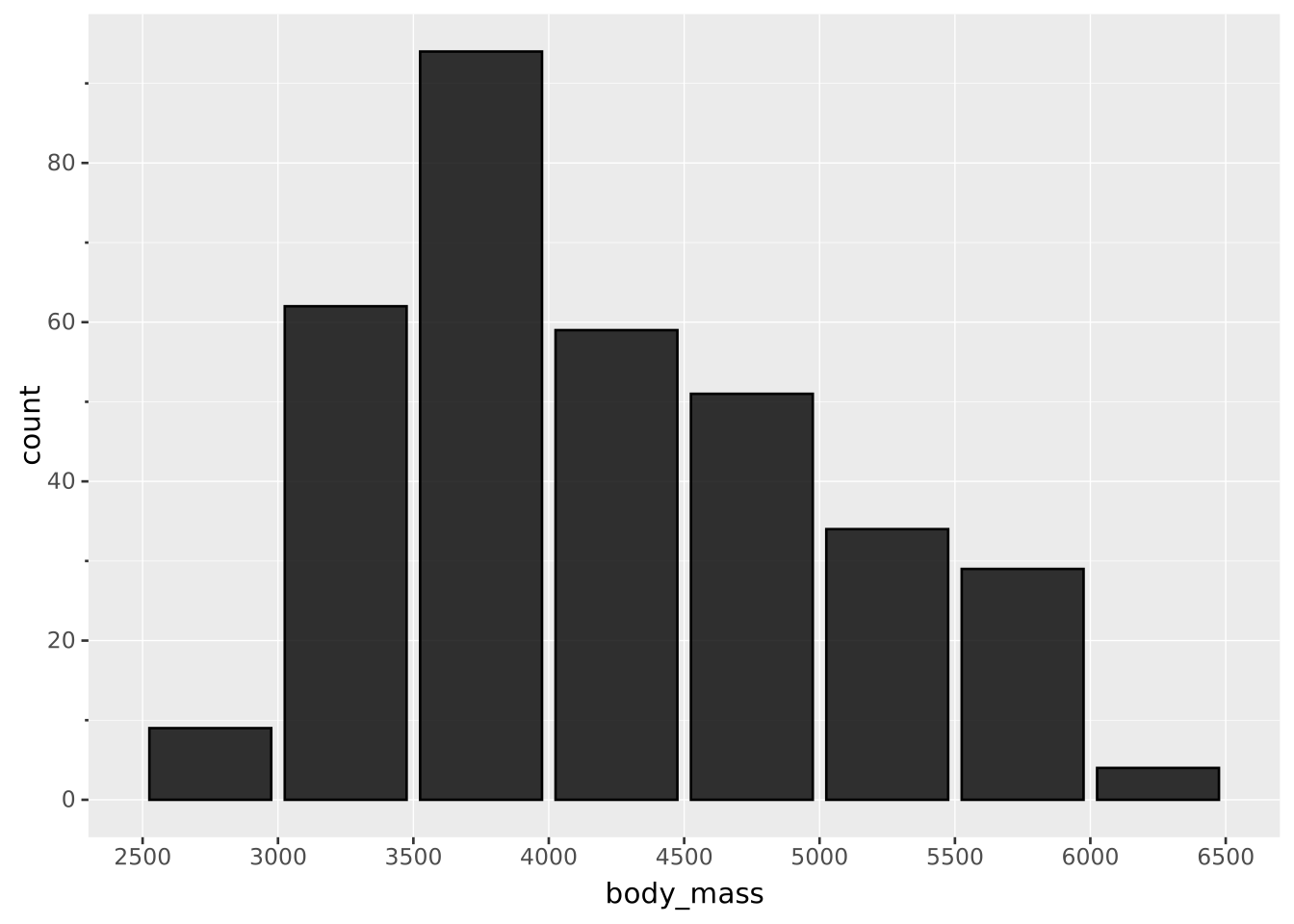
Create a horizontal bar plot by changing the mapping
VISUALISE FROM ggsql:penguins
DRAW bar
  MAPPING species AS y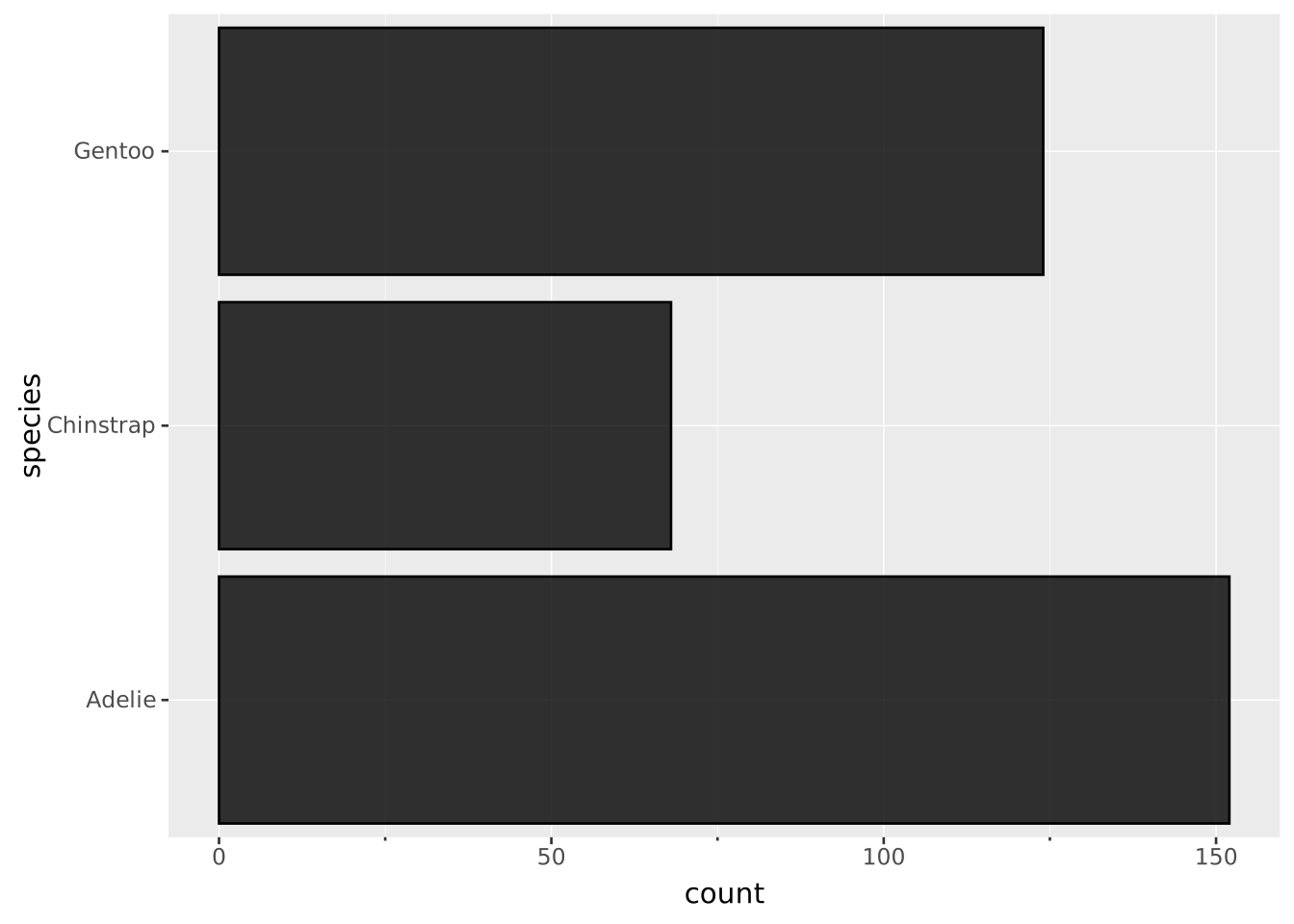
And use with a polar coordinate system to create a pie chart
VISUALISE FROM ggsql:penguins
DRAW bar
  MAPPING species AS fill
PROJECT TO polar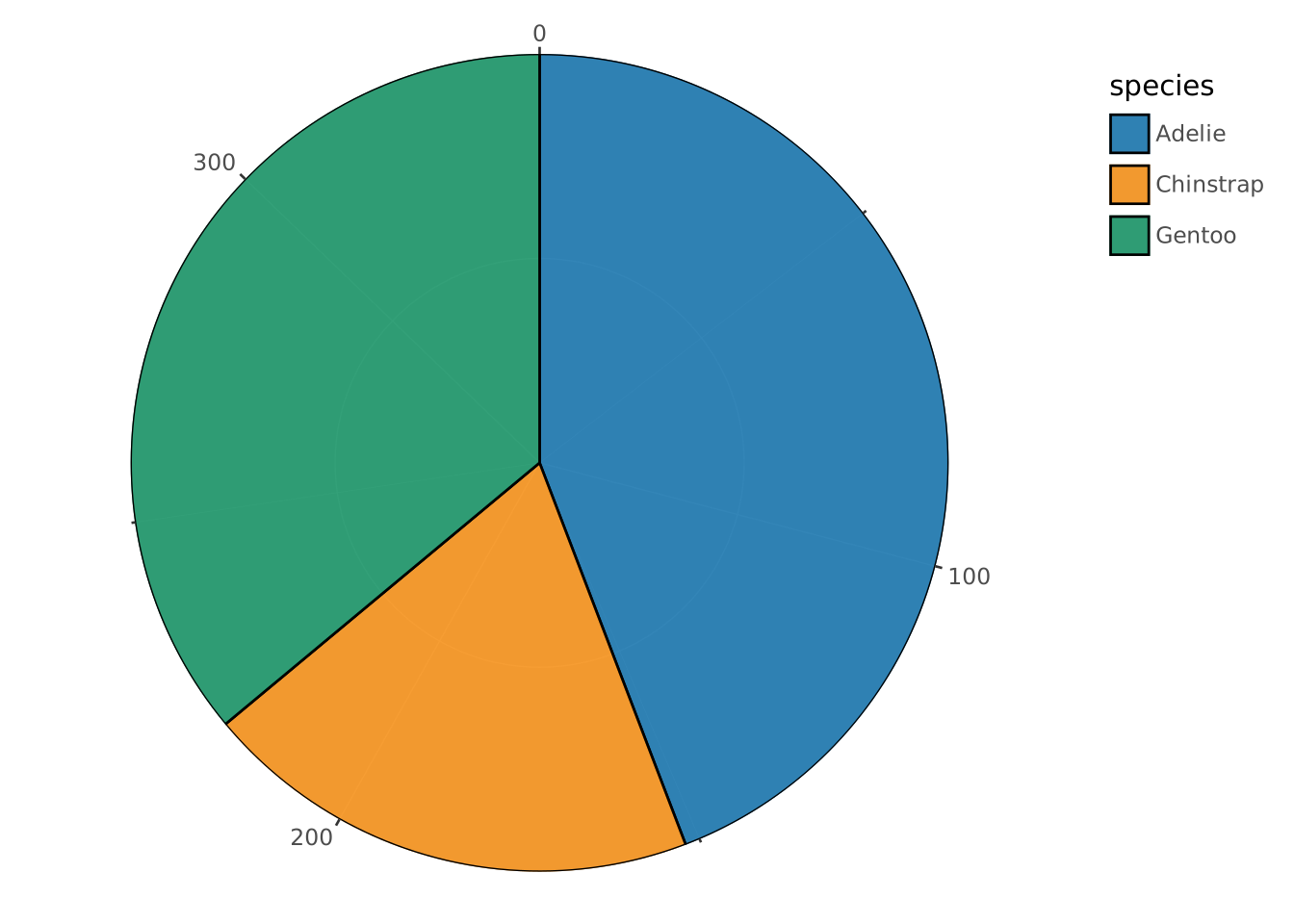
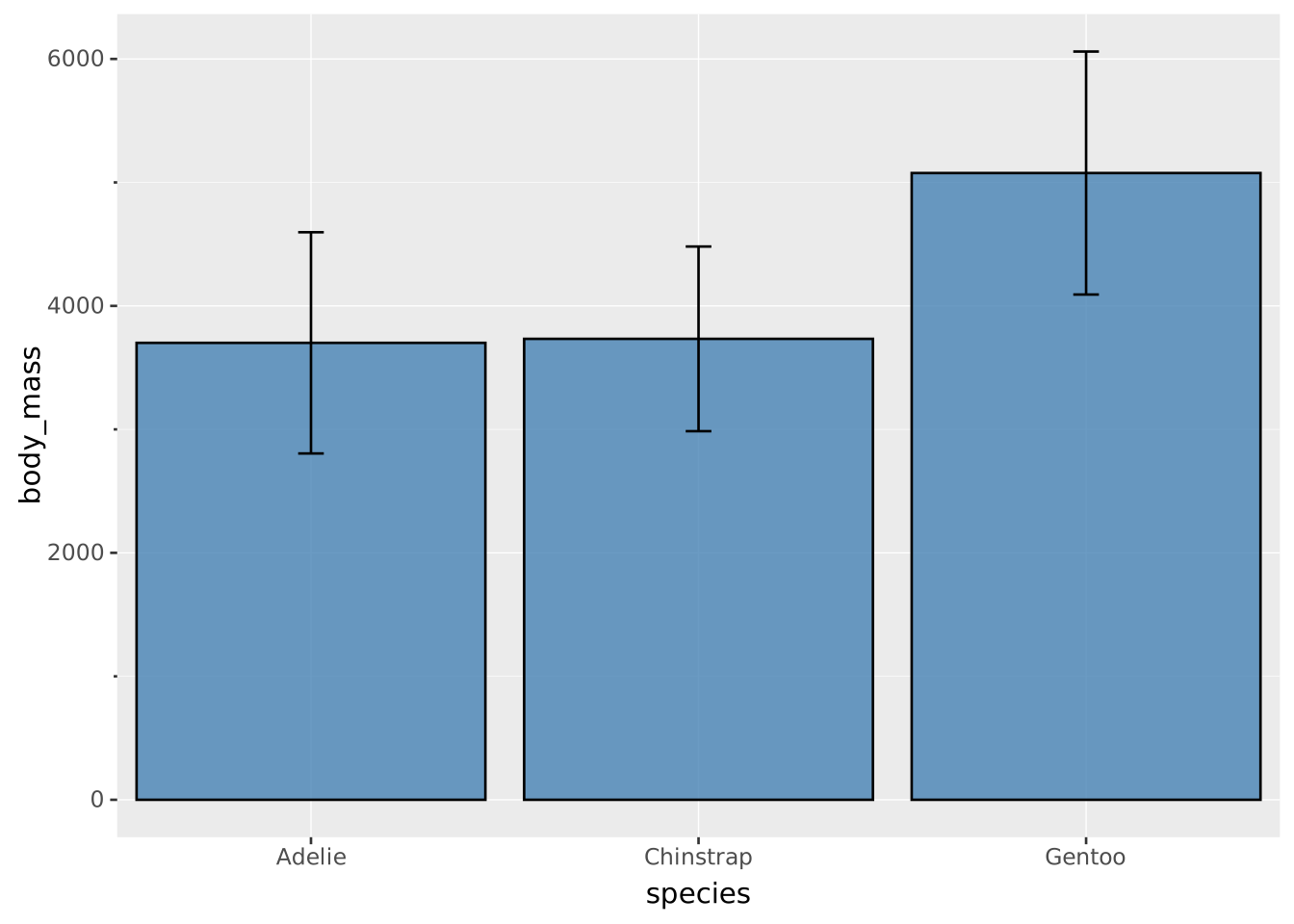
Use a different type of aggregation for the bars through the aggregate setting. The range layer needs both ymin and ymax mapped; with two defaults, the first is applied to the lower bound and the second to the upper bound.
VISUALISE species AS x FROM ggsql:penguins
DRAW bar
  MAPPING body_mass AS y
  SETTING aggregate => 'mean', fill => 'steelblue'
DRAW range
  MAPPING body_mass AS ymin, body_mass AS ymax
  SETTING aggregate => ('mean-1.96sdev', 'mean+1.96sdev')