VISUALISE species AS x, bill_dep AS y FROM ggsql:penguins
DRAW violin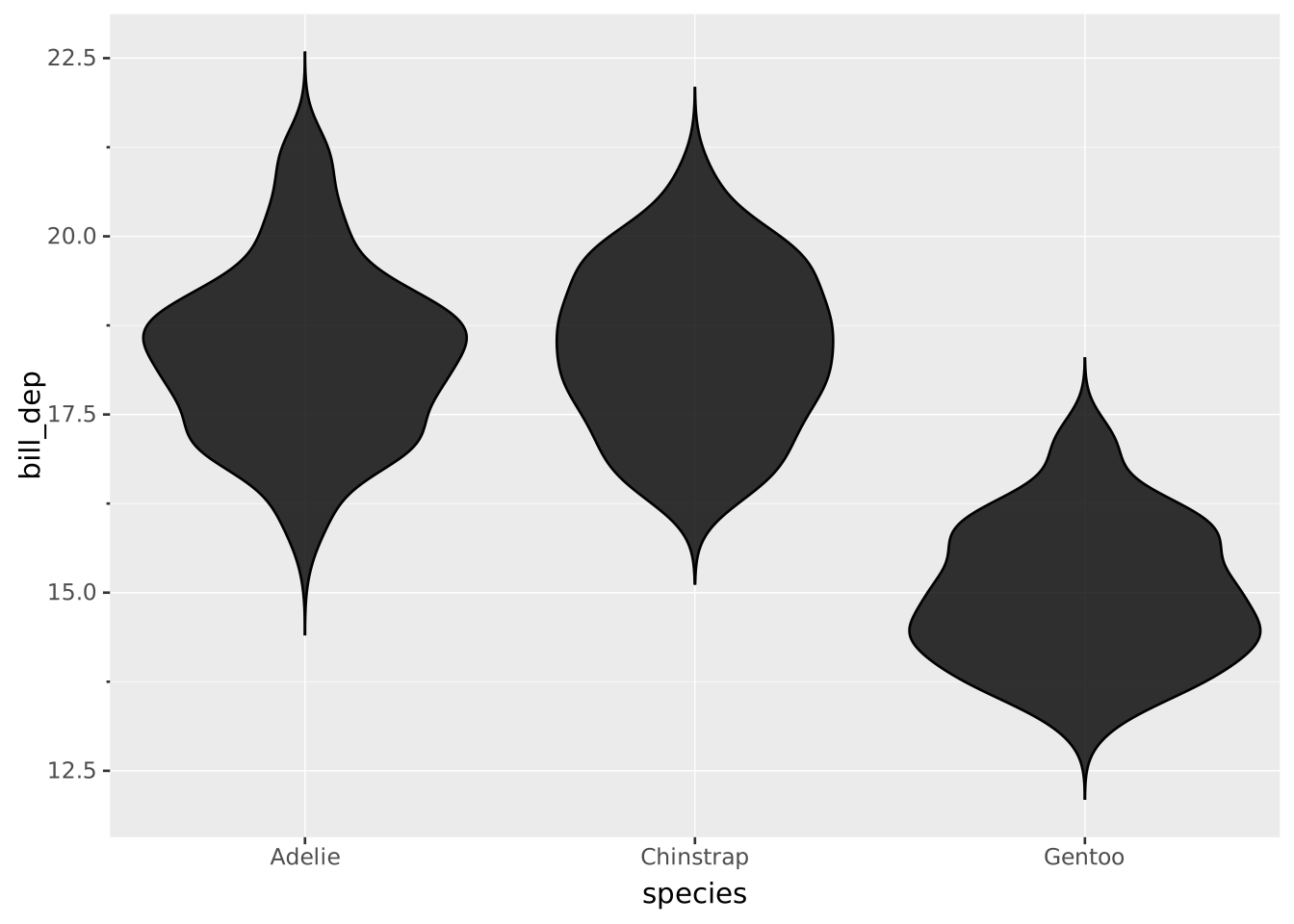
Layers are declared with the
DRAWclause. Read the documentation for this clause for a thorough description of how to use it.
Violin plots display the distribution of a single continuous variable for multiple groups. The violins are mirrored kernel density estimates, similar to the density layer, but organised as distinct groups.
The following aesthetics are recognised by the violin layer.
y): The continuous variable to compute density for.x): The categorical variable for grouping. If omitted a single violin is drawn for the whole distribution and the (one-tick) categorical axis is hidden.stroke: The colour of the contour lines.fill: The colour of the inner area.colour: Shorthand for setting stroke and fill simultaneously.opacity: The opacity of the colours.linewidth: The width of the contour lines.linetype The dash pattern of the contour line.position: Position adjustment. One of 'identity', 'stack', 'dodge' (default), or 'jitter'bandwidth: Smoothing bandwidth (must be > 0). If absent (default), the bandwidth will be computed using Silverman’s rule of thumb.adjust: Multiplier for the bandwidth setting (must be > 0). Defaults to 1.kernel: Determines the smoothing kernel shape. Can be one of the following:
'gaussian' (default)'epanechnikov''triangular''rectangular' or 'uniform''biweight' or 'quartic''cosine'width: Relative width of the violins (0 to 1). Defaults to 0.9.side: Determines the sides of the midline where the density is displayed. One of the following:
'both' (default) displays a complete violin both sides of the midline.'left' or 'bottom' only displays half a violin at the left side or bottom side.'right' or 'top' only displays half a violin at the right side or top side.tails: Expansion rule for drawing the tails (must be >= 0 if numeric). One of the following:
null to use the whole data range rather than group ranges.A violin layer uses the same computation as a density layer. See the density data transformation section for details. The major difference between a violin layer and a density layer is just the matter of display.
weight: If mapped, it sets the relative contribution of an observation to the density estimate.density: The estimated probability density per point on the grid. The total area of a single density curve adds up to 1.intensity: Also termed ‘probability intensity estimation’, it is the precursor of the density variable. Specifically it is the same as the density without normalisation. You can use REMAPPING intensity AS offset if you want to reflect differences in group sizes.density AS offset: By default the offsets around a centerline reflect the computed density.The violin plot has its categorical groups along the primary axis and the continuous values along the secondary axis. The orientation can be deduced from the scale types or from the mapping. To create horizontal violins, swap x and y in the mapping (assuming a default Cartesian coordinate system).
A typical violin plot.
VISUALISE species AS x, bill_dep AS y FROM ggsql:penguins
DRAW violin
The adjust setting controls the smoothing.
VISUALISE species AS x, bill_dep AS y FROM ggsql:penguins
DRAW violin
  SETTING adjust => 0.1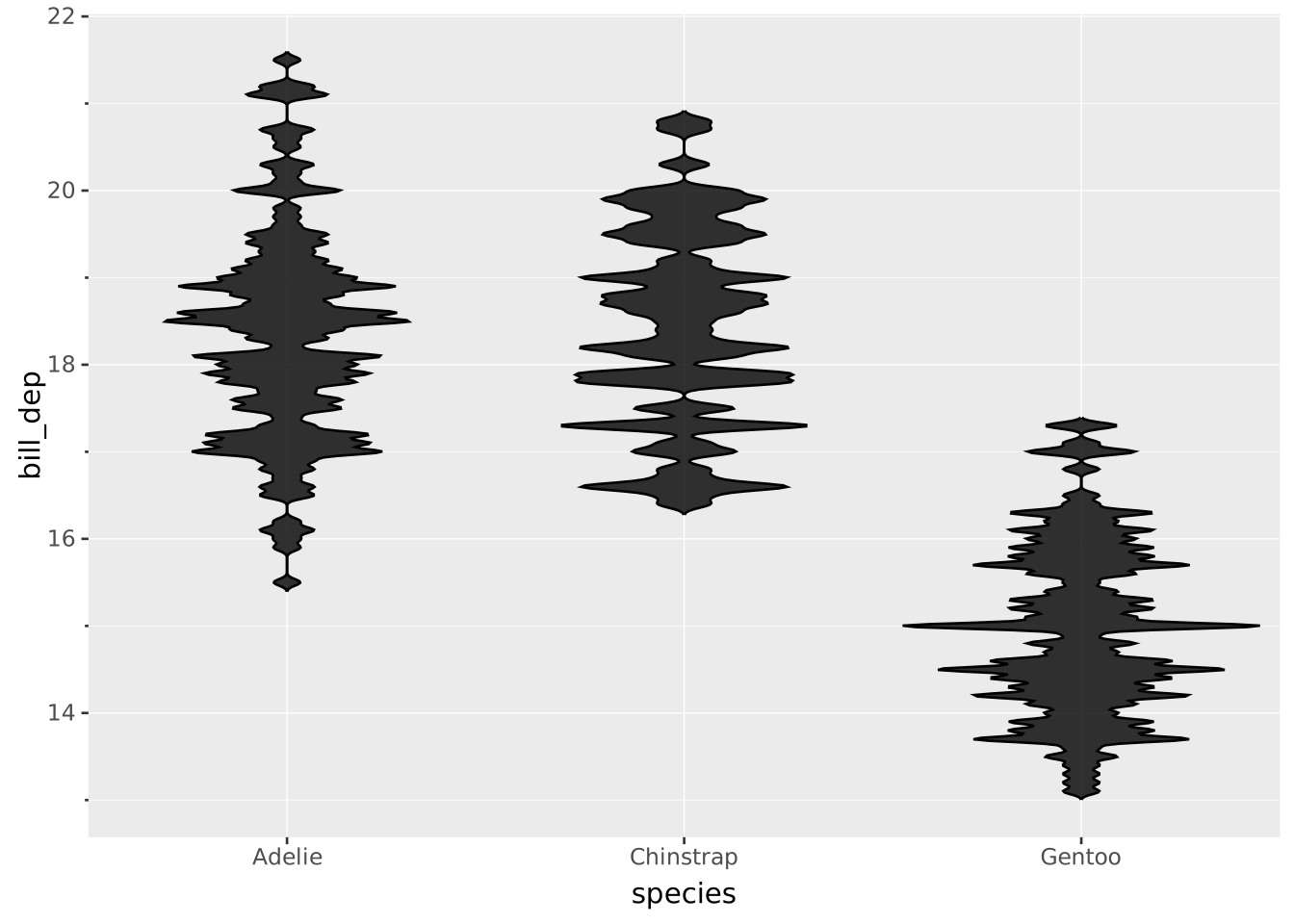
The tails setting controls the display beyond the data range. You can set it to 0 to use the exact group’s data range.
VISUALISE species AS x, bill_dep AS y FROM ggsql:penguins
DRAW violin
  SETTING tails => 0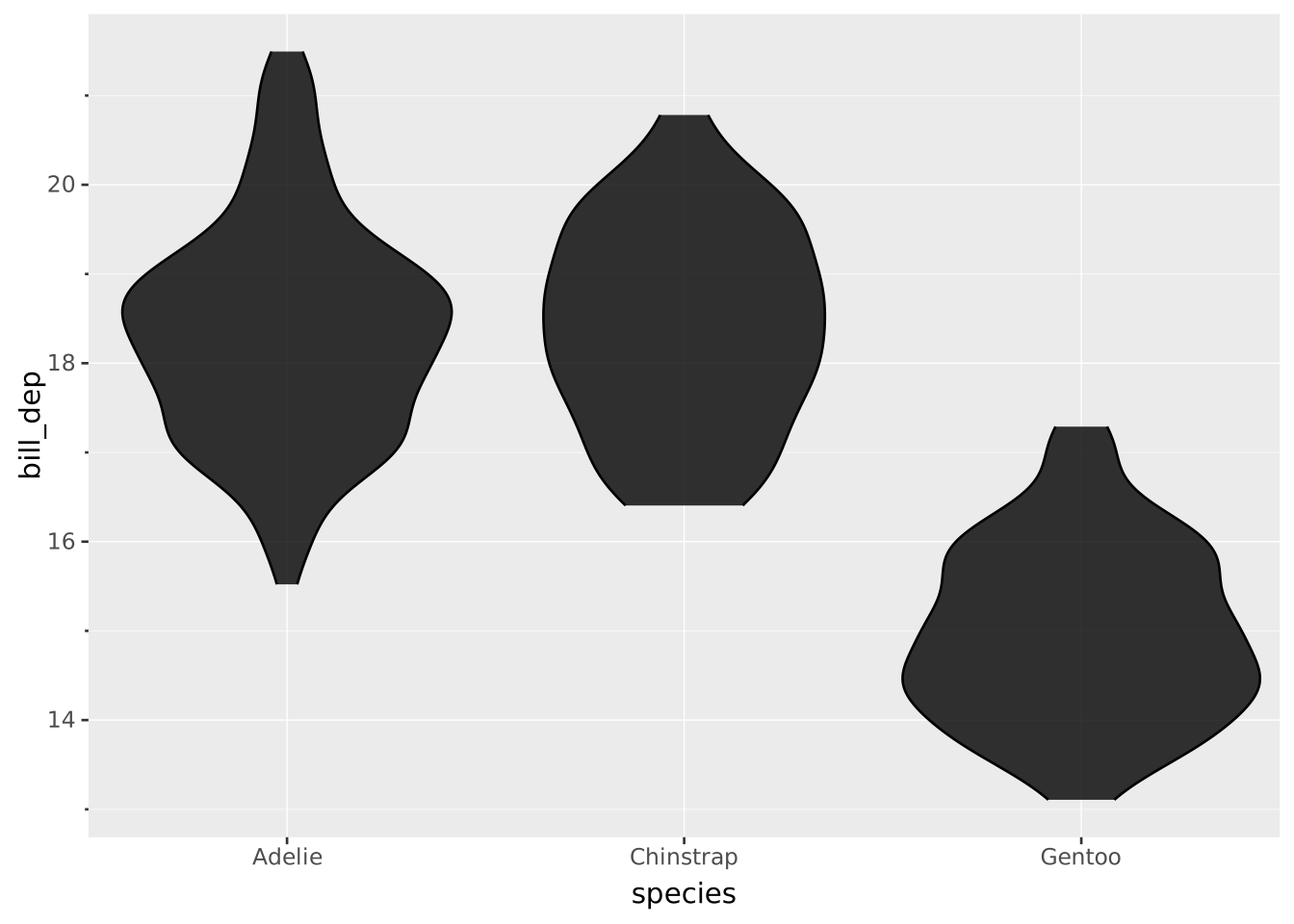
To more clearly indicate differences in group sizes, you can use the intensity computed variable. Note that we have fewer (n=68) Chinstrap penguins than Adelie (n=152) or Gentoo (n=124) penguins.
VISUALISE species AS x, bill_dep AS y FROM ggsql:penguins
DRAW violin
  REMAPPING intensity AS offset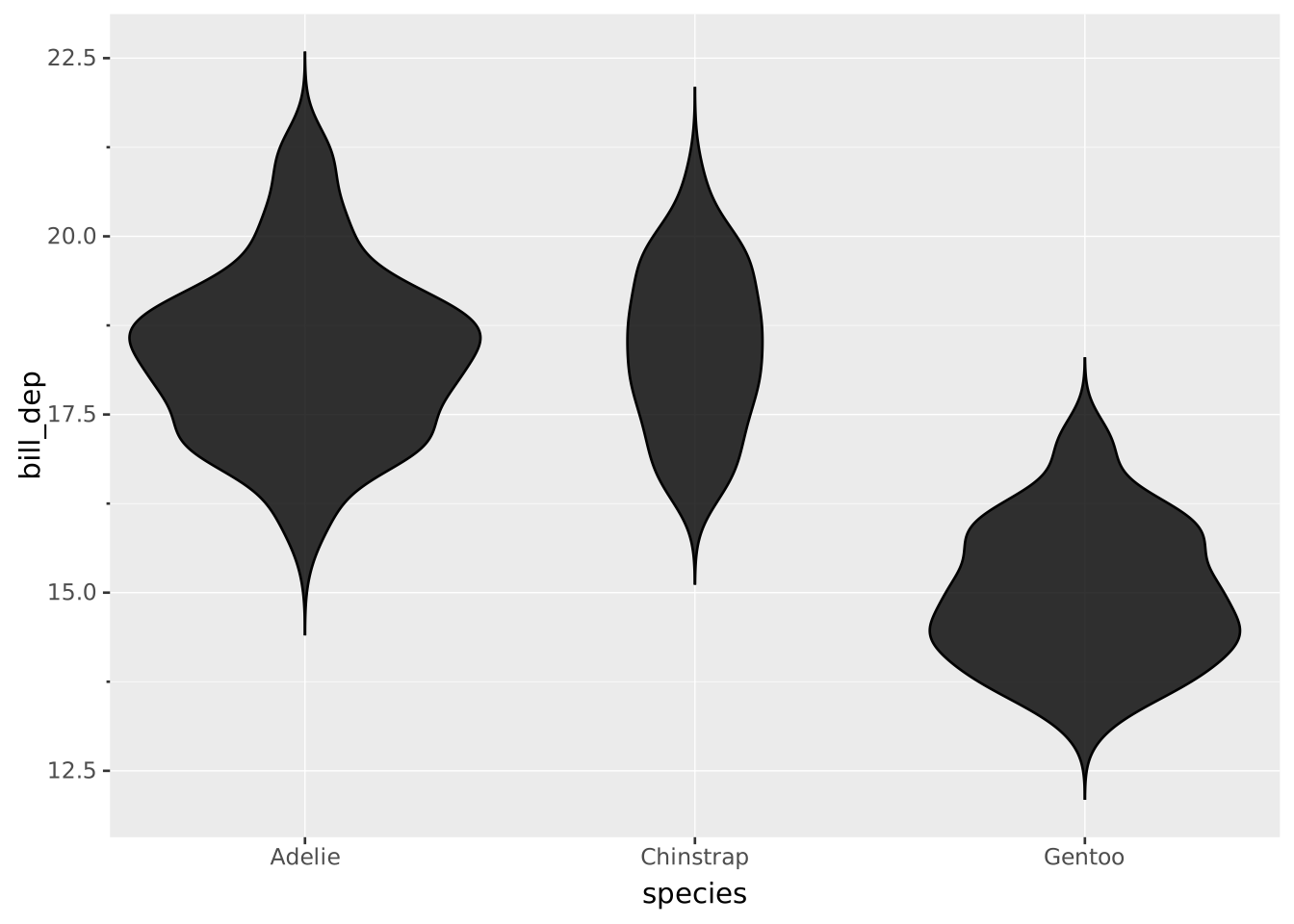
If you have multiple groups within a category they are dodged by default:
VISUALISE species AS x, bill_dep AS y, island AS fill FROM ggsql:penguins
DRAW violin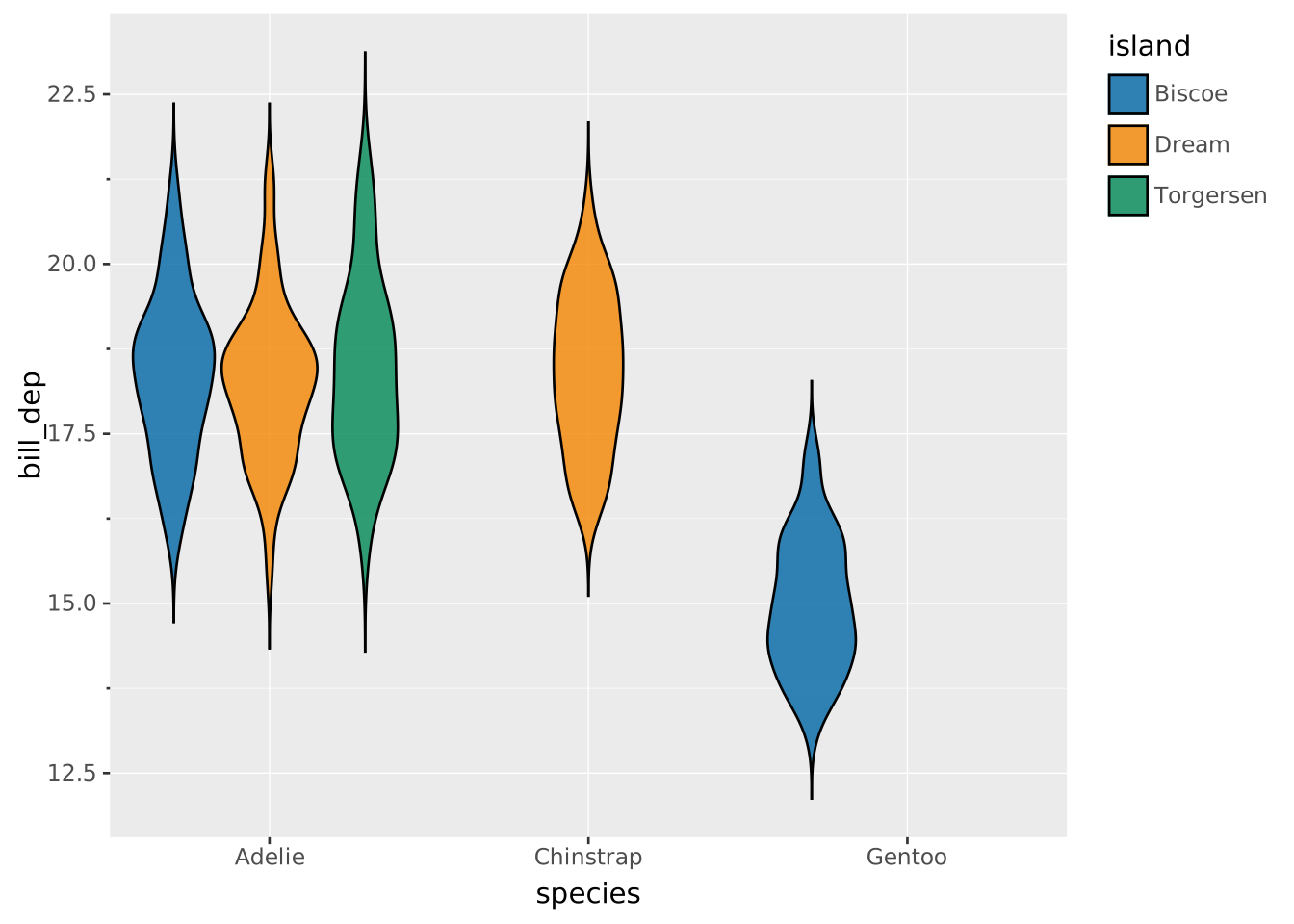
Create horizontal violins by swapping x and y:
VISUALISE species AS y, bill_dep AS x FROM ggsql:penguins
DRAW violin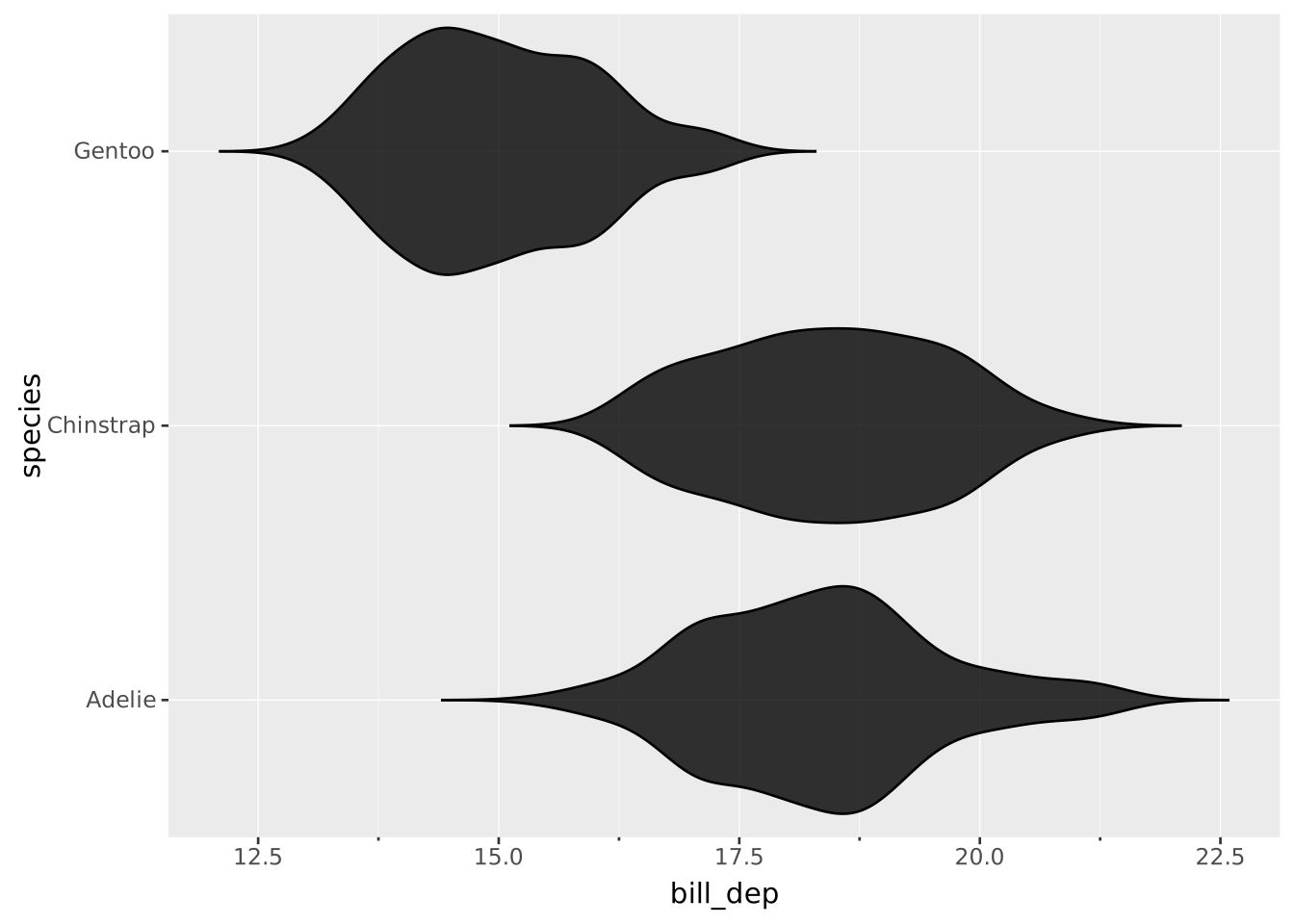
A ridgeline plot (or joy plot) can be seen as a horizontal half-violin plot, or like a density plot with vertical offsets for every category. To achieve this outcome, you can set the side setting and adjust width to taste.
VISUALISE Temp AS x, Month AS y FROM ggsql:airquality
DRAW violin SETTING width => 4, side => 'top'
SCALE ORDINAL y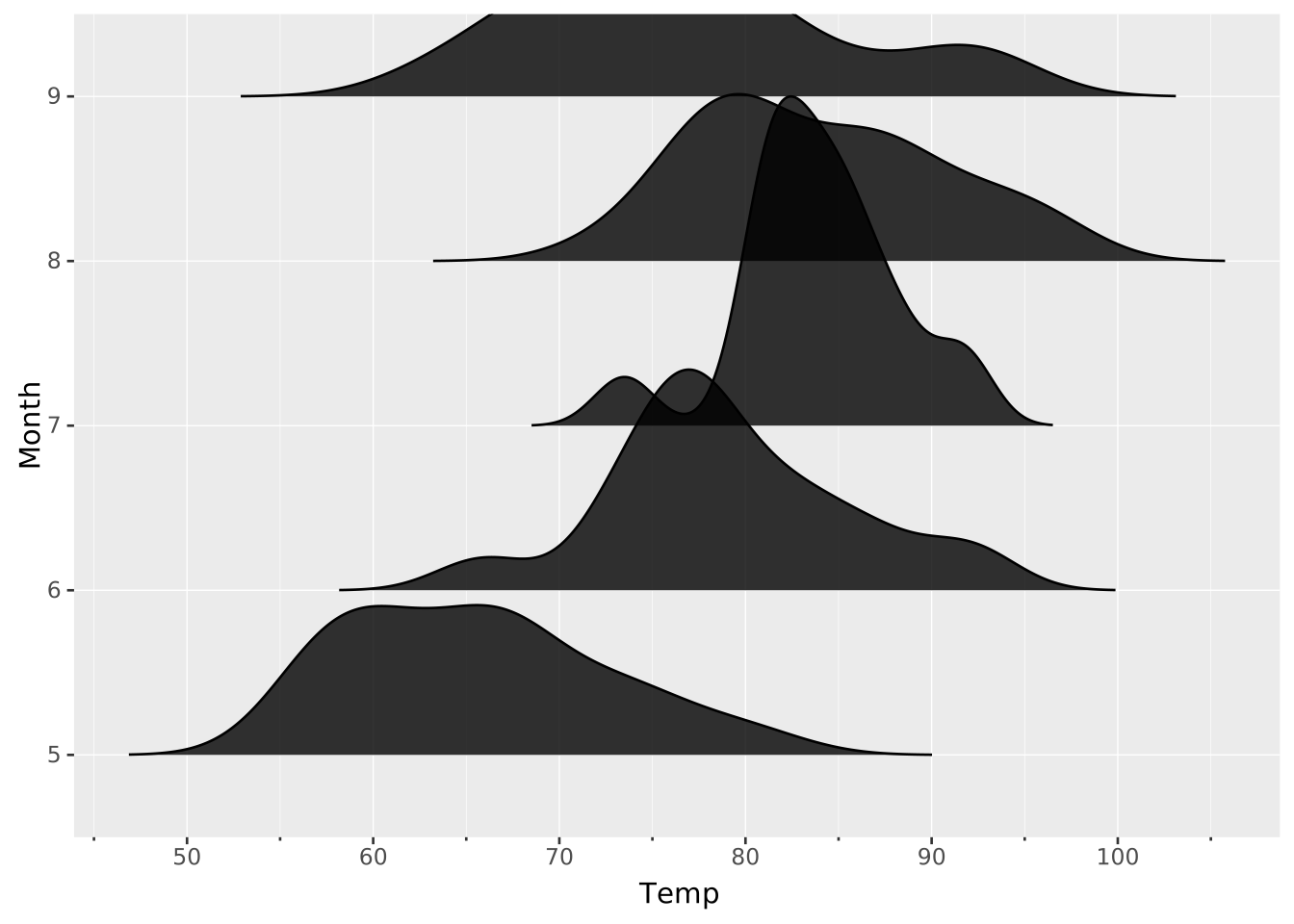
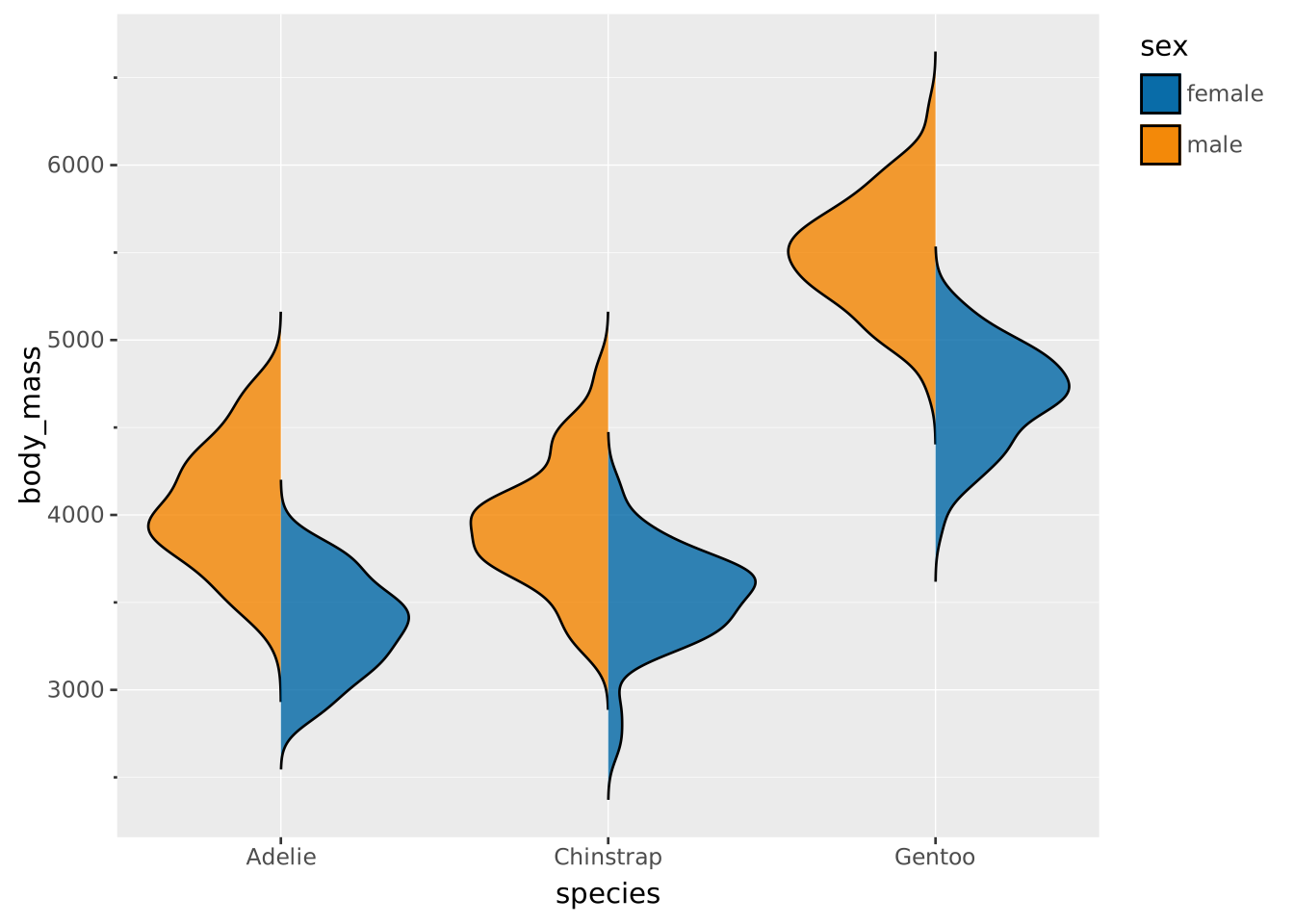
The same facilities can be used to create violins where each side encode different subsets
VISUALISE body_mass AS y, species AS x, sex AS fill FROM ggsql:penguins
DRAW violin
  SETTING side => 'left'
  FILTER sex = 'male'
DRAW violin
  SETTING side => 'right'
  FILTER sex = 'female'