VISUALISE FROM ggsql:penguins
DRAW boxplot
  MAPPING species AS x, bill_len AS y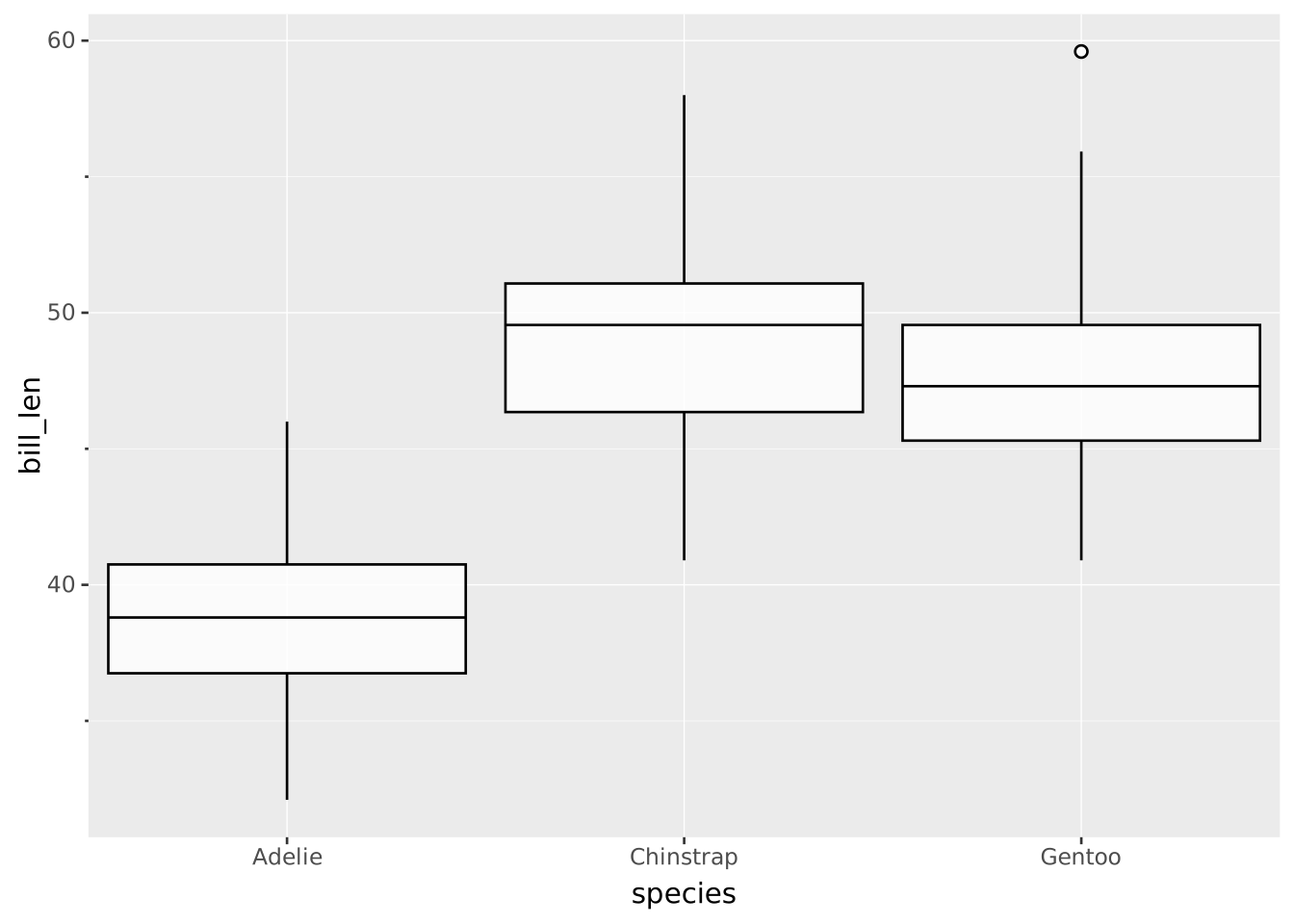
Layers are declared with the
DRAWclause. Read the documentation for this clause for a thorough description of how to use it.
Boxplots display a summary of a continuous distribution. In the style of Tukey, it displays the median, two hinges and two whiskers as well as outlying points.
The following aesthetics are recognised by the boxplot layer.
y): The continuous variable to summarizex): The categorical variable to group by. If omitted a single boxplot is drawn for the whole distribution and the (one-tick) categorical axis is hidden.stroke: The colour of the box contours, whiskers, median line and outliers.fill: The colour of the box interior.colour: Shorthand for setting stroke and fill simultaneously. Note that the median line will have bad visibility if stroke and fill are the same.opacity: The opacity of the box interior.linewidth The width of the box outline, whiskers, median line and outlier stroke.linetype The linetype of the box outline, whiskers, median line and outlier stroke.size The absolute size of outlier points.shape The shape of outlier points.position: Position adjustment. One of 'identity', 'stack', 'dodge' (default), or 'jitter'outliers: Whether to display outliers as points. Defaults to true.coef: Length of the whiskers as a multiple of the IQR (must be >= 0). Defaults to 1.5.width: Relative width of the boxes (0 to 1). Defaults to 0.9.hinge: The width of the whisker caps in points (must be >= 0). Defaults to null (no caps). Set to a number to display tick marks at the whisker endpoints.side: Determines the sides of the centerline where the box is displayed. The box, median and hinges shift to the chosen side; whiskers and outliers remain on the centerline. The full width is preserved for dodge calculations, so a half-box pairs cleanly with a half-violin or one-sided jitter on the same band. One of:
'both' (default) displays a complete box on both sides of the centerline.'left' or 'bottom' displays only the half-box on the left side or bottom side.'right' or 'top' displays only the half-box on the right side or top side.Per group, data will be divided into 4 quartiles and summary statistics will be derived from their extremes. Because number of observations per quartile may differ by one, the result of this approach may slightly differ from a pure quantile-based approach. The central line represents the median. The boxes are displayed from the 25th up to the 75th percentiles. The whiskers are calculated from the 25th/75th percentiles +/- the IQR times coef, but no more extreme than the data extrema. Observations are considered outliers when they are more extreme than the whiskers.
type: A string representing the type of metric (upper,lower,q1,q3,median,outlier).value: The value corresponding to the metric.value AS <secondary axis>: By default the values are displayed along the secondary axis.The boxplot has its categorical groups along the primary axis and the continuous values along the secondary axis. The orientation can be deduced from the scale types or from the mapping. To create a horizontal boxplot, map the categorical variable to y and the continuous variable to x (assuming a default Cartesian coordinate system).
A basic boxplot showing the bill length per species.
VISUALISE FROM ggsql:penguins
DRAW boxplot
MAPPING species AS x, bill_len AS y
Additional groups will dodge the boxplots.
VISUALISE FROM ggsql:penguins
DRAW boxplot
  MAPPING species AS x, bill_len AS y, island AS stroke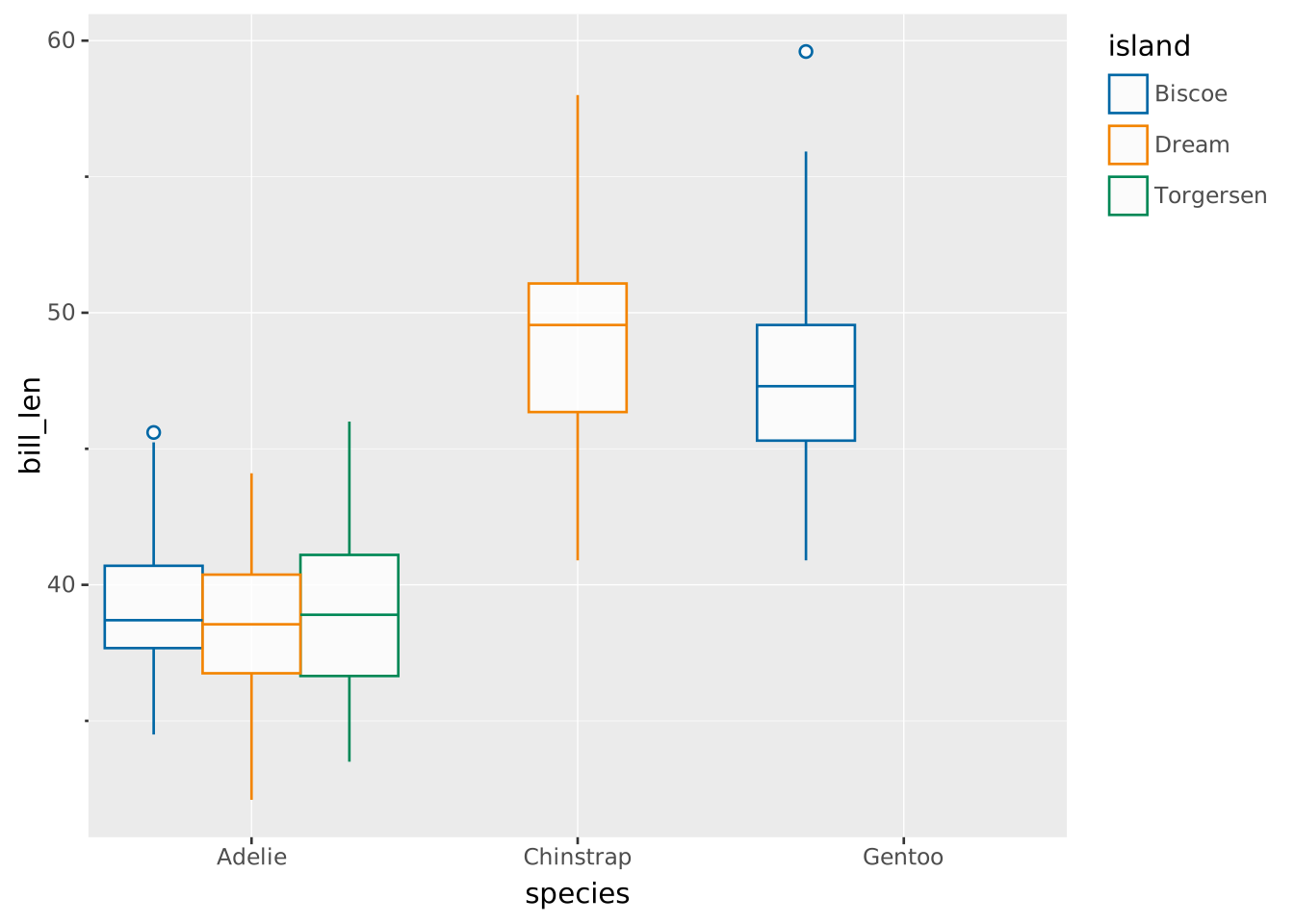
Narrow boxes by shrinking the width parameter.
VISUALISE FROM ggsql:penguins
DRAW boxplot
  MAPPING species AS x, bill_len AS y
  SETTING width => 0.2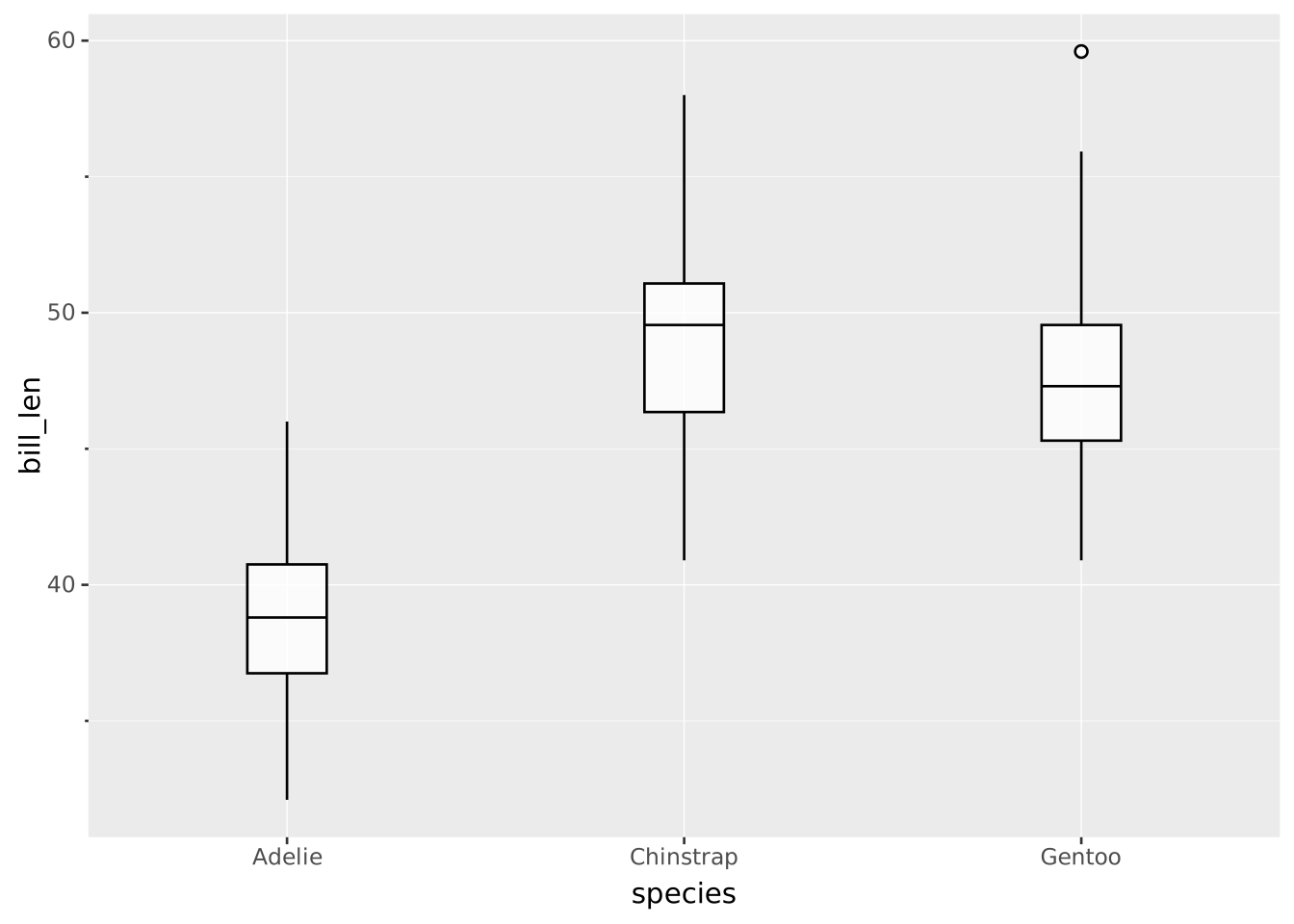
Consider more observations as outliers by setting a smaller coef:
VISUALISE FROM ggsql:penguins
DRAW boxplot
  MAPPING species AS x, bill_len AS y
  SETTING coef => 0.1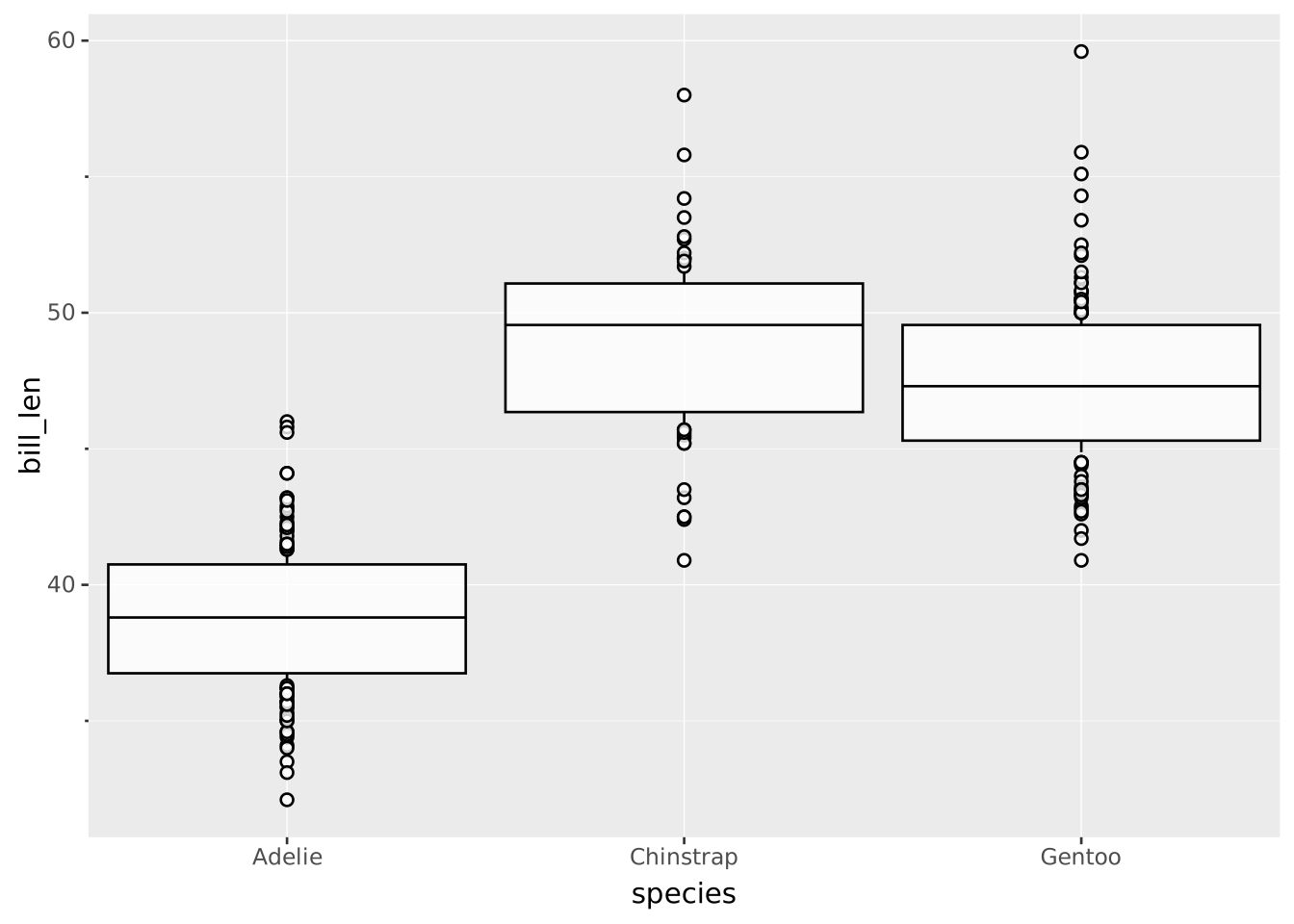
Create a horizontal boxplot by swapping x and y:
VISUALISE FROM ggsql:penguins
DRAW boxplot
  MAPPING species AS y, bill_len AS x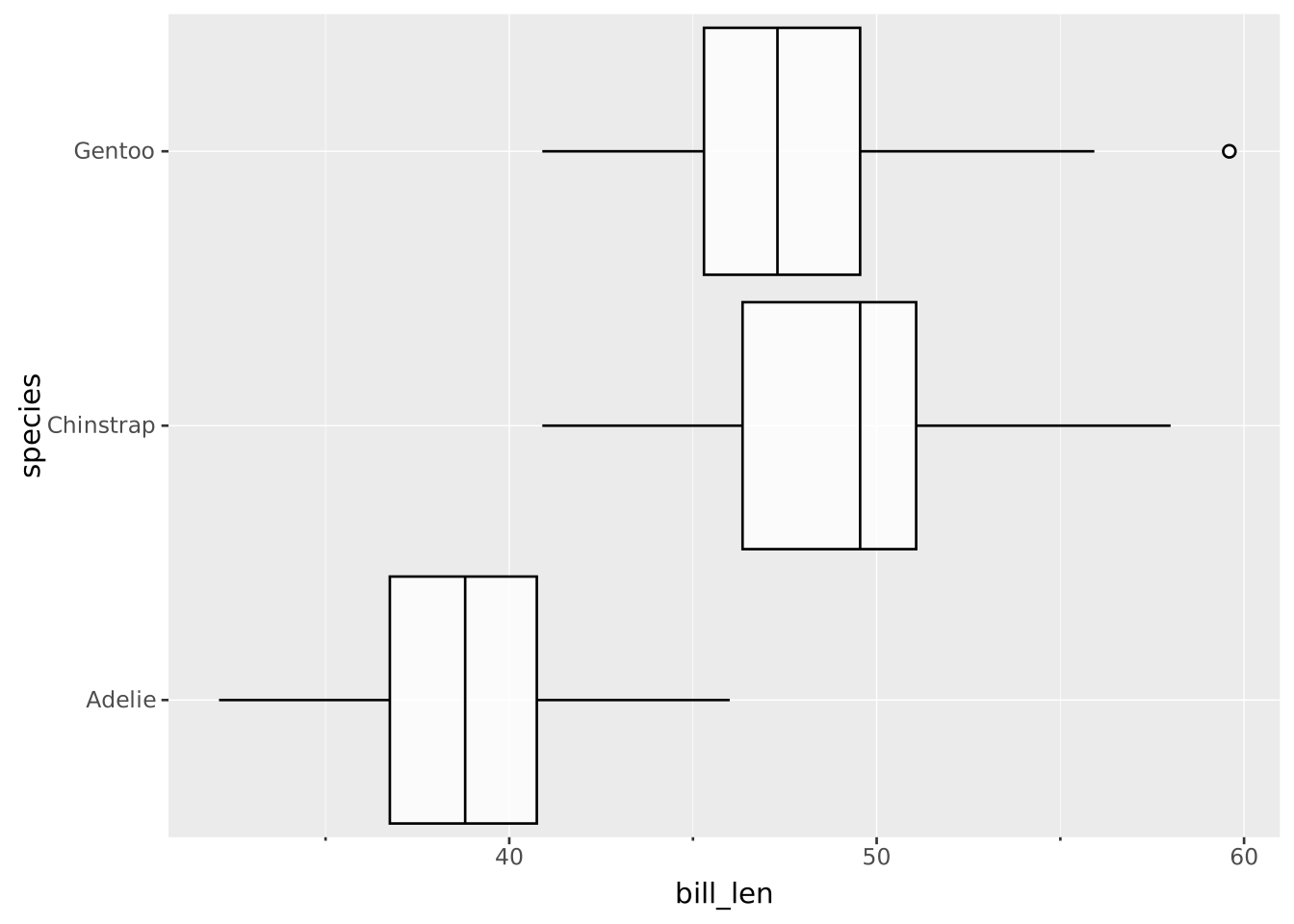
Omit the categorical axis to summarise the whole distribution as a single boxplot:
VISUALISE FROM ggsql:penguins
DRAW boxplot
  MAPPING bill_len AS y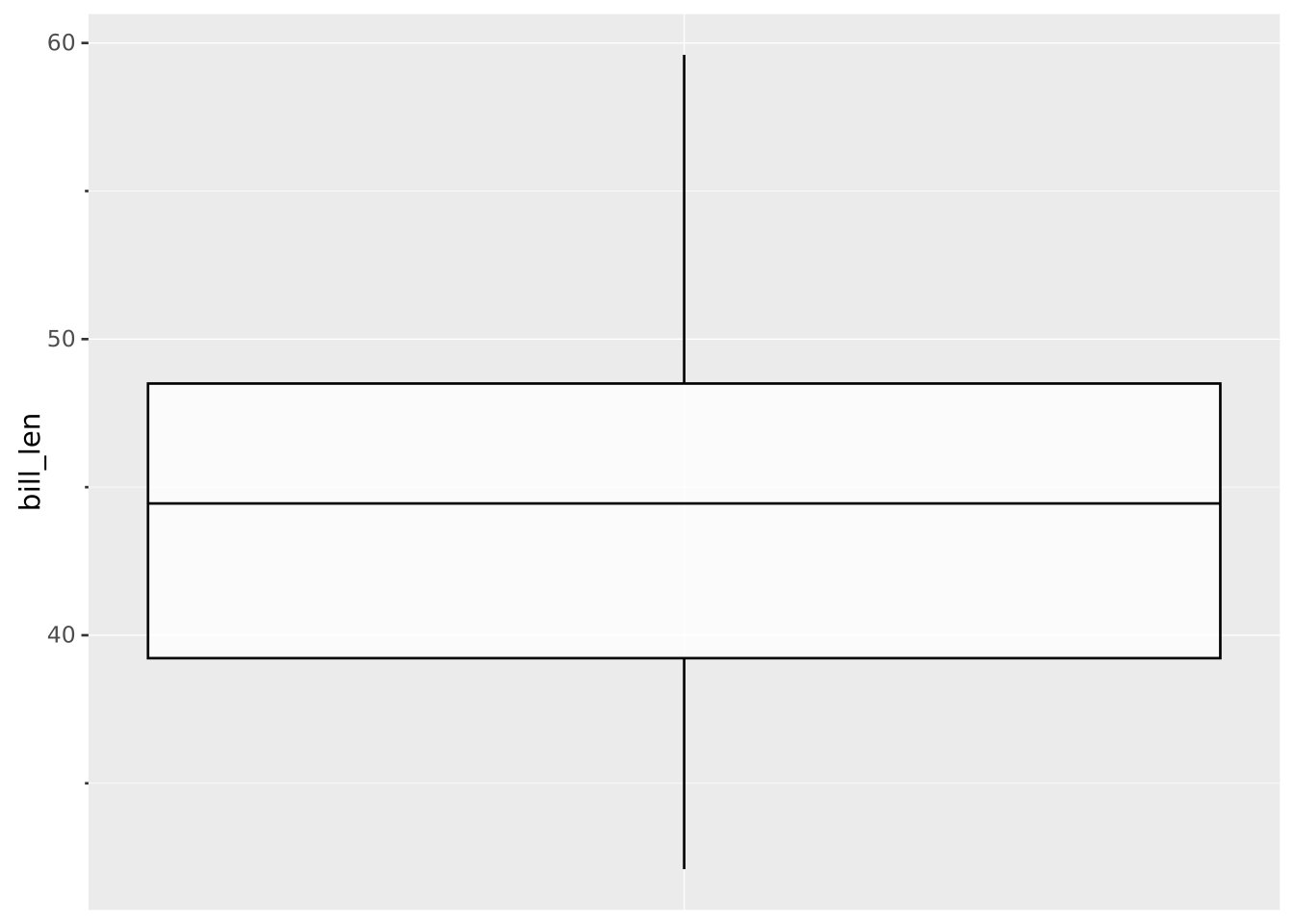
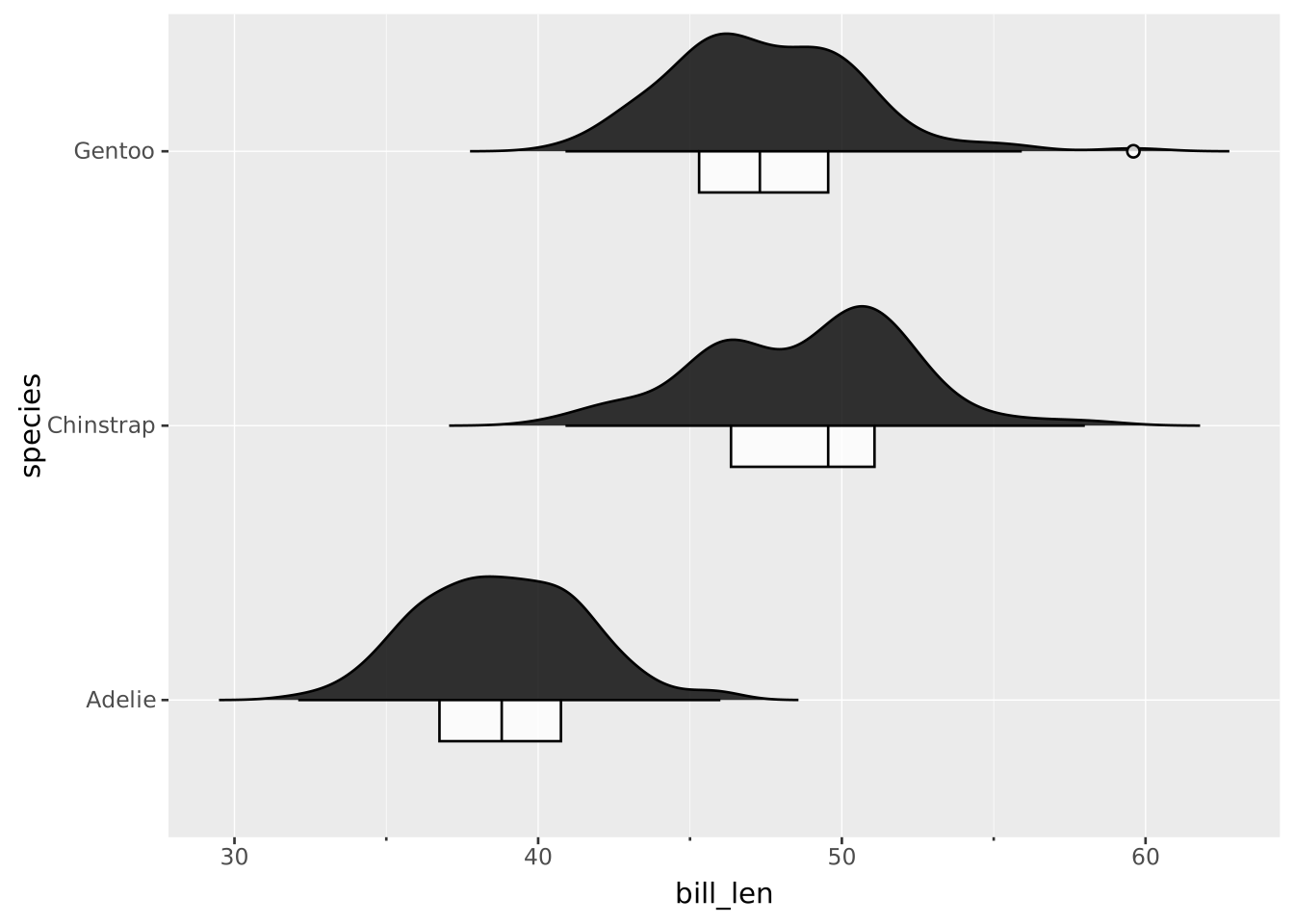
Pair a half-violin with a half-boxplot on the same category by setting opposite side values:
VISUALISE bill_len AS x, species AS y FROM ggsql:penguins
DRAW violin SETTING side => 'top'
DRAW boxplot SETTING side => 'bottom', width => 0.3