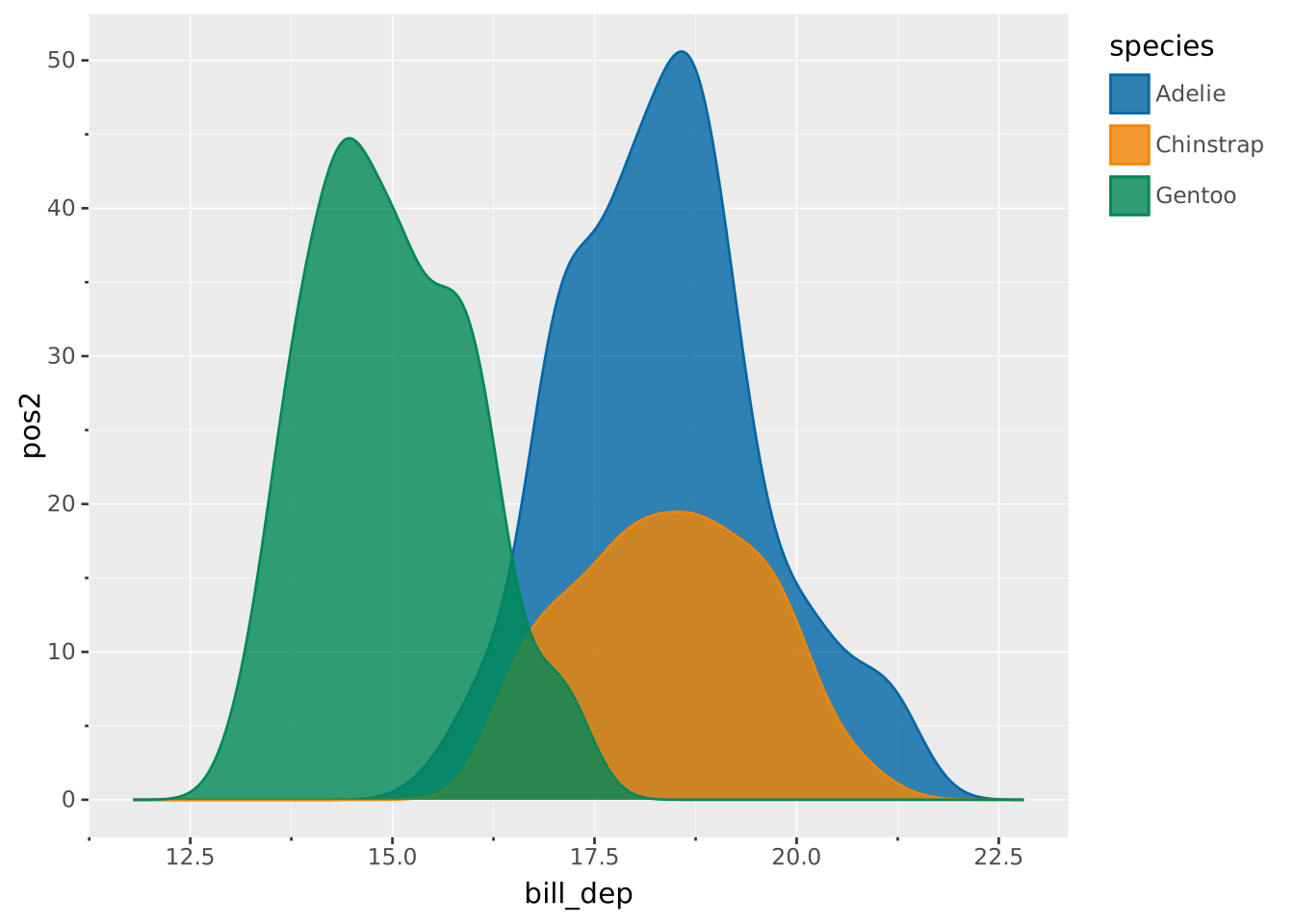
VISUALISE bill_dep AS x, species AS colour FROM ggsql:penguins
DRAW density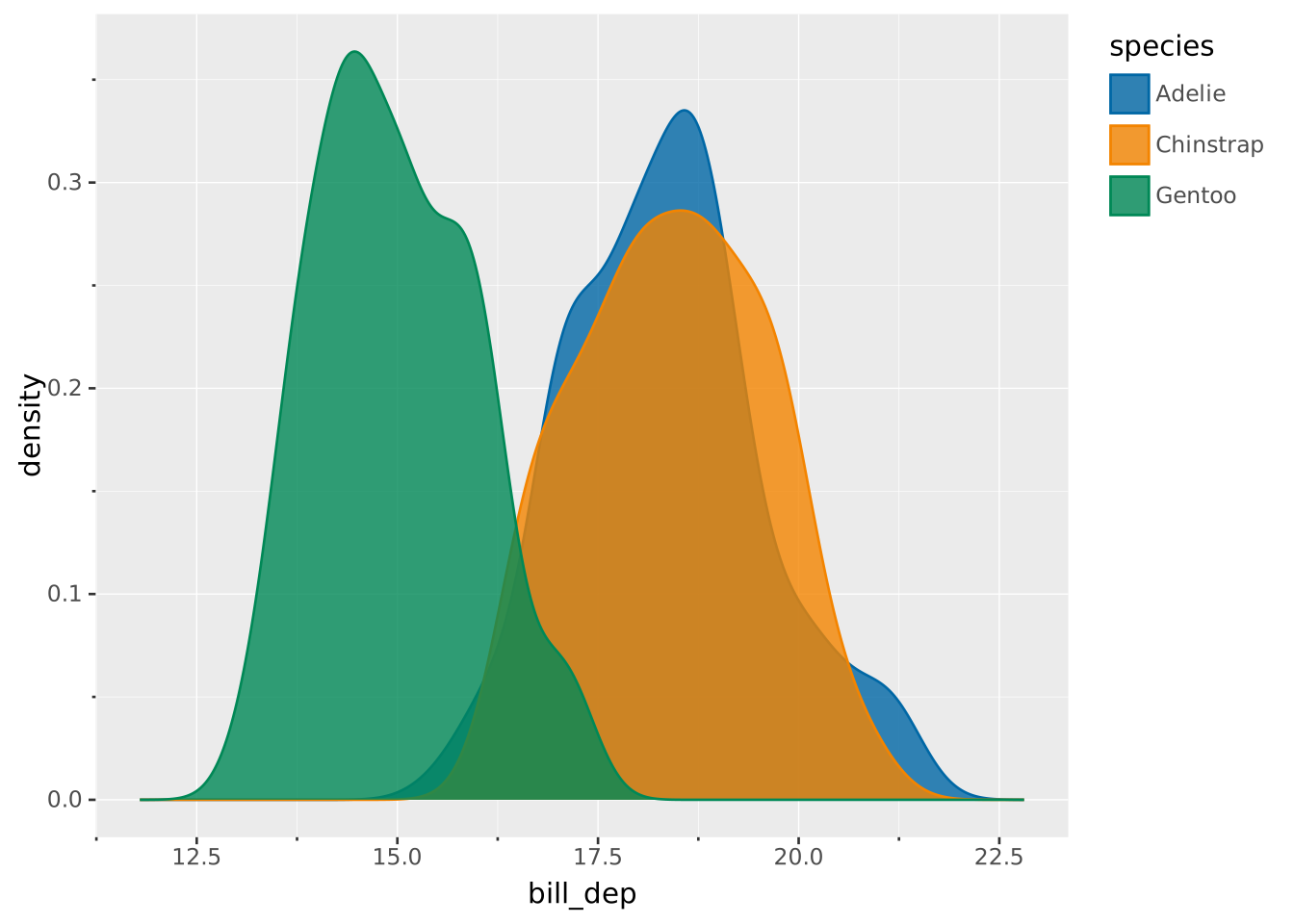
Layers are declared with the
DRAWclause. Read the documentation for this clause for a thorough description of how to use it.
Visualise the distribution of a single continuous variable by computing a kernel density estimate. It has a similar interpretation as a histogram but smoothing out observations rather than binning them.
The following aesthetics are recognised by the density layer.
x): The continuous variable for which to estimate density.stroke: The colour of the contour lines.fill: The colour of the inner area.colour: Shorthand for setting stroke and fill simultaneously.opacity: The opacity of the colours.linewidth: The width of the contour lines.linetype The dash pattern of the contour line.position: Position adjustment. One of 'identity' (default), 'stack', 'dodge', or 'jitter'bandwidth: Smoothing bandwidth (must be > 0). If absent (default), the bandwidth will be computed using Silverman’s rule of thumb.adjust: Multiplier for the bandwidth setting (must be > 0). Defaults to 1.kernel: Determines the smoothing kernel shape. Can be one of the following:
'gaussian' (default)'epanechnikov''triangular''rectangular' or 'uniform''biweight' or 'quartic''cosine'The density layer will compute a 1-dimensional grid using the range of the data. The distances between the grid locations and observations are computed (\(x - x_i\)) and serve as input for a kernel function. The contributions of each observation is then averaged across the grid.
\[ \frac{1}{(\sum_{i=1}^{n}w_i)h}\sum_{i=1}^{n}w_iK \left(\frac{x - x_i}{h}\right) \]
Where:
By default \(w_i = 1\), so the procedure simplifies thus:
\[ \frac{1}{nh}\sum_{i=1}^{n}K \left(\frac{x - x_i}{h}\right) \]
weight: If mapped, it sets the relative contribution of an observation \(w_i\) to the density estimate.density: The estimated probability density per point on the grid. The total area of a single density curve adds up to 1.intensity: Also termed ‘probability intensity estimation’, it is the precursor of the density variable. Specifically it is the same as the density without normalisation, i.e. it omits the \(\frac{1}{nh}\) part of the computation. You can use REMAPPING intensity AS y if you want to reflect differences in group sizes.density AS <secondary axis>: By default the density layer will display the computed density along the secondary axis.The density has its primary axis along the variable for which density is computed. The orientation can be deduced from the mapping. To create a horizontal density plot, map the variable to y instead of x (assuming a default Cartesian coordinate system).
A typical KDE computation with different groups:
VISUALISE bill_dep AS x, species AS colour FROM ggsql:penguins
DRAW density
Changing the relative bandwidth through the adjust setting.
VISUALISE bill_dep AS x, species AS colour FROM ggsql:penguins
DRAW density
  SETTING adjust => 0.1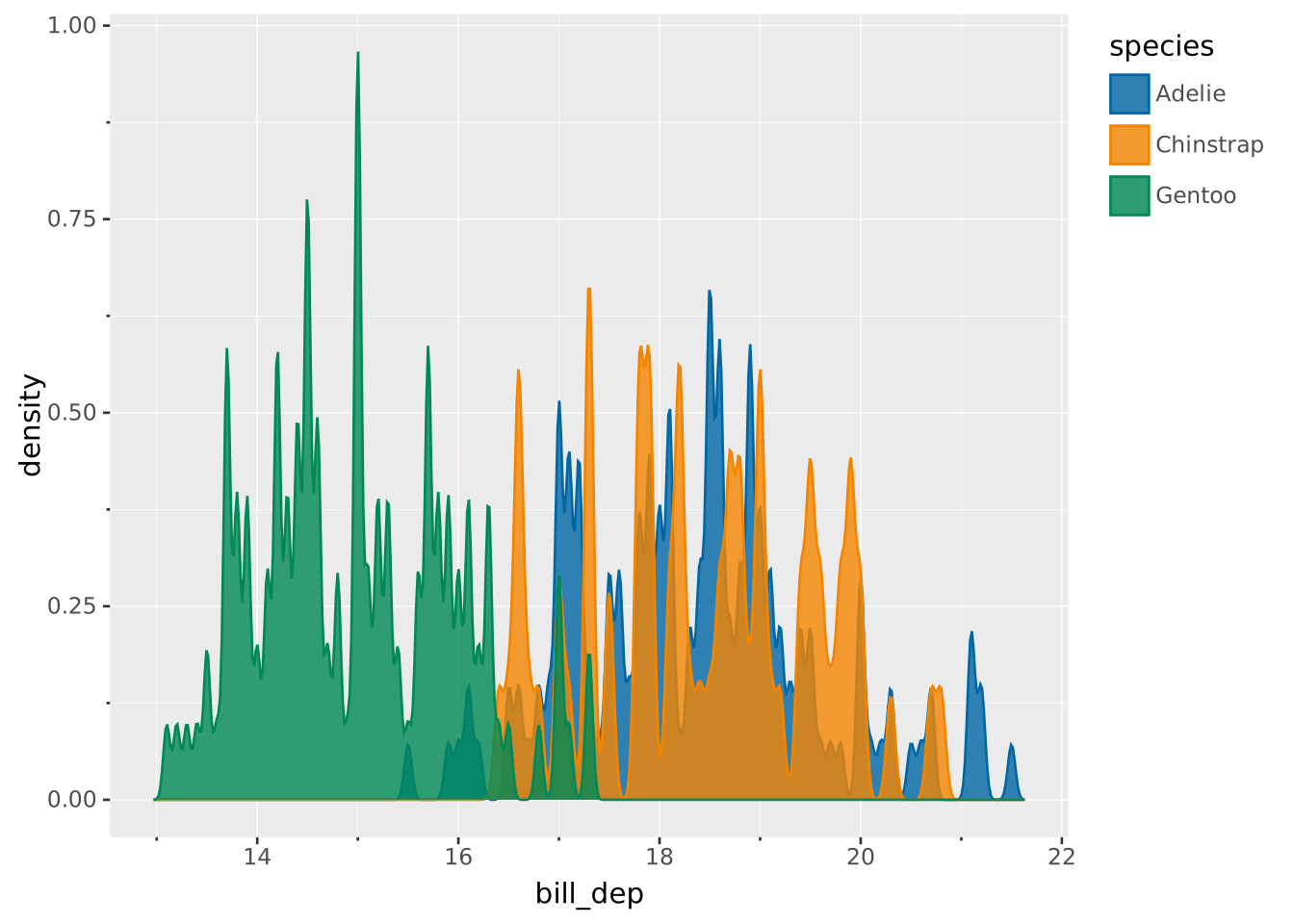
Stacking the different groups instead of overlaying them.
VISUALISE bill_dep AS x, species AS colour FROM ggsql:penguins
DRAW density
  SETTING position => 'stack'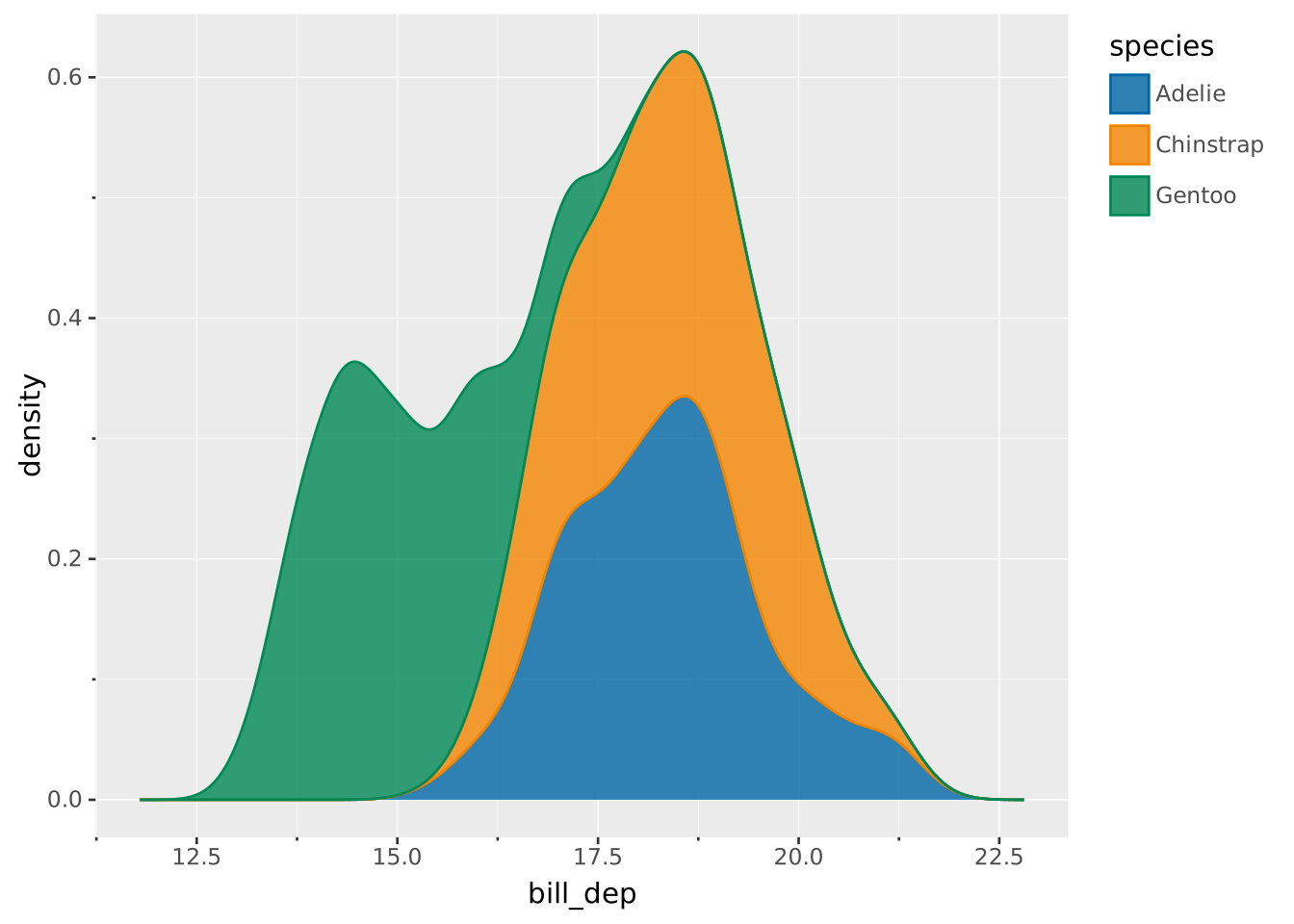
Using weighted estimates by mapping a column to the optional weight aesthetic. Note that the difference in output is subtle.
VISUALISE bill_dep AS x, species AS colour FROM ggsql:penguins
DRAW density
  MAPPING body_mass AS weight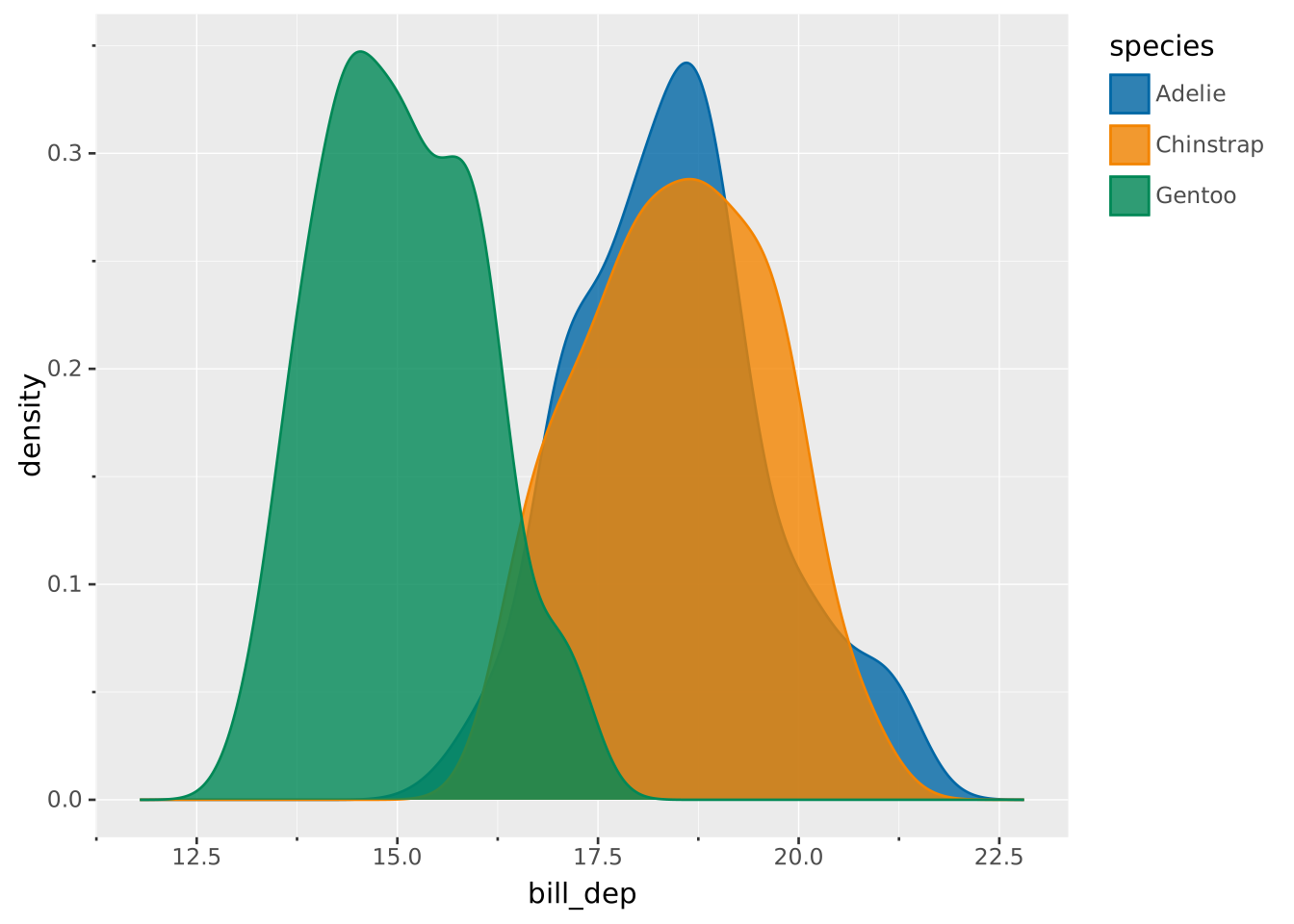
If you want to compare a histogram and a density layer, you can use the intensity computed variable to match the histogram scale.
VISUALISE bill_len AS x FROM ggsql:penguins
DRAW histogram
  SETTING opacity => 0.5
DRAW density
  REMAPPING intensity AS y
  SETTING opacity => 0.5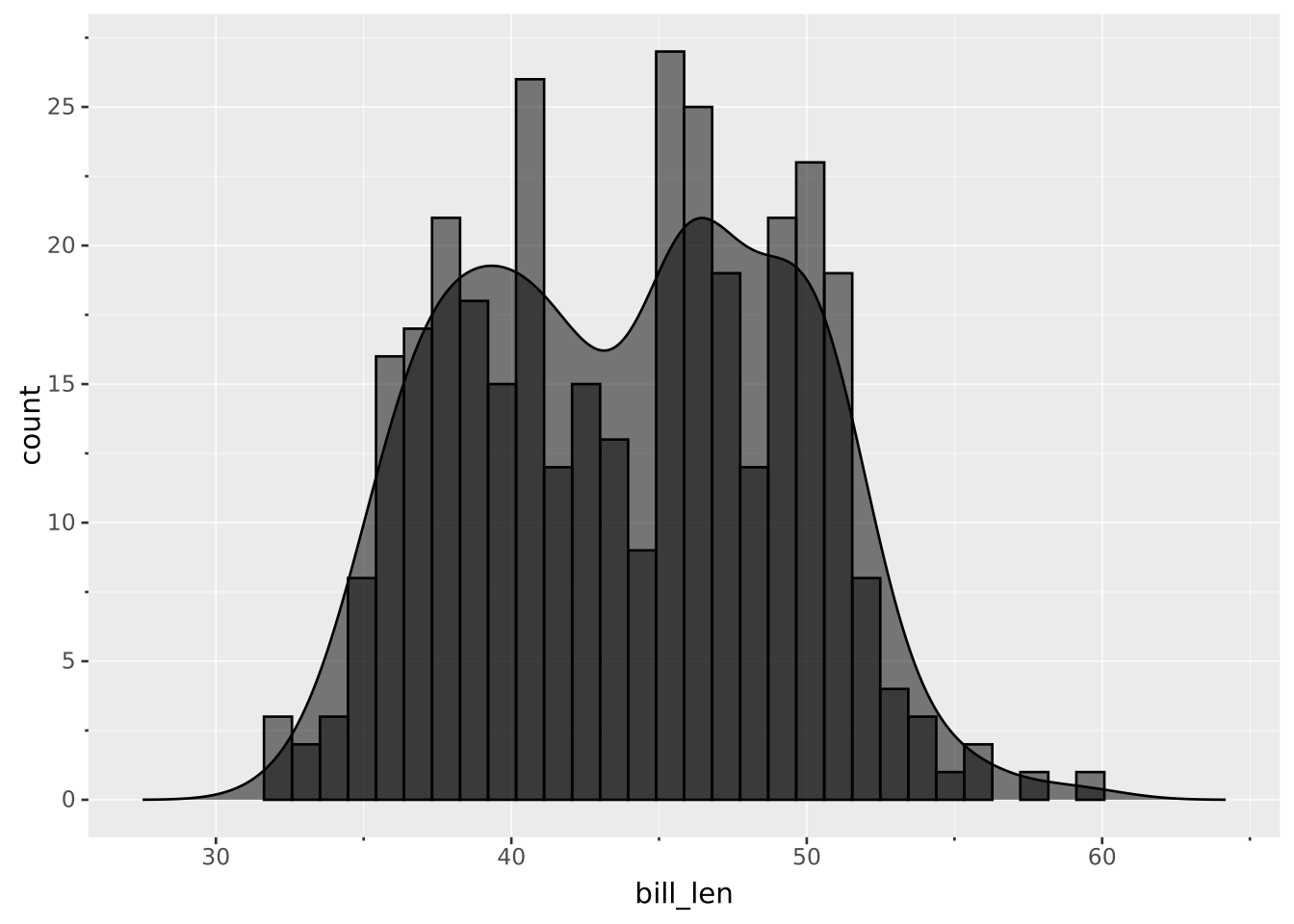
Using the intensity rather than the density also portrays differences in group sizes better. Note the relative height of the groups.
VISUALISE bill_dep AS x, species AS colour FROM ggsql:penguins
DRAW density
  REMAPPING intensity AS y