VISUALISE FROM ggsql:airquality
DRAW area
  MAPPING Date AS x, Wind AS y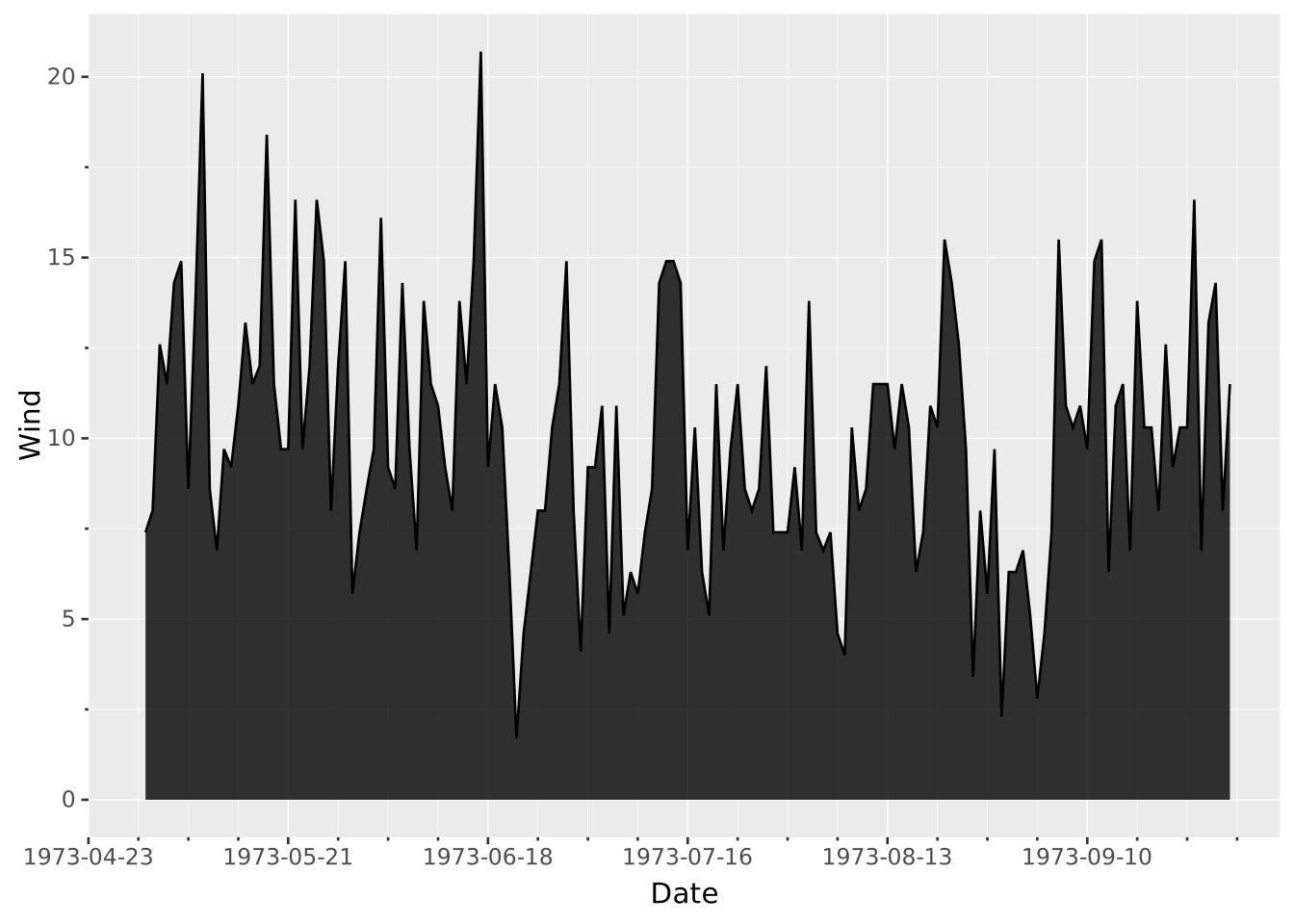
Layers are declared with the
DRAWclause. Read the documentation for this clause for a thorough description of how to use it.
The area layer is used to display absolute amounts over a sorted x-axis. It can be seen as a ribbon layer where the ymin is anchored at zero.
The following aesthetics are recognised by the area layer.
x): The value of the independent variable.y): The value of the dependent variable.stroke: The colour of the contour lines.fill: The colour of the inner area.colour: Shorthand for setting stroke and fill simultaneously.opacity: The opacity of the colours.linewidth: The width of the contour lines.position: Position adjustment. One of 'identity', 'stack' (default), 'dodge', or 'jitter'orientation: The orientation of the layer, see the Orientation section. One of the following:
'aligned' to align the layer’s primary axis with the coordinate system’s first axis.'transposed' to align the layer’s primary axis with the coordinate system’s second axis.aggregate Aggregation functions to apply per group:
null apply no group aggregation (default).DRAW documentation and more information in the Data transformation section below.This layer supports aggregation through the aggregate setting. Aggregation groups are defined by PARTITION BY, all discrete mappings, but also the primary axis. Within each group, every numeric mapping is replaced in place by its aggregated value. Use a default like 'mean' or target individual aesthetics with '<aes>:<func>'. See the DRAW documentation for the full setting shape.
Further, the area layer sorts the data along its primary axis before returning it.
Area plots are sorted and connected along their primary axis. Since the primary axis cannot be deduced from the mapping it must be specified using the orientation setting. E.g. if you wish to create a vertical area plot you need to set orientation => 'transposed' to indicate that the primary layer axis follows the second axis of the coordinate system.
Create a typical area chart
VISUALISE FROM ggsql:airquality
DRAW area
MAPPING Date AS x, Wind AS y
We can reshape the data to ‘long format’ from our wide format.
CREATE TABLE long_airquality AS
SELECT Date, 'Temp' AS Series, Temp AS Value FROM ggsql:airquality
UNION ALL
SELECT Date, 'Wind' AS Series, Wind AS Value FROM ggsql:airquality;
Which means we can display multiple series at once, by mapping the identifier to an aesthetic.
VISUALISE Date AS x, Value AS y FROM long_airquality
DRAW area
  MAPPING Series AS colour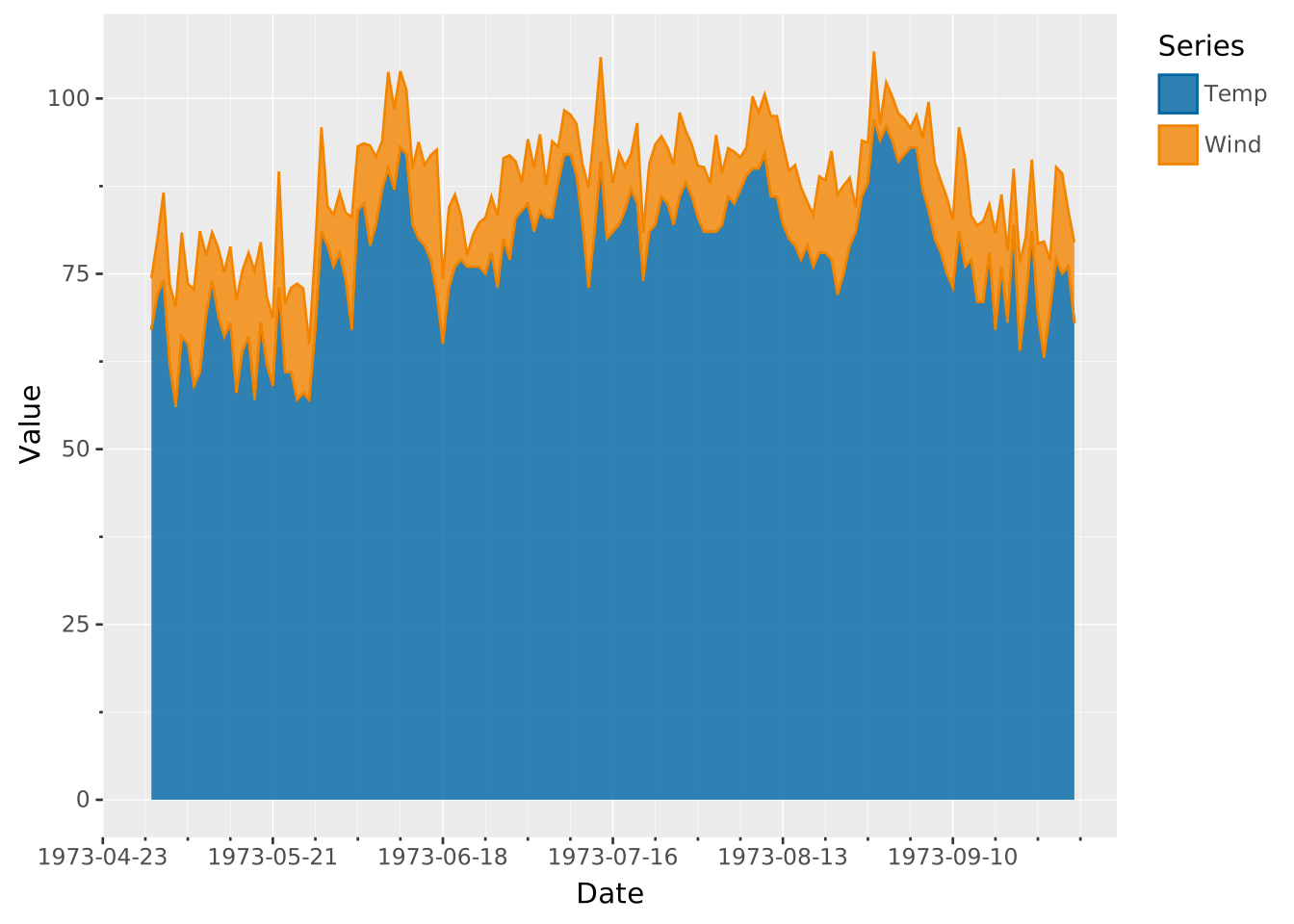
By default the areas are stacked on top of each other. If you’d rather see all with a 0 baseline set the position to identity
VISUALISE Date AS x, Value AS y, Series AS colour FROM long_airquality
DRAW area
  SETTING position => 'identity', opacity => 0.5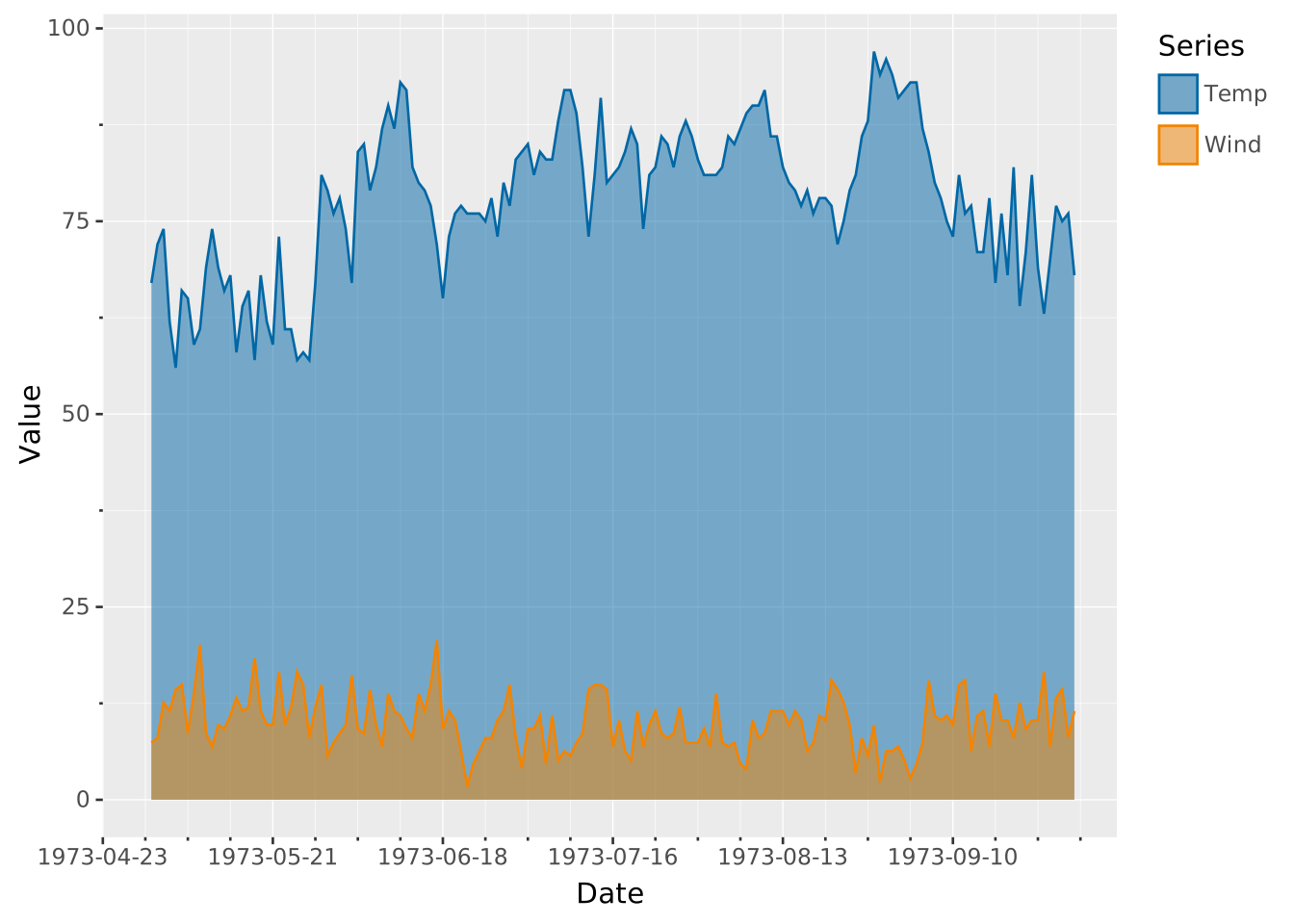
With the default position => 'stack' we can normalise the total so that each stack totals to the same value. These only make sense if every series is measured in the same absolute unit. (Wind and temperature have different units and the temperature is not absolute.)
VISUALISE Date AS x, Value AS y, Series AS colour FROM long_airquality
DRAW area
  SETTING total => 100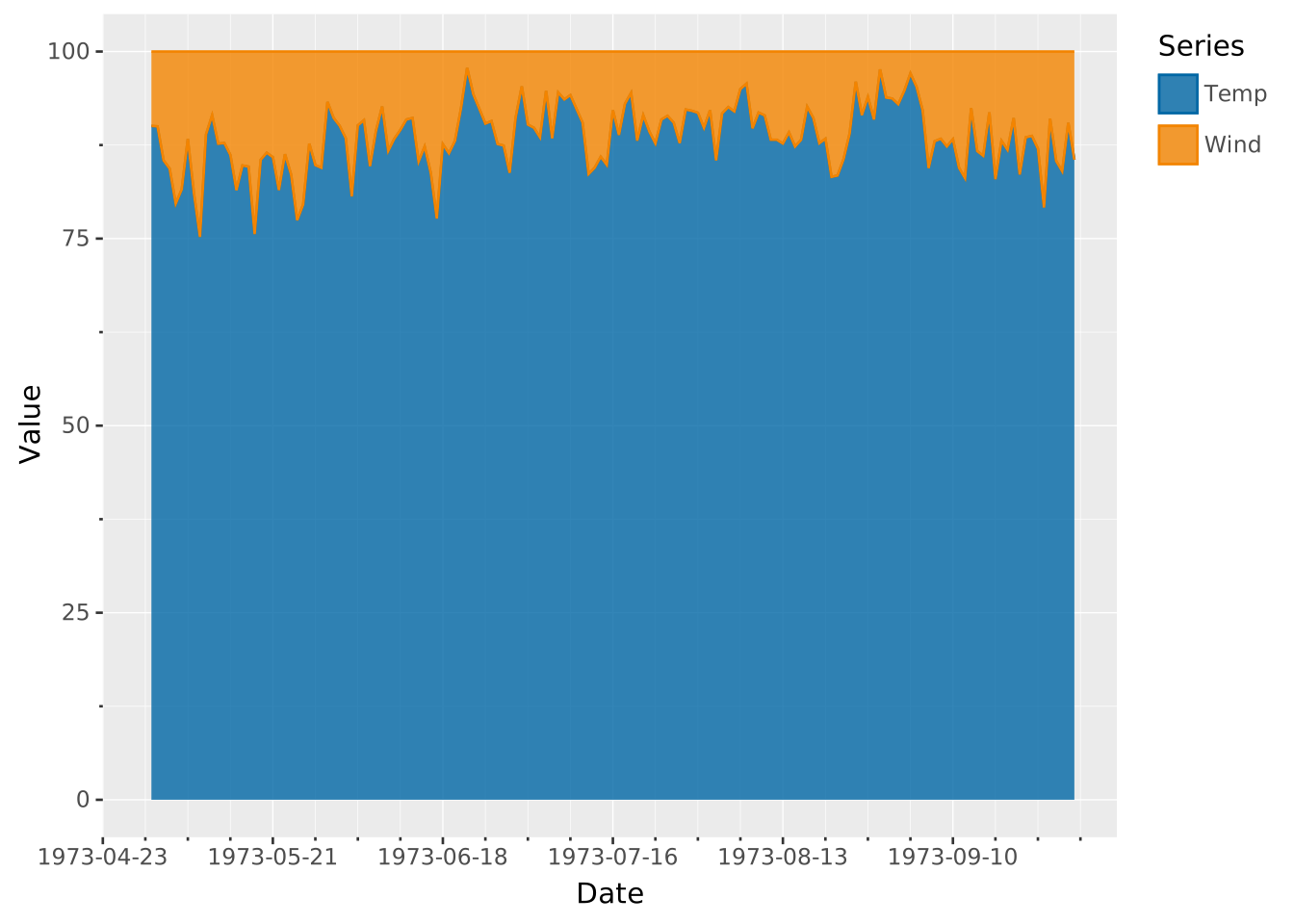
An alternative is to center the stacks to create a steamgraph
VISUALISE Date AS x, Value AS y, Series AS colour FROM long_airquality
DRAW area
  SETTING position => 'stack', center => true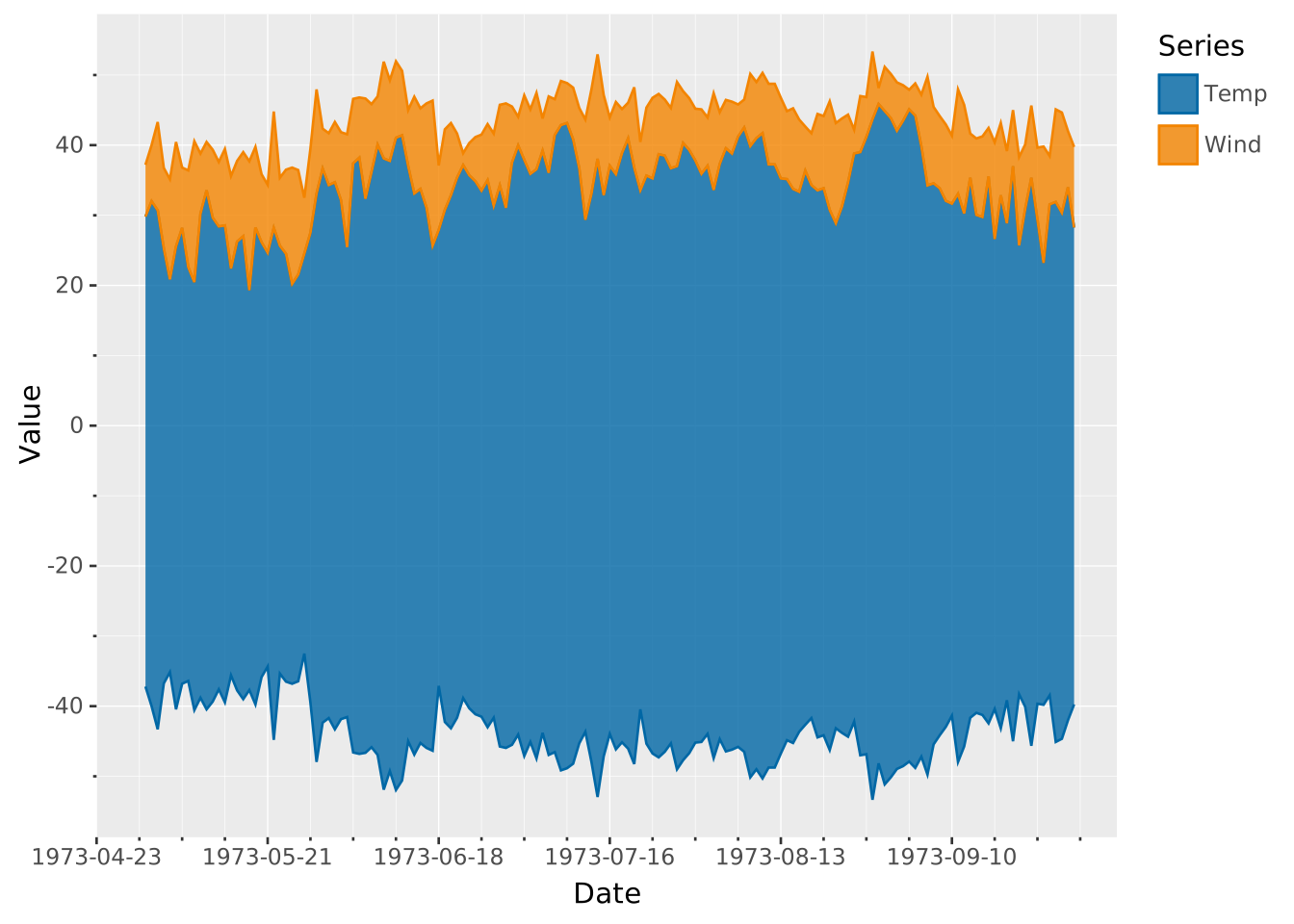
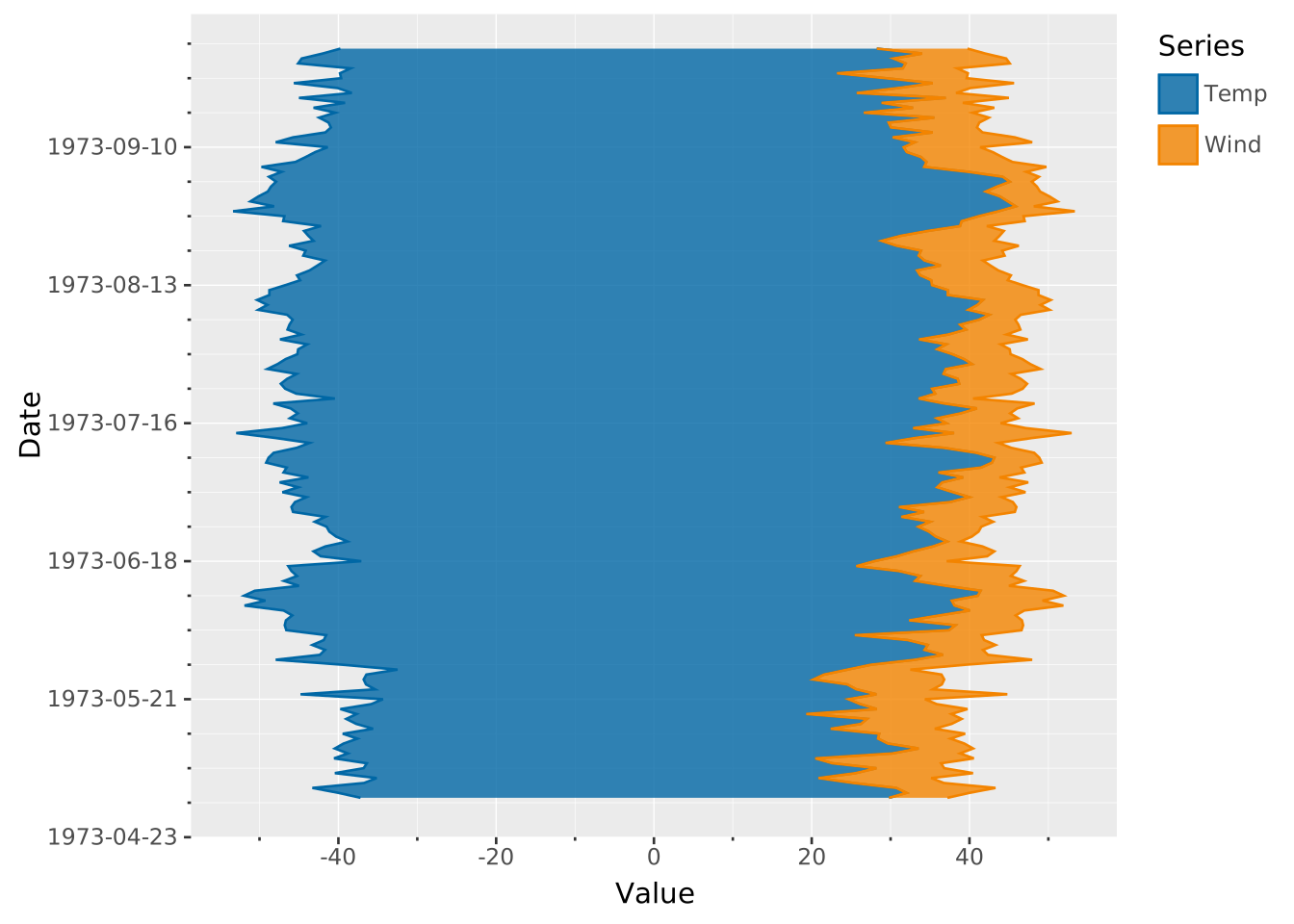
You can combine this with the orientation setting to make a vertical steamgraph
VISUALISE Date AS y, Value AS x, Series AS colour FROM long_airquality
DRAW area
  SETTING position => 'stack', center => true, orientation => 'transposed'