VISUALISE FROM ggsql:airquality
DRAW line
  MAPPING Date AS x, Temp AS y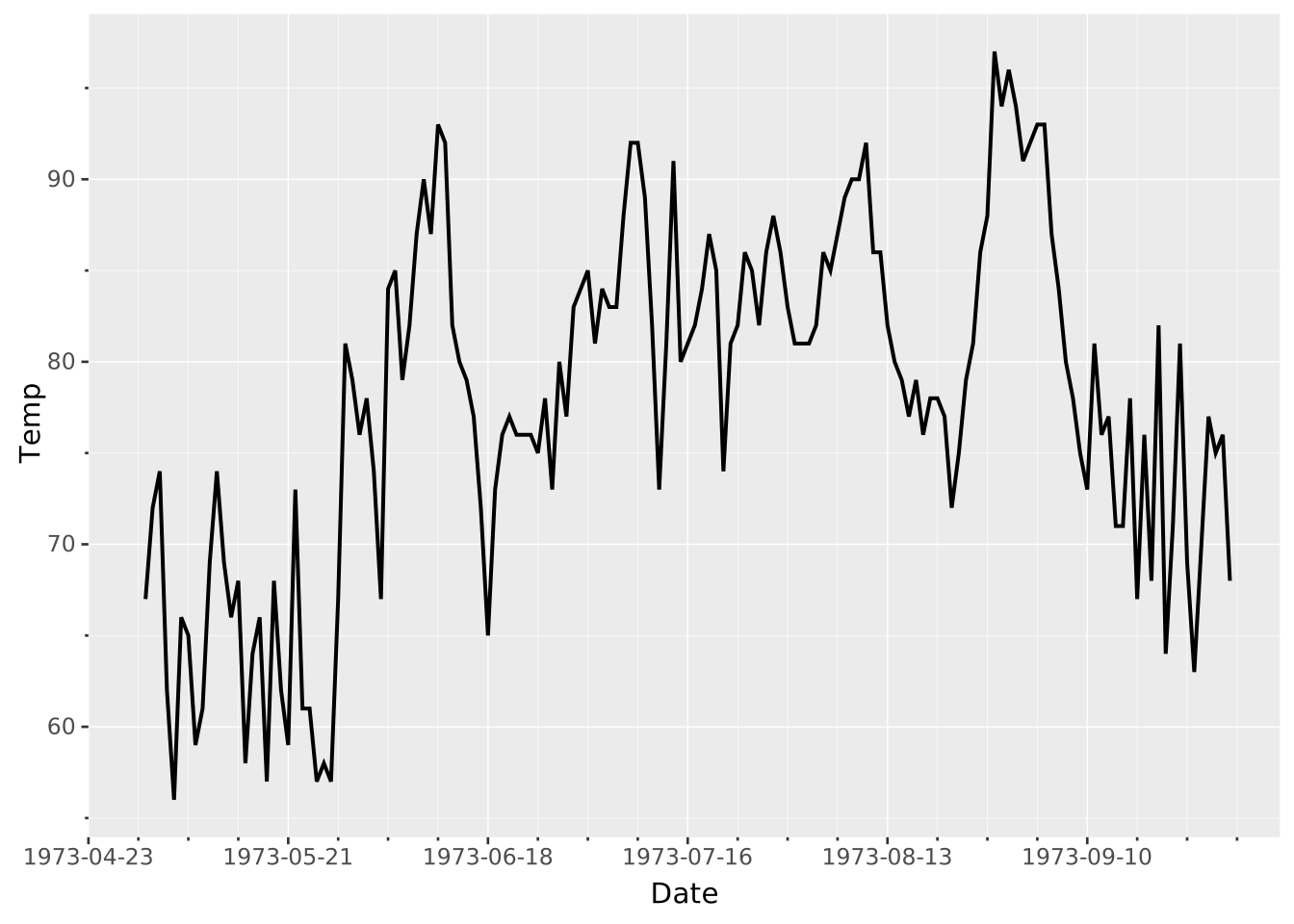
Layers are declared with the
DRAWclause. Read the documentation for this clause for a thorough description of how to use it.
The line layer is used to create lineplots. Lineplots always connects records along the x-axis, in contrast to path layers which use the order of data to connect records. Lines are divided due to their grouping, which is the combination of the discrete mapped aesthetics and the columns specified in the layers PARTITION BY.
The following aesthetics are recognised by the line layer.
x): The value of the independent variable.y): The value of the dependent variable.colour/stroke: The colour of the line.opacity: The opacity of the line.linewidth: The width of the line. If linewidth varies within a group, linetype is incompatible.linetype: The type of line, i.e. the dashing pattern.position: Position adjustment. One of 'identity' (default), 'stack', 'dodge', or 'jitter'orientation: The orientation of the layer, see the Orientation section. One of the following:
'aligned' to align the layer’s primary axis with the coordinate system’s first axis.'transposed' to align the layer’s primary axis with the coordinate system’s second axis.aggregate Aggregation functions to apply per group:
null apply no group aggregation (default).DRAW documentation and more information in the Data transformation section below.This layer supports aggregation through the aggregate setting. Aggregation groups are defined by PARTITION BY, all discrete mappings, but also the primary axis. Within each group, every numeric mapping is replaced in place by its aggregated value. Use a default like 'mean' or target individual aesthetics with '<aes>:<func>'. See the DRAW documentation for the full setting shape.
Further, the line layer sorts the data along its primary axis before returning it.
If the line has a variable stroke or opacity aesthetic within groups, the line is broken into segments. Each segment gets the property of the preceding datapoint, so the last datapoint in a group does not transfer these properties.
Line plots are sorted and connected along their primary axis. Since the primary axis cannot be deduced from the mapping it must be specified using the orientation setting. If you wish to create a vertical line plot, you need to set orientation => 'transposed' to indicate that the primary layer axis follows the second axis of the coordinate system.
Standard lineplot
VISUALISE FROM ggsql:airquality
DRAW line
MAPPING Date AS x, Temp AS y
Use PARTITION BY to create multiple lines
VISUALISE FROM ggsql:airquality
DRAW line
  MAPPING Day AS x, Temp AS y
  PARTITION BY Month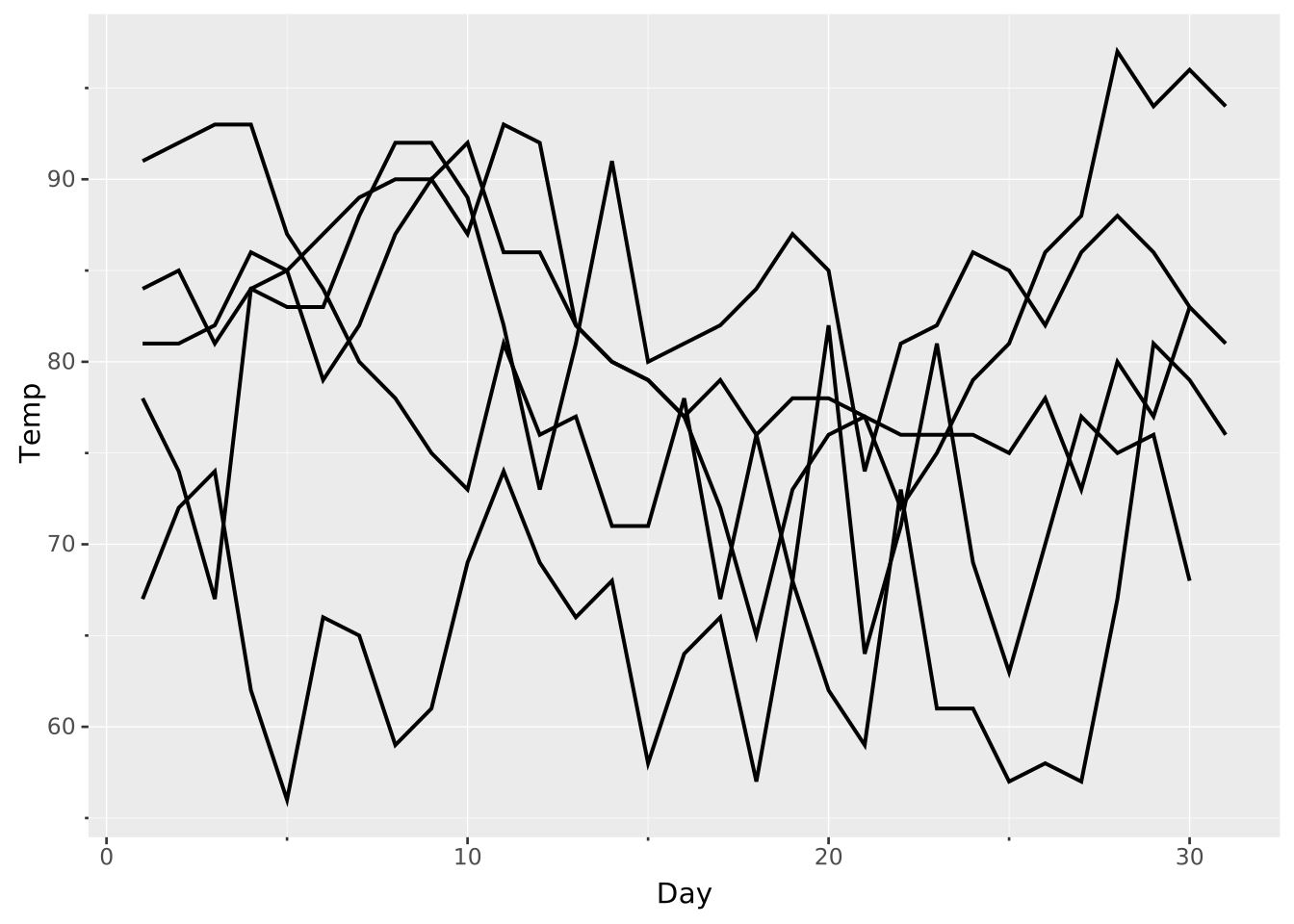
or split them with a discrete aesthetic. We can make a continuous variable (Month) discrete by using an ordinal scale.
VISUALISE FROM ggsql:airquality
DRAW line
  MAPPING Day AS x, Temp AS y, Month AS stroke
  SCALE ordinal stroke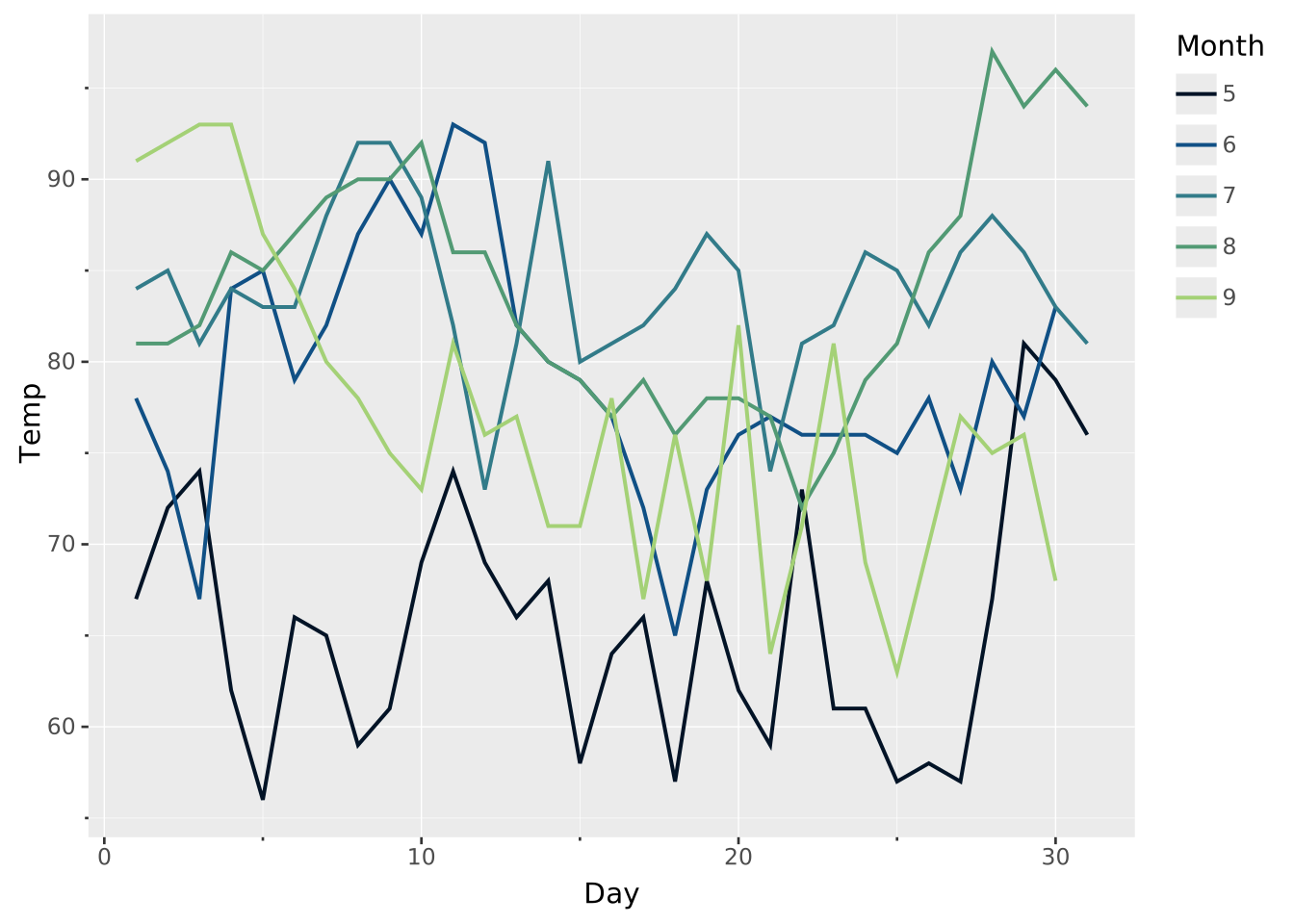
When stroke or opacity varies, the properties of the preceding datapoint carry over. In the case below, we don’t see the blue of the last datapoint.
WITH data(x, y, z) AS (VALUES
  (1, 2, 1),
  (2, 5, 3),
  (3, 3, 5),
)
VISUALISE x, y FROM data
DRAW line
  MAPPING z AS stroke
SCALE stroke TO ('red', 'green', 'blue')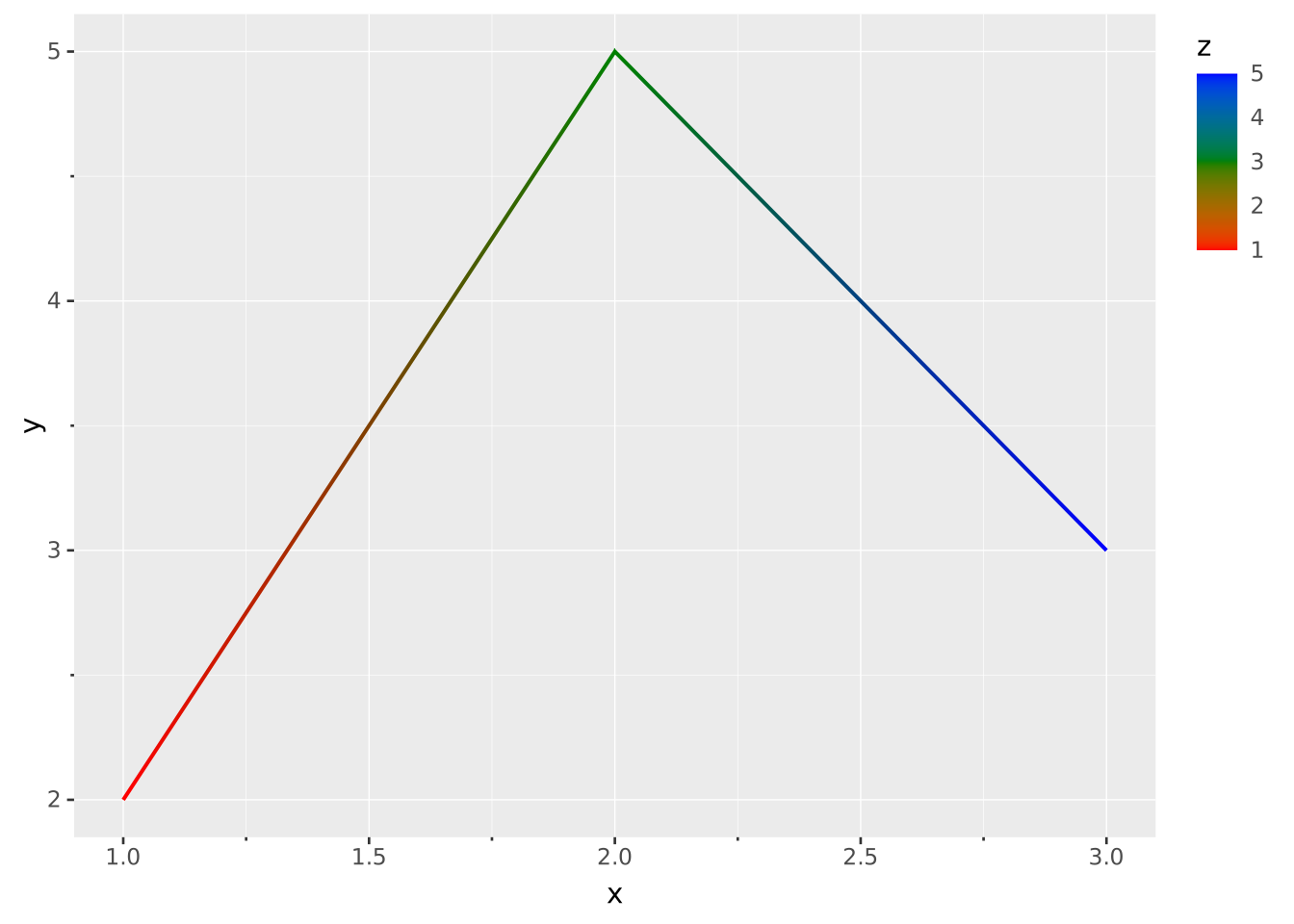
The linewidth aesthetic can vary point to point.
WITH data(x, y, z) AS (VALUES
  (1, 2, 1),
  (2, 5, 3),
  (3, 3, 5),
)

VISUALISE x, y FROM data
DRAW line
  MAPPING z AS linewidth
SCALE linewidth TO (0, 30)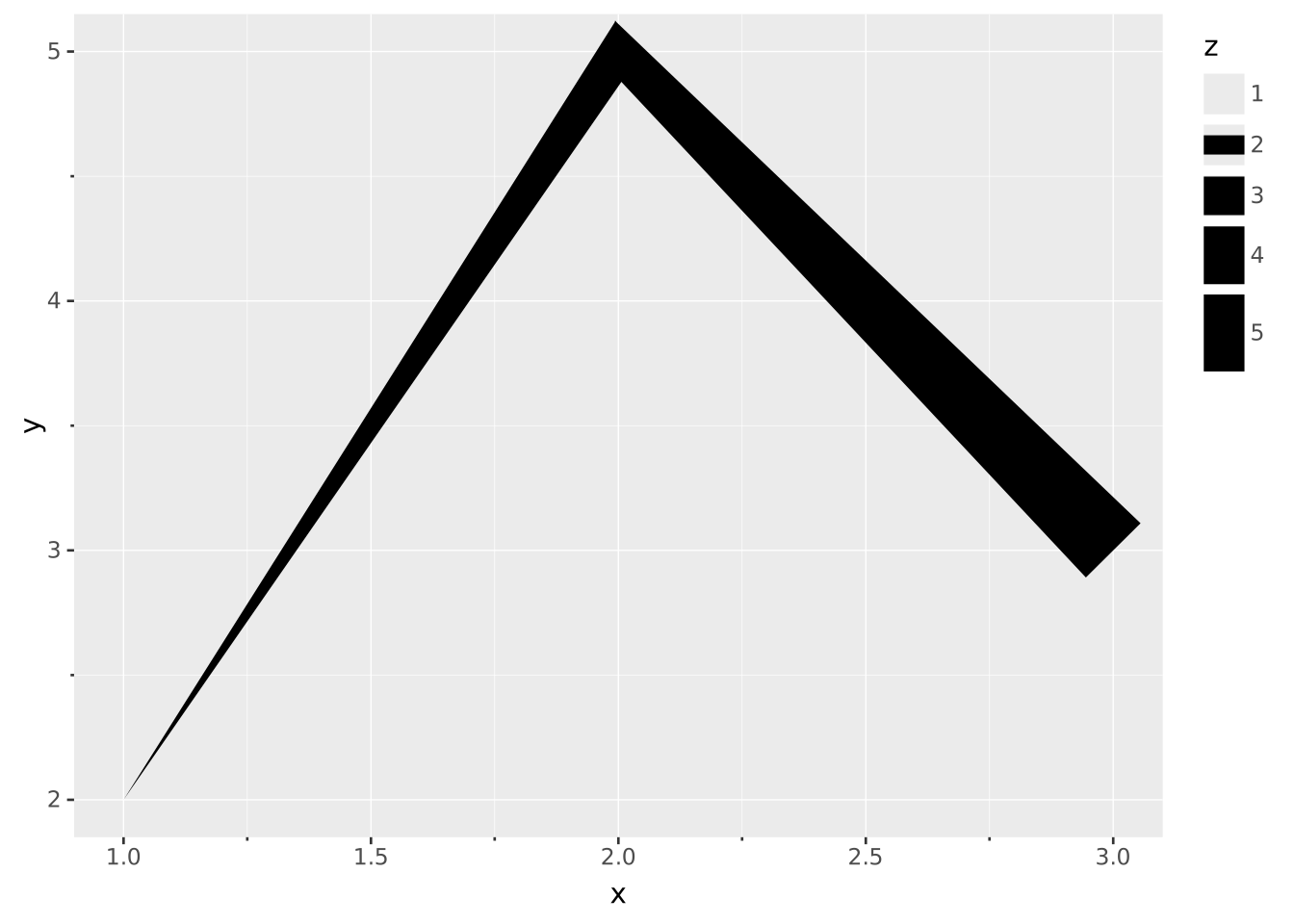
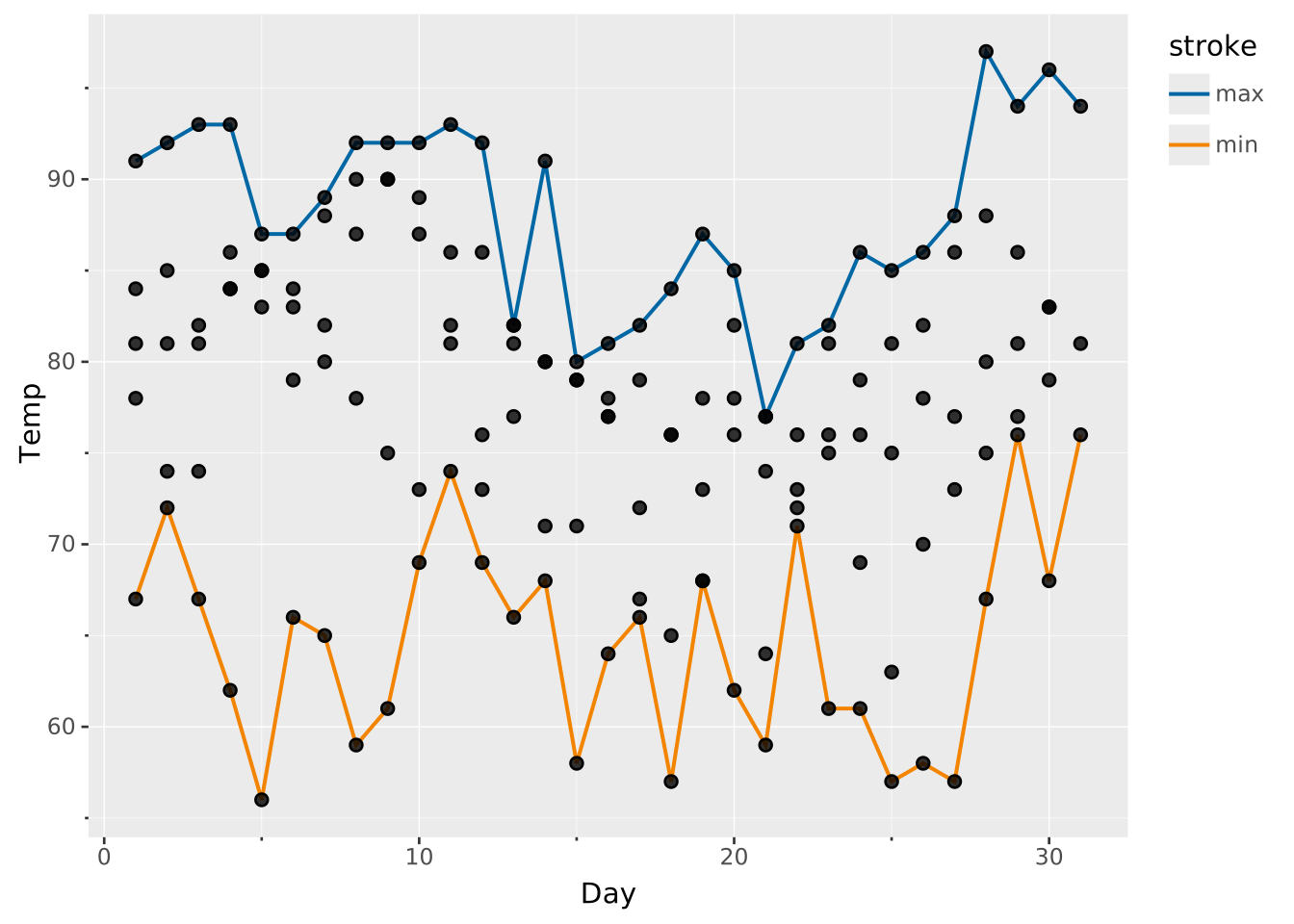
Use aggregation to draw min and max lines from a set of observations on a single layer. Targeting y twice produces one summary row per function within the same group. A synthetic aggregate column tags each row with the different function names, that you can remap to colour the lines distinctly:
VISUALISE Day AS x, Temp AS y FROM ggsql:airquality
DRAW line
  REMAPPING aggregate AS stroke
  SETTING aggregate => ('y:min', 'y:max')
DRAW point