VISUALISE Day AS x, Month AS y, Temp AS colour FROM ggsql:airquality
DRAW tile 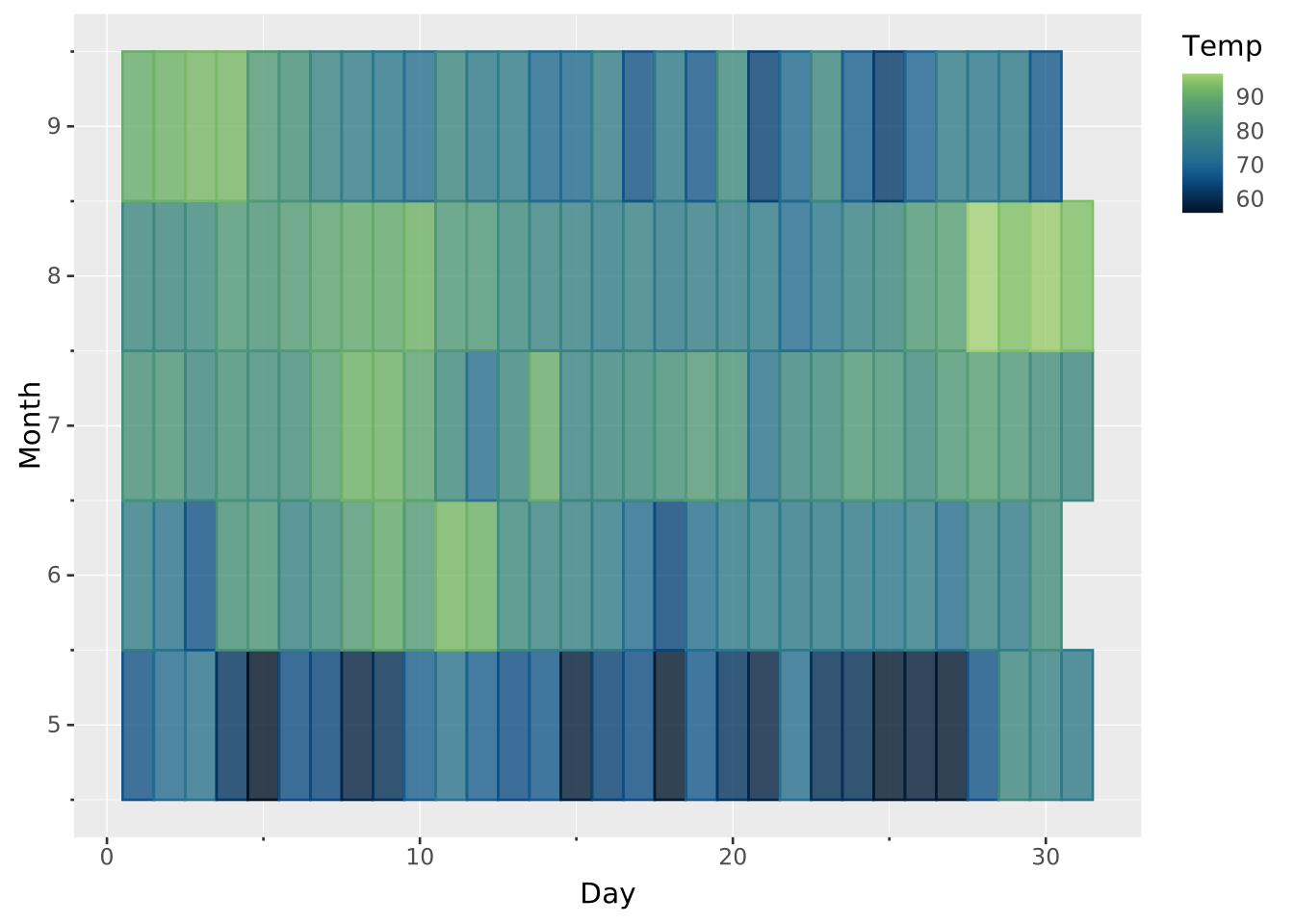
Layers are declared with the
DRAWclause. Read the documentation for this clause for a thorough description of how to use it.
Tiles can be used to draw rectangles in heatmaps or indicate ranges.
The following aesthetics are recognised by the tile layer.
x)widthxmin). Unavailable when the center is discrete.xmax). Unavailable when the center is discrete.Alternatively, use only the center, which will set width to 1 by default.
y)height: The size of the rectangle in the vertical dimension.ymin). Unavailable when the center is discrete.ymax) Unavailable when the center is discrete.Alternatively, use only the center, which will set height to 1 by default.
stroke: The colour of the contour lines.fill: The colour of the inner area.colour: Shorthand for setting stroke and fill simultaneously.opacity: The opacity of colours.linewidth: The width of the contour lines.linetype: The dash pattern of the contour line.position: Position adjustment. One of 'identity' (default), 'stack', 'dodge', or 'jitter'aggregate Aggregation functions to apply per group:
null apply no group aggregation (default).DRAW documentation and more information in the Data transformation section below.When the primary aesthetics are continuous, primary data is reparameterised to {start, end}, e.g. xmin and xmax. When the secondary aesthetics are continuous, secondary data is reparameterised to {start, end}, e.g. ymin and ymax.
This layer also supports aggregation through the aggregate setting. Aggregation groups are defined by PARTITION BY and all discrete mappings. Within each group, every numeric mapping is replaced in place by its aggregated value. Use a default like 'mean' or target individual aesthetics with '<aes>:<func>'. See the DRAW documentation for the full setting shape. The position parameterisation runs after aggregation, so a heatmap from raw rows is just one aggregate => '<func>' setting away.
The tile layer has no orientation. The axes are treated symmetrically.
Just using x and y. Note that width and height are set to 1.
VISUALISE Day AS x, Month AS y, Temp AS colour FROM ggsql:airquality
DRAW tile
Customising width and height with either the MAPPING or SETTING clauses.
VISUALISE Day AS x, Month AS y, Temp AS colour FROM ggsql:airquality
DRAW tile
  MAPPING 0.5 AS width
  SETTING height => 0.8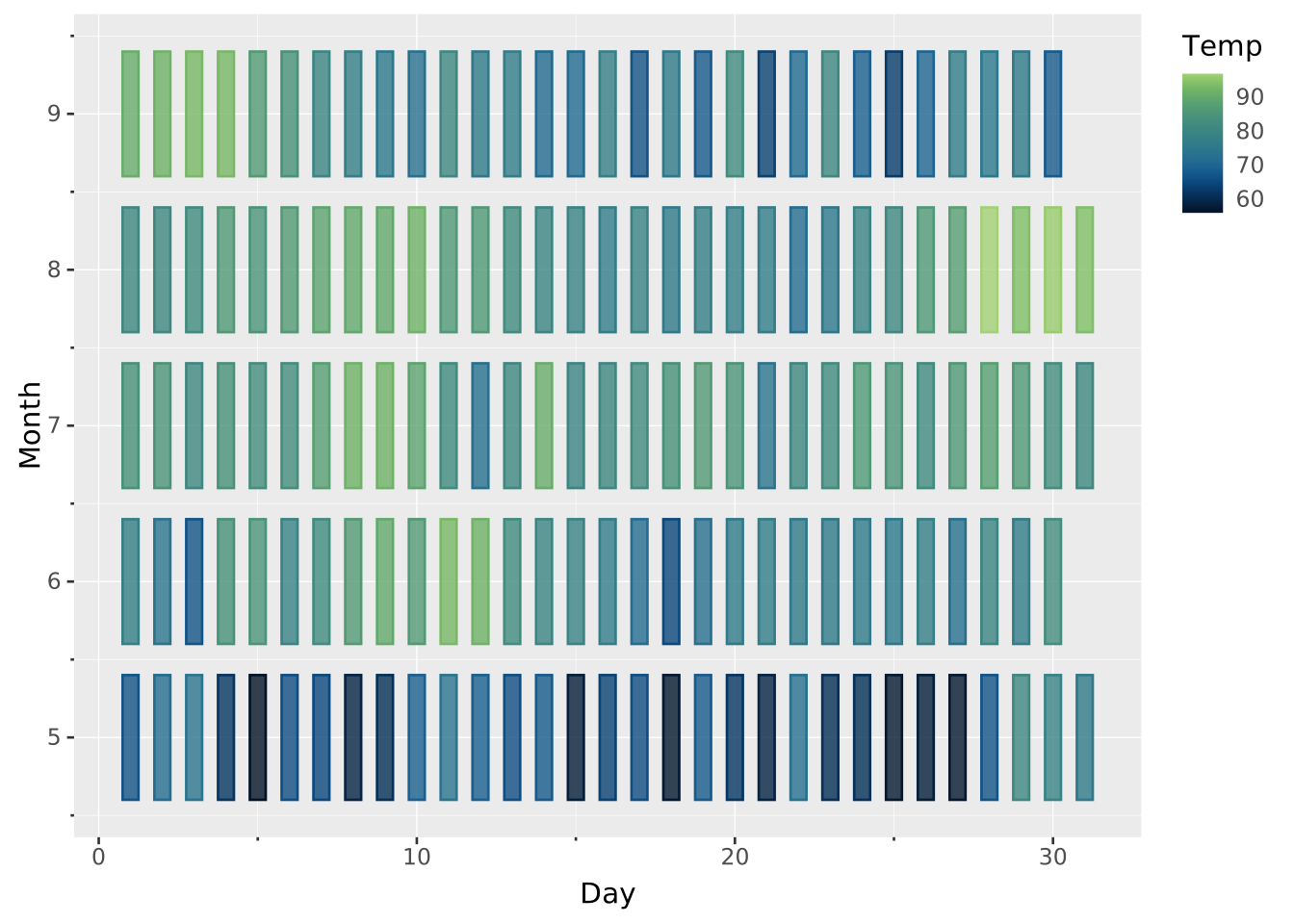
If x is continuous, then width can be variable. Likewise for y and height.
SELECT
  *,
  CAST(Temp AS REAL) / (SELECT MAX(Temp) FROM ggsql:airquality) AS norm_temp
FROM ggsql:airquality

VISUALISE Day AS x, Month AS y, Temp AS colour
DRAW tile
  MAPPING norm_temp AS width, norm_temp AS height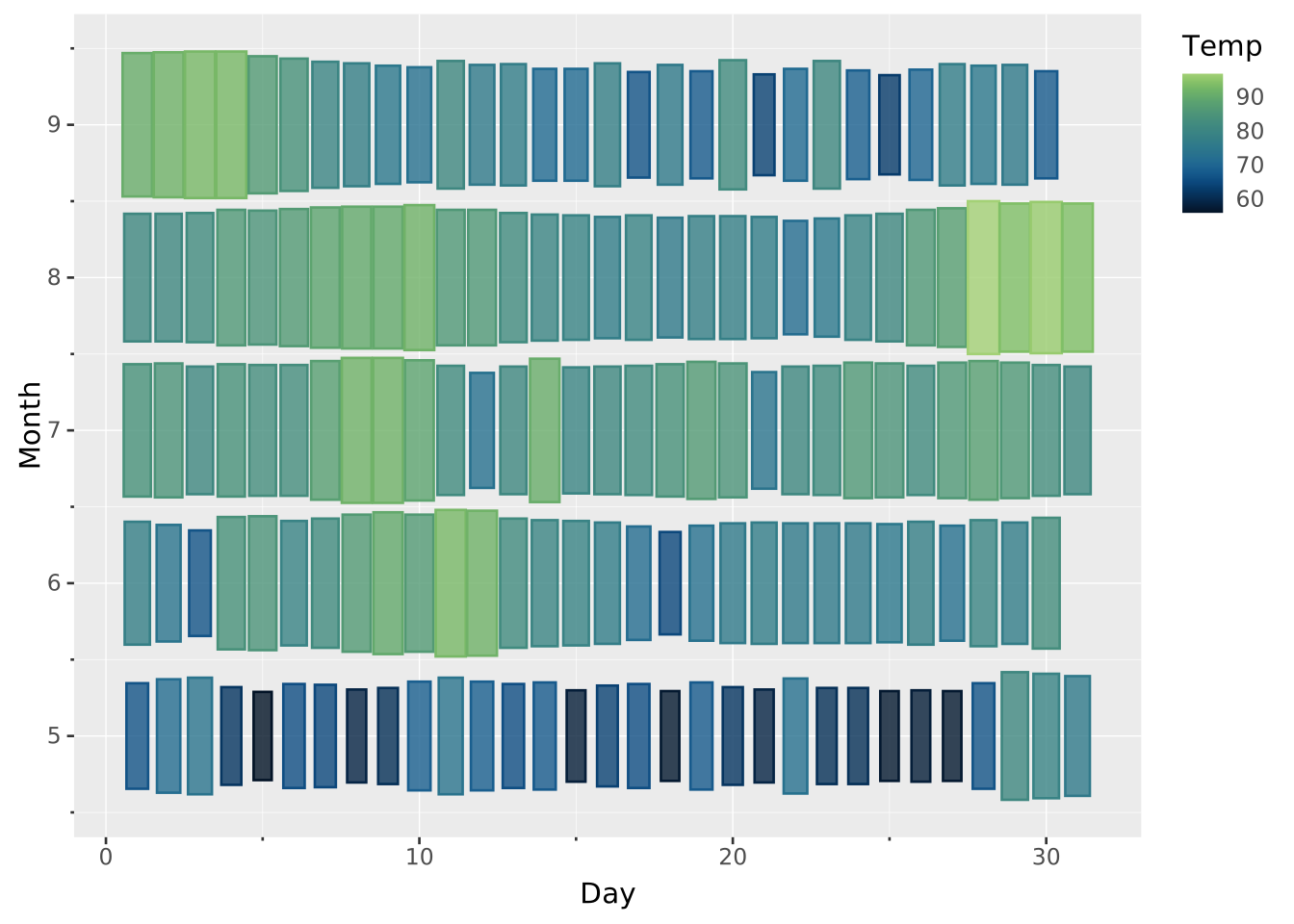
Using top, right, bottom, left parameterisation instead.
SELECT
  MIN(Date) AS start,
  MAX(Date) AS end,
  MIN(Temp) AS min,
  MAX(Temp) AS max
FROM ggsql:airquality
GROUP BY Week

VISUALISE start AS xmin, end AS xmax, min AS ymin, max AS ymax
DRAW tile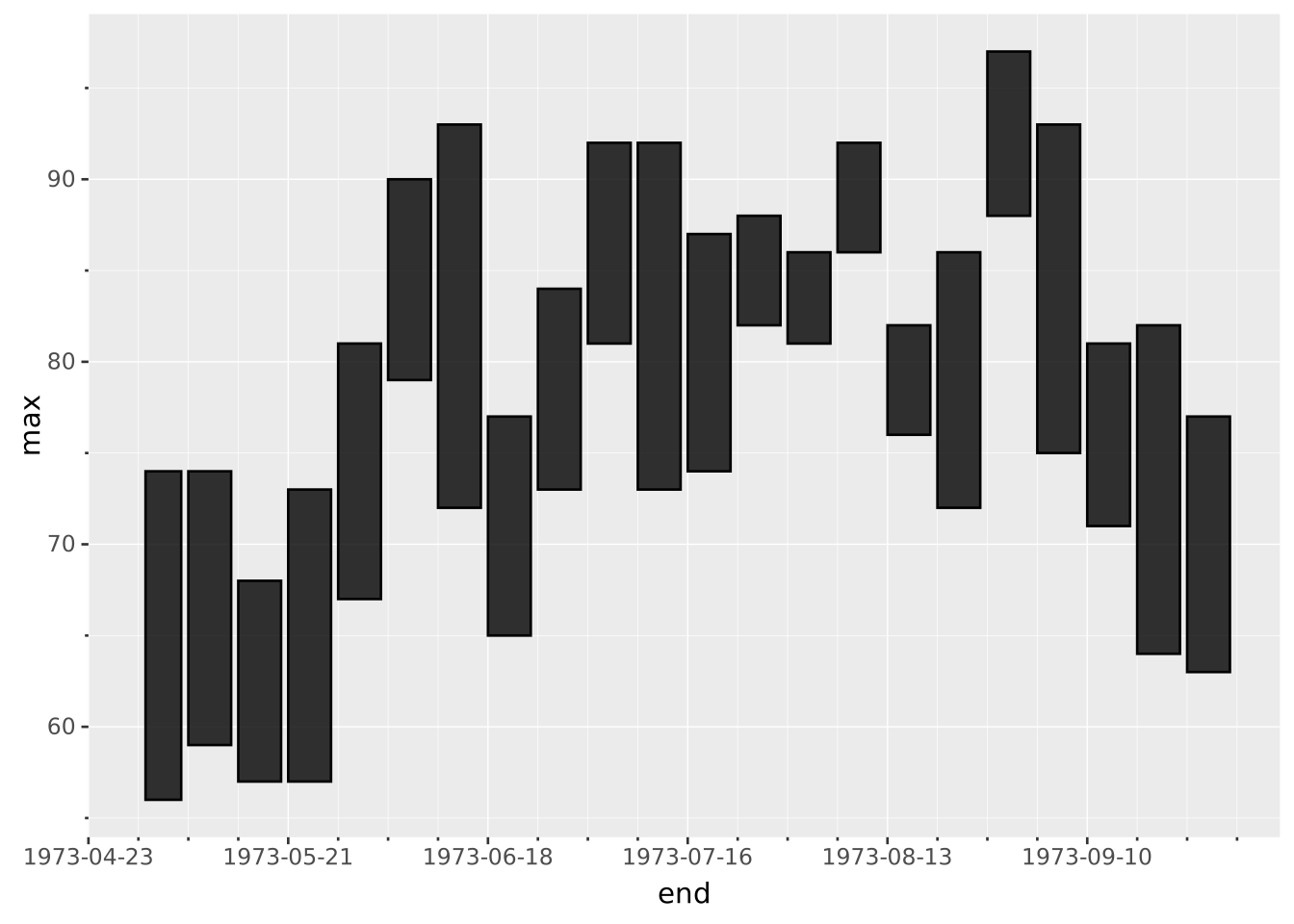
Building a heatmap from raw rows by aggregating per cell.
VISUALISE FROM ggsql:penguins
DRAW tile
  MAPPING species AS x, sex AS y, body_mass AS fill
  SETTING aggregate => 'mean', opacity => 1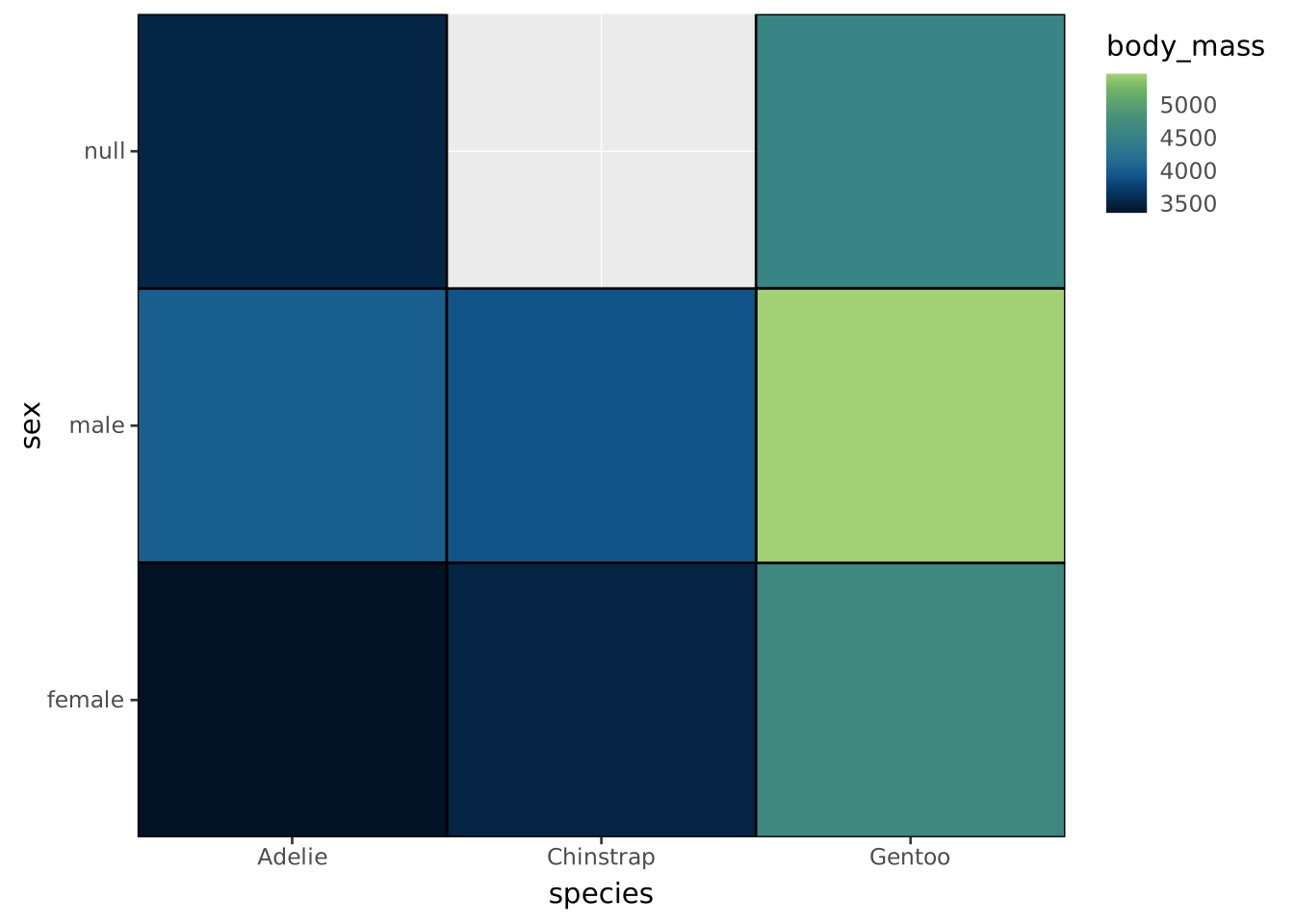
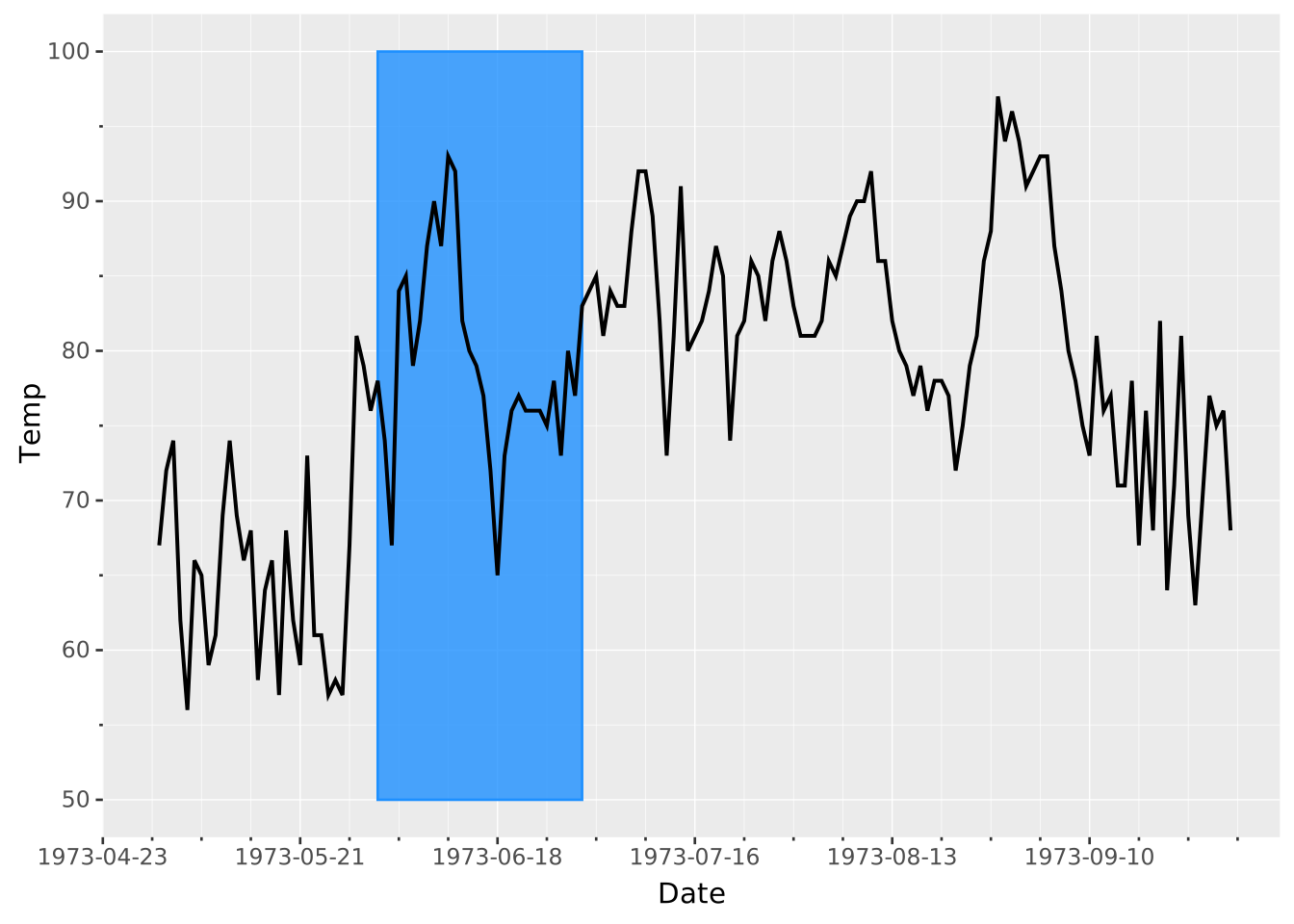
Using a tile as an annotation. Note we’re using the PLACE clause here instead of DRAW because we’re not mapping from data.
VISUALISE FROM ggsql:airquality
PLACE tile
  SETTING
    xmin => '1973-06-01',
    xmax => '1973-06-30',
    ymin => 50,
    ymax => 100,
    colour => 'dodgerblue'
DRAW line
  MAPPING Date AS x, Temp AS y