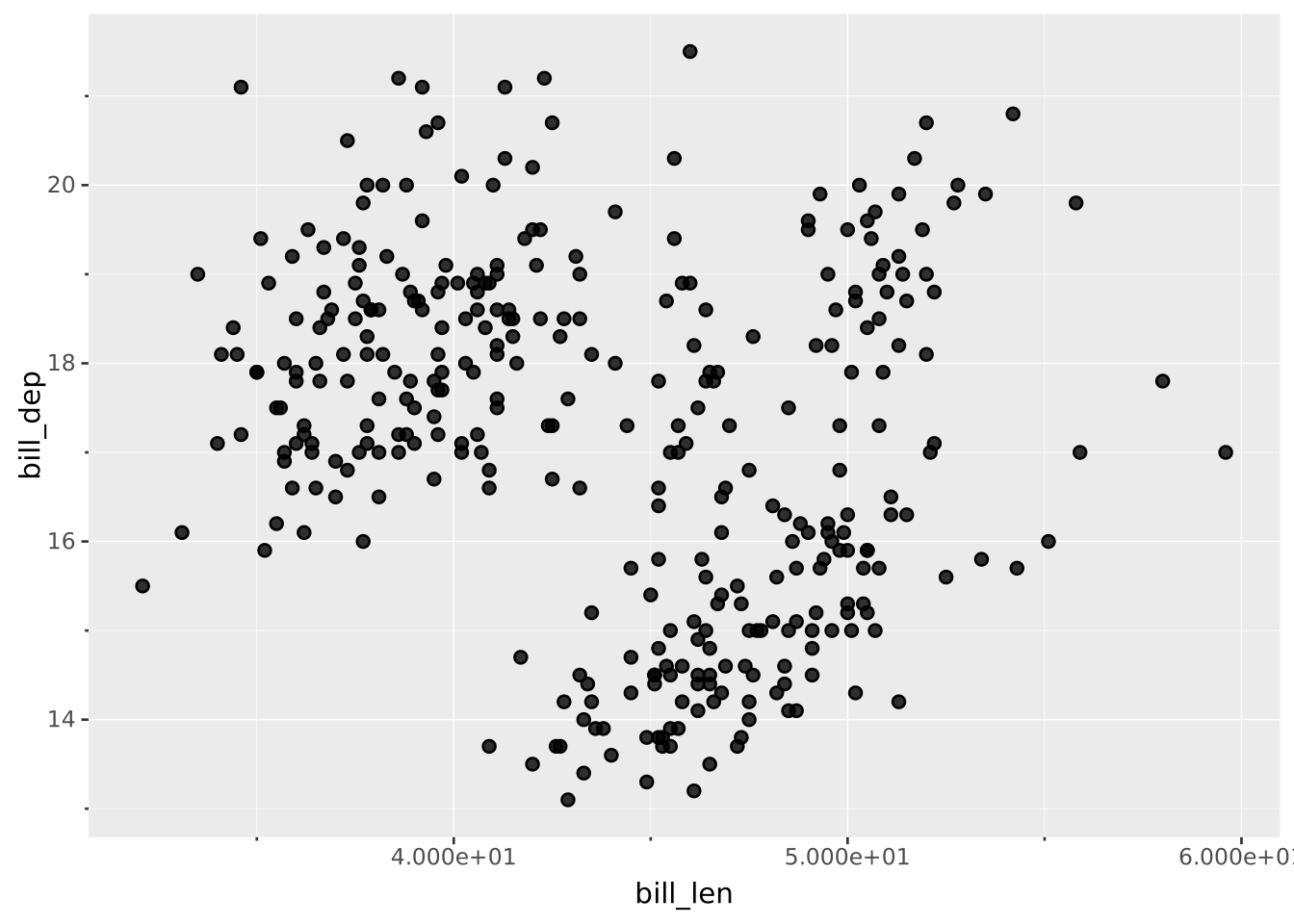
VISUALISE bill_len AS x, bill_dep AS y FROM ggsql:penguins
DRAW point
SCALE x FROM (40, 50)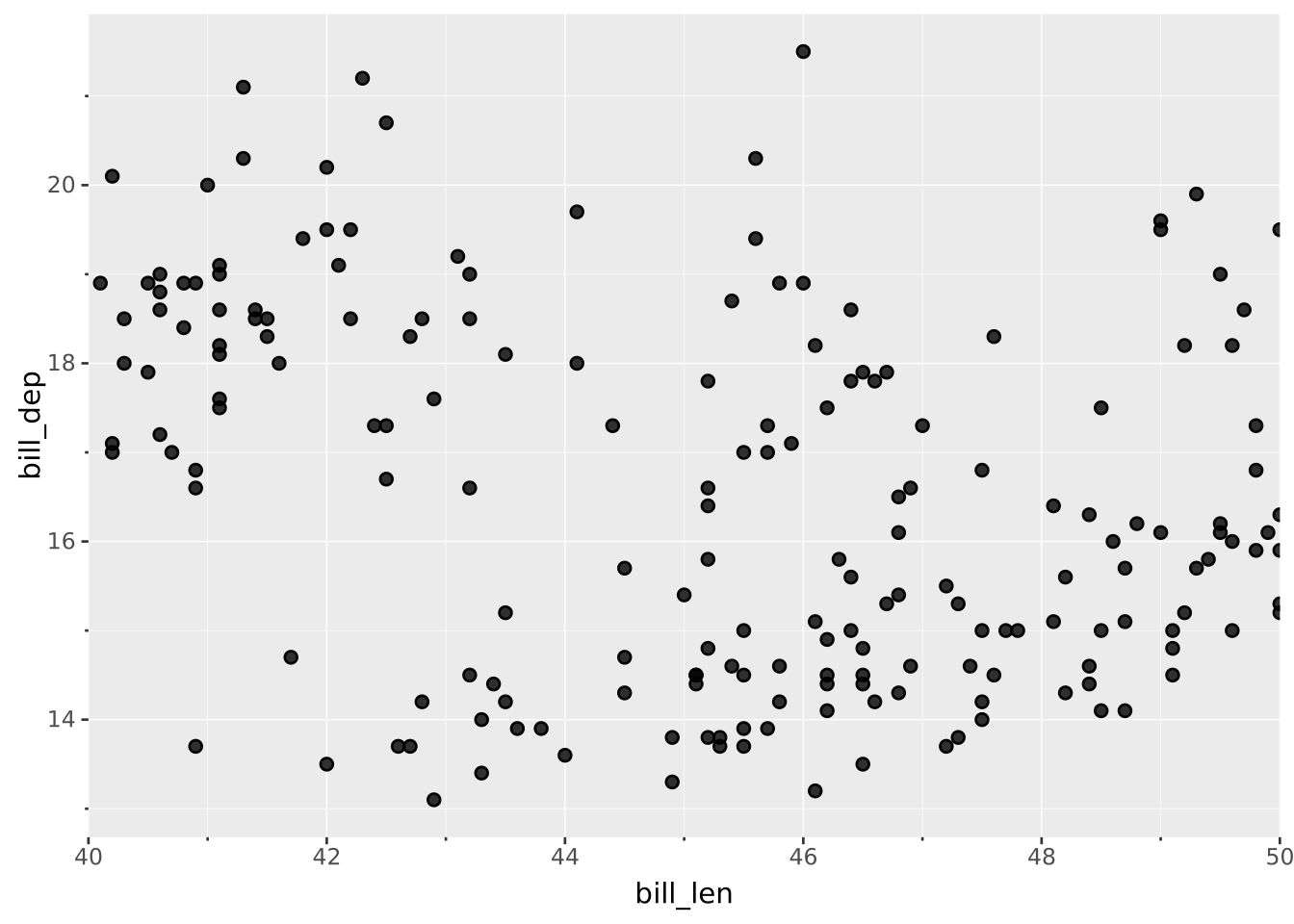
Scales are declared with the
SCALEclause. Read the documentation for this clause for a thorough description of its syntax.
The continuous scale type maps various continuous data types into a continuous output domain. The most common of these are basic numbers, but also dates in various forms are considered continuous.
The input range for continuous scales are defined by their minimum and maximum values. These can be given explicitly or deduced from the mapped data. If FROM is omitted then the range of the mapped data is used. If provided as an array of length 2 then the first element will set the minimum and the second element will set the maximum. If either of these elements are null then that part of the range will be deduced from the data. As an example SCALE x FROM (0, null) will set the minimum part of the range to 0 and the maximum part to the maximal value of the mapped data.
Position aesthetics (x and y) will have their range expanded based on the expand setting. If values in the mapped data falls outside of the input domain the values will be changed based on the oob setting.
The input range is converted to the type defined by the transformation. This means that a time range can both be given as a %H:%M:%S string or as a numeric giving the number of nanoseconds since midnight.
VISUALISE bill_len AS x, bill_dep AS y FROM ggsql:penguins
DRAW point
SCALE x FROM (40, 50)
VISUALISE bill_len AS x, bill_dep AS y FROM ggsql:penguins
DRAW point
SCALE x FROM (0, null)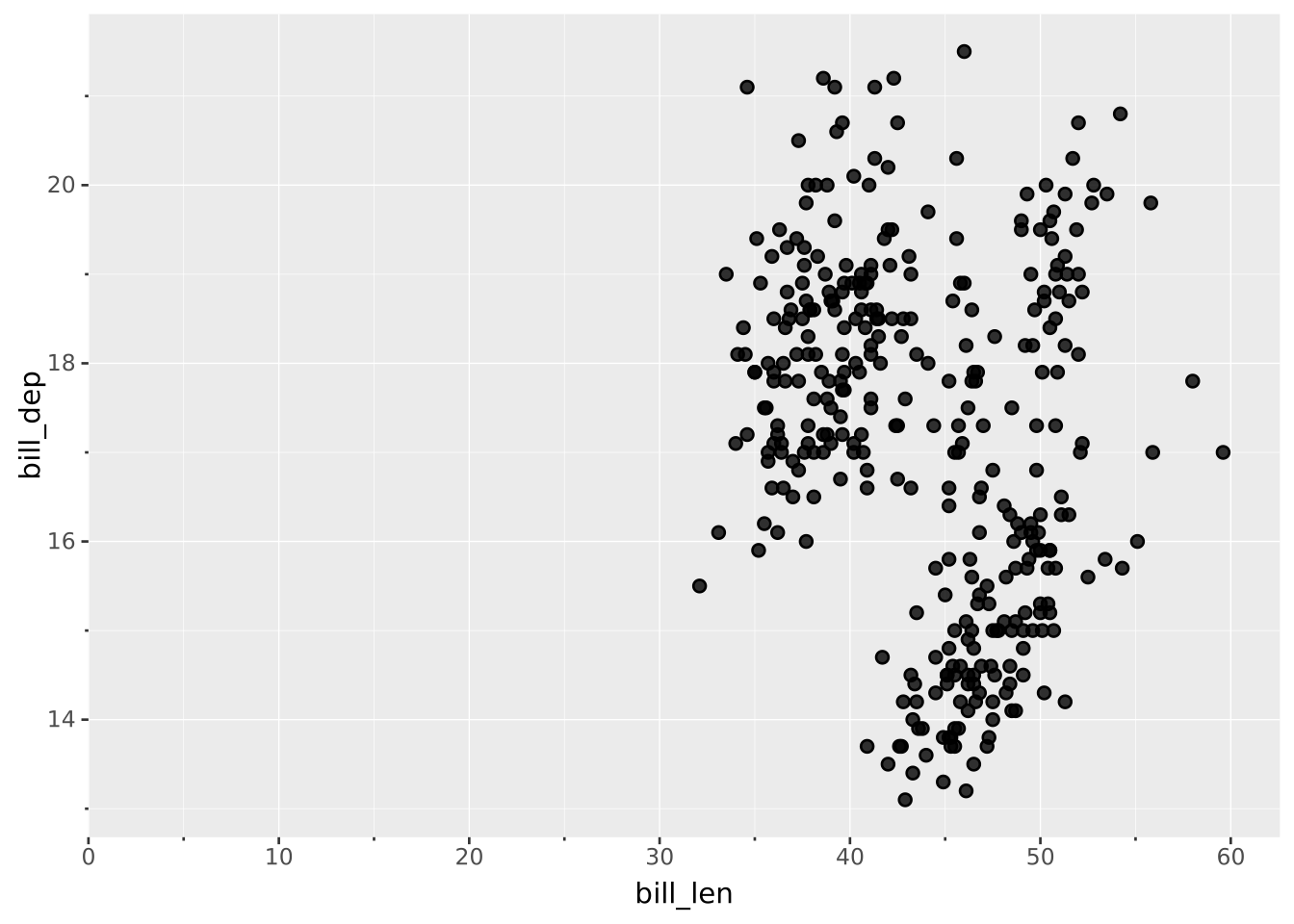
The output range can either be given as an array of values or a named palette. For continuous scales the only palettes of relevance are those for color. Values will, after transformation, be mapped onto the range by interpolating between the provided values. For colors the interpolation will happen in oklab space. Colors can be specified either as hex values, CSS color name or a valid CSS color function (e.g. hsl(300, 76%, 72%))
All aesthetics have a default output range so it is never required to provide one unless you want to change from the default. The defaults are as follows:
x/y: Ignored (values used directly)stroke/fill: The sequential palettesize/linewidth: (1, 6) (points)opacity: (0.1, 1.0) (0 being fully transparent and 1 being fully opaque)The remaining aesthetics don’t have a meaningful continuous output domain and don’t work with continuous scales. Consider using a binned scale for these if necessary.
VISUALISE bill_len AS x, bill_dep AS y, body_mass AS color FROM ggsql:penguins
DRAW point
SCALE color TO batlow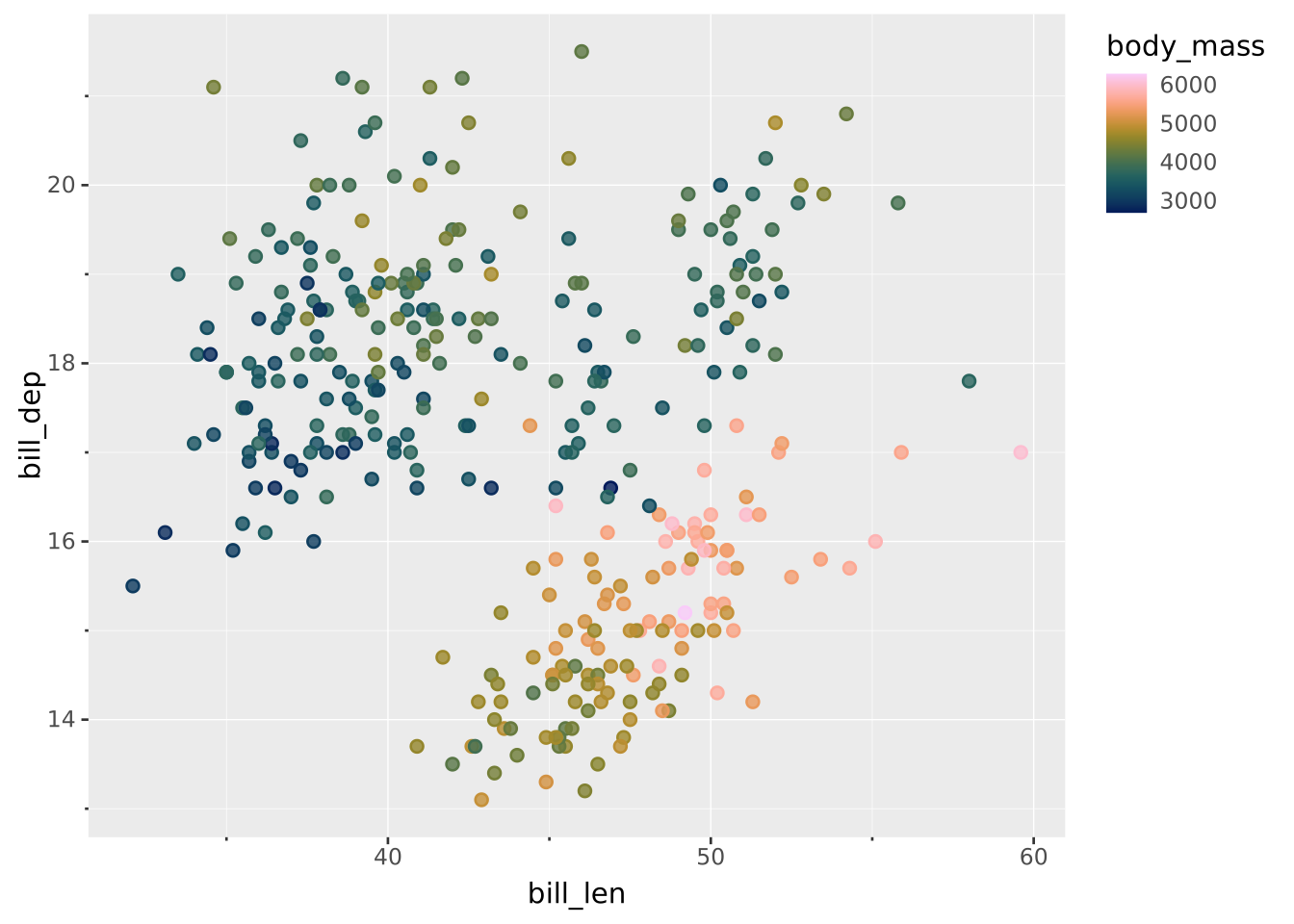
VISUALISE bill_len AS x, bill_dep AS y, body_mass AS color FROM ggsql:penguins
DRAW point
SCALE color TO ('black', 'red', 'white')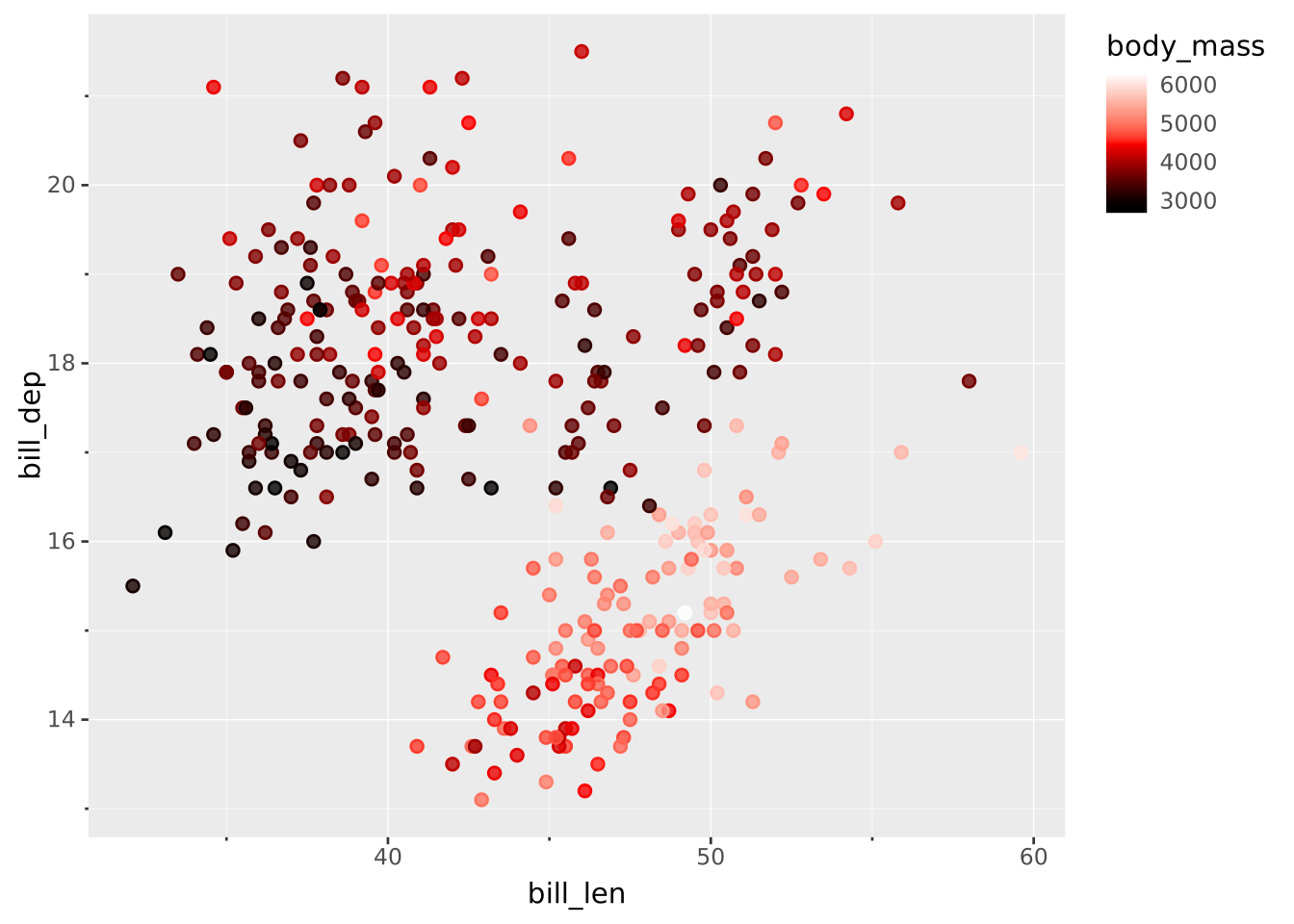
The transformation of the scale both defines how the input data is parsed as well as any mathematical transformation applied before it is mapped to the output range. The default transformation is deduced from a combination of the mapped data and the aesthetic the scale is applied to.
linear: The default transformation unless stated otherwise. Creates a linear mapping between the input and output range.log/log2/ln: Creates a mapping between the logarithm of the input to the output range.exp10/exp2/exp: Inverse of the log transformationssqrt: Creates a mapping between the square root of the input to the output range.square: Inverse of sqrt transformationasinh: Creates a mapping between the inverse hyperbolic sine of the input to the output range. This approaches the natural logarithm but is well defined for negative values as well, which can make it a good choice for transforming values that exhibit logarithmic growth but span positive and negative values.pseudo_log/pseudo_log2/pseudo_ln: A slightly different transformation that exhibits the same characteristics as asinh but where it is possible to choose the base of the logarithm it should approach.integer: Like linear but will convert input to integer by removing the decimal part.date: Default when mapping a DATE column. Like linear but will cast input to date if not already (for strings this assumes the date is formatted as YYYY-MM-DD, for numbers it will be the number of days since 1970-01-01).datetime: Default when mapping a DATETIME column. Like linear but will cast input to datetime if not already (for strings a range of different permutations of the YYYY-MM-DDTHH:MM:SS.fTZ is tried, for number it will be the number of microseconds since 1970-01-01T00:00:00).time: Default when mapping a TIME column. Like linear but will cast input to time if not already (for strings it assumes the time is formatted as HH:MM:SS.f with both the fractional and second part optional, for number it will be the number of nanoseconds since start of measurement).If not provided explicitly by the user the breaks for the scales will be calculated for you. The transformation will be responsible for the algorithm used to find good break values. It will use the breaks setting and the pretty setting and make a best effort at honouring this.
linear:
pretty => true: Will use Wilkinsons Extended algorithm to attempt to find nice breaks in the given interval close to the number of breaks requestedpretty => false: Will produce the requested number of evenly spaced breaks within the scale rangelog/log2/ln:
pretty => true: Will use the 1-2-5 pattern and thin down to approximately the requested number of breakspretty => false: Breaks will be exclusively at the power of the base (e.g. 1, 10, 100, 1000 for log10)exp10/exp2/exp: Same logic as the log breaks but in the inverse directionsqrt/square: Like linear but the range is first converted to sqrt space and the breaks are then converted backasinh/pseudo_log/pseudo_log2/pseudo_ln: Like log but includes zero and negates the breaks for the negative partinteger: Like linear except disallowing breaks at fractional partsdate/datetime/time:
breaks => <interval>: If breaks are given as an interval (e.g. week, 30 seconds or 5 years) then the breaks will get that spacing aligned at the interval boundary (Jan 1 for years, etc). This ignores the pretty settingpretty => true: An appropriate interval is chosen that approximates the requested number of breaks and then used as abovepretty => false: Linear spacing in integer space as close to the requested number of breaksMinor breaks are the unlabelled sub-divisions between two breaks — drawn as shorter ticks and fainter gridlines. They carry no labels, so unlike breaks they are never affected by RENAMING or a label template.
Where breaks => 5 asks for about five breaks across the whole scale, minor_breaks => 3 asks for three minor breaks inside each interval between two breaks.
If not given, the transformation picks the count:
linear/integer/sqrt/square: one minor break per interval, i.e. at the midpointlog/log2/ln/exp10/exp2/exp/asinh/pseudo_log/pseudo_log2/pseudo_ln: eight per interval, giving the familiar 2-9 pattern between powersdate/datetime/time: three per intervalAutomatically derived minor breaks are always placed relative to the breaks, so changing breaks moves them too. Set them explicitly to break that link:
minor_breaks => <number>: that many evenly spaced minor breaks inside every interval. 0 removes them entirelyminor_breaks => (…): an array of exact positions. Values outside the scale range are droppedminor_breaks => <interval>: for date/datetime/time only, an interval (e.g. week or 6 hours) aligned at the interval boundary, exactly as breaks treats an intervalMinor breaks are only drawn by writers that support them. The Vega-Lite writer has no concept of a minor break and ignores the setting; every other writer draws them.
The size aesthetic requires special attention. To the user, size is given as radius in points (1/72 inch), but internally the provided values are converted to area, and the scale operates on area transformed values. This means that while you provide the output range in radius, the scaling is proportional to the area, even when using the default linear transformation. While this seems somewhat complicated we have chosen this approach to satisfy two opposing needs:
If you wish to scale by the radius (not advised) you should do so using the square transformation (SCALE size VIA square)
VISUALISE Date AS x, Temp AS y FROM ggsql:airquality
DRAW line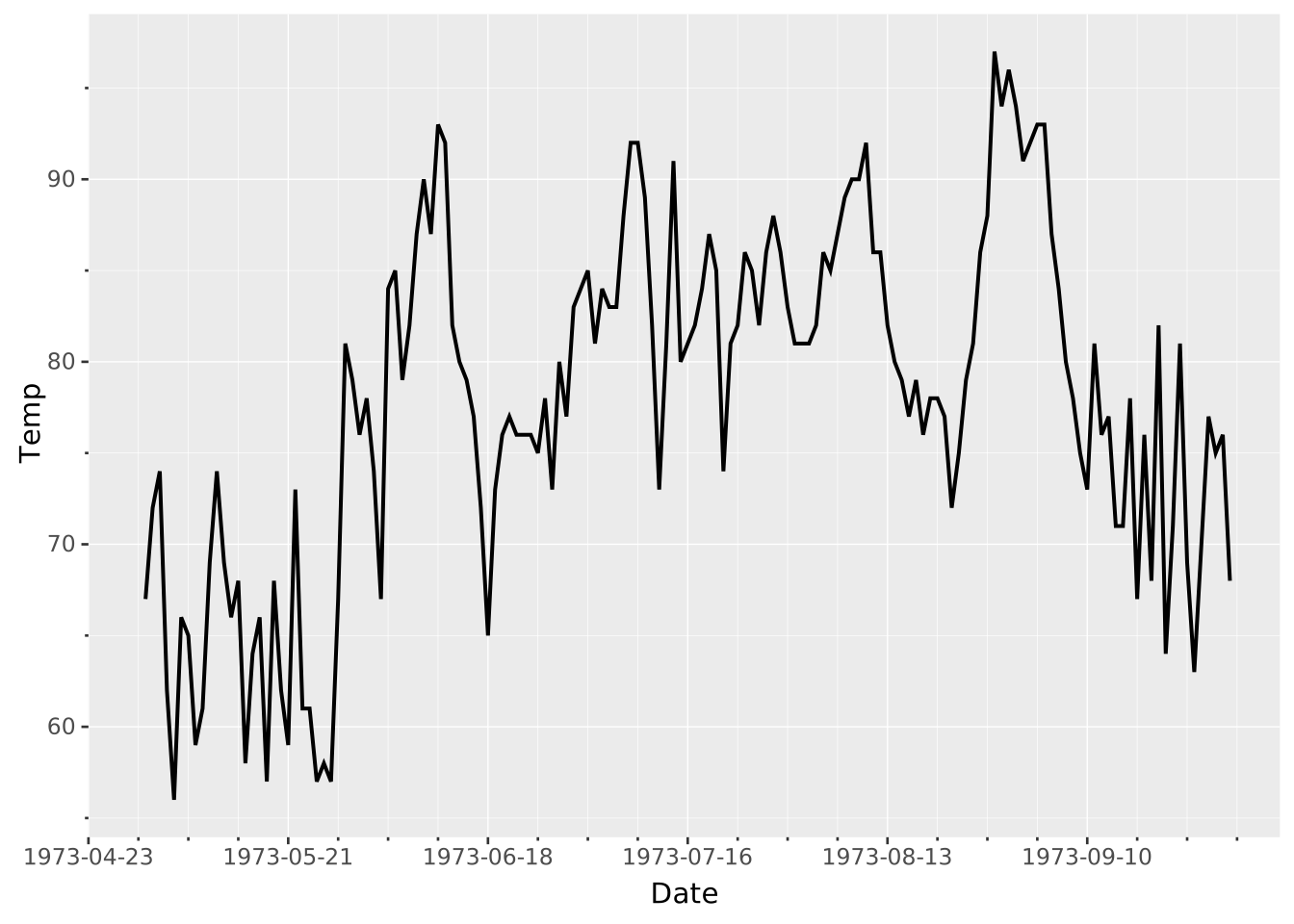
VISUALISE Date AS x, Temp AS y FROM ggsql:airquality
DRAW line
SCALE y VIA log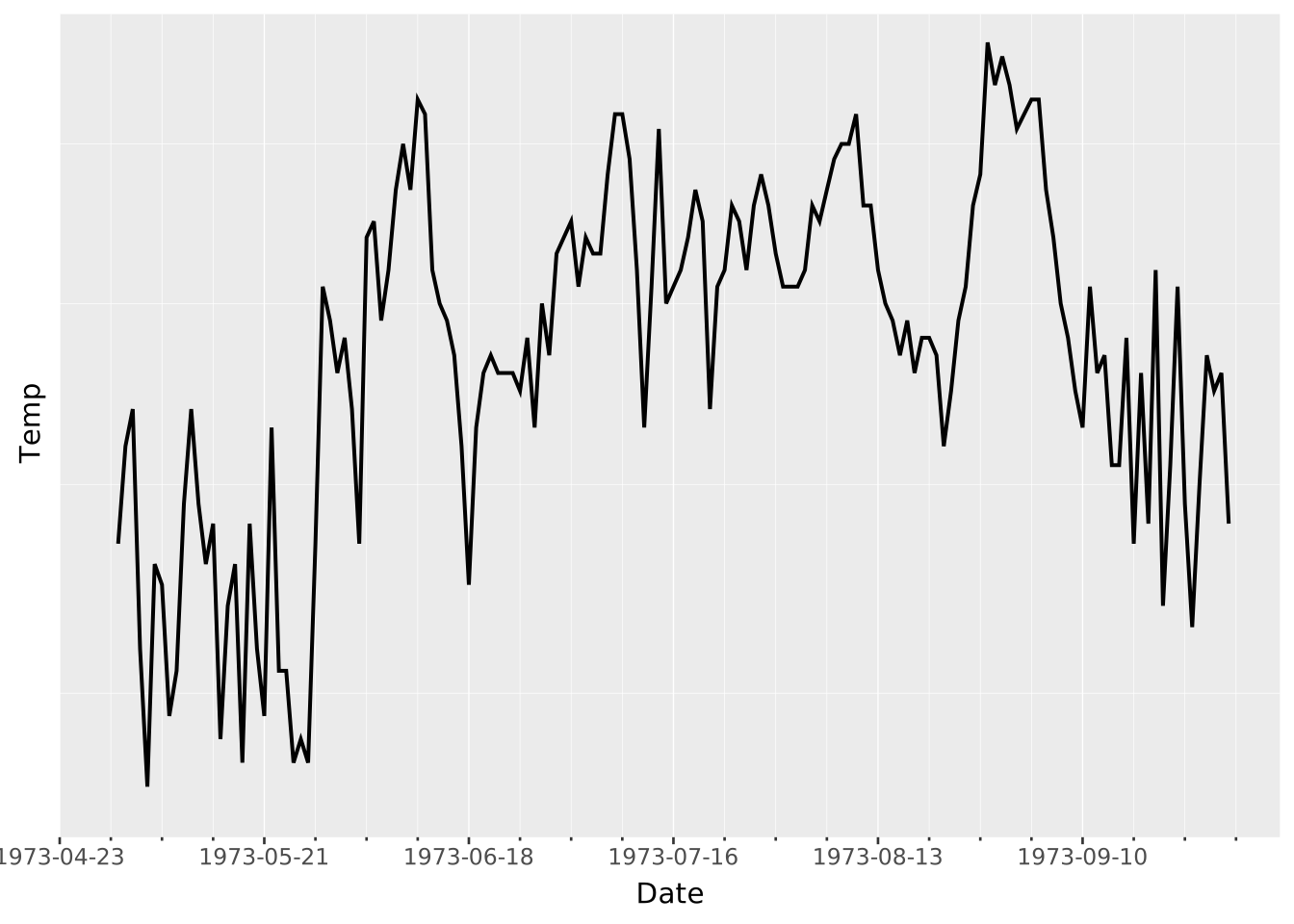
VISUALISE Date AS x, Temp AS y FROM ggsql:airquality
DRAW line
SCALE y
  SETTING breaks => 5, pretty => false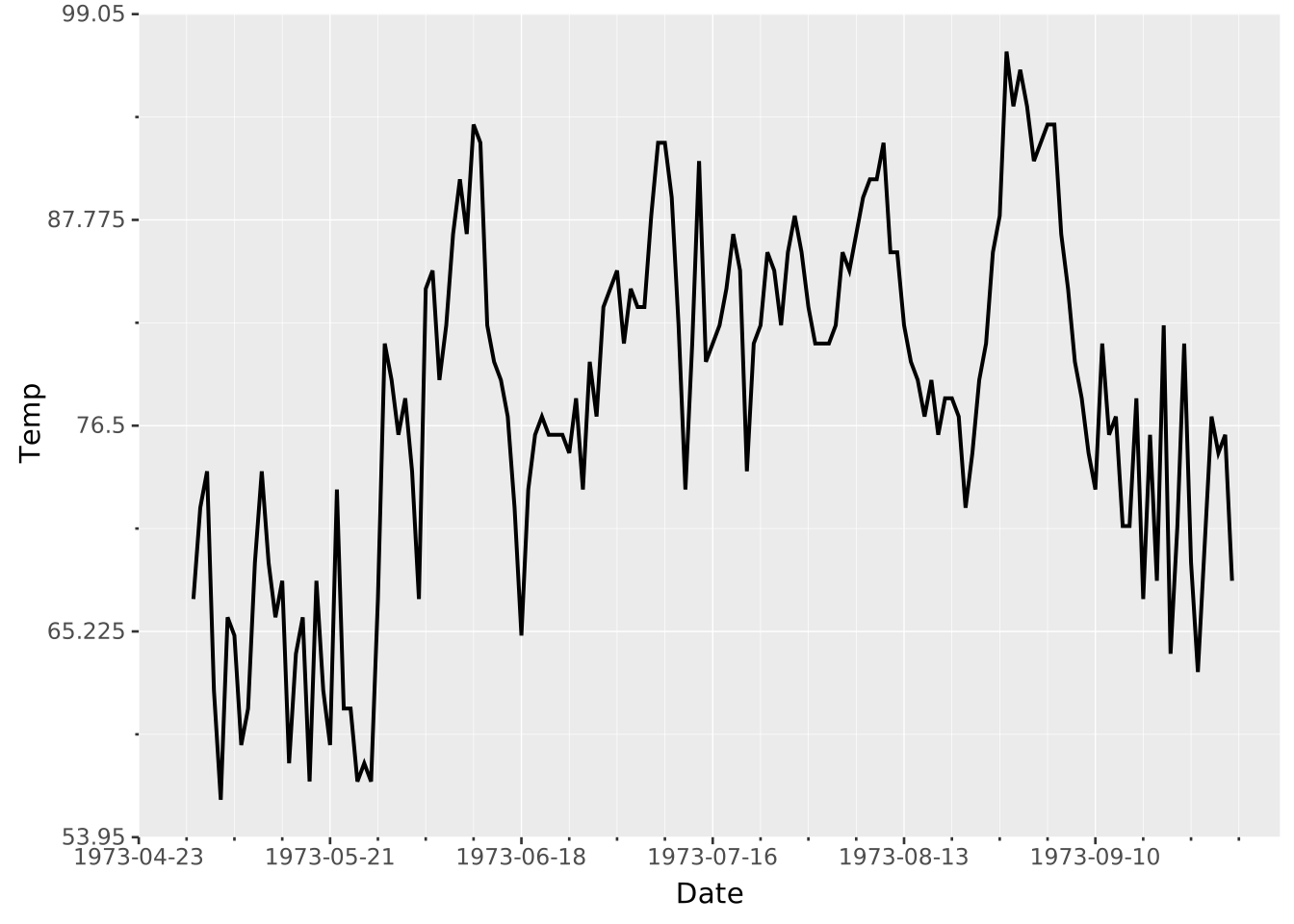
VISUALISE Date AS x, Temp AS y FROM ggsql:airquality
DRAW line
SCALE x
  SETTING breaks => '2 months'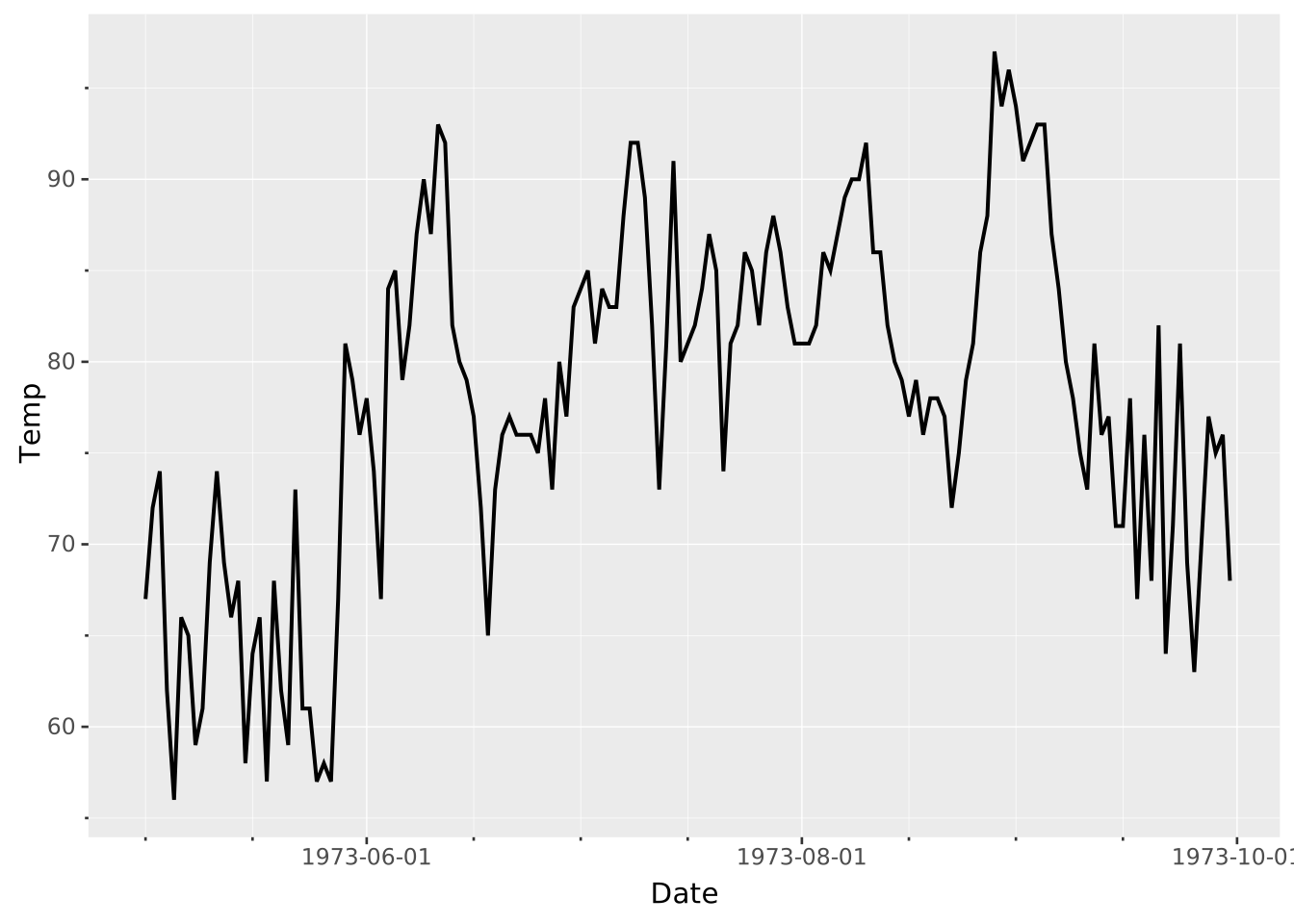
The following settings are recognised by continuous scales:
expand (only for x/y): Either a scalar number or 2-element array of numbers (values must be >= 0). Sets the expansion of the scale to either side of the range. If a scalar it gives the multiplicative expansion. If an array the first element is a multiplication factor and the second element is an additive constant. Defaults to 0.05 (5 %). Expansion is only applied to values that are not explicitly given by the user, i.e. if setting the range as SCALE x FROM (0, null) expansion will only be applied to the upper range.oob: How should values outside of the scale input range be treated. One of 'keep' (keep the values as-is), 'censor' (set to null), or 'squish' (set to the nearest values within the range). Default for x/y is 'keep', for the remaining it is 'censor'.breaks: Either a scalar (whole number >= 1) as described in the section on breaks, or an array of values to place breaks at. Defaults to 5.minor_breaks: Placement of the minor breaks that fall between the breaks, as described in the section on minor breaks. Either a scalar (whole number >= 0) giving the number of minor breaks per interval between two breaks, an array of values to place them at, or (for temporal transformations) an interval. Use minor_breaks => 0 to remove them. Defaults to a value chosen by the transformation.pretty: A boolean indicating which algorithm to use for automatic calculation of breaks as described in the section on breaks. Defaults to true.reverse: A boolean indicating whether the scale direction should be reversed. Defaults to false.VISUALISE bill_len AS x, bill_dep AS y FROM ggsql:penguins
DRAW point
SCALE x
SETTING expand => (0.0, 10)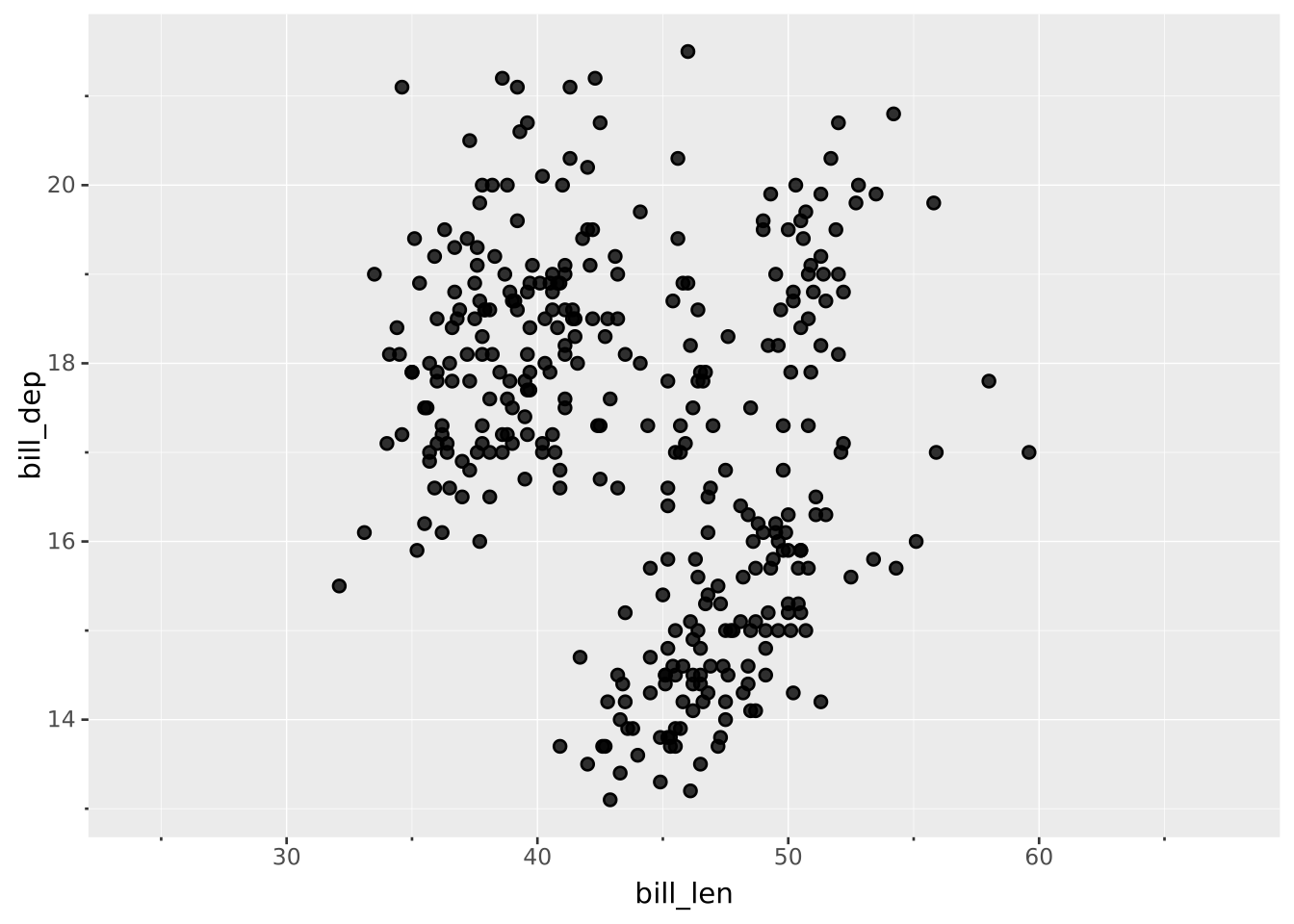
VISUALISE bill_len AS x, bill_dep AS y FROM ggsql:penguins
DRAW point
SCALE y FROM (15, 20)
  SETTING oob => 'squish'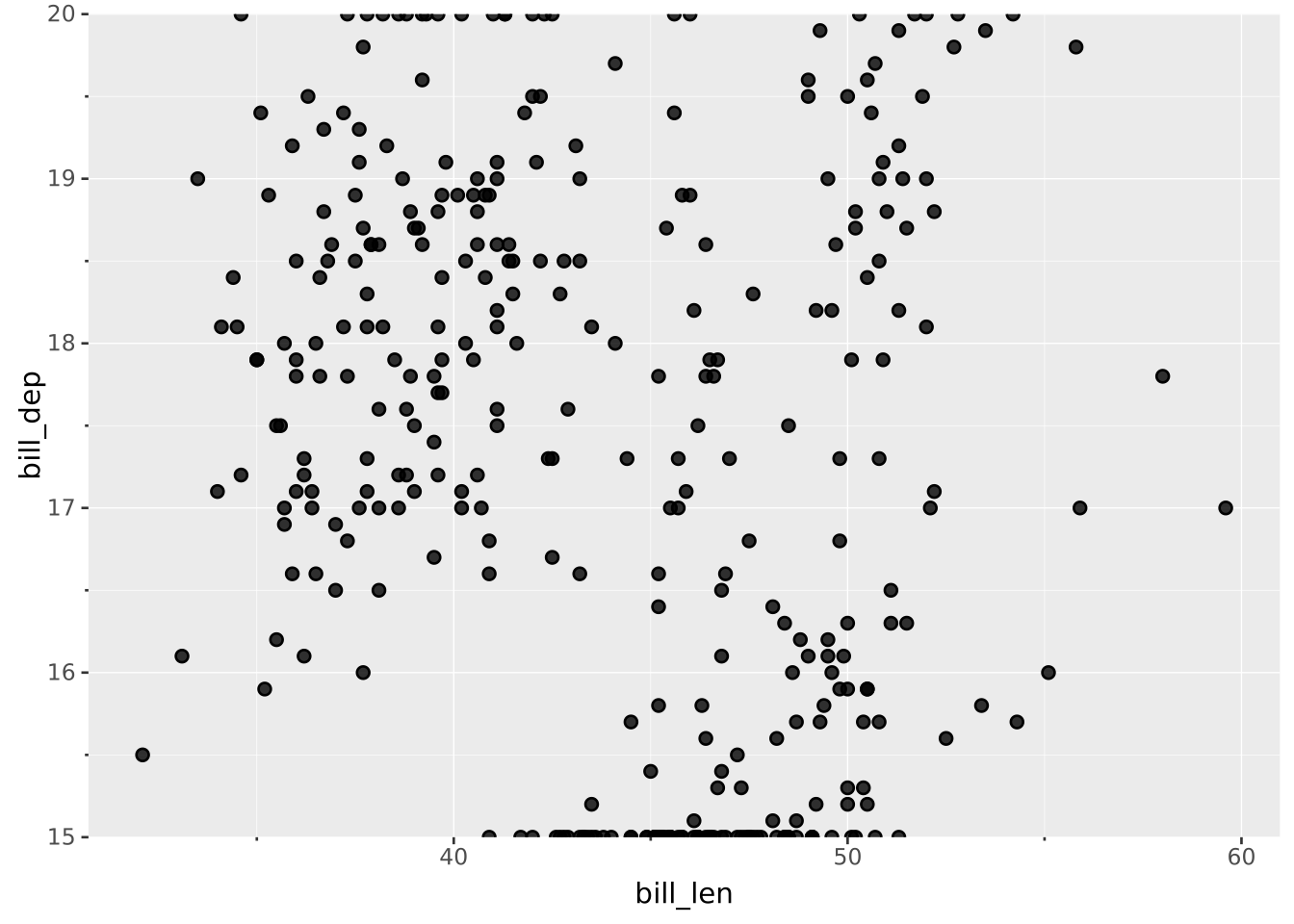
VISUALISE bill_len AS x, bill_dep AS y FROM ggsql:penguins
DRAW point
SCALE x
  SETTING breaks => (37, 42, 55)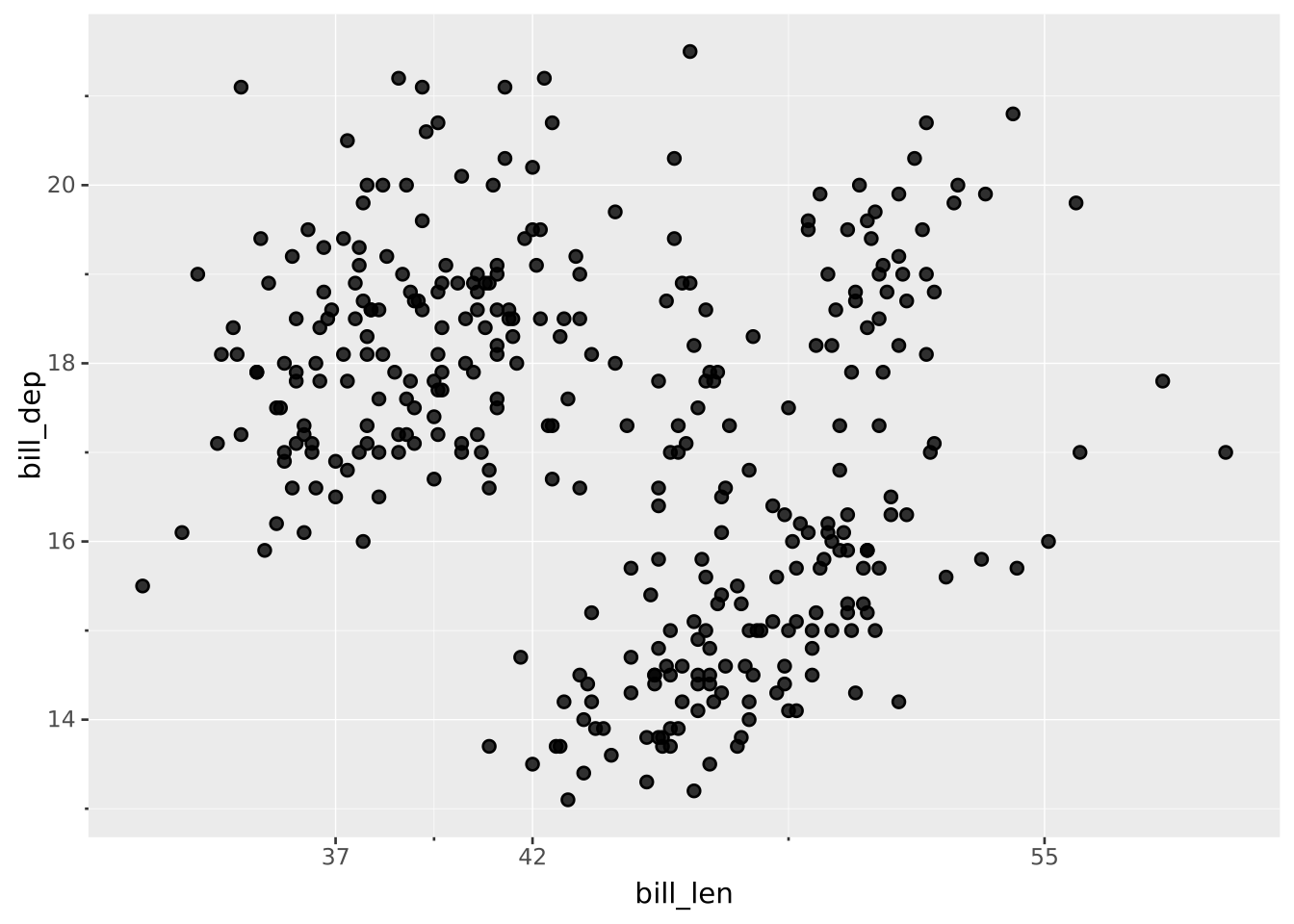
VISUALISE bill_len AS x, bill_dep AS y FROM ggsql:penguins
DRAW point
SCALE x
  SETTING reverse => true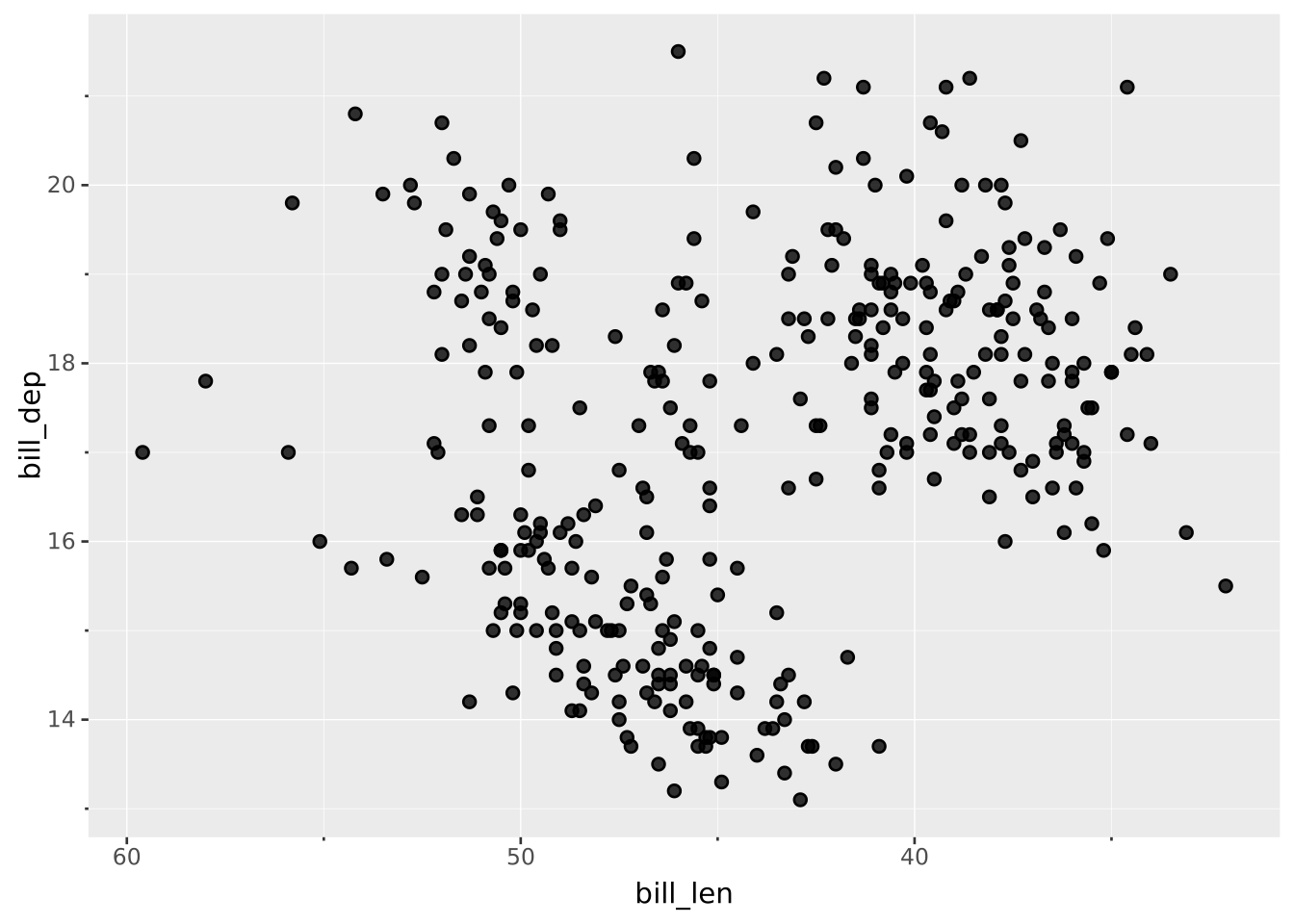
Breaks are generally named by their value. However, you may wish to rename one, several, or all of these. The RENAMING clause allows you to do that both by directly renaming a specific break or by providing a formatting function.
When you provide a break value on the left and a break exists at that value then it will take on the label specified on the right. For example adding RENAMING 0 => 'Nil' will ensure that if there is a break at 0 it will appear as “Nil” on the legend/axis
Besides direct renaming you can also provide a formatting string if you want the same to happen to all labels, e.g. add a prefix or suffix. The syntax for this is RENAMING * => '... {} ...'. The current label will be inserted into the {} to produce the new label. Besides simply inserting the break value into the string, we can also provide a formatter. Of special interest to continuous scales are the :time and :num formatters which lets you control how temporal and numeric values are presented. You can read more about these formatters in the break formatting section of the SCALE documentation
You can combine formatting with direct renaming in which case the direct renaming has priority over the formatting.
VISUALISE bill_len AS x, bill_dep AS y FROM ggsql:penguins
DRAW point
SCALE x
  RENAMING 50 => 'Fifty'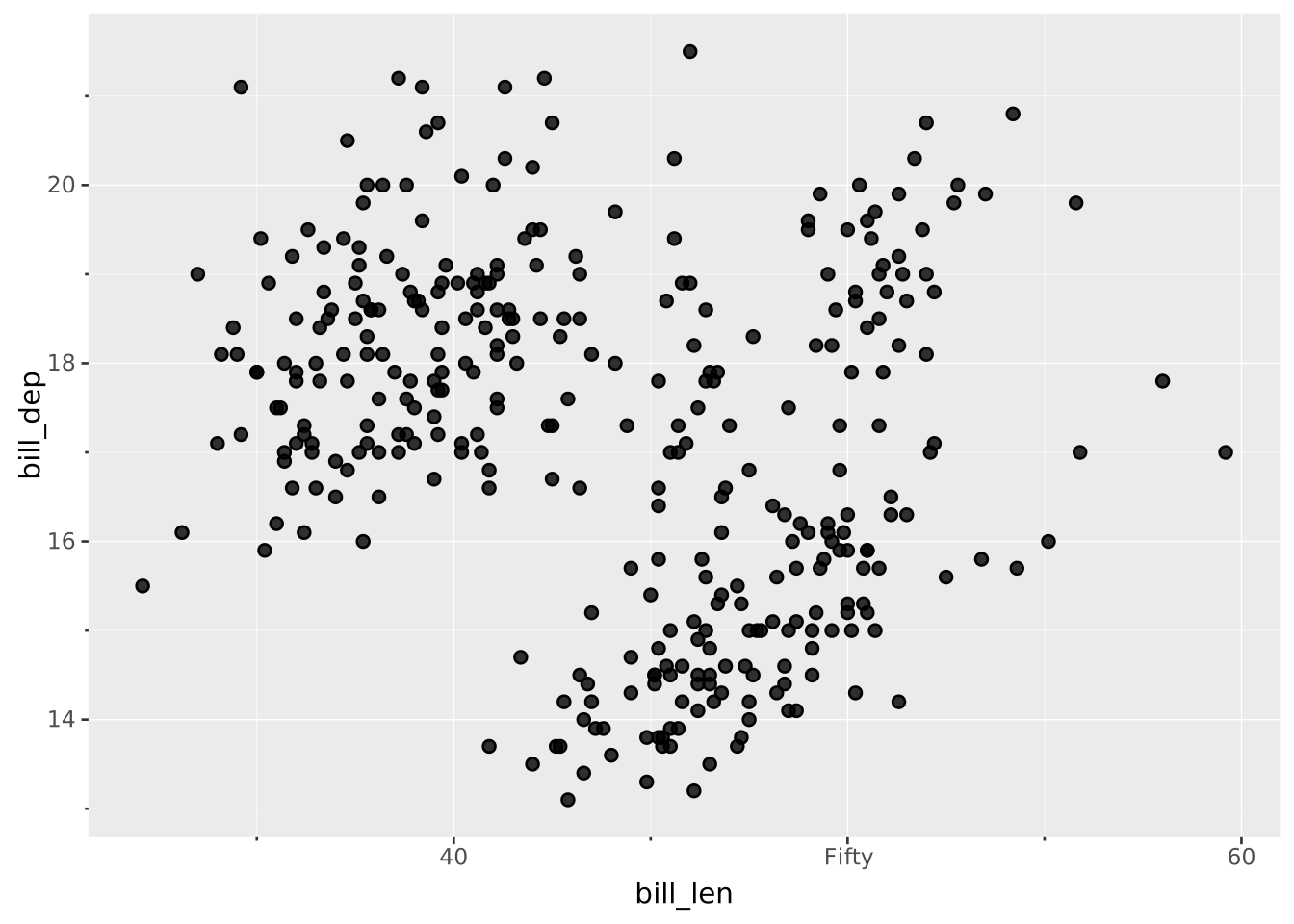
VISUALISE bill_len AS x, bill_dep AS y FROM ggsql:penguins
DRAW point
SCALE x
  RENAMING * => '{} mm'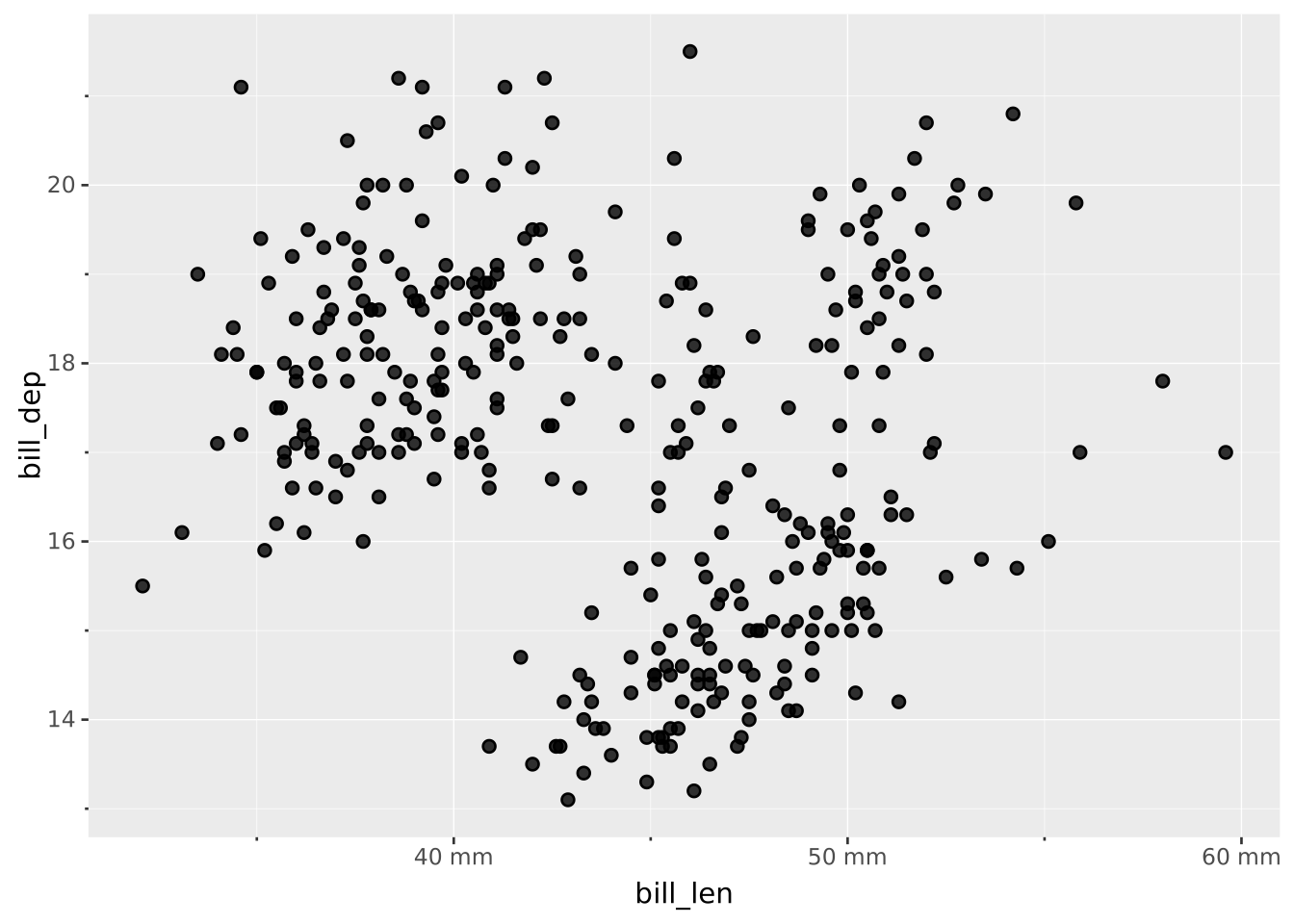
VISUALISE Date AS x, Temp AS y FROM ggsql:airquality
DRAW line
SCALE x
  RENAMING * => '{:time %B}'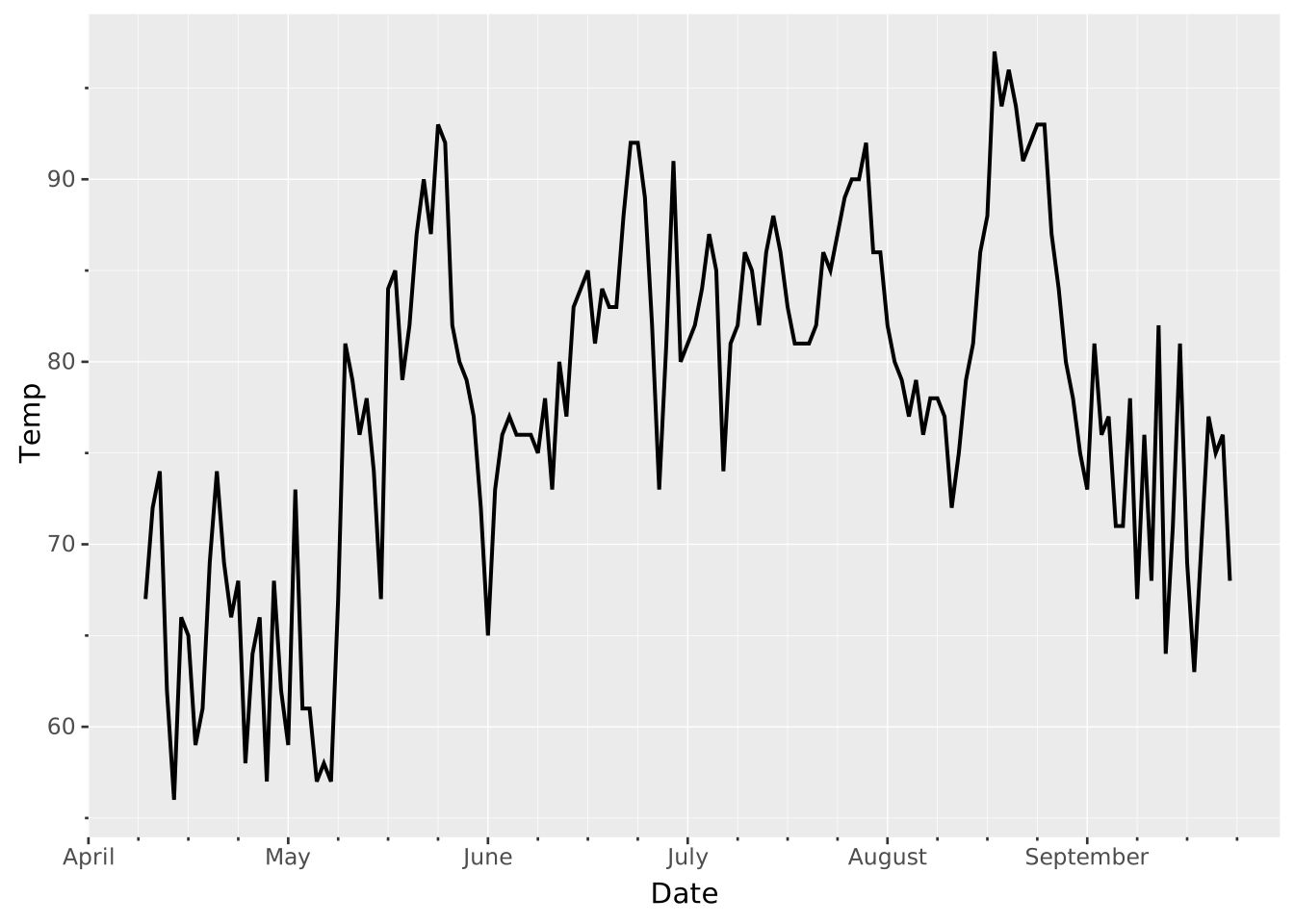
VISUALISE bill_len AS x, bill_dep AS y FROM ggsql:penguins
DRAW point
SCALE x
  RENAMING * => '{:num %.3e}'