VISUALISE Day AS x, Wind AS y FROM ggsql:airquality
DRAW area
  MAPPING Month AS fill
  FILTER Day <= 30
SCALE ORDINAL fill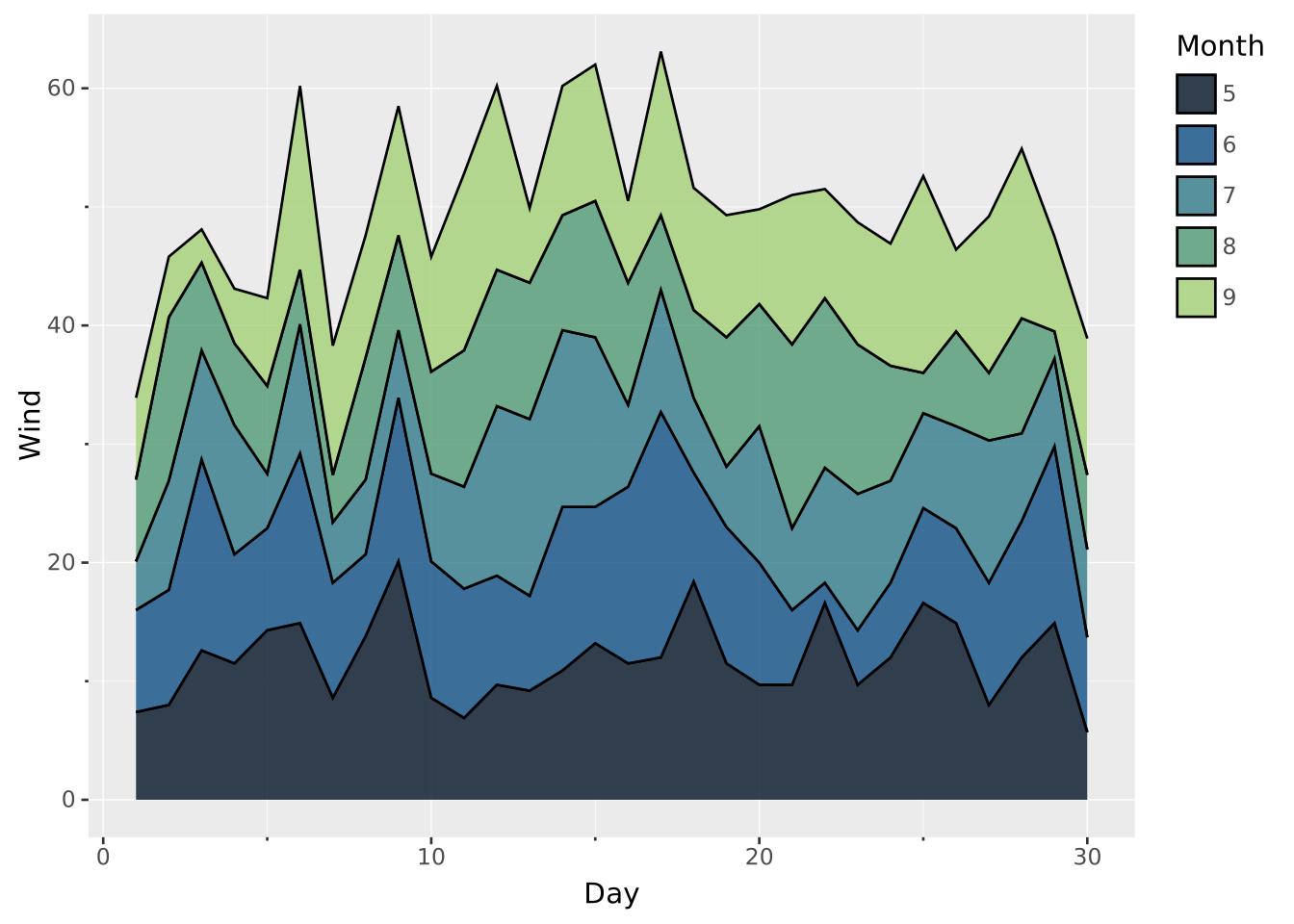
Positions are set within the
DRAWclause, using theSETTINGsubclause. Read the documentation for this clause for a thorough description of how to use it.
The stack position adjustment works by stacking objects on top of each other. It makes the most sense for layer types where their height is the primary encoding (i.e. they naturally extend from 0). Stack is the default position for bar and area plots
Stack requires a continuous scale with a range mapping (e.g. either y + yend or ymin + ymax) and requires all ranges to be positive with a baseline of zero. The axis that satisfies this will be used as the stacking direction
Apart from the settings of the layer type, setting position => 'stack' will allow these additional settings:
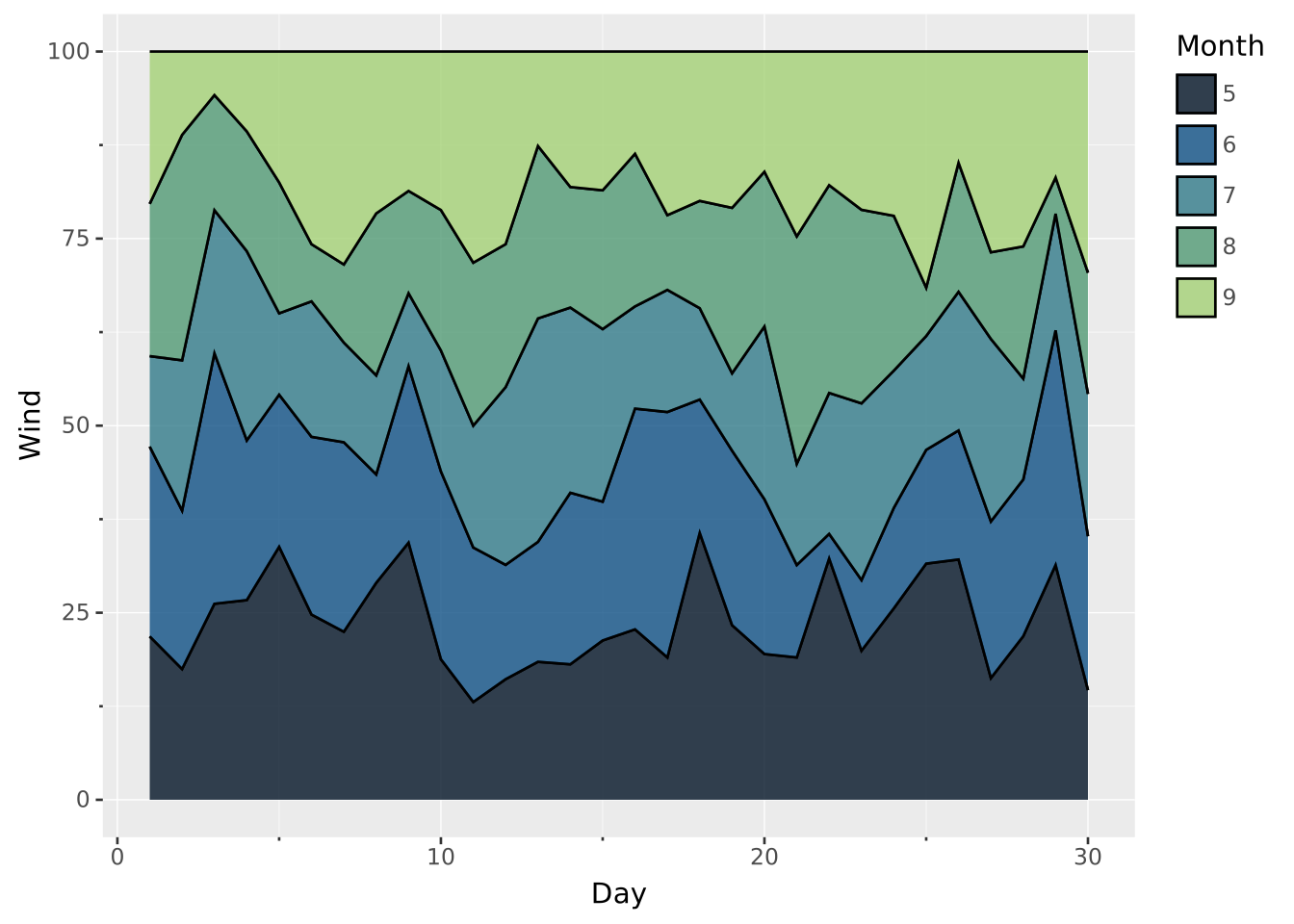
center: Should the full stack be centered around 0. Can be used in conjunction with area layers to create steamgraphs. Default to falsetotal: Sets a total value to which each stack height is normalised (must be > 0 if specified). Setting this value leads to ‘fill’ behaviour. Defaults to null (no normalisation)Stack is the default for bar and area
VISUALISE Day AS x, Wind AS y FROM ggsql:airquality
DRAW area
MAPPING Month AS fill
FILTER Day <= 30
SCALE ORDINAL fill
Turn it off to see the effect (stacking is nonsensical for wind measurements)
VISUALISE Day AS x, Wind AS y FROM ggsql:airquality
DRAW area
  MAPPING Month AS fill
  SETTING position => 'identity'
  FILTER Day <= 30
SCALE ORDINAL fill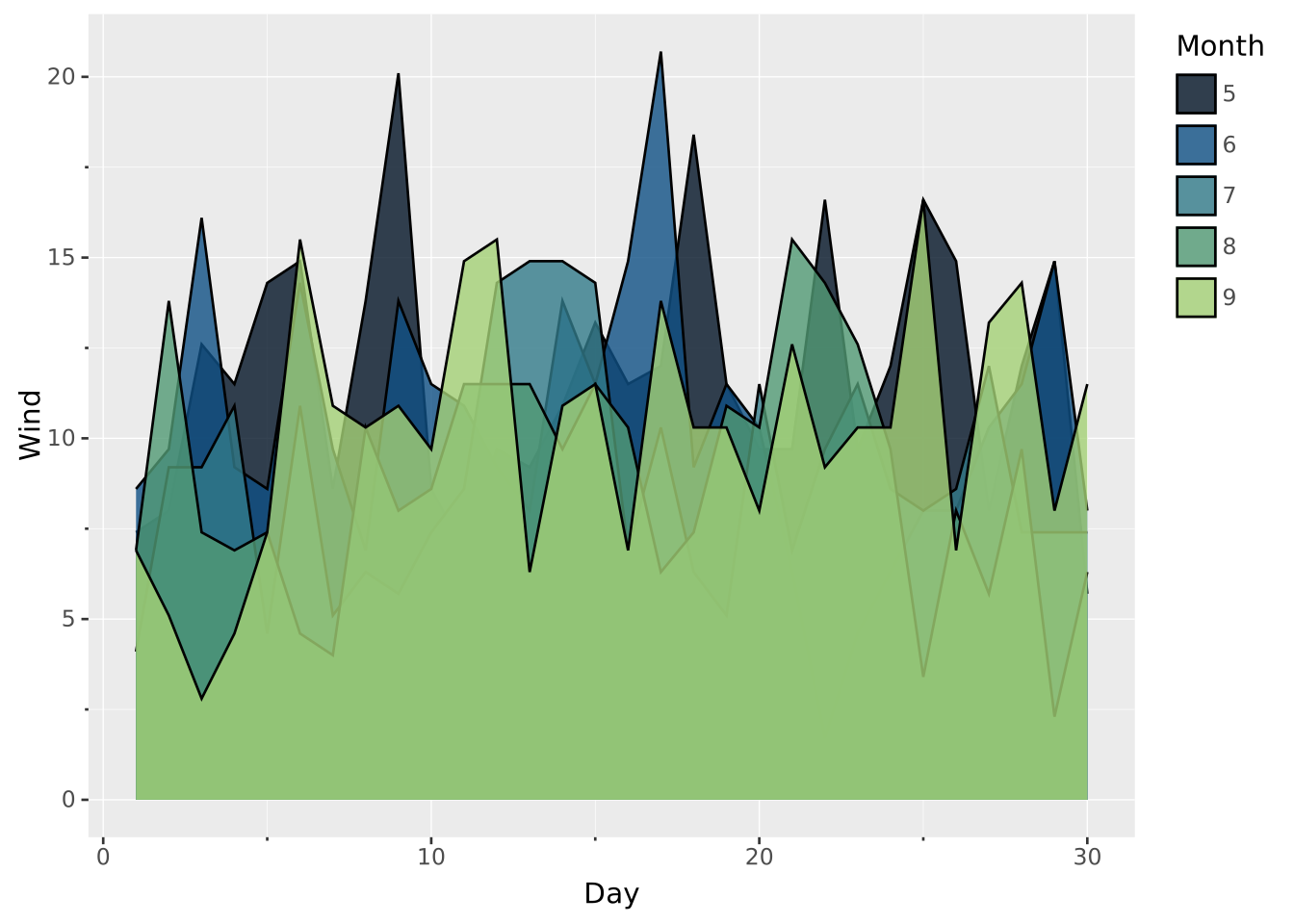
Set center => true to create a steamgraph
VISUALISE Day AS x, Wind AS y FROM ggsql:airquality
DRAW area
  MAPPING Month AS fill
  SETTING center => true
  FILTER Day <= 30
SCALE ORDINAL fill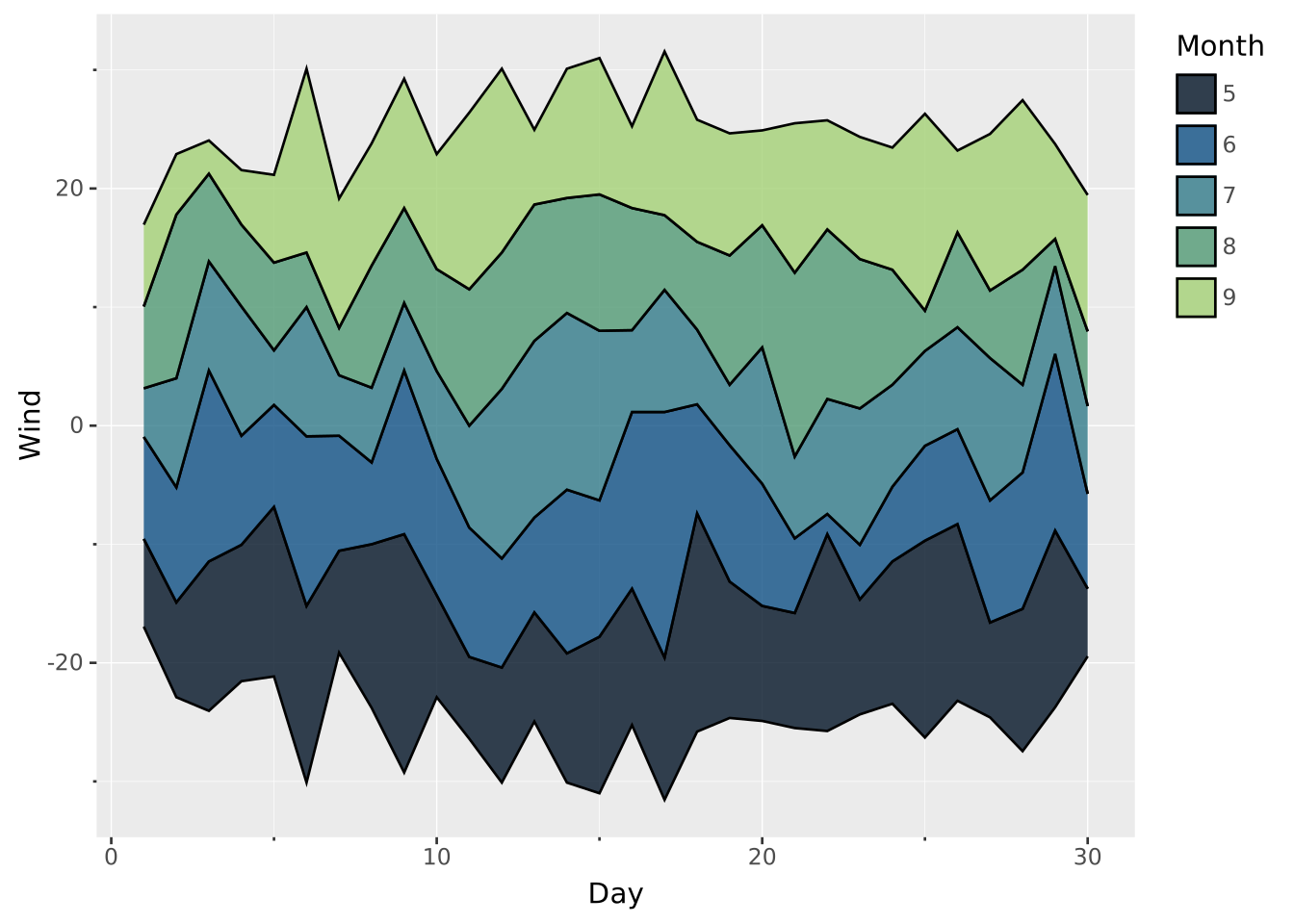
Use total to see the percentage contribution from each group
VISUALISE Day AS x, Wind AS y FROM ggsql:airquality
DRAW area
  MAPPING Month AS fill
  SETTING total => 100
  FILTER Day <= 30
SCALE ORDINAL fill