VISUALISE FROM ggsql:penguins
DRAW point
  MAPPING bill_len AS x, bill_dep AS y, species AS fill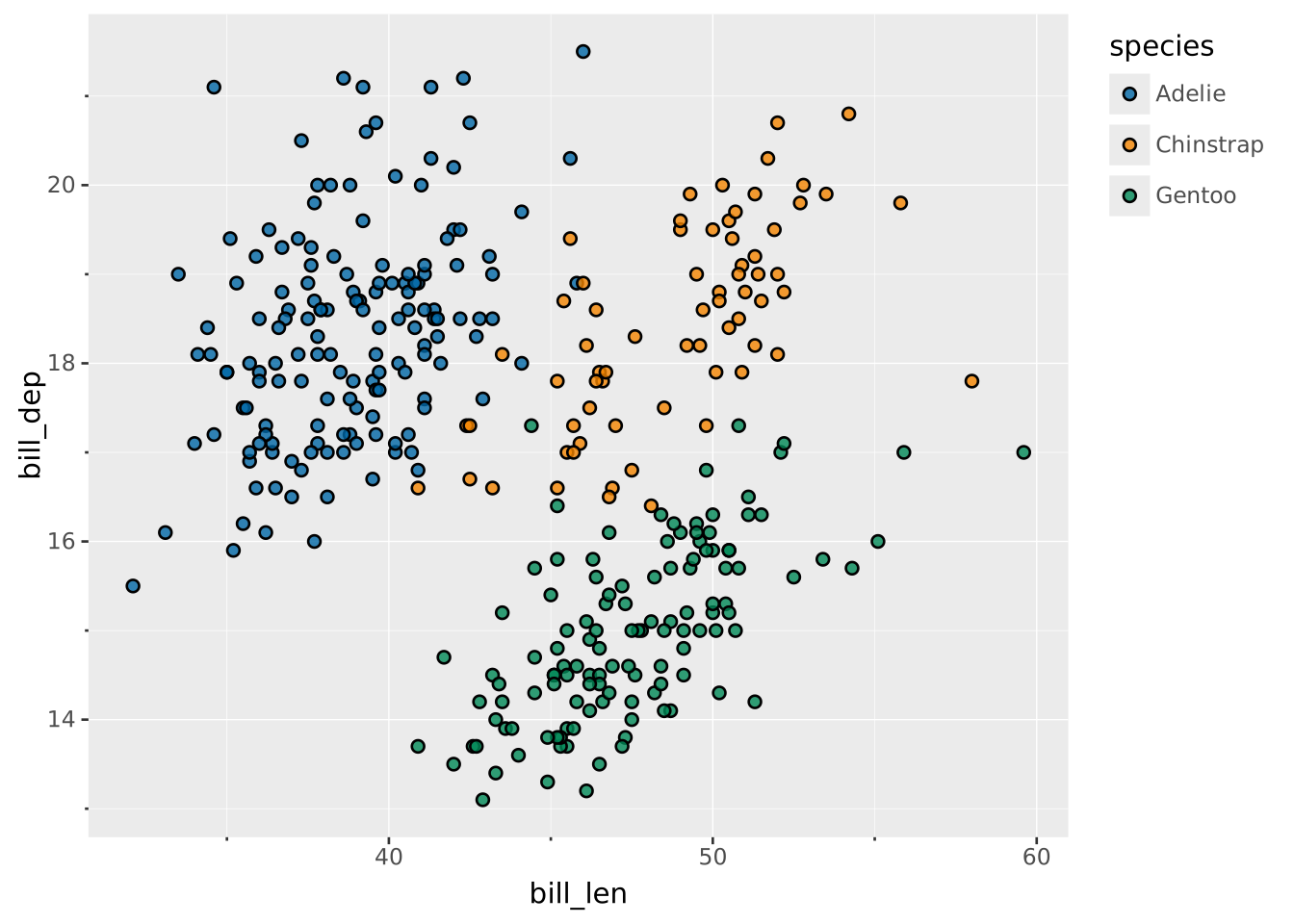
Layers are declared with the
DRAWclause. Read the documentation for this clause for a thorough description of how to use it.
The point layer is used to create scatterplots. The scatterplot is most useful for displaying the relationship between two continuous variables. A bubblechart is a scatterplot with a third variable mapped to the size of points.
The following aesthetics are recognised by the point layer.
The point layer has no required aesthetics.
x): Position along the primary axis. If omitted, all points are drawn at a single discrete primary-axis position (a strip plot) and the categorical axis is hidden.y): Position along the secondary axis. Same dummy-axis treatment as the primary. If both axes are omitted, all rows pile up at a single point — only useful in combination with aggregate.size: The size of each pointcolour: The default colour of each pointstroke: The colour of the stroke around each point (if any). Overrides colourfill: The fill colour of each point (if any). Overrides colouropacity: The opacity of the pointshape: The shape used to draw the pointposition: Position adjustment. One of 'identity' (default), 'stack', 'dodge', or 'jitter'aggregate Aggregation functions to apply per group:
null apply no group aggregation (default).DRAW documentation and more information in the Data transformation section below.This layer supports aggregation through the aggregate setting. Aggregation groups are defined by PARTITION BY and all discrete mappings. Within each group, every numeric mapping is replaced in place by its aggregated value. Use a default like 'mean' or target individual aesthetics with '<aes>:<func>'. See the DRAW documentation for the full setting shape.
The point layer has no orientation. The axes are treated symmetrically.
Create a classic scatterplot
VISUALISE FROM ggsql:penguins
DRAW point
MAPPING bill_len AS x, bill_dep AS y, species AS fill
Map to size to create a bubble chart
VISUALISE FROM ggsql:penguins
DRAW point
  MAPPING bill_len AS x, bill_dep AS y, body_mass AS size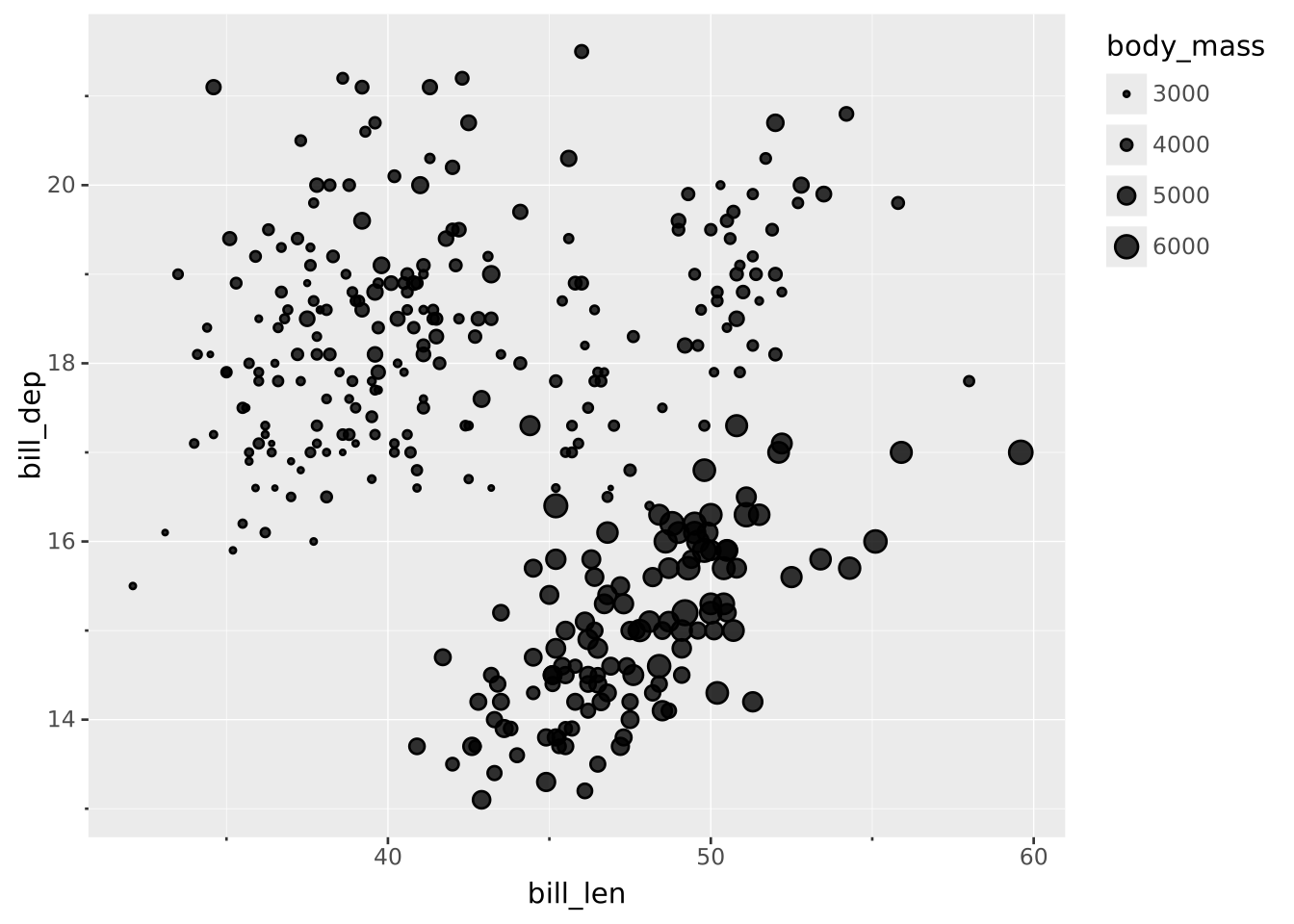
Use filter to only plot a subset of the data
VISUALISE FROM ggsql:penguins
DRAW point
  MAPPING bill_len AS x, bill_dep AS y, species AS fill
  FILTER sex = 'female'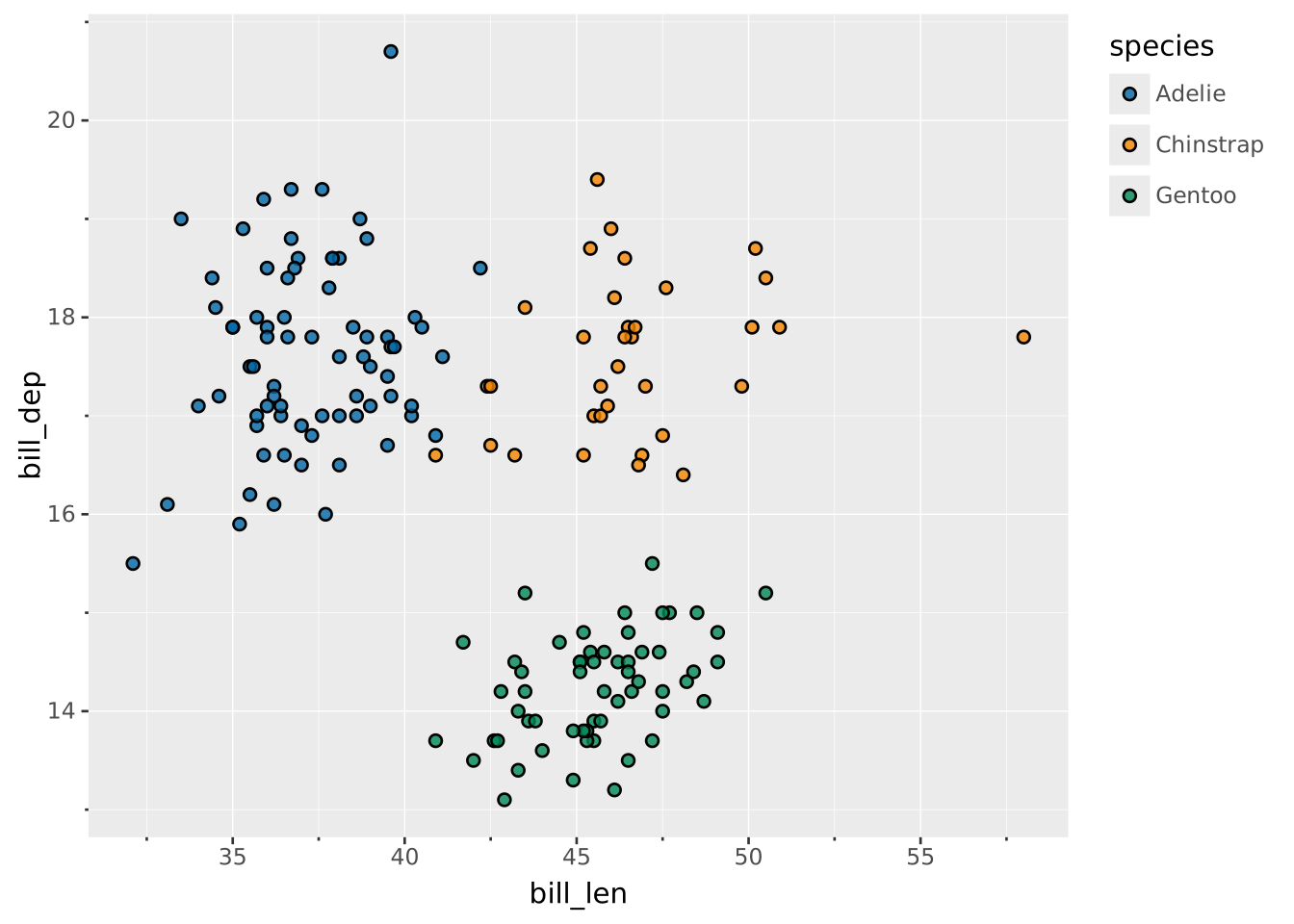
When points are plotted on a discrete scale you will likely see a lot of overplotting. Use jitter position to introduce a bit of random offset to counter that.
VISUALISE species AS x, sex AS y, island AS fill FROM ggsql:penguins
DRAW point
  SETTING position => 'jitter', distribution => 'normal'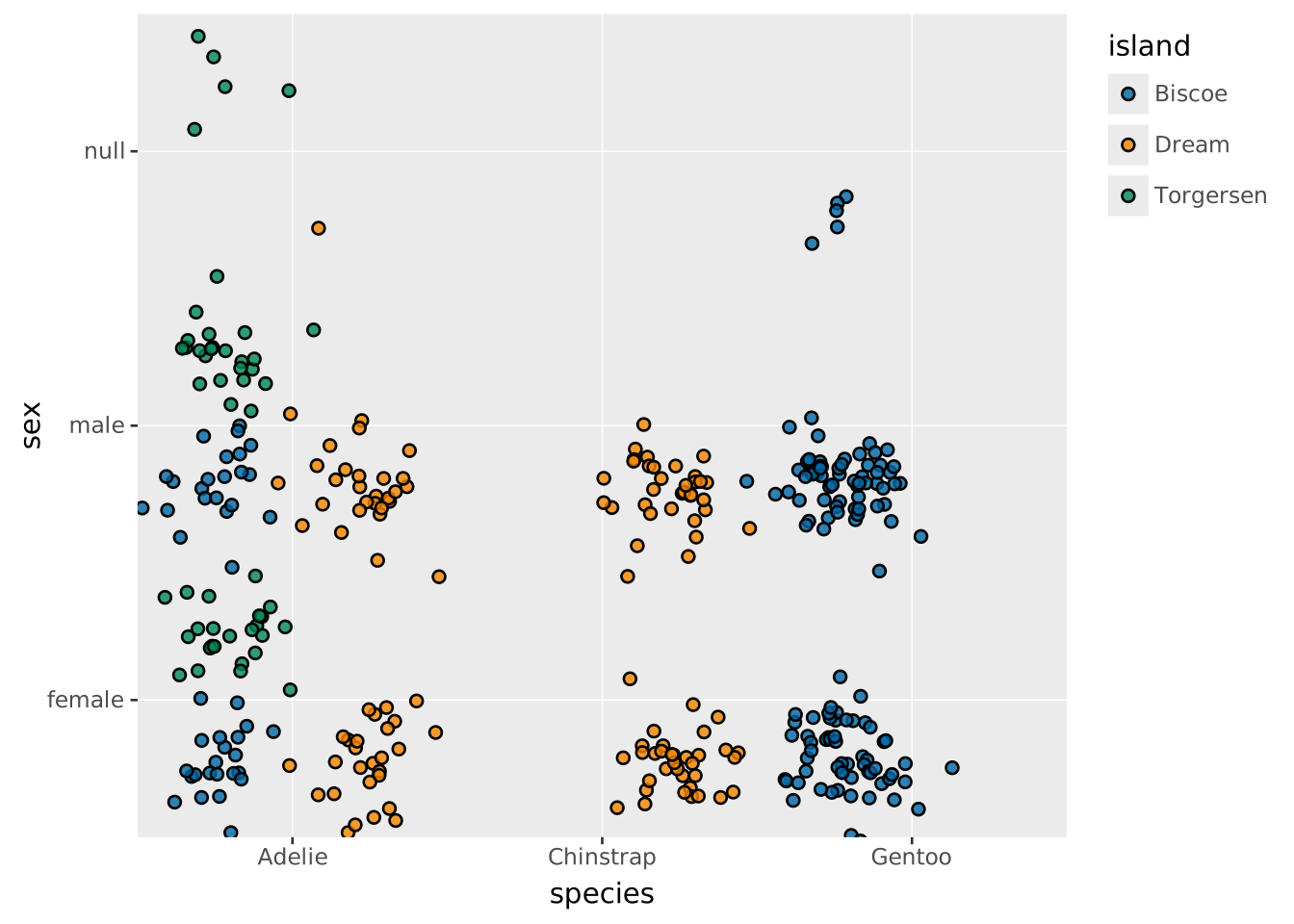
Use density distribution for a violin-like jitter effect, where jitter width scales with local data density.
VISUALISE species AS x, bill_dep AS y FROM ggsql:penguins
DRAW point
  SETTING position => 'jitter', distribution => 'density'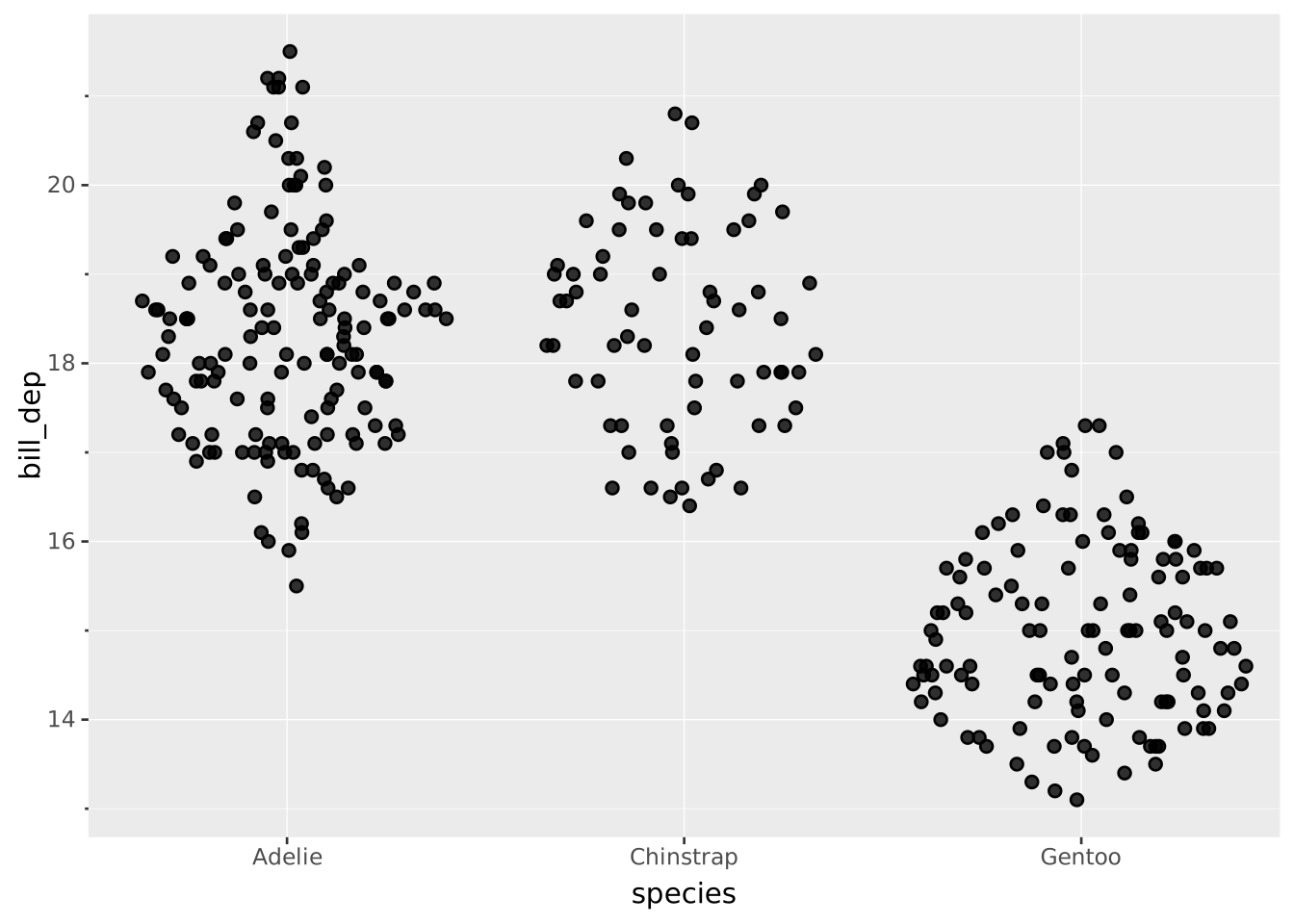
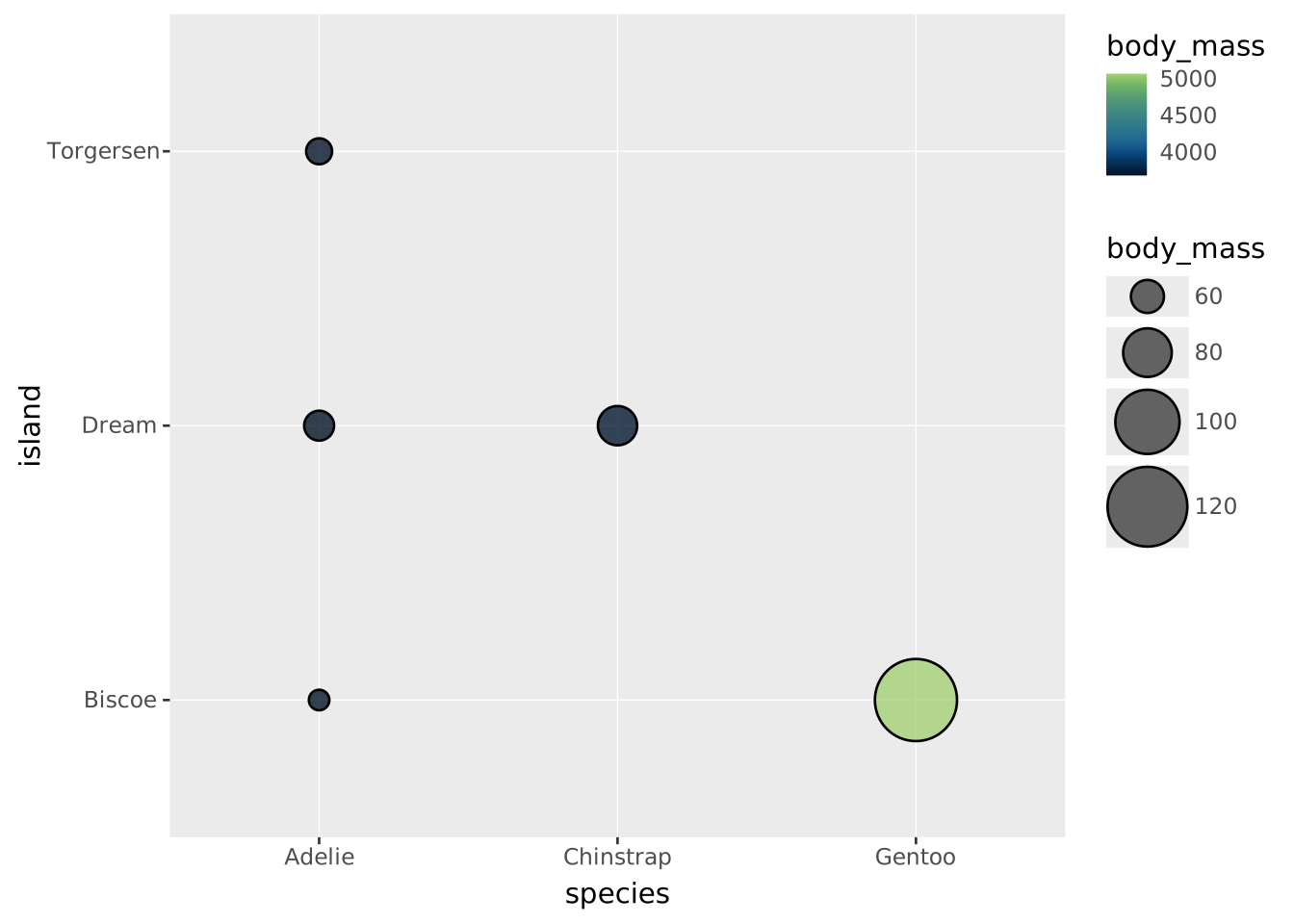
Use aggregation to show a single point per group
VISUALISE species AS x, island AS y, body_mass AS fill, body_mass AS size
  FROM ggsql:penguins
DRAW point
  SETTING aggregate => ('fill:mean', 'size:count')
SCALE size TO (5, 20)