VISUALISE species AS x, bill_len AS y FROM ggsql:penguins
  DRAW violin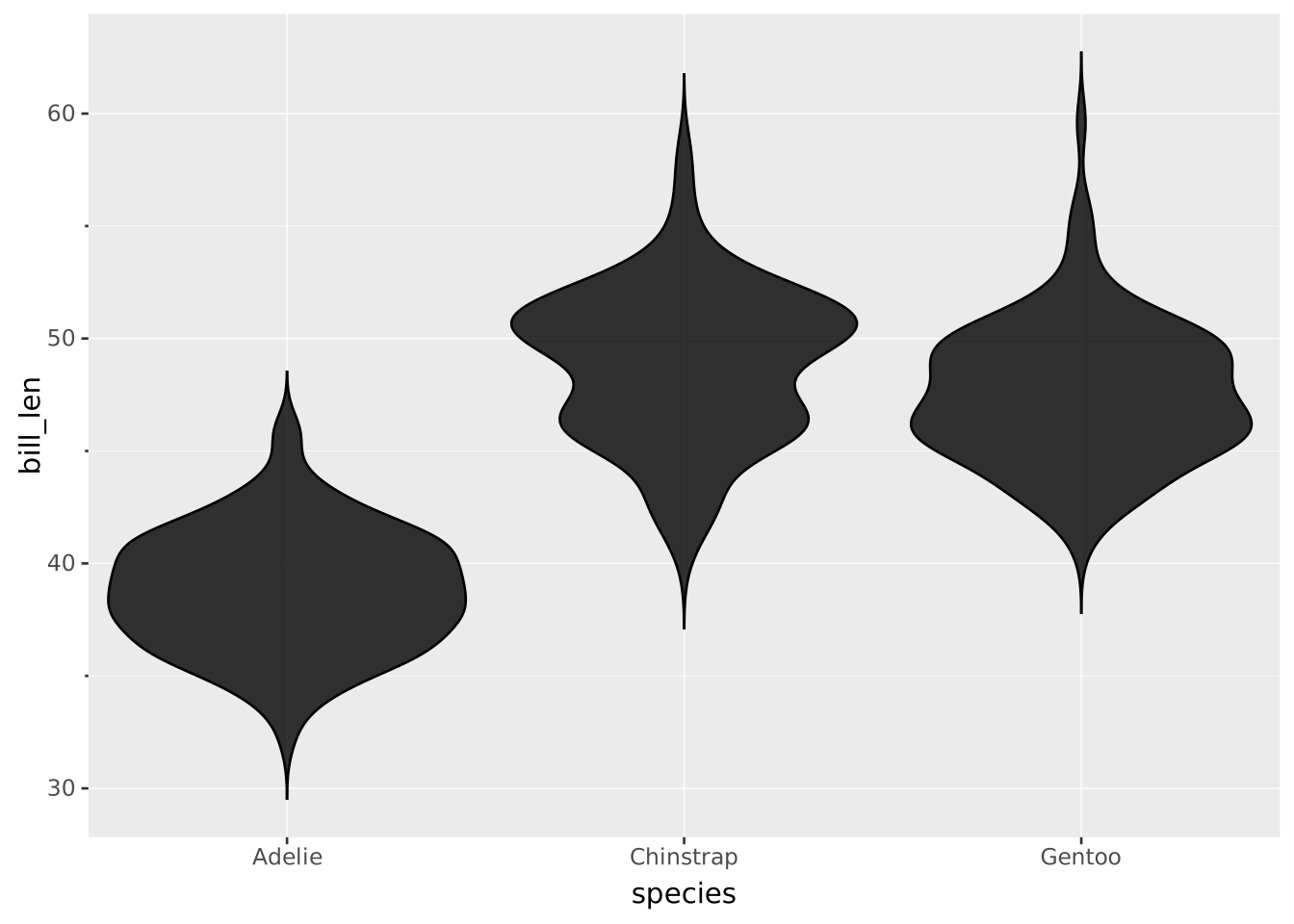
Violin plots display the distribution of a single continuous variable, much like density plots. They are displayed differently, with mirrored densities and separated groups. The densities are mirrored, and each group has its own center.
VISUALISE species AS x, bill_len AS y FROM ggsql:penguins
DRAW violin
VISUALISE ... FROM ggsql:penguins loads the built-in penguins dataset.species AS x sets a categorical variable to separate different groups.bill_len AS y sets the numeric variable to use for density estimation.DRAW violin gives instructions to draw the violin layer.You can refine groups beyond the axis categorical variable, and the violins will be displayed in a dodged way.
VISUALISE species AS x, bill_len AS y, island AS colour FROM ggsql:penguins
  DRAW violin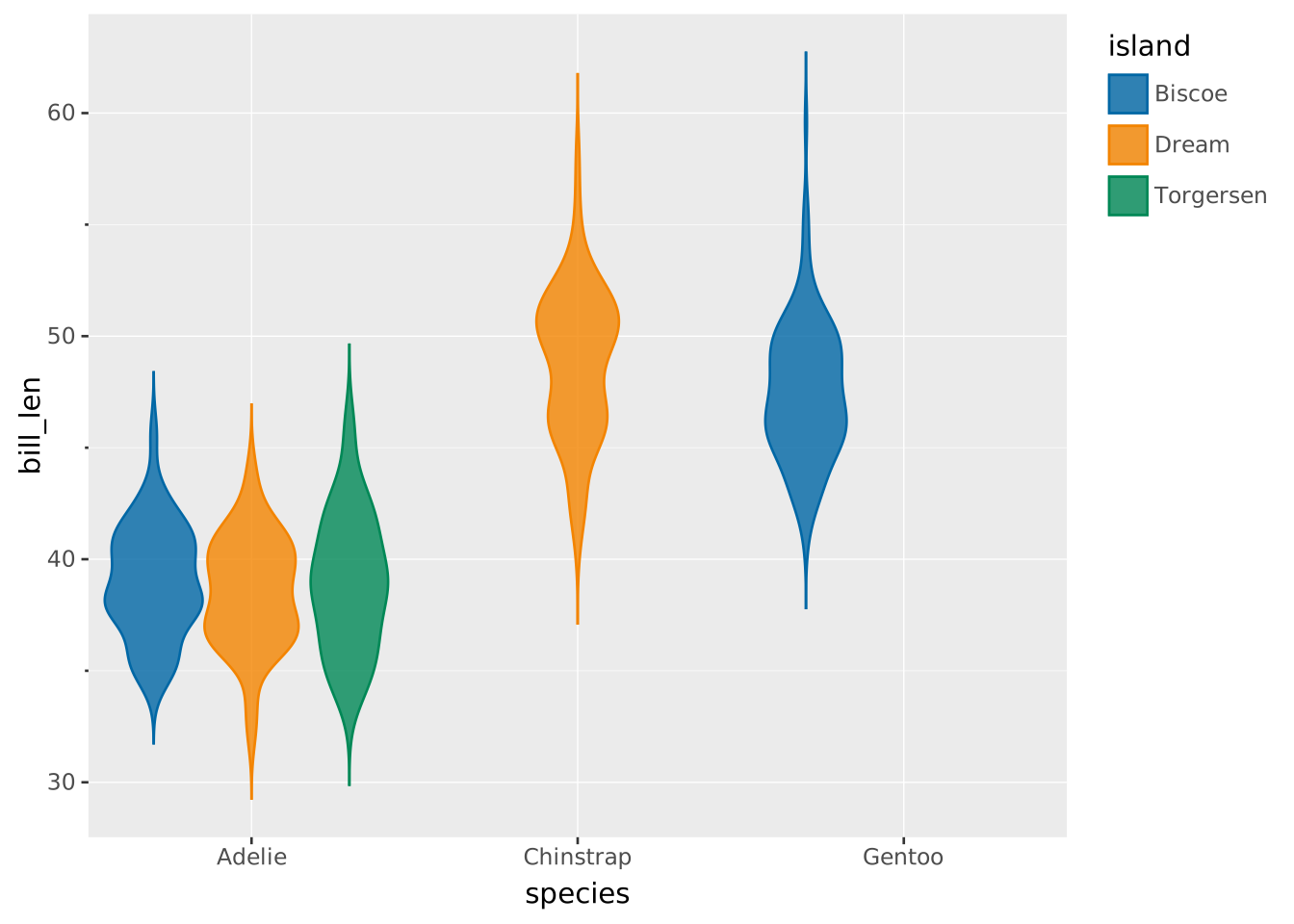
However, dodging might be unproductive or counterintuitive in some cases. For example if we double-encode groups, like species as both x and colour in the plot below, dodging looks bad.
VISUALISE species AS x, bill_len AS y, species AS colour FROM ggsql:penguins
  DRAW violin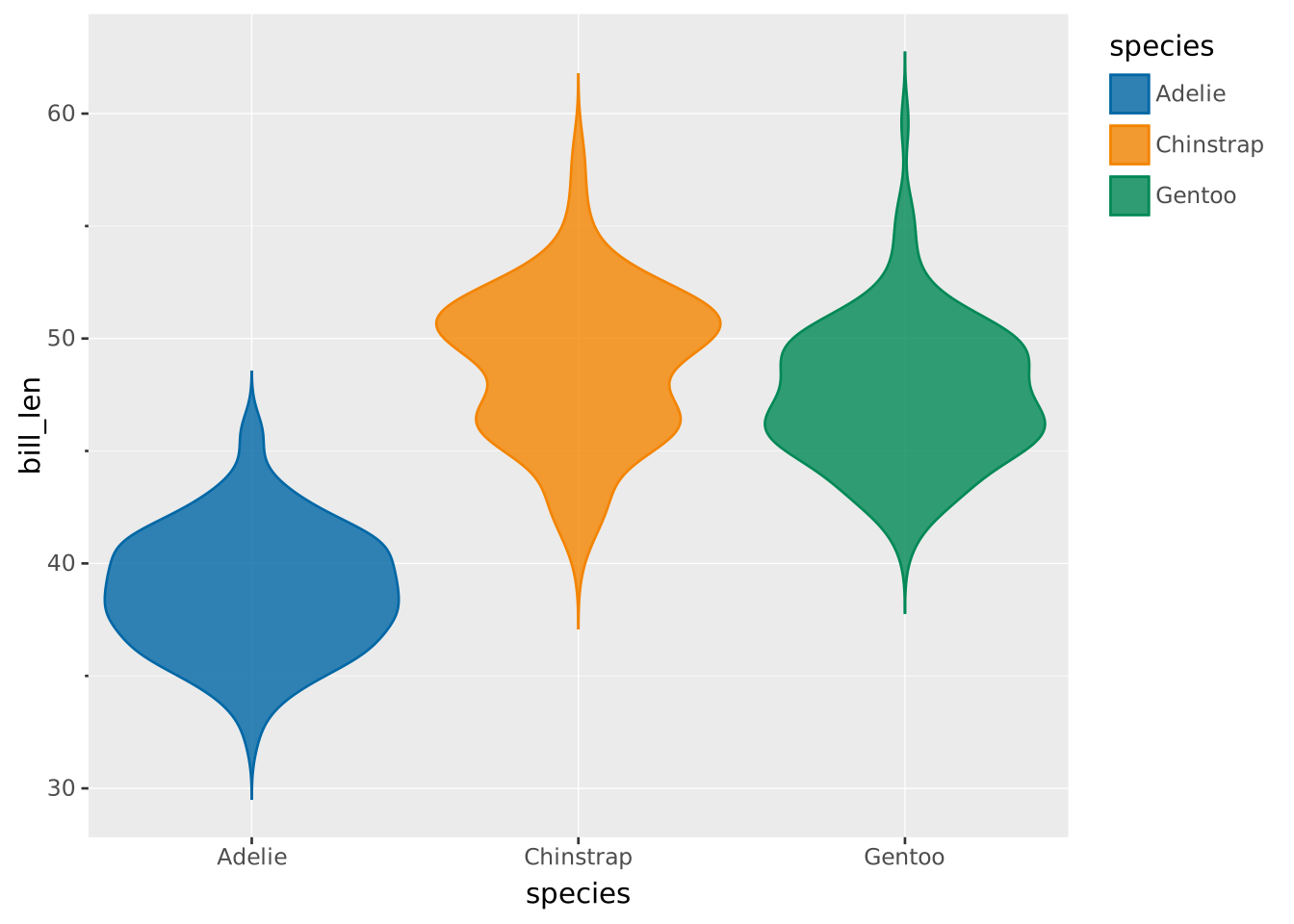
We can disable the dodging by setting position => 'identity'.
VISUALISE species AS x, bill_len AS y, species AS colour FROM ggsql:penguins
  DRAW violin SETTING position => 'identity'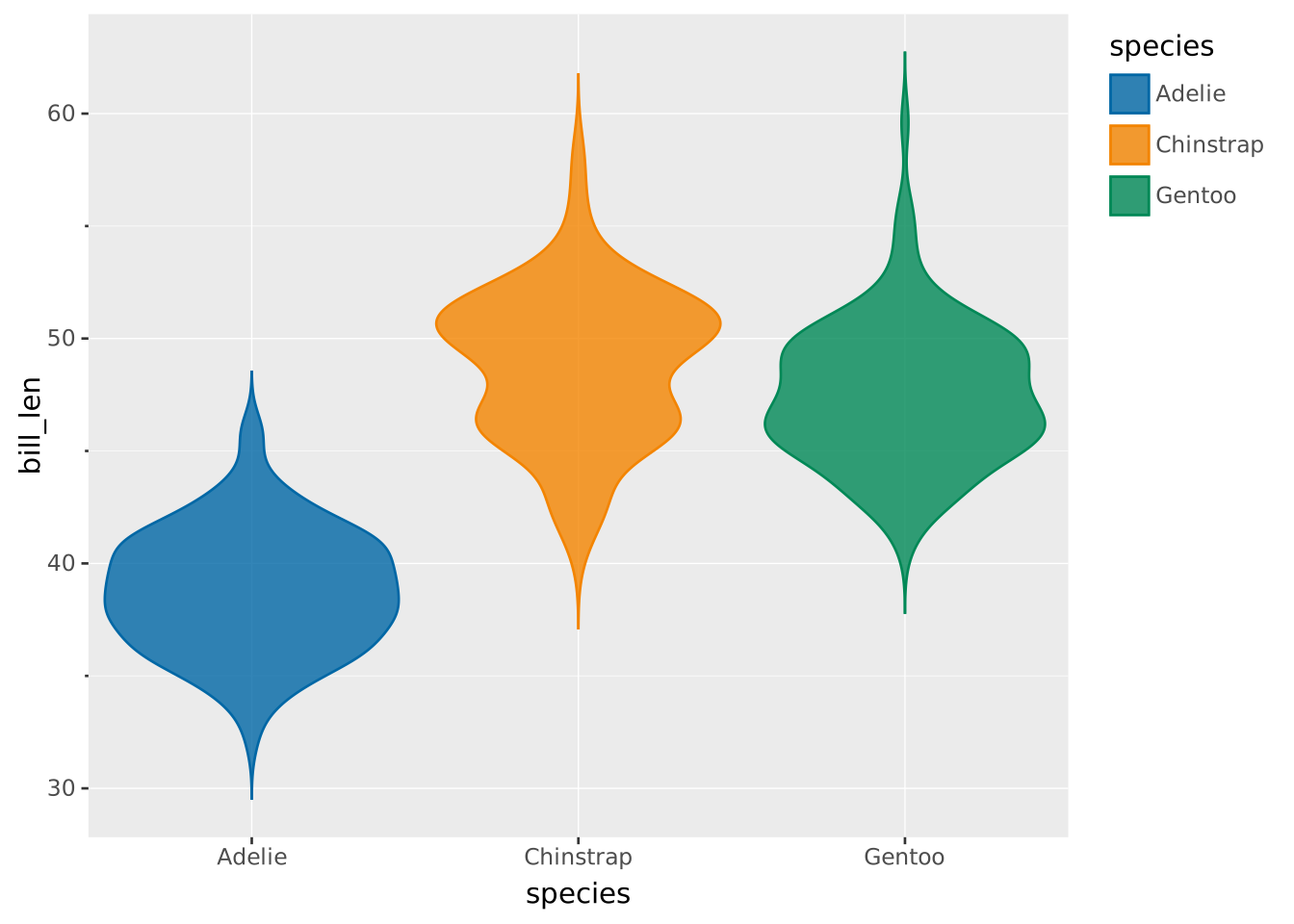
A ridgeline plot is a plot where violins are placed horizontally without mirroring. To place violins horizontally, we just need to swap the x and y variables.
VISUALISE bill_len AS x, species AS y FROM ggsql:penguins
  DRAW violin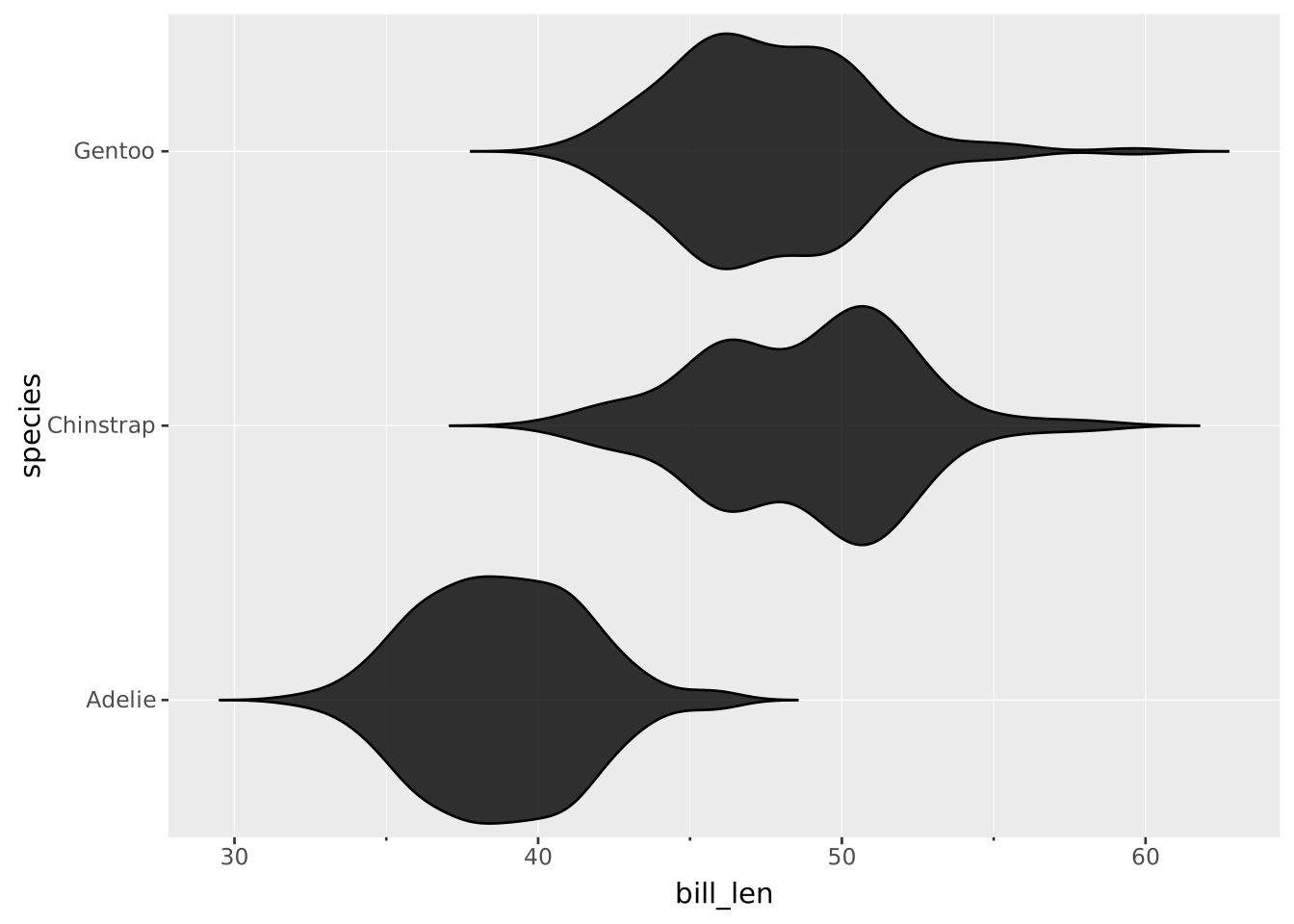
To get ridges, we can set side => 'top'.
VISUALISE bill_len AS x, species AS y FROM ggsql:penguins
  DRAW violin SETTING side => 'top'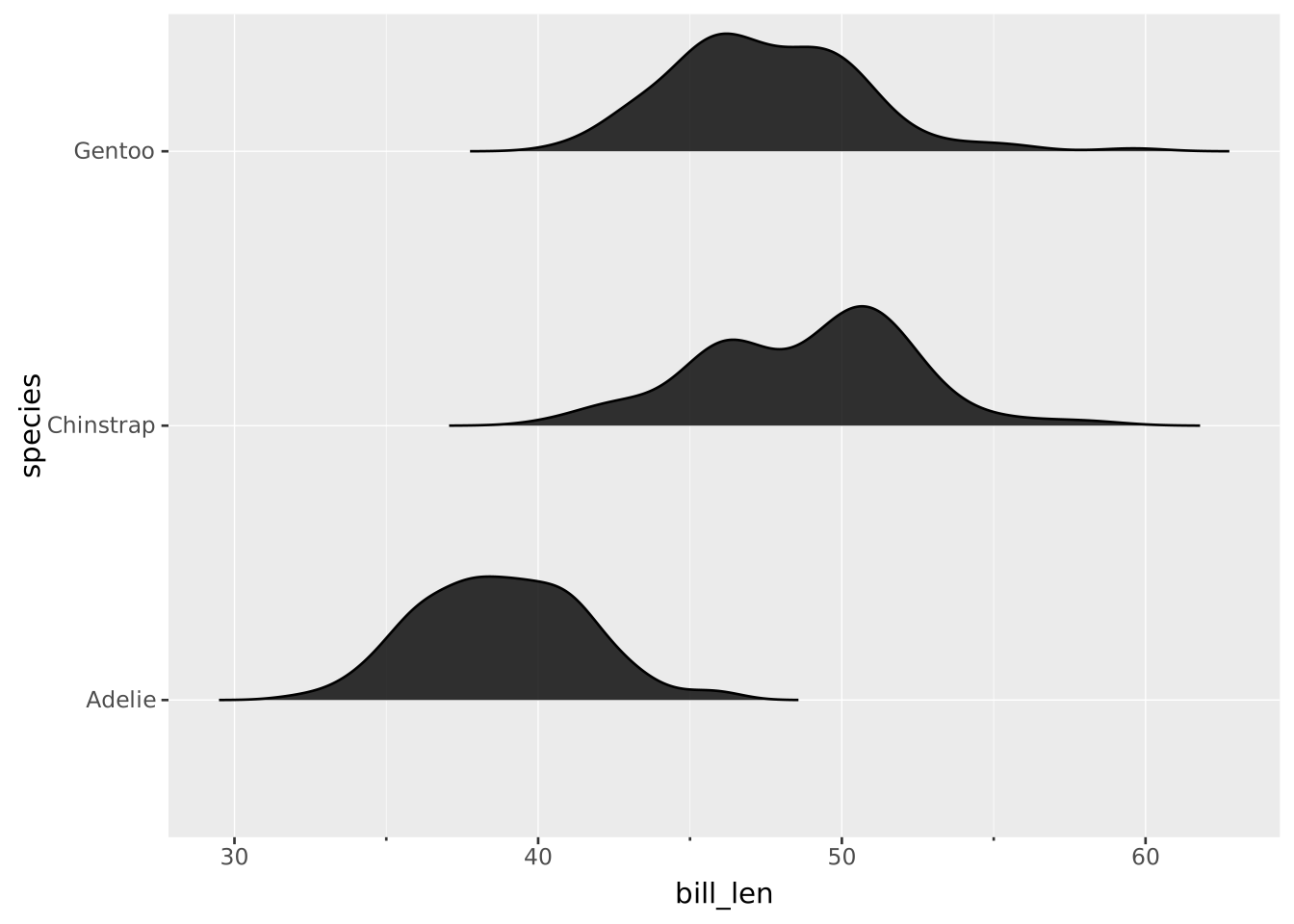
To display variables split across two different groups, you can combine two halves to get an asymmetrical violin. Here we’re using the FILTER clause to draw separate layers for the ‘male’ and ‘female’ groups.
VISUALISE bill_len AS x, species AS y, sex AS colour FROM ggsql:penguins
  DRAW violin
    SETTING side => 'top'
    FILTER sex == 'female'
  DRAW violin
    SETTING side => 'bottom'
    FILTER sex == 'male'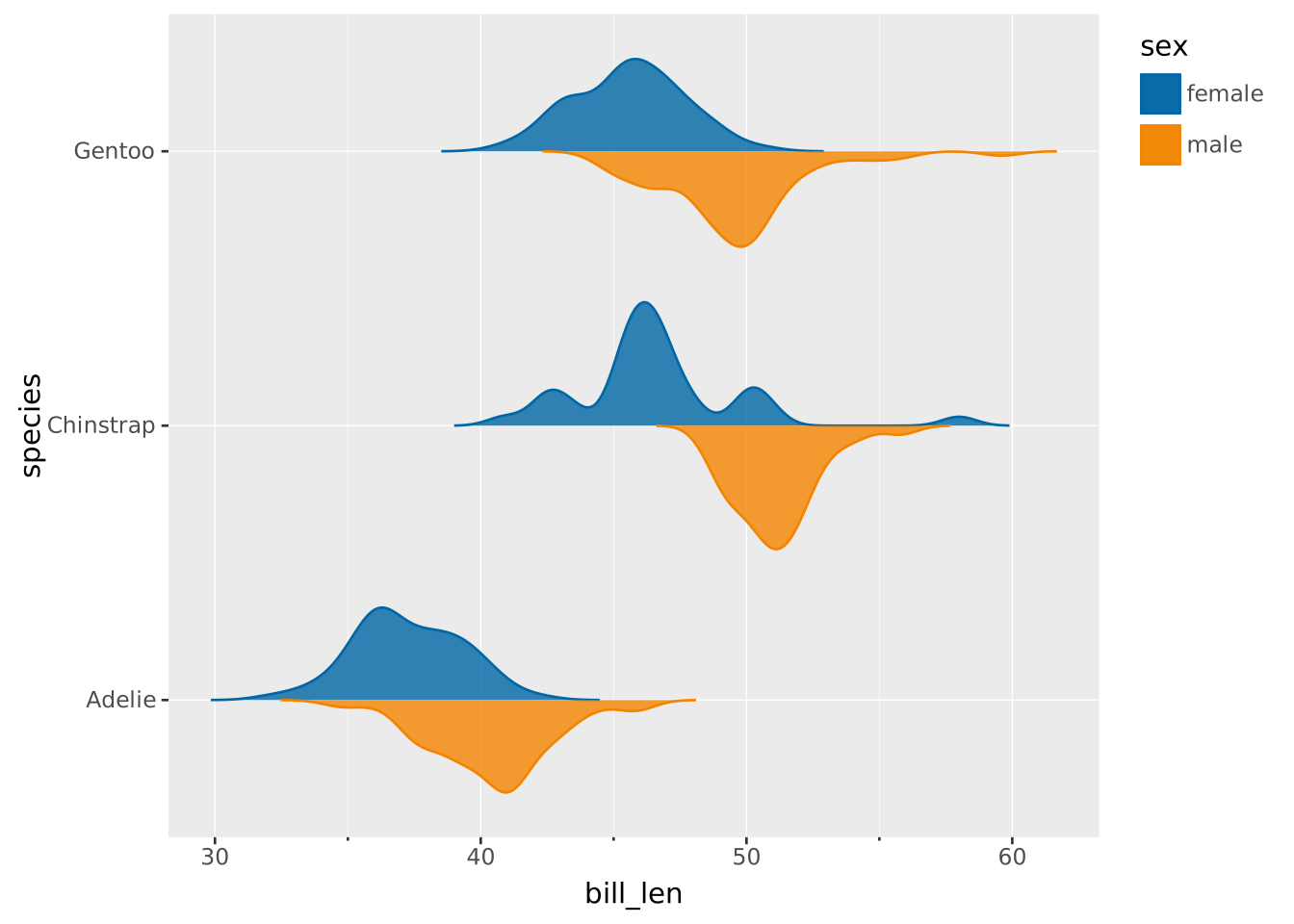
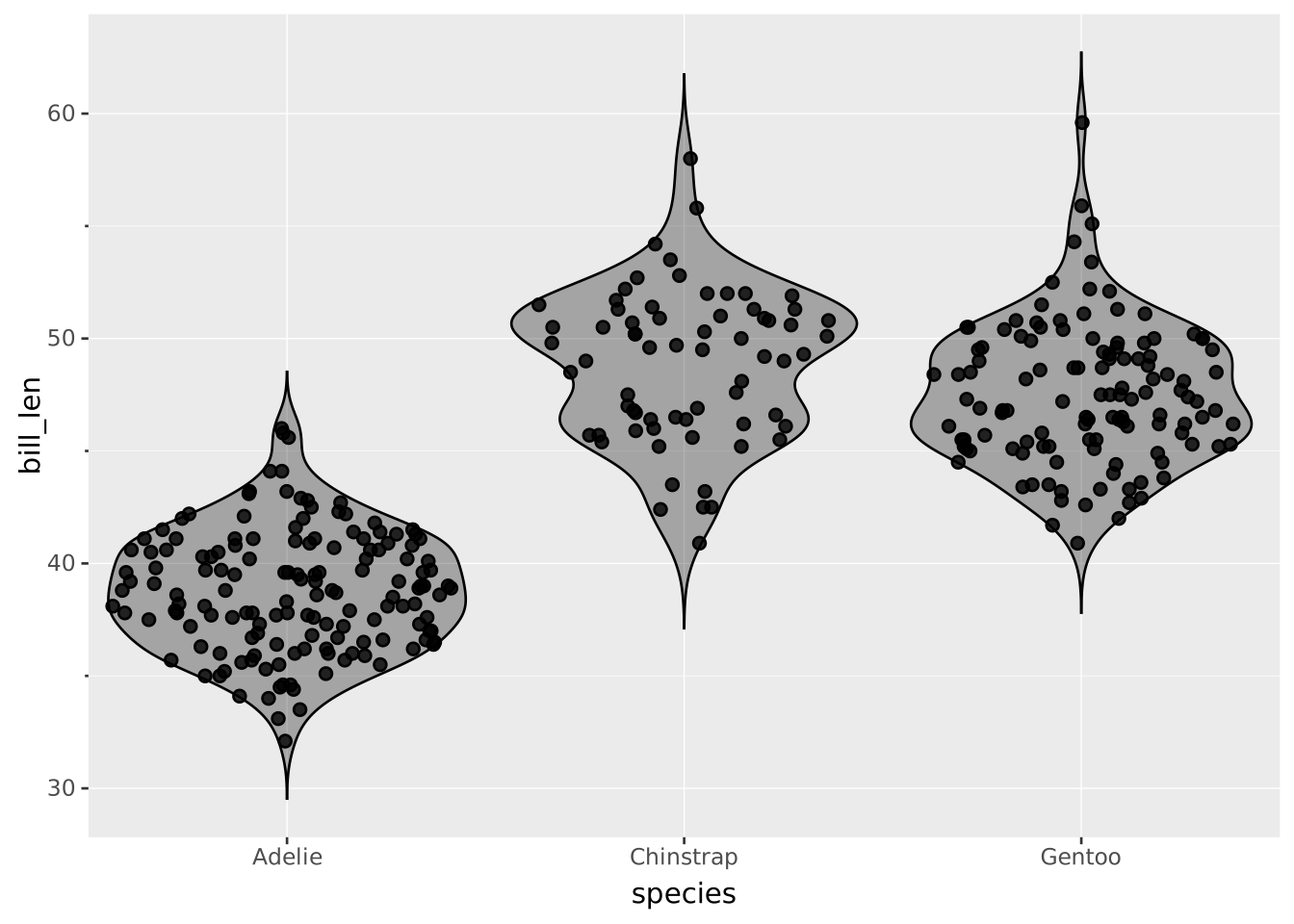
It might be tempting to combine the display of individual datapoints with a violin to accentuate the distribution. The datapoints can be jittered by setting position => 'jitter'.
VISUALISE species AS x, bill_len AS y FROM ggsql:penguins
  DRAW point SETTING position => 'jitter'
  DRAW violin SETTING opacity => 0.3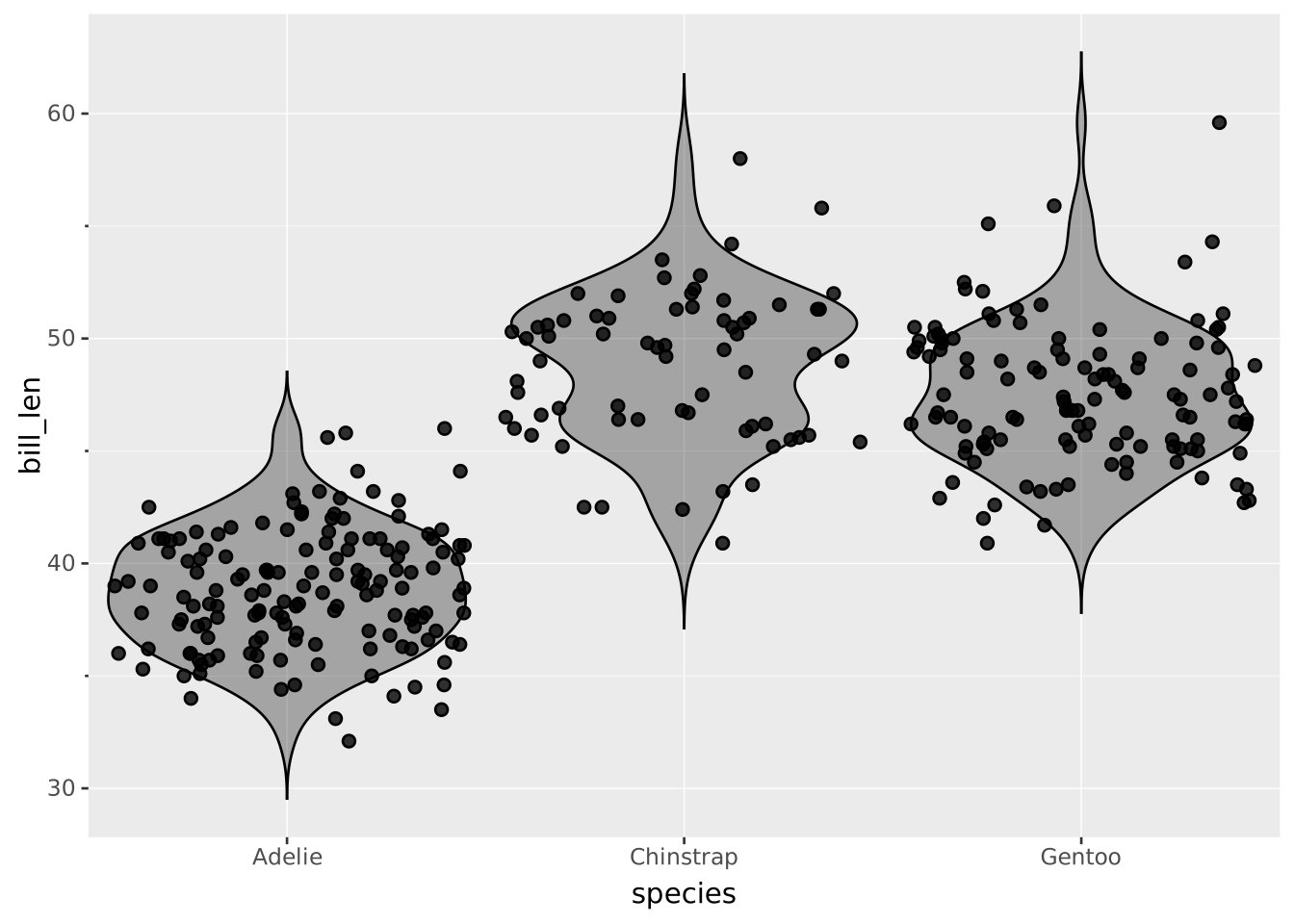
This can be made even more clear by also using the distrion => 'density' setting.
VISUALISE species AS x, bill_len AS y FROM ggsql:penguins
  DRAW point SETTING position => 'jitter', distribution => 'density'
  DRAW violin SETTING opacity => 0.3