VISUALISE bill_len AS x, bill_dep AS y, species AS fill FROM ggsql:penguins
DRAW point
SCALE x
  RENAMING * => '{} mm'
LABEL
  title => 'Relationship between bill dimensions in 3 species of penguins',
  x => 'Bill length',
  y => 'Bill depth'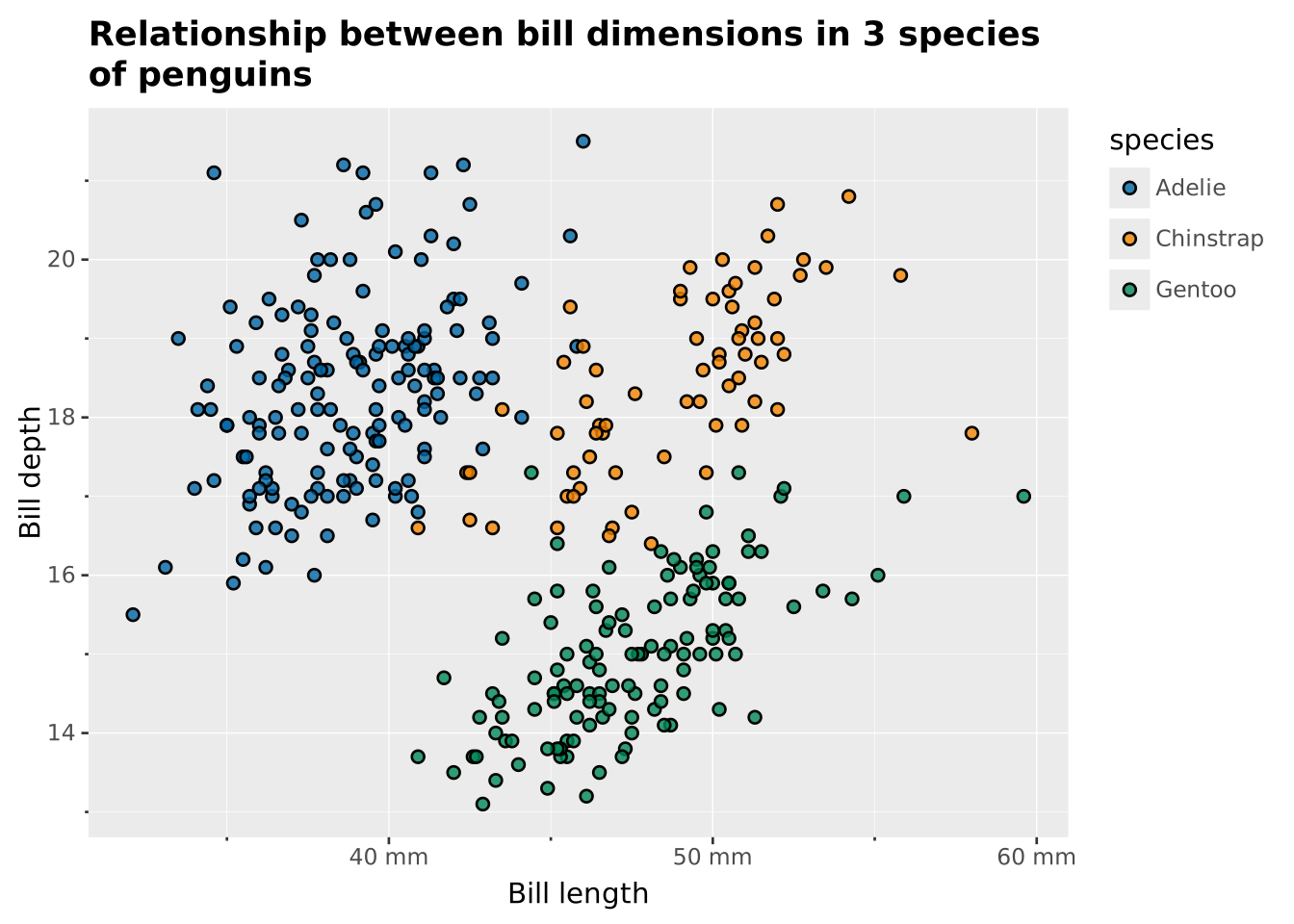
The code below shows a simple ggsql example. But it is not just a static piece of text and an image. It is ggsql running right in your browser, using one of the built-in datasets. Try to change e.g. the title and see the plot update as you type. Even though this may be your first encounter with the ggsql syntax you might already get a sense of how some of the things fit together. See if you can change the code to instead show the different species as different shapes
VISUALISE bill_len AS x, bill_dep AS y, species AS fill FROM ggsql:penguins
DRAW point
SCALE x
RENAMING * => '{} mm'
LABEL
title => 'Relationship between bill dimensions in 3 species of penguins',
x => 'Bill length',
y => 'Bill depth'
Congratulations! You have started your journey with ggsql! All examples you see on this site will be interactive. Please experiment to your heart’s content. If you want a more dedicated exploration experience head to our playground which provides a simple IDE with a number of examples to try out.
Before we move further, you might have some questions about the syntax. For instance, “why isn’t there just a scatterplot function?”. The next section will give a brief glimpse into the concept of the grammar of graphics that underpin the ggsql syntax and why we think it is a superior approach to data visualisation.