With a slight bit of knowledge about the grammar of graphics, let’s dive into how the concepts are present in ggsql, starting with some key concepts and moving on to how it is reflected in the syntax.
Layers
ggsql is composable, allowing you to create arbitrarily complex visualizations. Central to this is the concept of layers. A layer is a single visual encoding of some underlying data, e.g. points for a scatterplot, or bars for a barplot. You can have multiple layers in which case they are stacked on top of each other in the order they are declared (i.e. a layer declared last will be on top and overlap any layer declared before it). A scatterplot with a regression line consist of two layers: A point layer and a smooth layer.
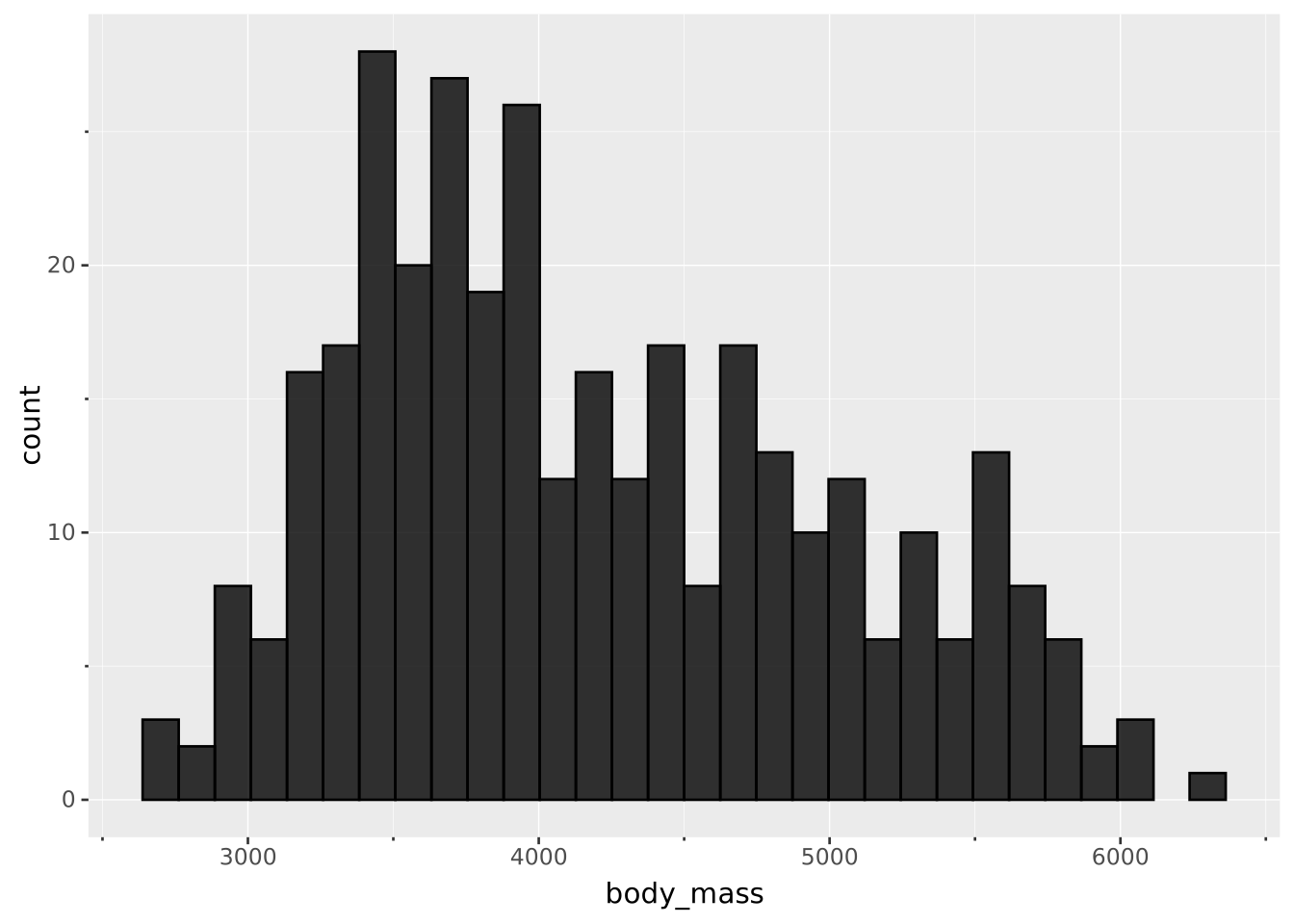
Layers may show data directly, e.g. a point layer will show each observation as a point, or it may apply a statistical transformation and show the result of that, e.g. a histogram layer will bin and count your data before showing the result as bars.
Aesthetics
You will encounter aesthetics throughout the documentation and it is arguably one of the most important concepts to understand. Aesthetics are the visual characteristics that entities take on to make up a layer, e.g. the color of a point, the linewidth of a line, and the opacity of a polygon.
There are two types of aesthetics: position aesthetics and material aesthetics. The former are related to where an entity is placed and is deeply connected to the coordinate system of the plot. The latter are related to how the entity looks.
Aesthetics can either be mapped or set. You use mapping if you want the aesthetic to be related to values in your data, e.g. have fill color be controlled by a category column from your dataset. You use setting when you wish to fix an aesthetic to a specific value, not related to your data, e.g. you want to set linewidth to 2pt.
Scales
When you map data to an aesthetic it will seldom have values that are meaningful for the aesthetic. Consider mapping region to fill because you wish the fill color shows the geographical region the data pertains to. region might contain values such as Asia, Europe, and South America which are not meaningful color values. How do you translate these values into something the aesthetic understands?
The answer is using a scale. When mapping an aesthetic it will automatically be scaled by a default scale to ensure that the aesthetic receives values it understands, but you can take control of the scaling and e.g. use a different color palette.
The syntax
Before we move on, let’s examine how the concepts we have just described are reflected in the ggsql syntax. Often these will be enough for your basic visualization needs.
VISUALISE
Every ggsql query starts with a VISUALISE (or VISUALIZE) clause. It denotes that we are exiting regular SQL syntax and entering ggsql.
While VISUALISE can stand on its own as a demarcation line between the regular and the visual query, you can also pass it a list of aesthetic mappings which will define the default mapping for the layers so that you don’t have to repeat it for every layer. Lastly, if you do not have a initial SQL query you can name a data source for your plot.
Bringing all of these things together, a VISUALISE clause could look like this:
Following VISUALISE you’d usually provide one or more DRAW clauses which will define your layer. The DRAW clause is arguably the most complex clause, but the basic usage is straightforward: You provide the type of the layer, any additional mapping if needed, and perhaps modify the settings of the layer. To achieve this we employ the MAPPING and SETTING clauses.
The input to the MAPPING clause looks exactly like what we saw above for the VISUALISE clause. You can provide mappings and optionally a data source if you want the layer to use a data source different from the global data. The SETTING clause allows you to both set aesthetics as well as set parameters specific to the layer (e.g. number of bins in a histogram).
Bringing all of this together a DRAW clause could look like this:
-- |- type --|DRAWhistogram-- |-- mapping --|MAPPING bill_len AS x-- |-- setting ---|- parameter -|SETTINGstroke=> null, bins =>20
but, if mappings and data source have already been taken care of, it can be as simple as
DRAWpoint
SCALE
As described above, ggsql automatically creates a default for mapped aesthetics and if those suit your needs there is no reason to modify them. However, if change is needed you do it with the SCALE clause.
The clause allows you to set the type of scale, the input range, the output range, the transformation, and lets you control breaks and label formatting. So, the clause can end up with a lot of information but the syntax has been designed so it reads very natural. Further, every part is optional and can be left out if the default fits. An example of a rather complex SCALE clause could be:
But, if you are only interested in changing e.g. the palette it can be as simple as:
SCALEfillTOviridis
Example
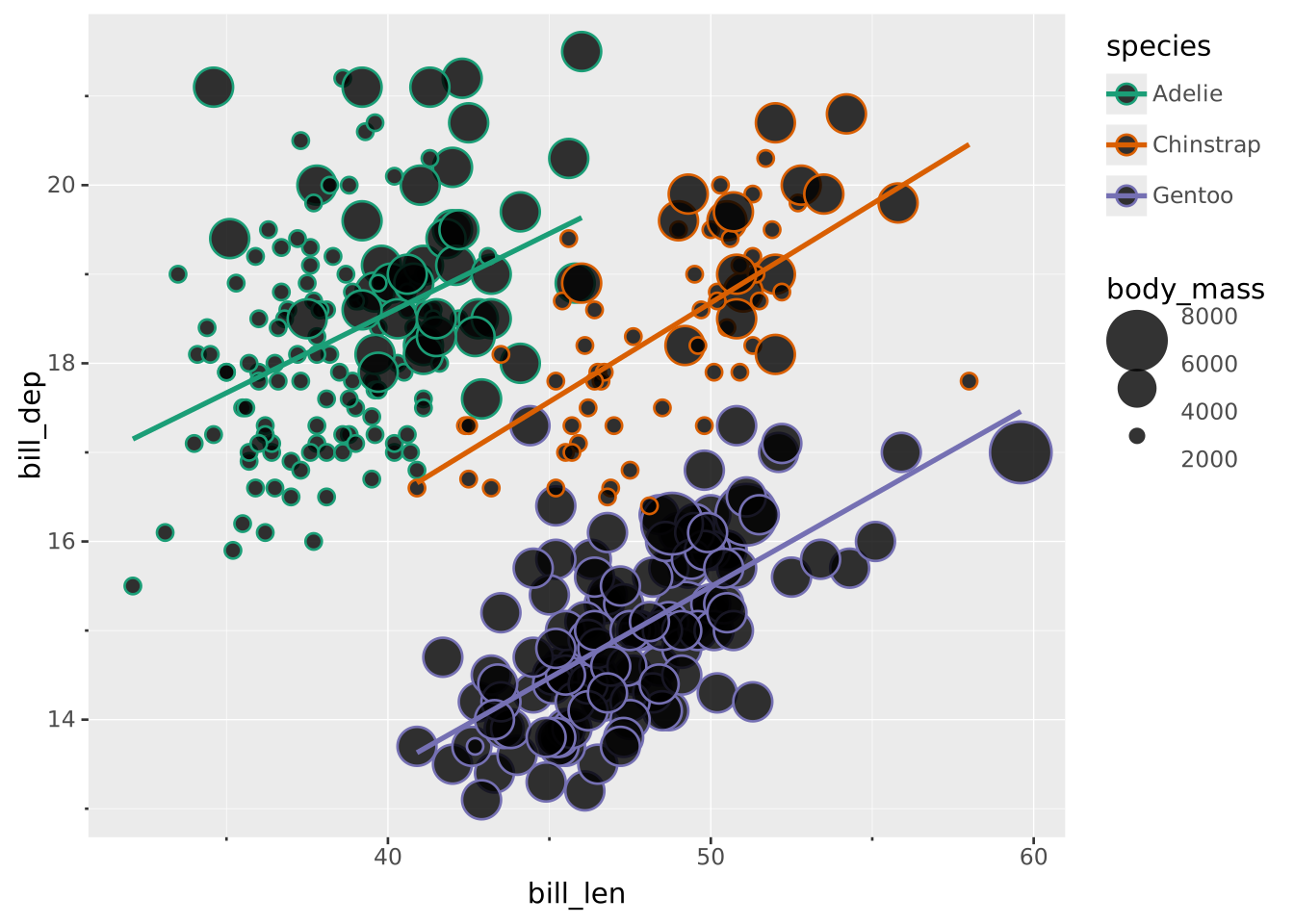
Using the things we have just learned we can combine it all to a complete query consisting of multiple layers and custom scales:
VISUALISE bill_len ASx, bill_dep ASy, species ASstrokeFROM ggsql:penguinsDRAWpointMAPPING body_mass AS sizeSETTINGfill=> nullDRAWsmoothSETTING method =>'ols'SCALEstrokeTO dark2SCALEBINNEDsizeTO (4, 15)SETTINGbreaks=>4
In the above we create a global mapping of bill_len to the x aesthetic and bill_dep to the y aesthetic using the built-in penguins dataset. We use DRAW to create two layers: A point layer for a scatter plot and a smooth layer for regression lines. For the point layer we map the body_mass to size to create a bubble chart and set the fill aesthetic to be empty (null) so only the outline is shown. For the smooth layer we set the layer parameter method to 'ols' to estimate a straight regression line. Lastly, we modify the stroke scale to use the dark2 palette from the ColorBrewer project and apply a binned scale to size that goes from 4pt to 15pt with 4 breaks (resulting in 3 bins).
While the query above may feel like a mouthful, remember that most visualizations are much simpler:
In the next section we will introduce the remaining parts of the grammar and the related syntax, but the parts covered here will already take you a very long way.